


 Video Converter Ultimate
 Perekam Layar
 Perbaikan Video
Ulasan Lengkap tentang Cara Mengonversi File SWF ke AVI dengan 5 Konverter
A format created by the joint force of ShockWave Flash and Adobe is the SWF. This format is designed to contain and play video animation on Flash Player or on the web with the Flash plug-ins. However, it is very difficult to watch animated videos in the format of SWF. Because all of the media players don't support the said format other than the Flash Player. And in that case, you will need to find a converter to watch the .swf file on your desktop. So now, we present to you below are the converters you can use to convert SWF to AVI online and offline.
Bagian 1. SWF vs AVI: Mana yang Lebih Baik?
Sebelumnya, kami menjelaskan beberapa data yang kami kumpulkan selama penelitian kami tentang file SWF. Tapi tahukah Anda bahwa file ini menggunakan vektor daripada piksel? Untuk lebih memahaminya, mari kita gali lebih dalam. Piksel adalah kotak kecil yang ditampilkan ke layar Anda. Pada dasarnya, semua kotak kecil ini memang memiliki warna yang berbeda dan semuanya disatukan untuk menciptakan visual. Namun, vektor menggunakan persamaan matematika untuk menghitung bentuk yang akan diambil bagian pada tampilan layar Anda. Jadi, jika kita mencoba menonton video SWF, maka mengharapkan kualitas visual yang jauh lebih baik daripada format apa pun.
AVI adalah salah satu format file terkenal yang memiliki ukuran file yang sangat besar dibandingkan dengan format lainnya. Dan alasan utama mengapa ukuran file AVI besar hanya karena tidak terkompresi. Dan karena tidak terkompresi diharapkan file tersebut tetap berkualitas tetapi dalam ukuran yang jauh lebih besar.
Satu-satunya alasan Anda perlu mempelajari cara mengonversi file SWF ke AVI adalah dengan menonton video yang masih dalam ekstensi file .swf. Selain itu, kami telah membuat pencarian Anda jauh lebih mudah dari sebelumnya karena kami mengumpulkan berbagai alat yang dapat Anda pilih. Juga, semua alat yang disebutkan di bawah ini memberikan konversi hebat yang benar-benar akan membantu Anda memecahkan masalah ini.
Bagian 2. 5 Konverter SWF ke AVI Terbaik yang Tersedia di Desktop dan Web
1. FVC Video Converter Ultimate
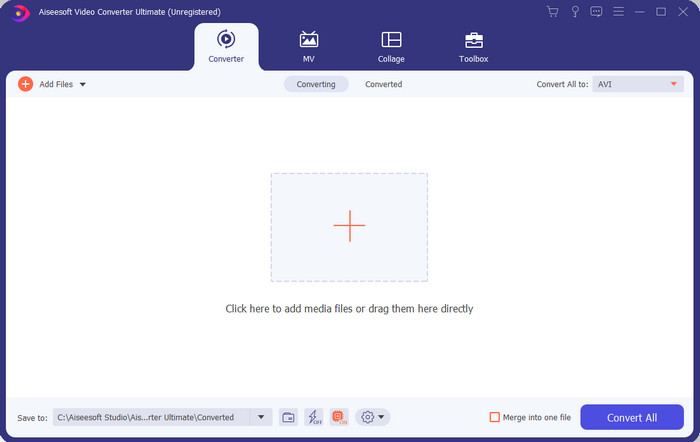
If you're looking for the ultimate phenomenal software you need to use to convert .swf then the FVC Video Converter Ultimate is the one. It is not placed at first if the software doesn't provide an outstanding conversion. Also, it supports 200+ formats that are known to you or even those that aren't. Unlike the converters enlisted below, this is far more different in interface, functionality, advanced features, accessibility, and more. If you are searching for a splendid converter then say this to yourself that the search is over as you find one. Furthermore, if you are still not convinced yet with the tool then let's see it for yourself by downloading this best free SWF to AVI converter first.
Pro
- Ini mendukung akselerasi perangkat keras dan konversi cepat untuk mengkonversi dalam sekejap mata.
- Beragam format file media yang didukung.
- Fitur pengeditan tersedia setelah pembayaran diselesaikan.
- Konversi batch dapat dilakukan dengan mudah.
Kontra
- Perlu bayar dulu baru bisa pakai tapi harganya sangat murah.
- Perlu diunduh di drive Anda terlebih dahulu.
2. VLC Media Player
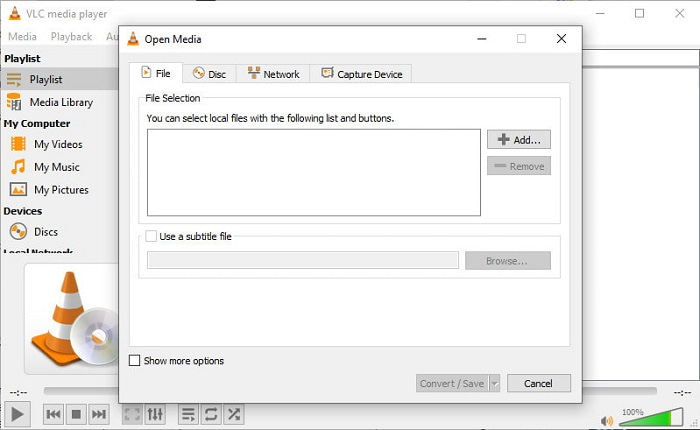
This media player has a secret feature you would love to use. VLC Media Player is not only used as a media player but has also provided a converter as well. However, the supported format of the built-in converter software is very minimal and you can't set the resolution. Also, the process of converting format here would definitely give you a hard time compared to the other converters. But if you want to try to and use this freeware SWF to AVI converter then download the media player.
Pro
- Ini memiliki konverter bawaan di samping pemutar media.
- Gratis untuk diunduh di platform apa pun.
- Aman untuk diunduh dan proses konversi juga dilindungi.
Kontra
- Format yang lebih sedikit didukung daripada konverter lain yang tersedia dalam daftar ini.
- Proses konversi banyak yang harus dilakukan sebelum Anda dapat melakukan konversi.
3. Convertio
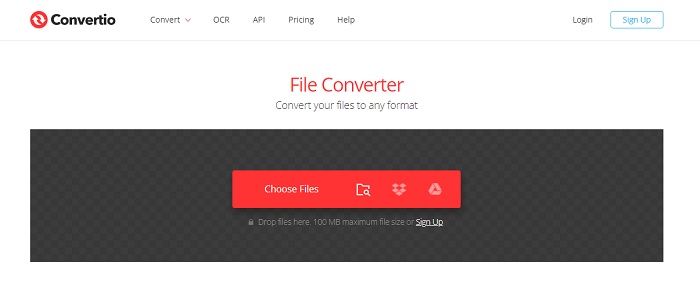
If you want to convert SWF to AVI online then try Convertio as it provides simple and effective conversion. Also, this web tool is safe to be used and all of the files that have been converted with this tool will be deleted from the website. Another amazing feature of this tool is that you can do the batch conversion if you sign-up. However, the process of uploading and downloading would definitely take a lot of your time and that is a little bit of hassle to the users. If you don't want to spend a penny on your conversion then try to use this.
Pro
- Tidak perlu mengunduh perangkat lunak di drive Anda sebelum Anda dapat menggunakannya.
- Ini mendukung format tingkat menengah yang dapat Anda pilih.
- 2 format file sekaligus dapat dikonversi secara bersamaan.
Kontra
- Mengunggah dan mengunduh file setelah konversi akan memakan banyak waktu Anda.
- Ketergantungan internet yang berarti jika internet Anda lambat maka mengharapkan waktu yang lama.
4. OnlineConvertFree.com
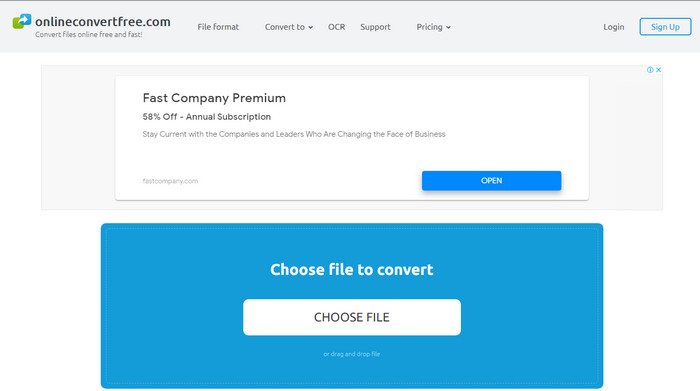
Another online video converter SWF to AVI you can use is the OnlineConvertFree.com. If simplicity is beauty, then this must be your choice on the job of converting. Unlike the first mentioned online tool, this is much simpler but it supports less formats you can choose. Also, the file size is limited in this online software. So, if you have a file size that is more than 20mb then expect that you can't use it with this tool. However, if you want to use this to convert files and also to not spend a lot then use this.
Pro
- Ini gratis untuk diakses.
- Konverter ini dapat digunakan jika Anda memiliki koneksi internet.
- Secara keseluruhan antarmuka terlihat rapi.
Kontra
- Tidak dapat diakses jika internet tidak tersedia.
- Iklan membunuh situs web.
Bagian 3. 5 Langkah Cara Mengonversi SWF ke AVI di FVC Video Converter Ultimate
Berikut adalah langkah-langkah rinci tentang cara menggunakan FVC Video Converter Ultimate. Semua langkah yang disediakan di sini akan menjamin Anda pengalaman yang mudah namun fenomenal.
Step 1. Firstly, it is a must to download the tool on your computer drive, choose whether it is PC or Mac. Then install the software on your drive, perform the set-up easily, then click Start Now.
Unduh GratisUntuk Windows 7 atau yang lebih baruUnduhan Aman
Unduh GratisUntuk MacOS 10.7 atau yang lebih baruUnduhan Aman
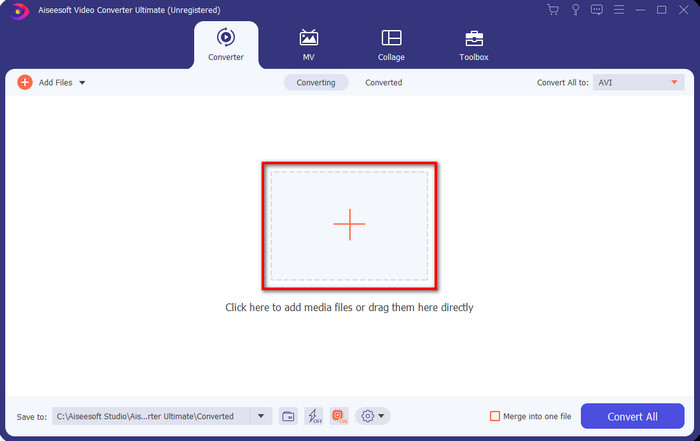
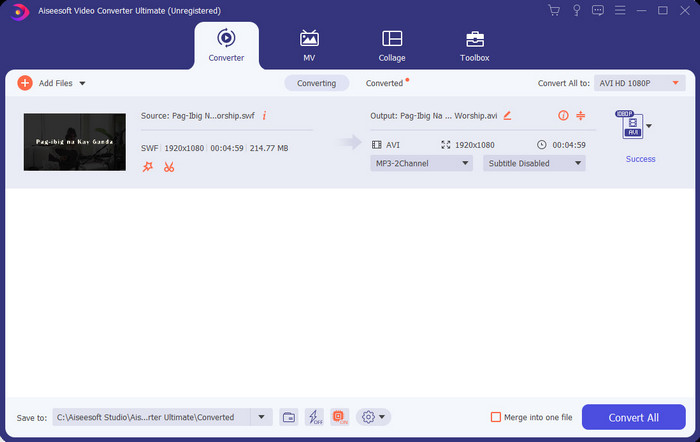
Step 2. Open the software you installed into your drive, then click the + button then locate the file on the folder that will be going to pop-up next. Press Open to proceed.
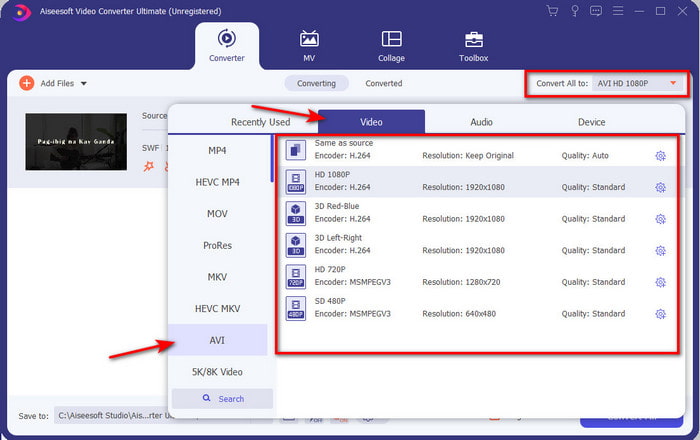
Step 3. And to change the SWF file into an AVI format click the drop-down button and select AVI format then choose the resolution.
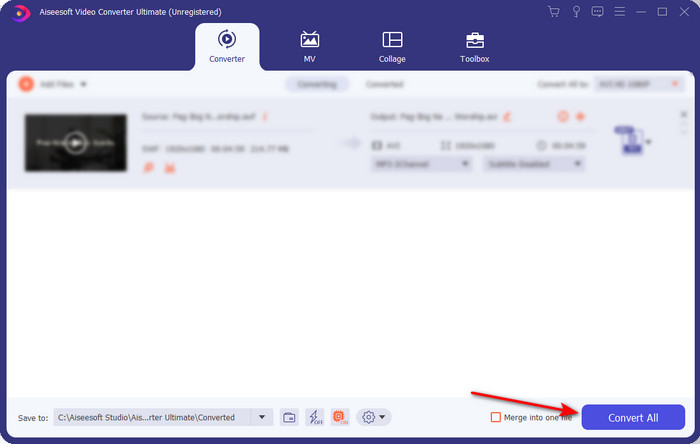
Step 4. And if you are already done selecting the format, click Convert All for the converting process to begin.
Step 5. After the conversion is done, a folder with the converted file will show. Click the newly AVI file to watch it and transfer it later if you want.
Bagian 4. FAQ tentang SWF dan AVI
Bisakah saya memainkan SWF di pemutar media lain?
Definitely no, because .swf is not supported on your media player even if you use a third-party app. And the best choice to play the .swf then you must turn it into a new format just to play it. But if you don't want to convert it then you must use the Flash Player just to play the SWF file format.
Apakah .swf ukurannya lebih kecil?
Absolutely yes, other than being small in size it is also loaded much faster compared to the other format and also the whole structure of the format itself. You can try compressing SWF files with a video compressor if they are too large.
Bisakah file SWF saya menyesuaikan transparansi?
Nah, Anda bisa mengaturnya menjadi transparan jika Anda mau atau tidak jika Anda tidak mau. Selain itu, Anda dapat menambahkan saluran alfa dengan warna pada tampilan atau skala abu-abu untuk mengaturnya sebagai transparan.
Kesimpulan
Saat kita mengakhiri artikel ini, kita sudah mengetahui apa itu SWF dan tujuan lainnya. Juga, kami telah belajar bahwa Anda tidak dapat menggunakan file .swf jika Anda tidak menggunakan Flash Player dan selain itu Anda tidak dapat memainkannya. Jadi sekarang, solusi terbaik untuk memutar file SWF adalah dengan mengubahnya menjadi format baru seperti AVI. Selain itu, semua alat yang disebutkan di atas melakukan tugasnya sebagai konverter. Tetapi tidak ada alat yang memberikan solusi yang jauh lebih cepat dan mudah selain FVC Video Converter Ultimate.
-
 SWF ke MP4: Konversi Gratis SWF ke MP4 Online dan PC
 Bagaimana cara membuka file SWF tanpa Adobe Flash Player? Gunakan 3 konverter SWF ke MP4 gratis teratas untuk mengubah SWF ke MP4 secara online dan di PC / Mac secara gratis dalam 3 langkah.
-
 [2 Solusi] Cara Mengonversi File SWF ke GIF dengan Mudah Gratis
 Ketika Anda gagal mengekspor format GIF melalui perangkat lunak Flash, Anda dapat mencoba menyimpan file dalam format SWF terlebih dahulu. Kemudian Anda dapat mempelajari 2 cara mudah untuk mengonversi file SWF ke GIF dari artikel ini.
-
 Pilihan Luar Biasa untuk Mengonversi MKV ke Format AVI
 Kuasai cara mengonversi video MKV dengan langkah mudah yang disediakan khusus untuk Anda. Mau tahu caranya? Kemudian klik tautan ini untuk mempelajari lebih lanjut.
