


 Video Converter Ultimate
 Perekam Layar
 Perbaikan Video
Apa 8 Pengonversi Resolusi Video Terbaik untuk Mengubah Resolusi Video
In terms of pixel value by width and height, the video resolution plays a significant role in changing the size of every video you play. Different multi-media sites play a video with various video resolutions. Thus, there are some instances that you will need to convert video resolution into a specific height and width. To help you find the best video resolution converter, take a few minutes to look at the top 9 resolution converters we found on the market.

Bagian 1. Perangkat Lunak Pengonversi Resolusi Video 3 Teratas Tersedia di Semua Windows & Mac
Teratas 1. FVC Video Converter Ultimate (Windows & Mac)
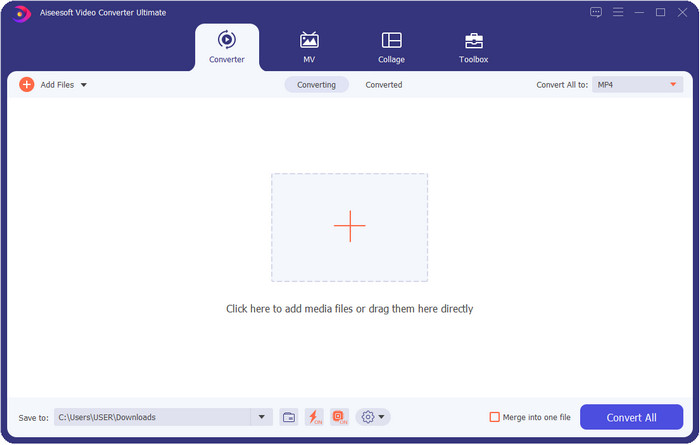
FVC Video Converter Ultimate is the best video resolution enhancer you can easily use to manipulate the resolution by your own choice. This software can take your video resolution to the top as higher as 4k or as lower as 144px. With this tool, you can change the video parameter and check it out later at the preview before you export it if that is the video resolution you want.
Selanjutnya, jika Anda ingin mengonversi file Anda di sini, Anda dapat memilih berbagai set resolusi video yang sudah disediakan alat ini. Untuk mengalami cara mudah mengubah resolusi video. Selain itu, Anda juga dapat membuat resolusi video yang dapat disesuaikan agar sesuai dengan kebutuhan video Anda. Jika Anda menginginkan lebih banyak ide tentang alat ini, Anda dapat membaca fitur utama yang dapat ditawarkan alat ini kepada Anda.

FVC Video Converter Ultimate
5.689.200+ Unduhan- Ubah video Anda menjadi MP4, MOV, dan 200+ lainnya dengan resolusi sangat tinggi.
- Konversikan berbagai file video Anda secara bersamaan dalam waktu kurang dari satu menit.
- Periksa resolusi video sebelum mengekspor file pada pratinjau.
- Kotak alat serbaguna tersedia untuk membantu Anda mengompres, membuat koreksi warna, dan banyak lagi.
- Ini tersedia di semua sistem operasi di desktop, termasuk Windows & Mac.
Unduh GratisUntuk Windows 7 atau yang lebih baruUnduhan Aman
Unduh GratisUntuk MacOS 10.7 atau yang lebih baruUnduhan Aman
2 Teratas VLC (Windows, Mac & Perangkat Seluler)
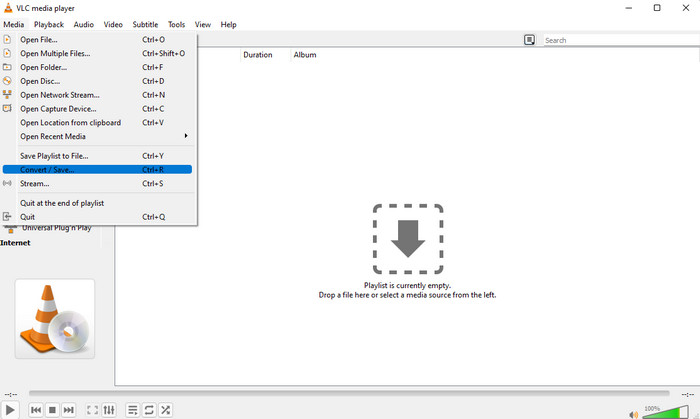
Anda dapat menggunakan pemutar video terbaik di web sebagai pengonversi resolusi video MP4 jika Anda membutuhkannya. VLC menawarkan penggunanya tidak hanya untuk memutar video dengan resolusi tinggi, tetapi juga dapat mengubah video menjadi resolusi tinggi. Alat ini memang memiliki kemampuan pengonversi video, tetapi tidak seefektif pengonversi video lain yang dapat Anda unduh di desktop Anda. Tetapi alat ini layak disebutkan dalam ulasan ini karena gratis untuk diunduh untuk memutar dan mengonversi video.
Advantages of Using VLC:
Ini adalah pemutar dan konverter video multiguna di Windows, Mac, dan perangkat seluler lainnya.
Gratis dan aman untuk diunduh.
Tidak seefektif konverter lain, tetapi dapat melakukan tugas jika Anda mau.
3 Teratas Pengonversi Video Hamster Gratis (Windows)
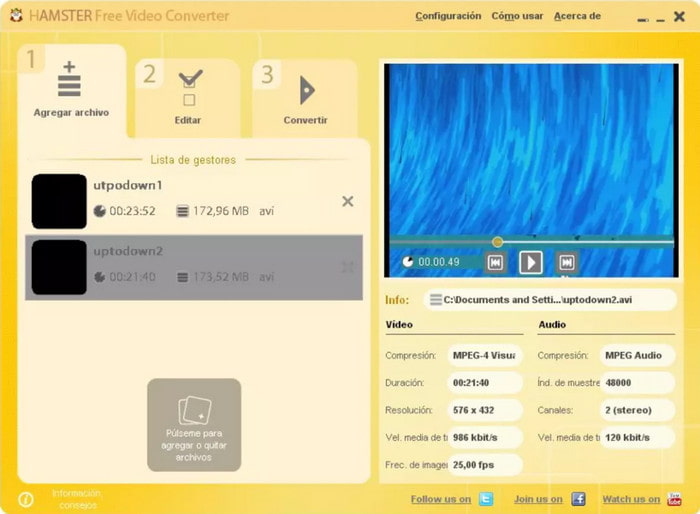
Hamster Free Video Converter can help you convert almost every video into any video format with high resolution. This video resolution converter is free to download in any Windows operating system to help its users with their problems regarding the videos. Even though the tool is easy to use and free, the GUI of the software needs to have updated because it looks less like a professional video converter, like adding different skins to make the user interface better. Although this is a bit of a problem, we can assure you that the software will help you convert the video resolution.
Advantages of Using Hamster Free Video Converter:
Konverter video gratis untuk diunduh di sistem operasi Windows apa pun.
Sangat intuitif untuk digunakan, dan Anda tidak perlu membaca atau menonton tutorial menggunakannya.
Konverter video yang sederhana namun kuat.
Bagian 2. Top 3 Video Resolution Converters Online & Gratis Digunakan
Top 4. Konverter Video Online Gratis FVC
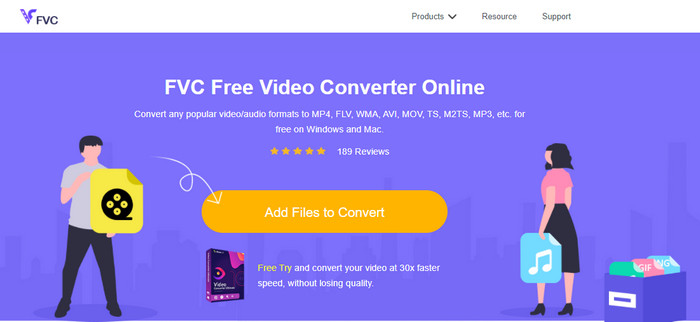
FVC Free Video Converter Online is the top high resolution to low-resolution video converter online you can depend on if you don't want to download. This tool is not just easy to use, but also it is free and safe. Moreover, this tool supports different types of video resolution; you can choose one up to 1080 px or lower than 240px. You won't need to download the software on your desktop drive to change the video resolution with this web tool. Although the tool is ready to use, it is still not as good as the ultimate tool that provides large-scale, but you can use it if you want a limitless converter.
Advantages of Using FVC Free Video Converter Online:
Tidak perlu mengunduh alat web, dan aman digunakan.
Anda dapat dengan mudah mengakses alat di web kapan saja dan di mana saja dengan koneksi internet.
Mendukung resolusi video hingga 1080px secara gratis.
5. Konversi HD teratas
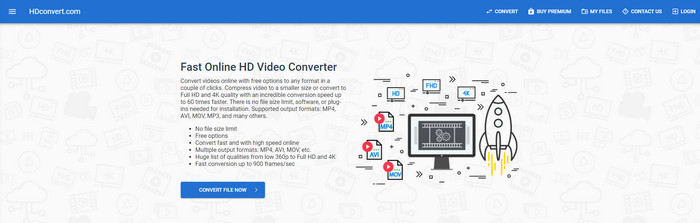
Another video resolution enhancer online you can use is the HD convert. This tool also supports different resolution sets, like the first online converter we mention. With its popular video-supported format, you can easily upload your video files here to enhance the quality later. However, you can only convert videos up to 720px because this tool supports the free version. Another thing we didn't like about the web tool is that after converting the resolution, it will leave a watermark on your video after you export it. But if you don't mind the watermark and 720px, you can change your video's video resolution for free.
Advantages of Using HD convert:
Mendukung proses konversi video yang lebih detail.
Resolusi video yang didukung alat web ini secara gratis adalah 720px.
Mendukung format video terbaru untuk diunggah.
6. 123 APLIKASI Teratas – Pengonversi video
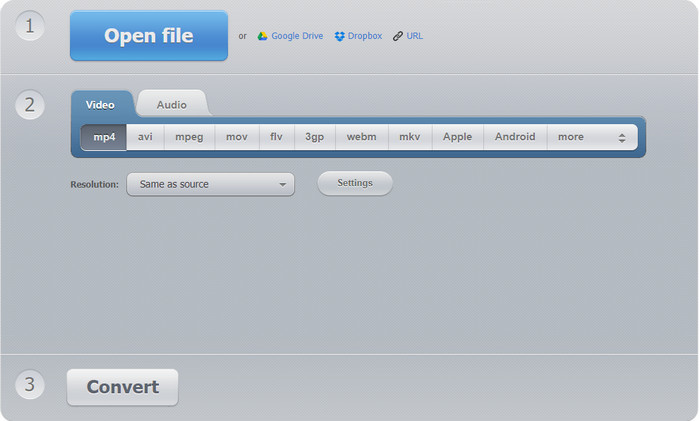
Last on the list of super video resolution enhancers you can use on the web is the 123 APPS – Video Converter. Like the HD convert, this web tool supports the popular format for importing and exporting. Even though it supports the popular format, it is still much better than the second web converter because it supports 1080px in the maximum and as low as 240. Although the tool is free, pop-up ads on the main website could make your experience a little less exciting. Also, the uploading and downloading process will depend on your internet; you'll need to be patient at this time to enhance the resolution of your video for free.
Advantages of Using 123 APPS – Video-converter:
Dapat mengonversi resolusi video Anda hingga maksimum 1080 px.
Meskipun ada iklan di alat web, itu masih aman untuk diakses.
Mendukung lebih banyak format ekspor daripada konversi Hd.
Bagian 3. Aplikasi Pengonversi Resolusi Video 2 Teratas untuk Diunduh di iOS & Android
7 Teratas Pengonversi Video (iOS)
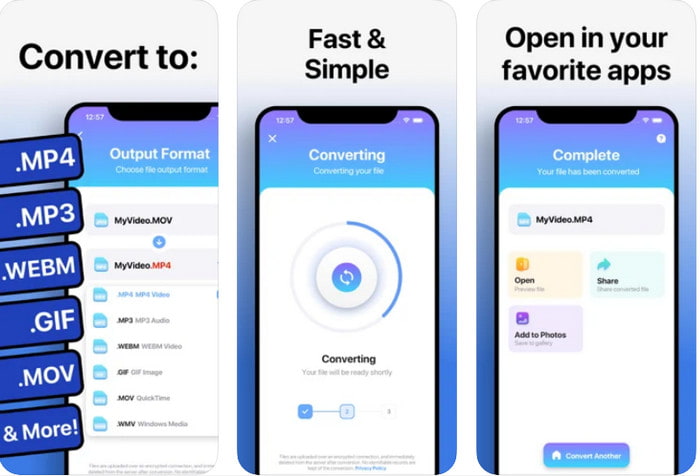
You can use this video resolution enhancer app on iOS to help you change the resolution easily. The Video Converter provides the most effective way of changing the format and resolution on every iOS user. This app supports a more range format than the other website to upload and download the video on iOS drive easily. Although the tool is free to download, you can't use this app if you didn't purchase or activate the premium version. So, before you pick this converter, you must have extra money to pay for it before using it.
Advantages of Using The Video Converter:
Ini gratis untuk diunduh di perangkat iOS apa pun, tetapi Anda harus membayarnya saat mengekspor file.
Mendukung berbagai jenis fitur pengeditan dan format video skala rata-rata.
Resolusi video bisa mencapai 1080px.
8. Konverter Video, Kompresor MP4, 3GP, MKV, MOV, AVI (Android) Teratas
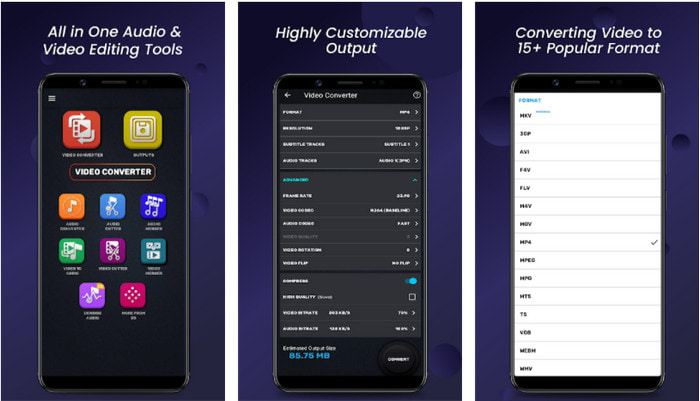
For Android users, you can use this free to download a video resolution converter on any Playstore. Video Converter, Compressor MP4, 3GP, MKV, MOV, AVI is the best app tool we find on the Playstore that offers different sets of resolution and format for your video. Like the ultimate converter, this tool supports other features such as compressing, adding subtitles, and audio tracks on the video before exporting it. Even though it has these features that the ultimate tool can offer to you, it is still not as effective as the ultimate converter. In some cases, the tool doesn't effectively convert the video resolution.
Advantages of Using Video Converter, Compressor MP4, 3GP, MKV, MOV, AVI:
Tersedia di semua perangkat Android untuk mengunduh alat ini secara gratis.
Ini adalah konverter video, kompresor, trek audio, dan penambah subtitle terbaik di perangkat seluler.
Meskipun ada iklan pop-up, tetap aman digunakan.
Terkait:
Bagian 4. FAQ tentang Pengonversi Resolusi Video
Apa perbedaan antara resolusi dan kualitas video?
Resolusi dan kualitas sangat penting untuk video dan gambar pada setiap file media visual. Meskipun beberapa pengguna menganggapnya sama, sebenarnya tidak. Karena resolusi mengacu pada ukuran file media optik, kita dapat mengukurnya sebagai piksel untuk lebar dan panjang. Sedangkan kualitas mengambil representasi visual, yang berarti kualitas video berfokus pada detail piksel yang disimpan.
Mana yang lebih baik untuk memutar video online? 720 atau 1080?
Jika Anda memutar video di web, sebaiknya gunakan 720 daripada 1080 karena memuat lebih cepat dengan kualitas HD. Namun, sebaiknya gunakan 1080 sebagai gantinya jika Anda lebih detail, tetapi resolusi ini memuat lebih banyak waktu daripada 720.
Berapa resolusi video tertinggi?
Kualitas tertinggi adalah 8k UHD (7680 x 4320), tetapi kita akan segera melihat resolusi yang lebih tinggi.
Kesimpulan
The video resolution converters we present in this review are sifted-out to present only the best video converter you can use on your device. Additionally, the converters have different skills that help their users convert the resolution into higher or lower ones. But if you will ask us which we should use, then there is no doubt that we will pick the top video converter on this list. FVC Video Converter Ultimate presents the highest video resolution you can achieve on a video without losing its quality. Although the tool is for purchase, we believe that it is worth every penny if you access the premium version. So now, what are you waiting for? Click the download button above to have the ultimate converter that is available on Windows & Mac.
-
 Cara Menambahkan Audio dan Musik ke Video secara Gratis di Komputer / Telepon Anda
 Artikel ini menunjukkan 4 cara mudah untuk menambahkan audio ke video secara gratis. Tidak peduli trek audio mana yang ingin Anda tambahkan ke video Anda, Anda bisa mendapatkan hasil yang memuaskan di sini.
-
 Ubah GIF ke Format Video: Ubah Meme GIF menjadi Video [2025]
 Tentukan cara mengubah GIF menjadi format video dengan bantuan alat yang tercantum di bawah ini. Pilih yang mana dan pelajari cara melakukannya, saat kami mengumpulkan cukup banyak bukti tentangnya.
-
 Aplikasi GIF ke Video yang Luar Biasa untuk Perangkat Android & iOS
 Tahukah Anda bahwa Anda dapat mengonversi GIF ke format video apa pun yang Anda suka menggunakan ponsel? Pilih aplikasi terbaik di Android atau iOS Anda.
