


 Video Converter Ultimate
 Perekam Layar
 Perbaikan Video
Review Lengkap Tentang 6 Aplikasi Filter Terbaru di Perangkat Seluler Anda
Saat mencari lewat browser, banyak pertanyaan pengguna berkaitan dengan aplikasi filter yang bisa mereka gunakan di Android dan iPhone. Itu karena mereka ingin membuat gambar atau video tampak lebih baik dalam berbagai cara. Namun, pasar perangkat lunak filter sangat luas, dan memilih yang terbaik bisa jadi sulit karena aplikasi‑aplikasi ini menawarkan begitu banyak fitur berbeda. Namun hari ini, kami akan menyajikan ulasan delapan program filter video terbaik yang bisa Anda unduh di Android dan iOS. Jadi, untuk memulainya, bacalah rincian berikut dan tentukan aplikasi mana yang paling sesuai dengan kebutuhan Anda.

Bagian 1. Top 6 Video Filter Apps Tersedia untuk Download di Berbagai Perangkat Seluler [iPhone dan Android]
Teratas 1. VSCO: Editor Foto & Video
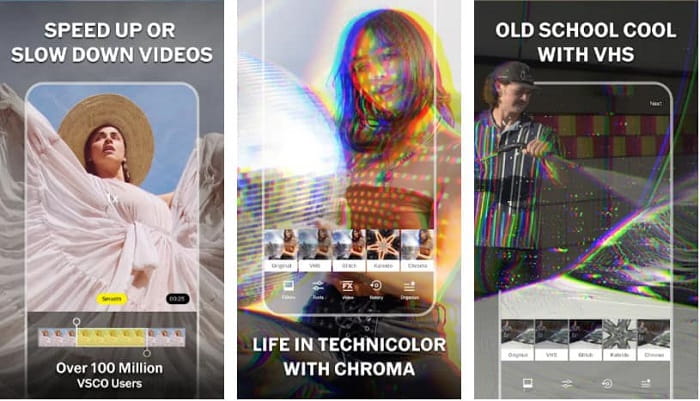
Platform yang Tersedia: Android & iOS
VSCO: Photo & Video Editor adalah aplikasi filter video terbaik yang menawarkan preset atau filter unggulan untuk membuat video dan gambar Anda tampak lebih baik. Aplikasi ini dikenal sebagai aplikasi sekali sentuh karena Anda dapat dengan mudah menyesuaikan intensitas setiap filter hanya dengan menggeser slider; dengan begitu, Anda bisa memilih tampilan lembut ataupun tampilan yang lebih kuat. Lebih jauh lagi, aplikasi ini mendukung pengeditan dasar dan beberapa fitur pengeditan lanjutan seperti pengaturan, warna, eksposur, vinyet, ketajaman, dan lain‑lain. Namun, Anda hanya dapat menggunakan aplikasi ini secara gratis selama kurang lebih tujuh hari; setelah itu Anda perlu mendaftar untuk memanfaatkan seluruh fungsinya.
Top 2. SALJU -Kamera kecantikan & rias wajah
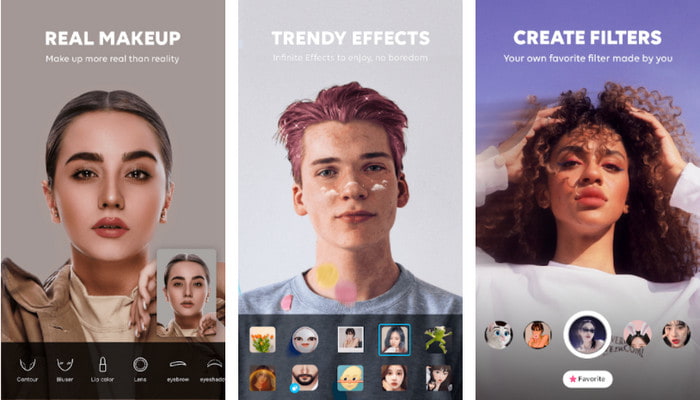
Platform yang Tersedia: Android & iOS
SNOW- Beauty & makeup camera adalah aplikasi filter gratis yang menawarkan banyak filter untuk digunakan—salah satu hal terbaik yang kami sukai dari aplikasi ini adalah filter musiman eksklusif yang berganti setiap bulan. Setiap filter yang disediakan sangat cocok untuk selfie foto profil, artinya Anda bisa langsung menggunakannya sebagai foto profil. Tidak hanya itu, aplikasi ini juga mendukung fitur pengeditan dasar dan profesional seperti pelangsingan wajah, penyesuaian warna, perbaikan kecantikan, dan sebagainya. Namun, banyak pengguna mengeluhkan gangguan dan bug pada pembaruan terbaru aplikasi ini. Selain itu, Anda harus memiliki koneksi internet untuk menggunakan aplikasi dan memuat filter yang ingin dipakai.
Top 3. SODA- Kamera Kecantikan Alami
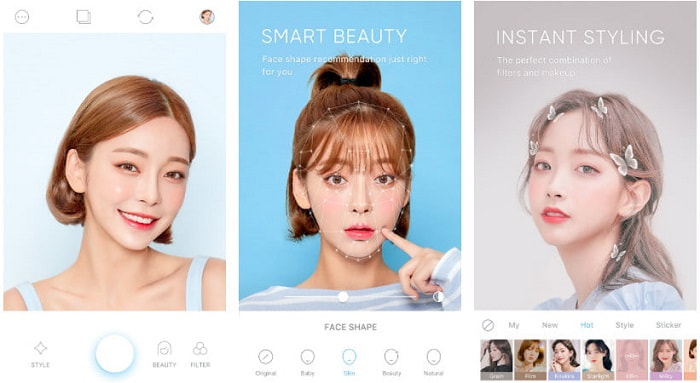
Platform yang Tersedia: Android & iOS
SODA- Natural Beauty Camera adalah aplikasi filter video untuk menghaluskan kulit yang dapat Anda unduh di perangkat seluler. Aplikasi ini tidak berfokus pada filter yang rumit, melainkan pada serangkaian fitur beautifikasi. Jadi, jika Anda ingin memiliki kulit sebening kaca seperti idola favorit Anda, aplikasi ini bisa membantu mewujudkannya. Seperti disebutkan, aplikasi ini adalah kombinasi filter dan riasan yang bisa Anda unduh di dalam alatnya. Meskipun aplikasinya bagus, masih ada beberapa masalah seperti pada SNOW- Beauty & makeup camera, misalnya jeda atau delay saat Anda merekam video menggunakan aplikasi.
Top 4. 1998 Cam- Kamera Vintage
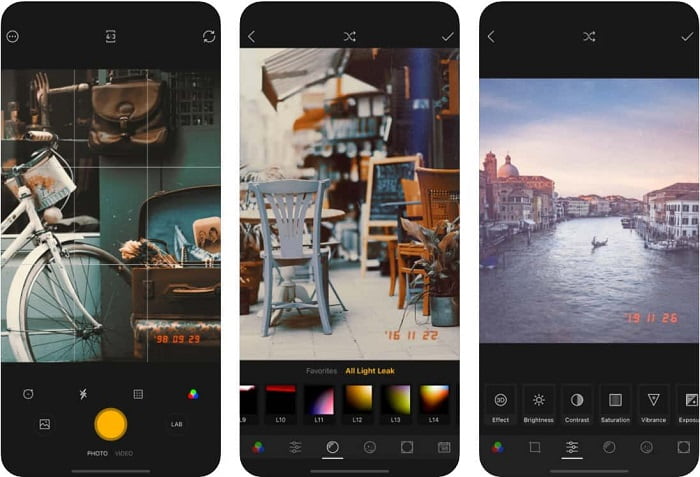
Platform yang Tersedia: Android & iOS
Jika Anda penggemar aplikasi filter video nuansa 80‑an, Anda bisa mengunduh 1998 Cam- Vintage Camera. Aplikasi ini membawa Anda kembali ke masa ketika kita menggunakan kamera analog untuk mengambil gambar, dan memberikan nuansa retro saat Anda memakai filter yang disediakan. Selain itu, jika Anda suka merekam dengan ketajaman yang kuat, ini adalah keunggulan utama aplikasi tersebut. Hal hebat lainnya, setiap video yang Anda ambil akan menampilkan cap tanggal dan waktu klasik. Jadi, jika Anda menyukai gaya kamera lawas, aplikasi ini akan memberikannya, meski iklan sering muncul tiba‑tiba dan tidak dapat dihindari.
5. Kamera & Editor Foto/Video B612 Terbaik
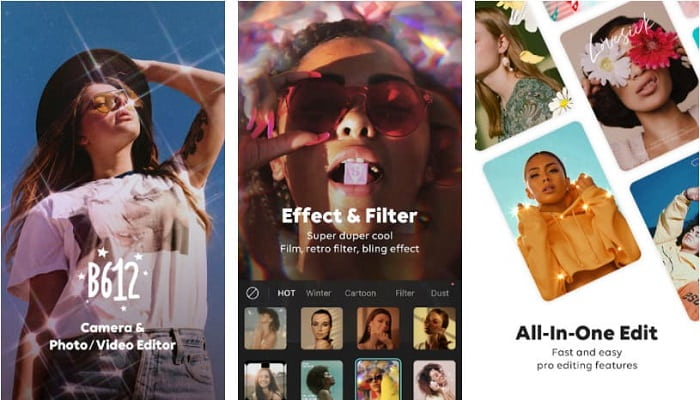
Platform yang Tersedia: Android & iOS
B612 Camera & Photo/Video Editor memberi Anda kesempatan untuk membuat filter sendiri agar berbeda dan unik dari yang lain. Aplikasi filter terbaik ini dapat membantu Anda menciptakan berbagai filter menarik hanya dengan beberapa sentuhan. Anda bisa menjadi sangat kreatif dengan memanfaatkan fitur‑fiturnya dan musik latar yang dapat ditambahkan. Jadi, jika Anda ingin membuat video atau gambar yang lucu, Anda dapat mengandalkan filter dan stiker yang disediakan. Namun, dibandingkan versi sebelumnya, aplikasi ini sekarang lebih sering lag, dan terkadang template menjadi beku sehingga Anda perlu memulai ulang aplikasi untuk menggunakannya kembali.
6. Polar . Teratas
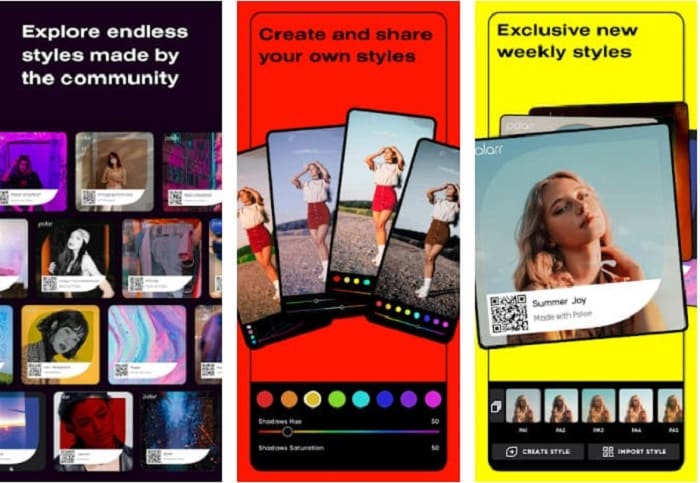
Platform yang Tersedia: Android & iOS
Polarr, aplikasi filter video di iPhone dan Android ini, menyediakan beragam filter terbaik yang bisa Anda gunakan dan sebagian di antaranya harus dibeli terlebih dahulu. Seperti perangkat lunak filter lain yang kami sebutkan, Anda dapat mengatur kedalaman atau kekuatan filter dengan menyesuaikan slider yang tersedia. Dengan alat ini, Anda dapat membuat filter pribadi dan membagikannya, atau menggunakan filter buatan pengguna lain untuk memfilter video maupun foto. Meskipun aplikasi ini sangat lengkap dalam hal filter, Anda juga bisa memanfaatkan fitur kolase foto yang disediakan untuk menggabungkan gambar. Namun, Anda tidak dapat memaksimalkan seluruh potensinya jika tidak berlangganan paket bulanan atau tahunan.
Bagian 2. Perangkat Lunak Filter Video Terbaik Tersedia di Windows & Mac Alat Utama [Disarankan]
Dengan semua aplikasi yang disebutkan di artikel ini, dapat dikatakan bahwa masing‑masing memiliki karakteristik dan kemampuan berbeda untuk menjadi aplikasi filter video vintage terbaik. Video Converter Ultimate adalah satu‑satunya alat yang menghadirkan filter video paling canggih untuk menghidupkan video Anda. Berbeda dari fitur filter terbatas yang Anda dapatkan di perangkat seluler, Anda hanya bisa menambahkan jenis filter tertentu melalui desktop. Namun, editor video ini tidak tersedia di iOS dan Android; jadi jika Anda mencarinya di Play Store atau App Store, Anda tidak akan menemukannya. Jadi, jika Anda memiliki komputer desktop, Anda bisa menggunakan alat ini dan mengikuti panduan yang kami sajikan di bawah ini untuk menambahkan filter ke video dengan sukses.
Langkah 1. Untuk mengunduh alat ini di Windows atau Mac, klik tombol di bawah. Lanjutkan proses instalasi dengan mengikuti langkah‑langkah sederhana, lalu buka aplikasi.
Unduh GratisUntuk Windows 7 atau yang lebih baruUnduhan Aman
Unduh GratisUntuk MacOS 10.7 atau yang lebih baruUnduhan Aman
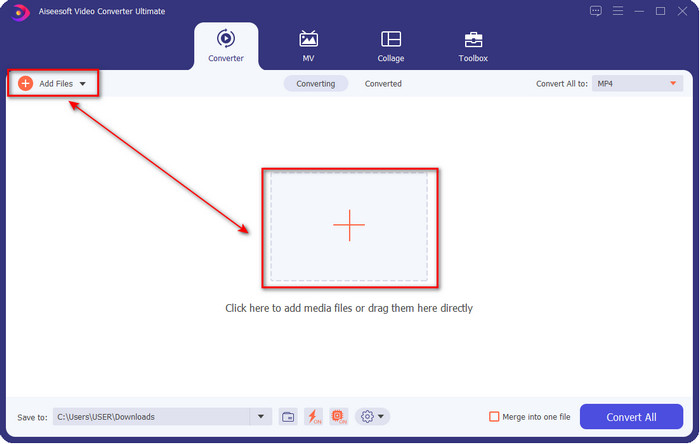
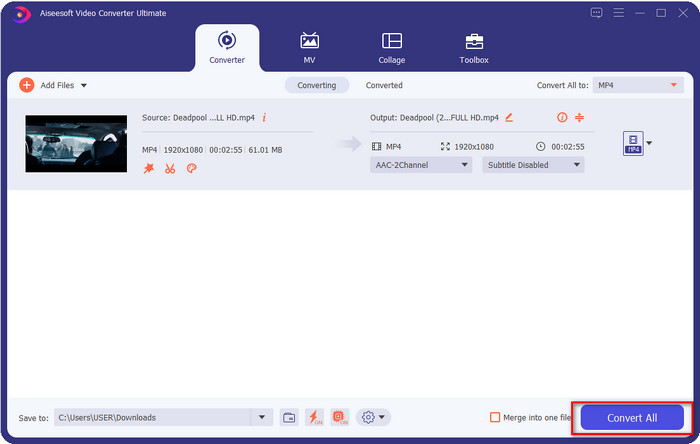
Langkah 2. Tambahkan file video yang ingin Anda beri filter dengan mengklik tombol + atau Add Files. Telusuri file video yang ingin diunggah dan klik Open. Anda juga dapat menyisipkan beberapa file video sekaligus; pada dasarnya tidak ada batasan berapa banyak file yang bisa diubah menjadi video berfilter.
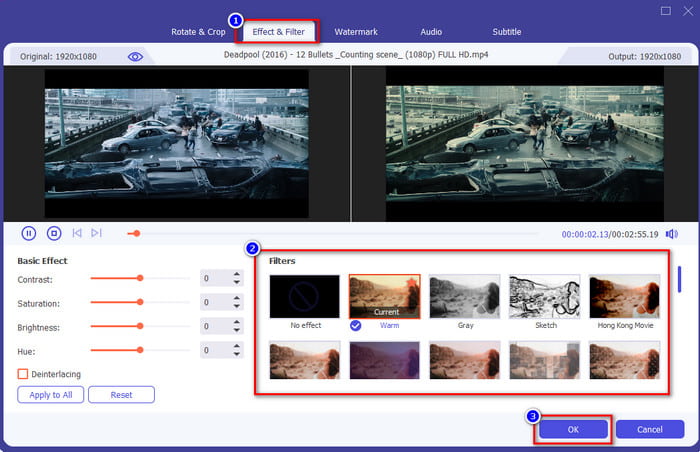
Langkah 3. Sekarang Anda dapat membuka jendela baru untuk mengedit video dengan mengklik tombol wand atau edit. Klik Filters & Effects dan coba semua filter yang tersedia pada daftar; setelah menemukan yang paling cocok dengan video Anda, klik OK untuk menerapkan filter.
Langkah 4. Simpan file video ke penyimpanan Anda dengan menekan Convert All. Anda hampir tidak akan menyadari prosesnya karena kecepatan konversi yang sangat tinggi. Dan voila! Mudah, bukan? Itulah pengalaman yang ingin diberikan oleh FVC kepada Anda.
Terkait:
Bagian 3. FAQ tentang Aplikasi Filter Android dan iPhone
Aplikasi filter animasi mana yang terbaik?
Pada filter animasi, kami dapat mengatakan bahwa Snapchat adalah aplikasi filter animasi yang paling banyak dipilih yang dapat Anda unduh di ponsel Anda. Instagram ada di sebelahnya; dengan filter bawaannya, Anda menelusuri filter yang Anda butuhkan dan menggunakannya. Meskipun kami menghadirkan dua aplikasi, masih banyak aplikasi filter animasi yang dapat Anda unduh di ponsel Anda berdasarkan permintaan Anda.
Filter apa yang paling sering digunakan di Instagram?
Juno adalah filter yang paling banyak dipilih yang dapat Anda gunakan di Instagram karena fleksibel, dan dapat menambahkan getaran hangat ke video atau gambar Anda sebelum Anda mempostingnya di Instagram. Meski paling banyak dipilih, bukan berarti yang terbaik; masih ada filter berbeda yang tersedia di Instagram, Anda dapat memeriksanya dan mencobanya jika Anda mau.
Apa hal pertama yang harus saya cari di aplikasi filter?
Hal pertama yang harus Anda cari di aplikasi filter bukanlah setlist filter tetapi kompatibilitas program dengan sistem operasi Anda. Meskipun aplikasi filter memiliki filter terbaik, tidak masuk akal jika tidak tersedia di platform atau perangkat Anda.
Kesimpulan
Setelah mengumpulkan semua aplikasi filter video ini, Anda kini memiliki bukti kuat mengenai keunggulan masing‑masing alat. Meskipun kami hanya menyajikan enam aplikasi filter berbeda untuk Anda unduh dan gunakan, kami telah meninjaunya agar Anda bisa memilih mana yang paling sesuai dan menghemat waktu tanpa perlu mencoba satu per satu. Walaupun alat‑alat ini menawarkan filter yang berbeda‑beda, akan lebih baik jika Anda memiliki Windows atau Mac untuk menggunakan Video Converter Ultimate. Mengapa? Karena alat ini menyediakan filter yang lebih detail, khas aplikasi filter di desktop. Jadi, jika Anda ingin menambahkan filter terbaik ke video, Anda perlu menggunakan alat ultimate ini untuk mendapatkan hasil ultimate bagi tugas ultimate Anda.
-
 Cara Menambahkan Audio dan Musik ke Video secara Gratis di Komputer / Telepon Anda
 Artikel ini menunjukkan 4 cara mudah untuk menambahkan audio ke video secara gratis. Tidak peduli trek audio mana yang ingin Anda tambahkan ke video Anda, Anda bisa mendapatkan hasil yang memuaskan di sini.
-
 Ubah GIF ke Format Video: Ubah Meme GIF menjadi Video [2025]
 Tentukan cara mengubah GIF menjadi format video dengan bantuan alat yang tercantum di bawah ini. Pilih yang mana dan pelajari cara melakukannya, saat kami mengumpulkan cukup banyak bukti tentangnya.
-
 Aplikasi GIF ke Video yang Luar Biasa untuk Perangkat Android & iOS
 Tahukah Anda bahwa Anda dapat mengonversi GIF ke format video apa pun yang Anda suka menggunakan ponsel? Pilih aplikasi terbaik di Android atau iOS Anda.
