


 Video Converter Ultimate
 Perekam Layar
 Perbaikan Video
 Unduhan Aman
Pengonversi JPG Tingkat Pertama Offline dan Online Sempurna untuk Semua Pengguna
Karena file gambar JPG/JPEG adalah salah satu format yang populer saat ini, kita tidak dapat mengabaikan fakta bahwa hampir semua pengguna memakai file ini. Selain itu, format JPG didukung oleh semua browser dan program, sehingga lebih praktis untuk digunakan oleh fotografer dan editor. Jika Anda sedang mencari konverter JPG yang bagus untuk mengonversi gambar Anda, maka ada alasan bagi Anda untuk membaca artikel ini. Kami akan memperkenalkan berbagai Konverter JPG yang dapat Anda gunakan secara online maupun offline. Anda juga akan melihat kemampuan lengkap serta kekurangannya. Jadi, untuk mempelajari lebih lanjut tentang konverter-konverter ini, baca artikel ini sampai selesai.

Bagian 1. Pengonversi JPG/JPEG Luar Biasa
Pengonversi Gambar Gratis FVC
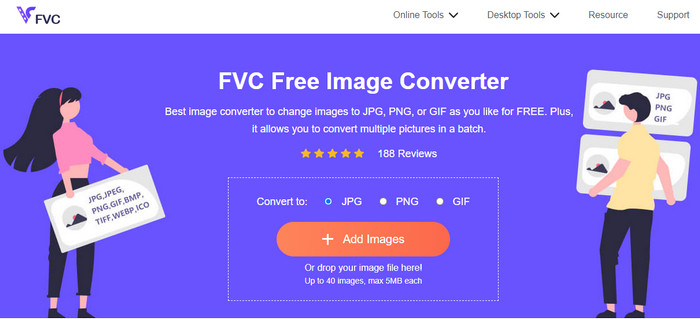
Salah satu konverter gambar online terbaik adalah FVC Free Image Converter. Konverter JPG online ini memungkinkan Anda menyimpan file gambar dalam format JPG. Selain itu, salah satu keuntungan menggunakan alat ini adalah fitur konversi batch. Konverter gambar ini memungkinkan Anda mengunggah dan mengonversi banyak file gambar secara bersamaan. Anda dapat menambahkan hingga 40 gambar sekaligus dan mengunduhnya hanya dengan satu klik. Selain itu, alat ini menawarkan proses konversi yang sederhana dengan antarmuka yang intuitif. Pengguna, termasuk pemula, dapat mengoperasikan alat ini dengan mudah dan cepat karena prosedurnya mudah dipahami. Lebih jauh lagi, Anda dapat mengakses FVC Free Image Converter di semua browser web, termasuk Google, Edge, Mozilla, Safari, dan lainnya. Selain itu, berbeda dengan banyak konverter online lain, konverter gambar ini tidak menampilkan iklan yang mengganggu di layar Anda. Jadi Anda tidak akan merasa terganggu saat mengonversi file gambar.
Pro
- Cocok untuk pengguna tingkat lanjut dan non-profesional.
- Ini menawarkan antarmuka yang intuitif dengan proses konversi yang sederhana.
- Dapat diakses oleh semua browser.
- 100% gratis.
- Tidak ada iklan yang muncul di layar.
- Fitur konversi batch tersedia.
Kontra
- Koneksi internet sangat dianjurkan.
Media.io
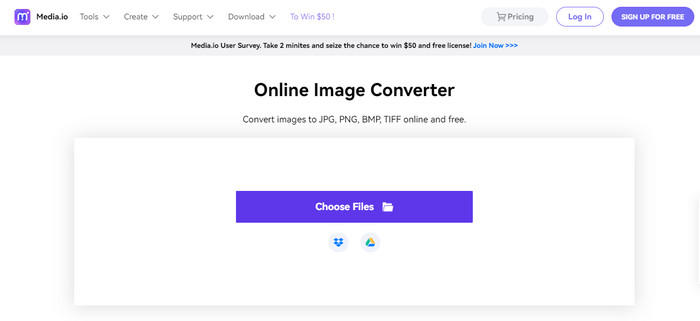
Konverter JPG lain yang dapat Anda andalkan untuk mengonversi file gambar adalah Media.io. Konverter online ini menawarkan proses konversi yang cepat, sehingga Anda dapat mengonversi file gambar dalam waktu singkat. Anda juga dapat mengonversi file hanya dalam tiga langkah sederhana. Antarmukanya mudah dipahami, sehingga cocok untuk pemula. Media.io juga dapat diakses di semua browser, sehingga praktis bagi semua pengguna. Selain itu, Anda dapat melakukan proses konversi batch. Anda dapat mengunggah lima file gambar saat melakukan konversi batch. Selain JPG, Media.io mendukung format lain, termasuk BMP, PNG, TIFF, TGA, dan lainnya. Anda juga dapat mengunggah gambar dari berbagai platform seperti komputer, Google Drive, Dropbox, dan melalui tautan. Namun, dengan versi gratis Anda hanya dapat mengonversi 10 gambar per hari. Kemudian, lima file gambar adalah batas maksimum jika Anda ingin melakukan konversi batch. Jadi, jika Anda menginginkan lebih banyak fitur hebat dari konverter gambar berbasis web ini, Anda harus membeli versi berbayar. Ada juga iklan yang cukup mengganggu di layar, sehingga dapat mengusik kenyamanan pengguna.
Pro
- Sempurna untuk pengguna non-profesional.
- Tersedia di semua browser seperti Chrome, Edge, Firefox, dan lainnya.
- Ini menawarkan proses konversi batch.
- Ini mendukung berbagai format, seperti PNG, BMP, TIFF, TGA, dan banyak lagi.
Kontra
- Iklan yang mengganggu selalu muncul di layar.
- Proses konversi batch dibatasi hingga lima gambar.
- Ini memungkinkan pengguna untuk mengonversi 10 gambar setiap hari.
- Diperlukan koneksi internet untuk mengoperasikan konverter gambar.
Convertio
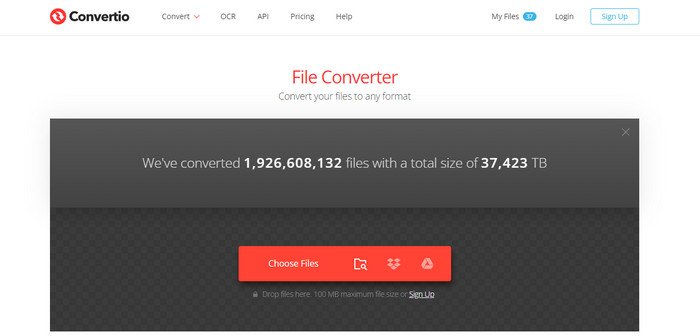
Jika Anda mencari pembuat JPG untuk mengubah gambar menjadi JPG, gunakan Convertio. Alat online ini dapat dengan mudah mengonversi gambar Anda ke format JPG. Proses pengonversian gambarnya juga sangat sederhana. Dengan demikian, Convertio cocok untuk pengguna berpengalaman maupun pemula. Selain itu, proses konversi batch tersedia di konverter online ini, sehingga Anda dapat mengonversi banyak file sekaligus. Convertio juga mendukung lebih banyak format gambar daripada yang Anda bayangkan, seperti PNG, GIF, BMP, SVG, ICO, TIFF, dan lainnya. Namun, Convertio memiliki banyak keterbatasan jika Anda memakai versi gratis. Anda hanya dapat mengunggah maksimal dua file gambar saat melakukan konversi batch. Ukuran maksimal setiap unggahan juga dibatasi hingga 100MB. Terakhir, Anda harus memiliki akses internet saat menggunakan alat ini untuk mengonversi file gambar. Untuk menggunakan fitur yang lebih canggih, Anda perlu membeli paket berlangganan.
Pro
- Ini menawarkan proses yang sederhana, sehingga cocok untuk pemula.
- Alat ini dapat diakses oleh semua browser web.
- Ini mendukung berbagai format file gambar.
Kontra
- Gambar maksimum yang dapat Anda unggah untuk proses konversi batch adalah dua.
- Koneksi internet disarankan saat mengoperasikan alat.
- Beli paket berlangganan untuk menikmati fitur yang lebih canggih.
Konversi Gratis
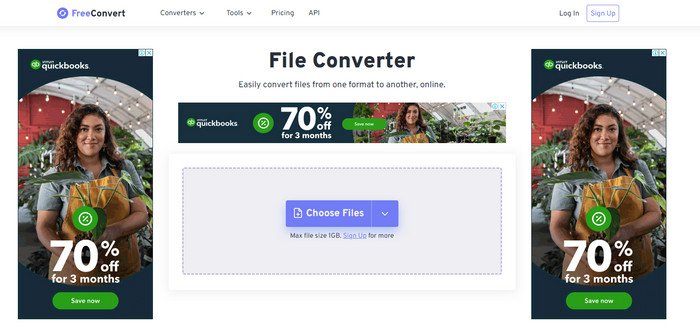
Salah satu konverter gambar andal yang dapat Anda gunakan adalah Free Convert. Alat ini dapat dengan mudah mengonversi file gambar Anda ke JPG tanpa kesulitan. Free Convert menawarkan metode konversi gambar yang bebas repot bagi pengguna. Selain itu, konverter gambar ini memiliki tata letak yang mudah dipahami. Anda juga dapat menggunakan Free Convert di berbagai platform, termasuk Firefox, Google, Edge, dan lainnya. Selain itu, alat online ini menawarkan lebih banyak fitur. Selain mengonversi gambar, Anda juga dapat mengonversi video, audio, dokumen, e-book, dan lain-lain. Namun, meskipun menawarkan banyak hal, Anda tetap dapat menemui beberapa kekurangan saat menggunakan alat online ini. Anda hanya bisa mengunggah gambar dengan ukuran file hingga 1GB. Ada juga beberapa iklan yang mengganggu di layar selama proses konversi. Karena Free Convert adalah alat online, Anda harus memiliki koneksi internet saat mengonversi file. Jika Anda ingin mengunggah lebih banyak gambar tanpa dibatasi, Anda perlu membeli paket berlangganan.
Pro
- Ini menawarkan tata letak yang mudah dipahami yang sempurna untuk semua pengguna.
- Tersedia di semua browser.
- Ini menyediakan lebih banyak fitur selain mengonversi gambar.
Kontra
- Iklan yang mengganggu muncul di layar.
- Saat mengunggah file, 1GB adalah ukuran file maksimum.
- Beli paket berlangganan untuk merasakan lebih banyak fitur.
- Diperlukan koneksi internet.
Video Converter Ultimate
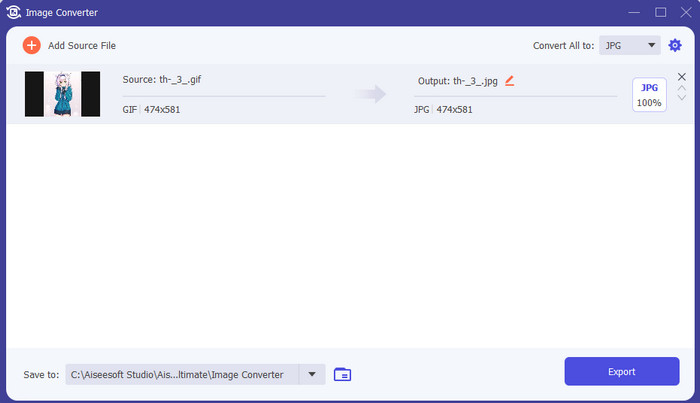
Salah satu konverter gambar offline terbaik adalah Video Converter Ultimate. Dengan bantuan konverter JPG gratis ini, Anda dapat mengonversi banyak file. Anda dapat dengan cepat mengonversi banyak file berkat kecepatan konversinya yang tinggi. Alat ini juga menawarkan metode konversi batch untuk mengonversi banyak file secara bersamaan. Video Converter Ultimate juga mendukung berbagai format gambar, termasuk PNG, BMP, WEBP, dan TIF. Konverter gambar offline ini menyediakan antarmuka yang ramah pengguna dan prosedur konversi yang lugas. Dengan demikian, pengguna di semua tingkat kemampuan, terutama pemula, dapat mengonversi gambar dengan mudah. Konverter ini juga tersedia untuk sistem operasi Mac dan Windows. Selain itu, selain untuk mengonversi, Video Converter Ultimate masih memiliki banyak fitur lain, seperti mengedit video, menambahkan filter, mengonversi video, dan lainnya.
Unduh GratisUntuk Windows 7 atau yang lebih baruUnduhan Aman
Unduh GratisUntuk MacOS 10.7 atau yang lebih baruUnduhan Aman
Pro
- Ini menawarkan antarmuka langsung, yang sempurna untuk semua pengguna.
- Gratis untuk diunduh.
- Tersedia di Windows dan Mac.
- Ini memiliki lebih banyak fitur untuk ditawarkan selain konversi.
- Ini menawarkan fitur konversi batch.
Kontra
- Untuk merasakan fitur yang lebih canggih, dapatkan versi pro.
Microsoft Cat
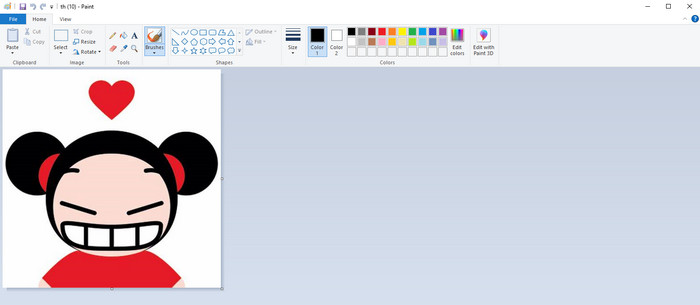
Setelah mengenal konverter JPG yang tersedia secara online dan program offline, sekarang mari beralih ke cara bawaan mengonversi gambar ke JPG, yaitu menggunakan Microsoft Paint. Pembuat JPG bawaan ini juga mampu mengonversi gambar ke format JPG. Salah satu keuntungan terbaik yang bisa Anda dapatkan adalah Anda tidak perlu menginstal program apa pun. Anda hanya perlu menyalakan komputer dan membuka program Paint. Antarmukanya juga sederhana, sehingga cocok untuk pengguna baru. Namun, Paint hanya mendukung format file gambar yang terbatas. Selain itu, alat ini tidak mendukung proses konversi batch. Jadi ketika menggunakannya, Anda harus mengonversi file gambar satu per satu secara manual.
Pro
- Ini menawarkan antarmuka yang mudah dipahami dengan metode sederhana.
- Cocok untuk pemula.
- Itu tidak memerlukan proses instalasi.
Kontra
- Ini hanya mendukung format keluaran terbatas.
- Itu tidak menerima file besar.
- Proses konversi batch tidak tersedia.
Bagian 2. FAQ tentang Konverter JPG/JPEG Terbaik
Apa keuntungan dari file JPEG?
Format file JPG dapat menawarkan gambar beresolusi tinggi. Inilah alasan mengapa fotografer dan editor menggunakan file JPG. Selain itu, ukuran JPG lebih kecil. Dengan cara ini, Anda dapat menyimpan lebih banyak gambar tanpa mengkhawatirkan penyimpanan komputer.
Kapan sebaiknya Anda menggunakan JPEG?
Format file JPEG paling baik digunakan untuk foto atau gambar dengan banyak detail karena membantu menutupi semua kelemahan terkait kompresi. Gambar JPEG tidak akan terlihat bagus jika memiliki banyak tepi atau kurva.
Apakah JPEG sama dengan foto?
Foto adalah gambar, tetapi JPEG adalah format file gambar. JPEG adalah salah satu jenis format file gambar digital, tetapi ada yang lain. JPEG, PNG, TIFF, dan jenis file lainnya semuanya dapat digunakan untuk menyimpan foto. Jenis file default kamera untuk menyimpan bidikan adalah JPEG.
Kesimpulan
Setelah memperkenalkan berbagai konverter JPG, kini Anda sudah memiliki gambaran yang cukup tentang konverter mana yang dapat Anda gunakan untuk mengonversi file gambar ke format JPG. Beberapa memerlukan paket berlangganan, dan beberapa tidak memiliki fitur konversi batch. Jika Anda menginginkan konverter gambar gratis dengan fitur konversi batch, gunakan FVC Free Image Converter.
-
 Cara Convert GIF ke JPG Tanpa Kehilangan Kualitas
 Baca dan dapatkan metode paling efektif untuk mengonversi GIF ke JPG secara profesional. Anda akan belajar mengonversi file gambar dengan panduan pengonversi gambar yang sempurna
-
 4 Pendekatan Tepercaya untuk Mengonversi JFIF ke JPG dengan Mudah
 Panduan ini akan memberi tahu Anda segalanya tentang mengonversi JFIF ke JPG online dan offline. Jika Anda ingin mempelajari metode paling efektif, segera baca postingan ini!
-
 Langkah Tak Tertandingi untuk Mengonversi Format NEF ke JPG Secara Efektif
 Langkah Tak Tertandingi untuk Mengonversi Format NEF ke JPG Secara Efektif
