


 Video Converter Ultimate
 Perekam Layar
 Perbaikan Video
 Unduhan Aman
5 Pemain M4A Gratis Terbaik untuk Memutar File M4A di Android dan Komputer
Tidak bisa langsung membuka file M4A di ponsel Android Anda? Sedang mencari pemutar M4A untuk Android atau komputer yang bagus?
M4A adalah format audio Apple yang dapat diputar langsung di perangkat Mac atau iOS seperti iPhone, iPad, dan iPod. Sebagai format audio lossless, M4A lebih unggul daripada MP3 dalam hal tingkat kompresi dan kualitas suara. Namun, M4A tidak didukung oleh Android dan Windows Media Player.

Jadi, Anda memerlukan pemutar M4A agar bisa memutar audio M4A di ponsel Android atau PC Windows. Di sini kami merekomendasikan 5 pemutar M4A gratis untuk Anda. Anda dapat melihat fitur utama masing-masing pemutar M4A lalu memilih yang paling Anda sukai.
Bagian 1. Pemutar M4A Gratis Terbaik untuk Komputer - Pemutar Video Gratis FVC
FVC Free Video Player adalah salah satu perangkat lunak pemutar video dan audio yang sangat populer yang dapat membantu Anda memutar berbagai file M4A di Mac maupun PC Windows. Selain M4A, pemutar ini juga mendukung hampir semua format video dan audio yang sering digunakan, termasuk MP4, MOV, AVI, MKV, FLV, RMVB, AAC, AC3, MP3, ALAC, FLAC, dan lainnya.
Unduh GratisUntuk Windows 7 atau yang lebih baruUnduhan Aman
Unduh GratisUntuk MacOS 10.7 atau yang lebih baruUnduhan Aman
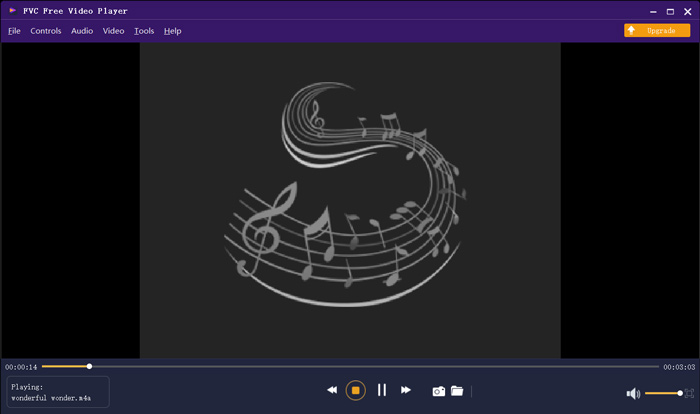
Pemutar M4A gratis ini dirancang dengan teknologi penguraian kode audio terbaru seperti Dolby, DTS, AAC, dan TrueHD. Anda bisa mendapatkan efek suara yang bagus untuk menikmati file M4A Anda. Saat Anda ingin memutar file M4A di komputer Anda, Anda dapat menavigasi ke situs resmi pemutar M4A gratis ini di browser apa pun seperti IE, Chrome, Firefox, atau Safari.
Bagian 2. Aplikasi Android M4A Player Gratis - VLC untuk Android
VLC Media Player adalah alat pemutar file media gratis dan open-source yang memungkinkan Anda memutar file M4A dengan mudah. Pemutar ini menyediakan berbagai versi agar Anda dapat memutar semua jenis file media di komputer, perangkat Android, dan iOS. Saat Anda ingin memutar audio M4A di ponsel Android, Anda bisa masuk ke Google Play dan menginstal aplikasi VLC for Android secara gratis.
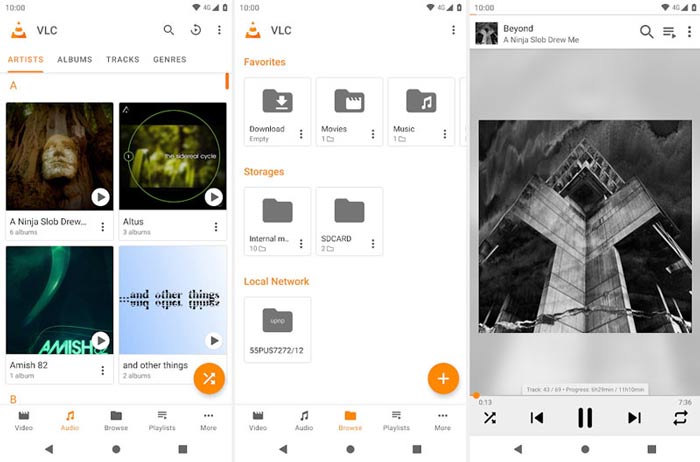
Aplikasi pemutar M4A gratis untuk Android ini dapat memutar file video dan audio dalam format populer apa pun seperti MP4, MOV, AVI, MP3, M4A, AAC, dan banyak lagi. Ini dapat dengan cepat memindai dan menemukan semua file M4A di perangkat Anda, bahkan kartu SD. Pemutar media VLC dapat menjadi pilihan yang baik apakah Anda ingin memainkan M4A di Android atau PC Windows.
Bagian 3. Pemutar M4A Default untuk Mac dan PC - iTunes
iTunes mungkin sudah tidak asing lagi bagi Anda jika Anda pengguna iOS atau Mac. Anda perlu tahu bahwa semua musik dan file audio yang Anda beli dari iTunes berformat M4A. iTunes dapat menjadi pemutar M4A bawaan di Mac. iTunes juga menyediakan versi Windows agar Anda dapat memutar file M4A di PC. iTunes memang bukan alat manajemen data iOS yang ideal, tetapi dapat berfungsi sebagai pemutar M4A gratis untuk komputer Mac dan Windows.
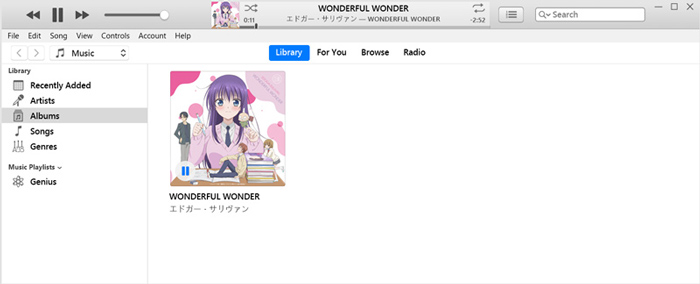
iTunes memungkinkan Anda untuk langsung membeli dan mendengarkan musik M4A dari iTunes Store. Untuk file M4A lokal, Anda dapat menarik dan melepasnya ke iTunes untuk pemutaran. Cukup pilih audio M4A dan cukup klik ikon Putar untuk memulai pemutaran.
Bagian 4. M4A Player untuk Android dan Windows - KMPlayer
KMPlayer adalah salah satu aplikasi pemutar musik paling populer yang dapat membantu Anda memutar file M4A dengan mudah. Aplikasi ini menyediakan versi komputer dan seluler untuk memutar audio M4A. Sebagai pemutar M4A gratis, KMPlayer tidak menampilkan iklan yang mengganggu saat Anda memutar M4A. Selain M4A, KMPlayer juga kompatibel dengan banyak format video 4K, HD, dan format audio lossless.
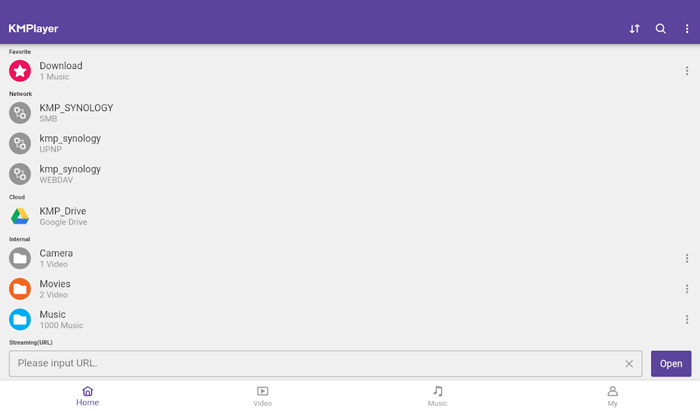
KMPlayer memberikan cara sederhana untuk membuat playlist musik dan film Anda. Sebagai aplikasi pemutar M4A yang tangguh, aplikasi ini memungkinkan Anda memutar musik dan konten M4A yang disimpan di Google Drive. Ini dirancang dengan fitur pencarian yang hebat agar Anda dapat dengan mudah menemukan musik dan video yang Anda suka.
Bagian 5. Pemain M4A Online - Pemain TimeStretch
TimeStretch Player adalah pemutar audio online yang mudah digunakan dan dapat membantu Anda memutar audio M4A dengan kualitas suara tinggi. Pemutar ini mendukung banyak format audio termasuk MP3, M4A, dan OGG. Sebagai pemutar audio M4A online, TimeStretch Player memiliki antarmuka yang ringkas. Anda cukup mengklik Open Track untuk memuat dan memutar audio M4A Anda.
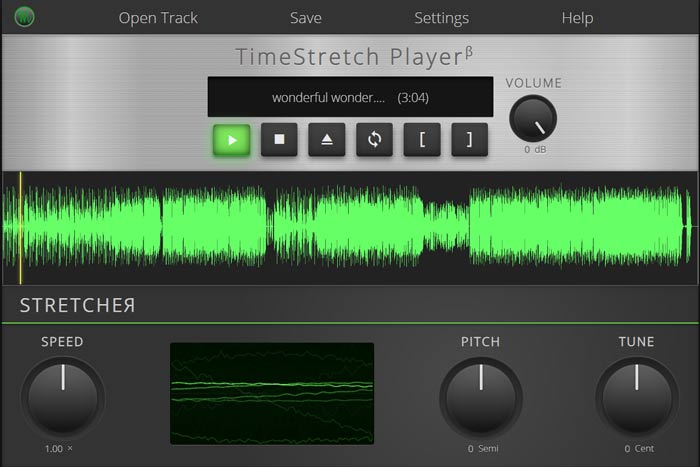
Untuk bermain M4A, Anda diberikan kontrol penuh. Anda dapat dengan bebas mengatur kecepatan bermain, nada, volume dan nada sesuai dengan kebutuhan Anda. Selain fitur pemutaran, pemutar M4A online ini juga memungkinkan Anda mengonversi file audio ke format populer seperti MP3.
Bagian 6. FAQ Pemain M4A
Pertanyaan 1. Apakah iPhone memiliki aplikasi pemutar M4A bawaan?
M4A adalah format audio asli untuk perangkat Apple. Anda dapat langsung membuka file M4A dengan aplikasi Musik di iPhone Anda.
Pertanyaan 2. Bagaimana cara mengonversi M4A ke MP3 secara gratis?
Saat Anda ingin mengonversi M4A ke MP3, Anda dapat mengandalkan perangkat lunak konversi audio populer, Free Online Audio Converter. Alat ini memungkinkan Anda melakukan konversi audio dari M4A ke MP3 tanpa kehilangan kualitas suara.
Pertanyaan 3. Apakah M4A berkualitas baik?
Iya. Sebagai format audio lossless, M4A dengan codec ALAC dapat menawarkan kualitas suara yang tinggi. Ini dapat memberikan kualitas audio yang lebih baik daripada MP3 pada bit rate yang sama.
Kesimpulan
Sebagai pengguna Windows atau Android, Anda mungkin mengalami masalah file M4A tidak dapat diputar. Setelah membaca artikel ini, Anda bisa mendapatkan 5 pemutar M4A gratis terbaik untuk menikmati musik M4A Anda dengan kualitas tinggi. Jika Anda memiliki rekomendasi pemutar M4A lain yang lebih baik, silakan bagikan di kolom komentar kepada pembaca lainnya.
-
 Cara Mengonversi M4A ke MP3 dengan 4 Pengonversi Audio Gratis
 Tidak dapat memutar M4A dan perlu mengubahnya menjadi MP3? Apakah ada cara gratis untuk mengonversi M4A ke MP3 secara online? Posting ini membagikan 4 cara gratis untuk membantu Anda mengonversi M4A ke MP3 dengan iTunes, konverter audio online dan profesional.
-
 Unduh MP3 Player - 10 Pemutar Musik MP3 Gratis Terbaik 2021
 Apa pemutar musik MP3 terbaik? Bagaimana cara memasang musik pada pemutar MP3? Bagaimana cara mengunduh pemutar musik MP3? Posting ini memberi Anda ulasan terperinci tentang 10 pemutar MP3 gratis terbaik untuk PC Windows dan Mac.
-
 Dapatkan Pemutar MP4 Terbaik Anda untuk Memutar File MP4 dengan Kualitas Visual Tinggi
 Baca dan dapatkan pemutar MP4 terbaik Anda dari rekomendasi 10 perangkat lunak pemutar video MP4 terbaru. Anda dapat memutar file video MP4 di Windows dan Mac dengan lancar tanpa lag.
