


 Video Converter Ultimate
 Perekam Layar
 Perbaikan Video
Tentukan Cara Mentransfer File ASF ke GIF dengan Langkah Mudah Disajikan
Microsoft mengembangkan format ASF untuk digunakan pada streaming audio dan video termasuk metadata. Namun, format ini tidak memiliki codec khusus yang wajib digunakan. Jadi, hingga sekarang platform lain masih belum mendukung format ini, karena sulit bagi platform-platform tersebut untuk membaca data terenkripsi tentang file tersebut. Selain itu, cara terbaik untuk membagikan file .asf adalah dengan mengubahnya ke format video baru. Seiring berjalannya artikel ini, kita akan mengetahui banyak hal tentang cara mengonversi ASF ke format GIF dengan langkah-langkah rinci yang bisa Anda ikuti.

Bagian 1. Dikenal sebagai Konverter Fenomenal untuk Mengonversi ASF ke GIF Offline
Konverter fenomenal ini hadir untuk menyelesaikan masalah konversi yang tampaknya tak terpecahkan. FVC Video Converter Ultimate telah digunakan oleh jutaan pengguna di seluruh dunia. Berbeda dengan konverter lain, konverter ultimate ini tetap memberikan kecepatan konversi dan kompresi tercepat dengan sentuhan profesional, melalui pengeditan hasil akhir dan peningkatannya setelah itu. Meskipun alat ini menyediakan fungsi konversi, pengeditan, peningkatan, dan lainnya, FVC tetap memberikan pembaruan perangkat lunak yang lebih sering agar semakin ramah pengguna dan tetap menghasilkan keluaran terbaik. Sambil kita terus membahas alat ini, sekarang mari lanjut terlebih dahulu ke cara mengalihkan file ASF ke GIF dengan langkah-langkah terperinci. Dan ada langkah bonus setelah langkah-langkah yang tercantum di bawah ini.
Langkah-langkah untuk Mengonversi ASF ke GIF dengan FVC Video Converter Ultimate
Langkah 1. Pertama-tama, Anda harus mengunduh alat ini ke drive disk Anda. Instal alatnya dan ubah pengaturan instalasi sesuai keinginan Anda. Lalu, klik finish untuk meluncurkan alat secara otomatis di layar Anda.
Unduh GratisUntuk Windows 7 atau yang lebih baruUnduhan Aman
Unduh GratisUntuk MacOS 10.7 atau yang lebih baruUnduhan Aman
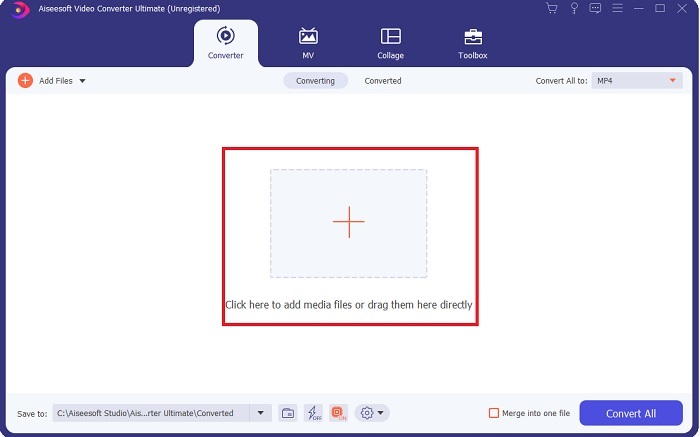
Langkah 2. Setelah meluncurkan alat, klik ikon plus di tengah antarmuka. Informasi tambahan, jika file Anda lebih dari dua maka Anda bisa drag and drop file ASF ke dalam antarmuka.
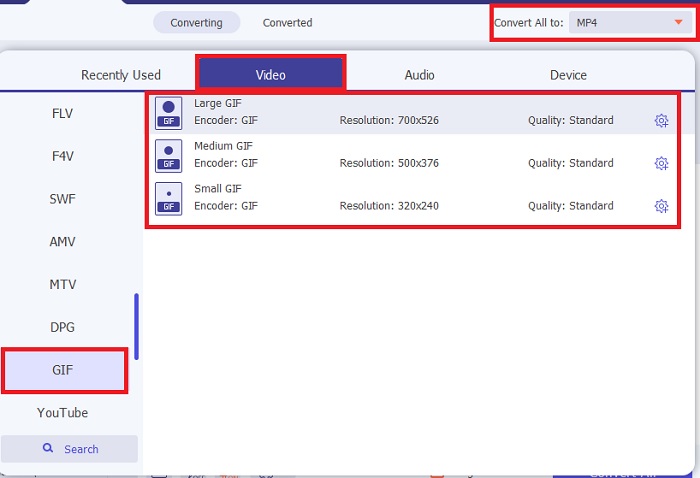
Langkah 3. Setelah memasukkan file, klik Convert All to dan pilih format GIF atau format lain apa pun dari submenu.
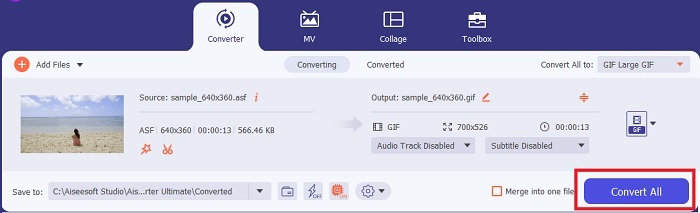
Langkah 4. Klik tombol Convert All untuk mulai proses konversi.
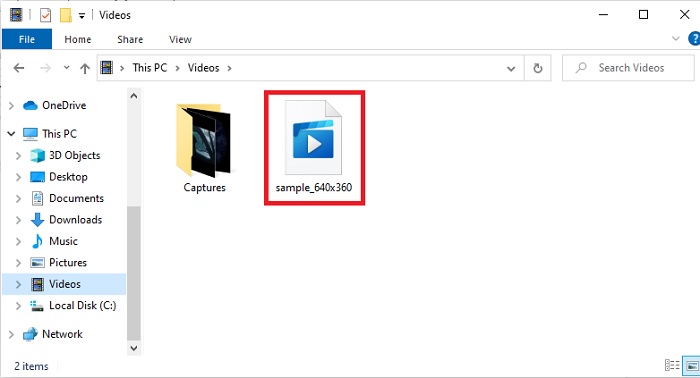
Langkah 5. Untuk menemukan file, Anda bisa mengeceknya di folder tempat file tersebut disimpan. Klik file pertama dan nikmati; jika hasil konversi ASF agak buram, Anda harus pergi ke Video Enhancer pada Toolbar untuk meningkatkan kualitas file yang telah dikonversi.
Fitur Bonus untuk Menyinkronkan Video dan Audio dengan Bantuan FVC Video Converter Ultimate
Sering kali, video dan audio tidak sinkron karena file atau data telah rusak. Namun jika Anda menggunakan FVC Video Converter Ultimate Anda tidak perlu khawatir dengan masalah ini. Kami memastikan proses konversi yang aman dan terlindungi jika Anda melakukannya di sini. Jadi, jika Anda memiliki file media yang tidak sinkron, mari kita perbaiki sekarang juga dengan bantuan fitur Audio Sync yang hanya bisa Anda akses di FVC Video Converter Ultimate.
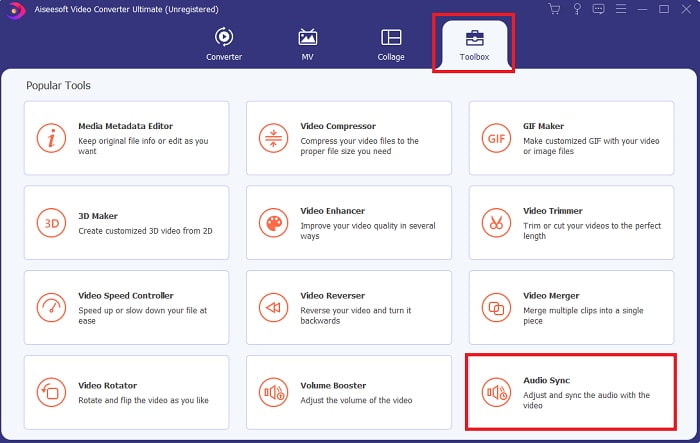
Langkah 1. Buka Toolbox dan temukan Audio Sync lalu klik segera.
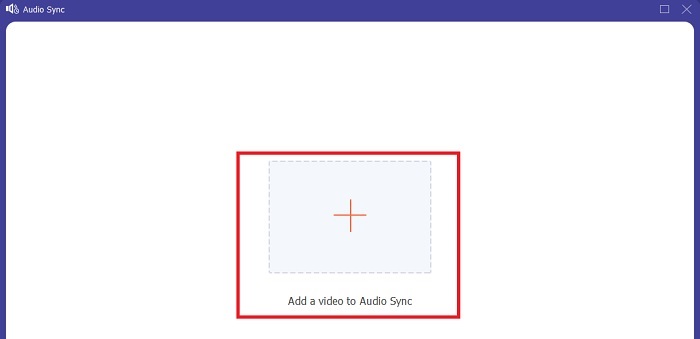
Langkah 2. Untuk menambahkan file yang ingin Anda buat sinkron, klik tanda plus. Lalu pilih file dan klik open untuk memasukkannya.
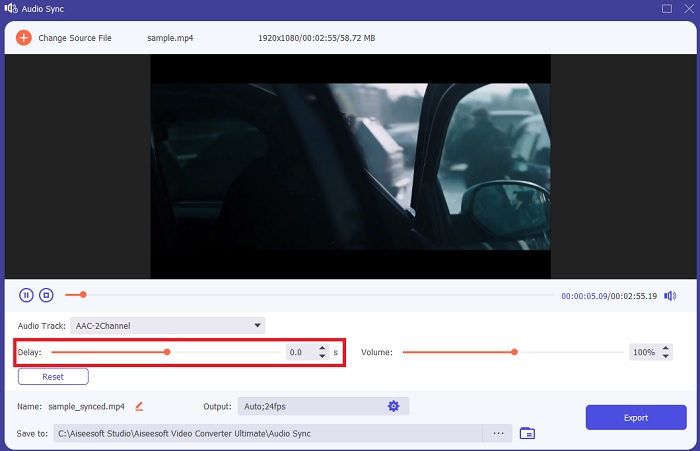
Langkah 3. Pada antarmuka, geser slider untuk menyesuaikan waktu antara video dan audio. Anda juga dapat meningkatkan kualitas audio di sini dengan menaikkan volumenya.
Langkah 4. Jika modifikasi sudah selesai, klik Export.
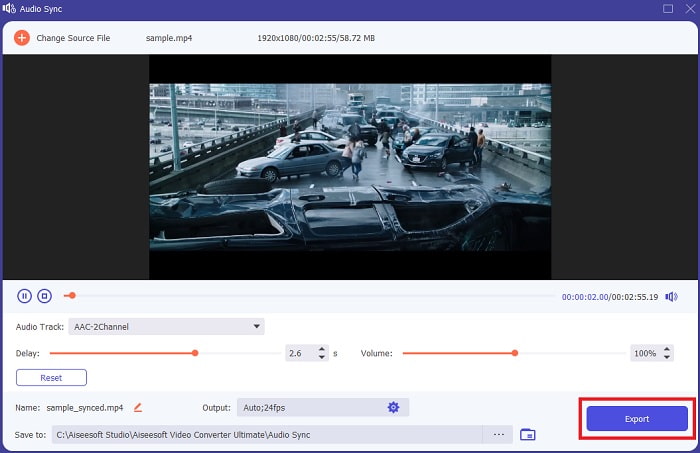
Langkah 5. Proses ekspor file akan selesai dalam beberapa detik. Setelah selesai, file video dan audio yang sudah Anda sinkronkan akan otomatis muncul di layar. Klik filenya dan nikmati audio dan video yang tersinkronisasi dengan sempurna.
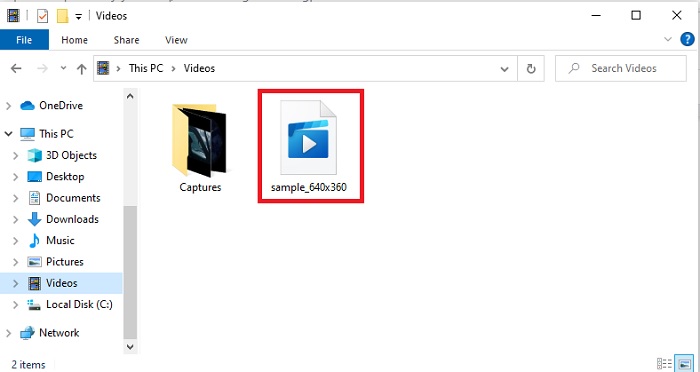
Bagian 2. Konversi ASF ke GIF dengan Bantuan Alat Online
Pengonversi Video Gratis FVC
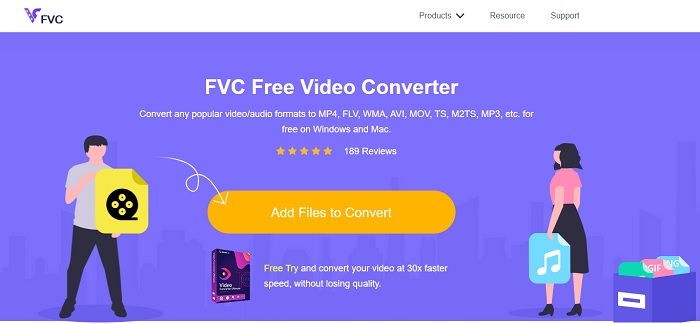
Konverter online ini adalah salah satu yang terbaik di web, yaitu FVC Free Video Converter. Alat ini adalah versi unduhan gratis dari konverter ultimate. Meskipun hanya menawarkan beberapa fitur yang mirip dengan konverter ultimate, tetap saja alat pertama di atas jauh lebih baik daripada alat lain. Namun jika Anda tidak ingin mengunduh alatnya, maka ini wajib dicoba untuk merasakan pengalaman konversi yang maksimal. Ikuti langkah-langkah di bawah ini dan mari kita lakukan konversi.
Langkah 1. Klik tautan untuk menuju ke situs utama konverter FVC.
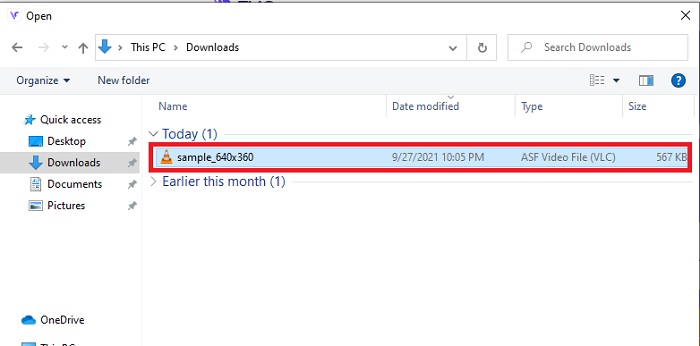
Langkah 2. Tekan Add Files to Convert dan cari file di folder lalu klik open.
Langkah 3. Setelah memasukkan file ASF, sekarang Anda bisa mengonversi ASF ke GIF atau format lain apa pun yang Anda inginkan sebagai hasil akhir.
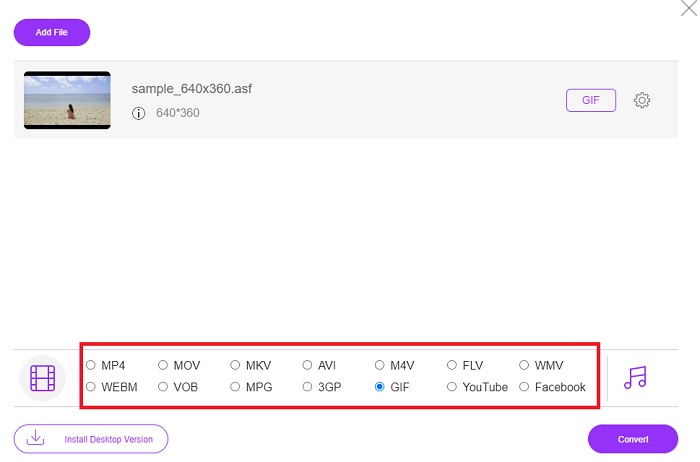
Langkah 4. Tekan tombol Convert untuk mulai mengubah format.
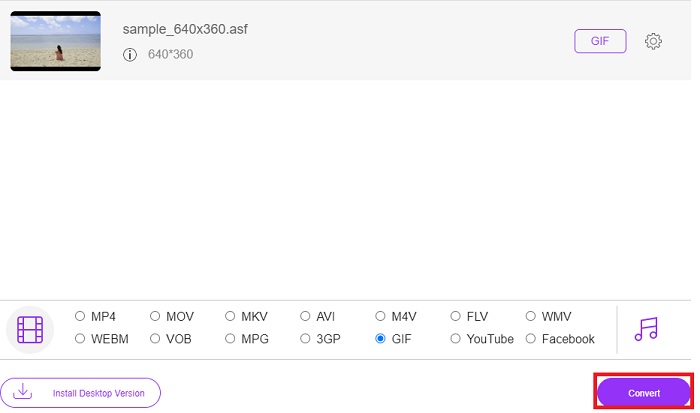
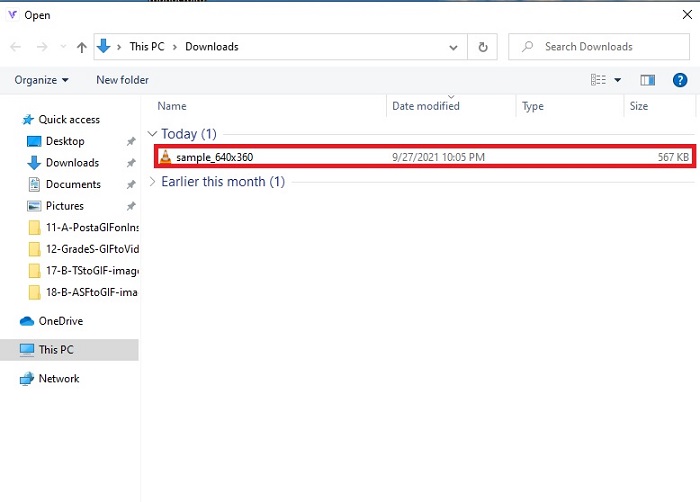
Langkah 5. Lalu untuk menemukan file, klik tombol berbentuk folder ini untuk melihat di mana file tersebut berada.
Konversi OnlineGratis
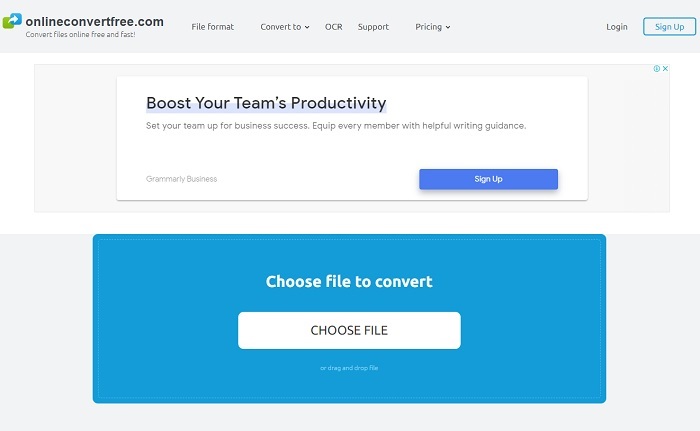
Konversi file Anda secara online dengan bantuan OnlineConvertFree. Sesuai motonya, konversi file secara online gratis dan cepat di sini. Namun meskipun alat ini memiliki kompresi yang cepat, Anda tetap tidak dapat mengubah bit rate, fps, dan resolusi sebelum memulai konversi. Jadi, konversilah file apa adanya di sini; jika Anda hanya ingin mengonversi saja, coba alat ini. Selain itu, alat web ini memiliki iklan, jadi berhati-hatilah agar tidak mengkliknya dan terbawa ke situs lain.
Bertukar
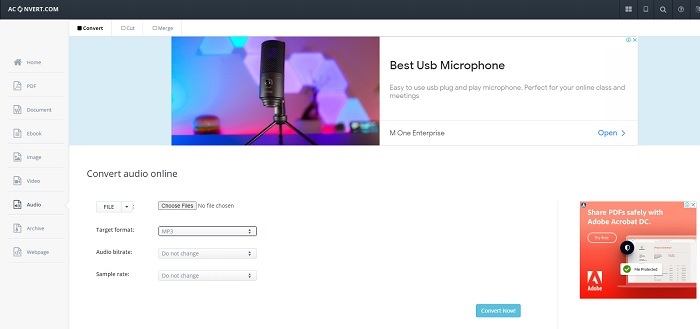
Aconvert adalah alat berbasis program online yang dikembangkan untuk menangani konversi apa pun yang ingin Anda lakukan. Meskipun alat ini memberikan hasil konversi yang baik, situs utamanya memiliki banyak pop-up dan iklan mengganggu. Setiap klik yang Anda lakukan akan memunculkan iklan setelahnya. Jadi, jika Anda tidak ingin terganggu oleh iklan sama sekali, jangan gunakan alat ini. Namun jika Anda tidak masalah dengan iklan, gunakan saja karena tampilannya lebih formal dibandingkan OnlineConvertFree.
Bagian 3. FAQ tentang ASF ke GIF
Apakah AVI lebih baik dari file ASF?
AVI dan ASF sama-sama dibuat oleh Microsoft dan keduanya memiliki kompresi yang bagus. Namun AVI mendapat jauh lebih banyak dukungan dari platform lain dibandingkan ASF. Karena output media berkualitas tinggi, AVI menghasilkan kualitas yang lebih baik. Tetapi apa itu AVI? Untuk mengetahui lebih lanjut tentang AVI, klik tautan ini karena di sana kami berfokus pada apa itu AVI.
Di mana saya dapat memutar file ASF saya?
Kebanyakan pemutar media bawaan tidak dapat memutar file ASF, bahkan beberapa pemutar pihak ketiga pun tidak, karena codec yang rumit. Namun ada alat yang dibuat FVC untuk memutar codec apa pun dengan mudah dan tetap memberikan pengalaman terbaik seperti menonton di iMax. Jika Anda ingin menonton file .asf, unduh Blu-ray Player ini untuk menonton dan memutarnya. Unduh Blu-ray Player di PC Unduh Blu-ray Player di Mac
Apakah mengonversi ASF mengurangi kualitasnya?
Sebagian besar ASF yang dikonversi kehilangan kualitas file video atau audio alami. Karena ukurannya menjadi lebih kecil, tetapi untuk menghindari masalah ini Anda harus menggunakan konverter utama.
Kesimpulan
Meskipun semua konverter menunjukkan potensi besar dalam hal konversi, tetap saja ada satu alat yang melampaui potensi semua konverter lainnya. FVC Video Converter Ultimate adalah konverter fenomenal yang menambah keseruan pada setiap konversi yang Anda lakukan. Berbeda dengan konverter lain di daftar ini, konverter ultimate tidak membutuhkan koneksi internet dan juga memiliki fitur pengeditan. Jadi, jangan puas dengan konversi yang sederhana jika Anda bisa menghidupkannya dengan bantuan FVC Video Converter Ultimate.
-
 Panduan Langkah demi Langkah tentang Mengubah MP4 ke GIF di Desktop atau Online
 Mencari cara terbaik untuk mengonversi video MP4 Anda menjadi GIF animasi? Berikut adalah panduan terperinci untuk melakukannya di Photoshop, Windows Movie Maker, konverter video online, dan banyak lagi.
-
 Cara Mengonversi Video AVI ke File GIF Animasi di Windows/Mac
 Ingin memilih segmen AVI yang menarik untuk membuat meme GIF? Artikel ini akan memberi tahu Anda 2 metode terbaik untuk memotong video AVI dan mengonversi AVI ke file GIF animasi secara gratis.
-
 [Terpecahkan] Cara Mengonversi Video FLV ke File GIF Animasi Gratis
 Jika Anda ingin membuat GIF dari segmen video FLV untuk pengiriman yang lebih baik, Anda dapat mempelajari lebih lanjut tentang cara mengonversi video FLV ke file GIF dengan mudah dari artikel ini.
