


 Video Converter Ultimate
 Perekam Layar
 Perbaikan Video
 Unduhan Aman
Prosedur Terkemuka tentang Cara Mengonversi JPG ke ICO
Apakah Anda ingin menyesuaikan ikon komputer tetapi tidak tahu metode apa yang bisa dicoba? Maka Anda dapat menemukan solusi terbaik di artikel ini. Jika Anda termasuk pengguna yang ingin membuat ikon folder menjadi unik, kami punya jawabannya untuk Anda. Anda dapat mengubah ikon folder dengan mengonversi gambar JPG ke format ICO. Dengan cara ini, gambar yang Anda inginkan dapat langsung menjadi sebuah ikon. Jadi, jika Anda tertarik, kami akan memberikan prosedur terbaik tentang cara mengonversi JPG ke ICO menggunakan metode offline dan online. Baca artikel ini untuk melihat proses konversi yang bisa Anda coba.

Bagian 1. JPG Vs. ICO
| Format File | JPG/JPEG | ICO |
| Ekstensi Nama File | .jpg / .jpeg | .ico |
| Nama lengkap | Kelompok Pakar Fotografi Bersama | Ikon |
| Dikembangkan oleh | Kelompok Pakar Fotografi Bersama | Microsoft |
| Keterangan | File gambar menerima JPG perpanjangan. Banyak bitmap disimpan sebagai file .jpg untuk memperkecil ukurannya, membuatnya lebih mudah untuk mengirim dan mengunduh gambar ini melalui Internet. Semakin tinggi tingkat kompresi yang digunakan untuk membuat file JPG yang menggunakan palet warna 24-bit, semakin besar efek dekompresi pada kualitas gambar. | Ikon gambar kecil dengan berbagai dimensi (16×16, 32×32, dan 64×64 piksel) dan kedalaman warna dapat ditemukan di ICO file (16 warna, 32, 64, 128, 256, 16-bit, dan seterusnya). digunakan oleh sistem operasi antarmuka pengguna grafis (GUI) untuk menampilkan file dan direktori. |
| Kompresi | Lossy | Lossless |
| Program/Browser Terkait | Cat Adobe Photoshop Foto Microsoft GIMP Google Chrome Mozilla Firefox Internet Explorer | CorelDRAW Microsoft Photos Microsoft Pain Google Chrome Microsoft Edge Safari Internet Explorer |
Bagian 2. Konversi JPG ke ICO di Web Secara Efektif
Free Convert adalah salah satu pengonversi gambar online terpercaya yang dapat Anda gunakan untuk mengonversi JPG ke ICO. Alat ini dapat dengan mudah mengonversi file gambar Anda ke format JPG. Pengguna dapat menganggap Free Convert sebagai cara yang sederhana untuk mengonversi file gambar. Selain itu, tata letak pengonversi gambar online ini mudah dipahami. Free Convert juga tersedia di berbagai platform. Namun, meskipun menawarkan banyak hal, masih ada kekurangan ketika menggunakan alat online ini. Anda hanya dapat mengunggah file hingga 1 GB. Iklan juga muncul di layar, yang mengganggu dan mengalihkan perhatian saat mengonversi file gambar. Anda harus membeli paket berlangganan untuk menikmati lebih banyak fitur hebat dari alat online ini.
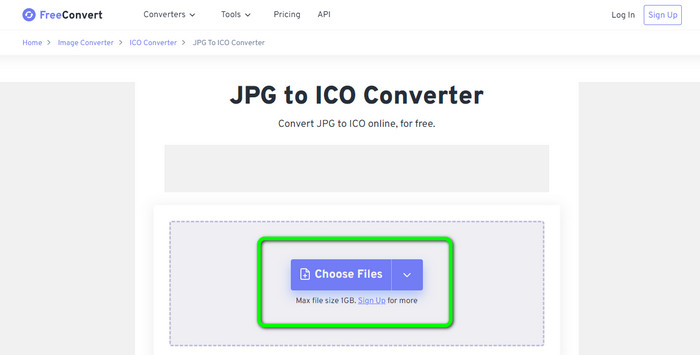
Langkah 1. Buka situs web Free Convert. Lalu, klik opsi Choose Files di tengah layar untuk mengunggah gambar JPG. Anda juga dapat menyeret dan melepaskan file gambar langsung ke dalam kotak.
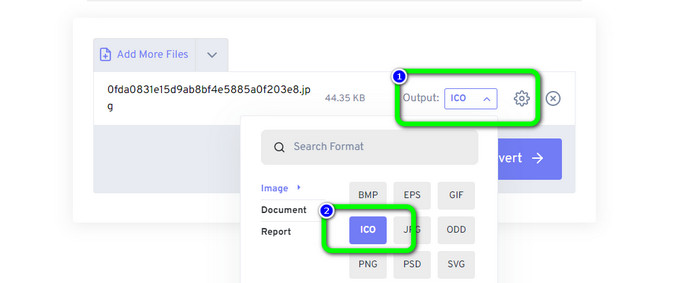
Langkah 2. Pilih format ICO dari opsi format. Format ini akan menjadi format keluaran Anda.
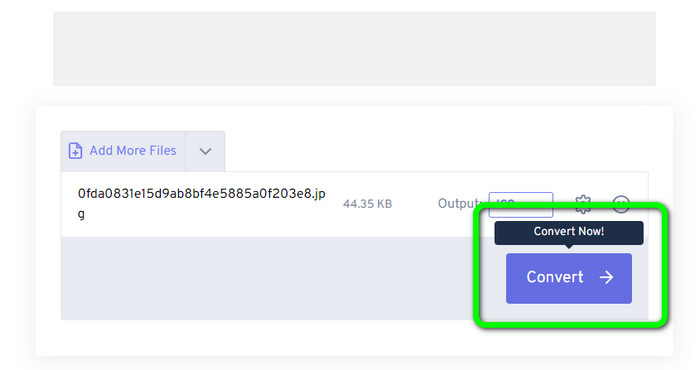
Langkah 3. Lalu, klik opsi Convert. Setelah proses konversi selesai, klik tombol Download untuk mengunduh gambar yang telah dikonversi ke komputer Anda.
Bagian 3. Cara Mengonversi JPG ke ICO di Windows dan Mac
Konversikan JPG ke ICO di Windows
Gunakan Converticon Desktop untuk mengonversi JPG ke ICO. Program offline ini dapat diunduh secara gratis. Anda dapat mengonversi JPG ke ICO tanpa mengalami masalah. Selain itu, ConvertIcon Desktop mudah digunakan. Pengguna terampil maupun profesional dapat memanfaatkan konverter offline ini. Program ini juga mendukung berbagai format gambar, termasuk PNG, JPG, SVG, dan lainnya. Namun, konverter offline ini hanya dapat diakses di Windows. Jika Anda pengguna Mac, penggunaan alat ini untuk mengonversi format gambar tidak memungkinkan.
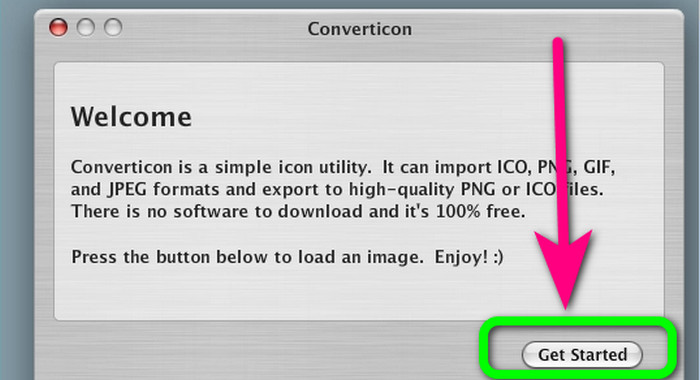
Langkah 1. Unduh ConvertIcon Desktop di Windows Anda. Lalu, jalankan programnya. Setelah itu, klik opsi Get started.
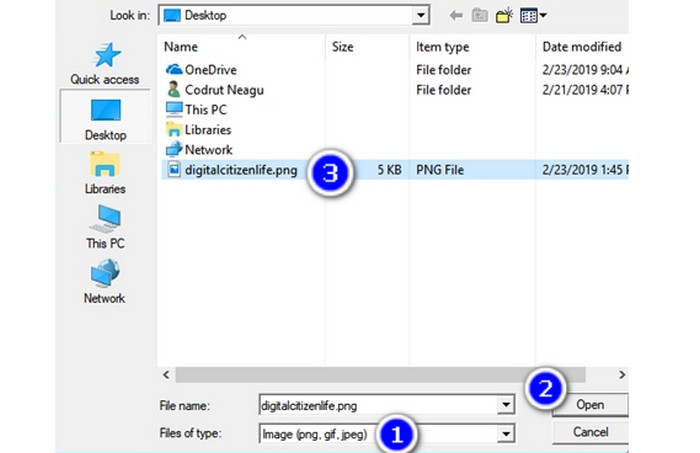
Langkah 2. Pada daftar Files of type di jendela dialog Choose file to upload via localhost, pilih Image (png, gif, jpg). Terakhir, buka file gambar yang ingin Anda konversi ke format file ICO dengan menelusurinya di PC Anda.
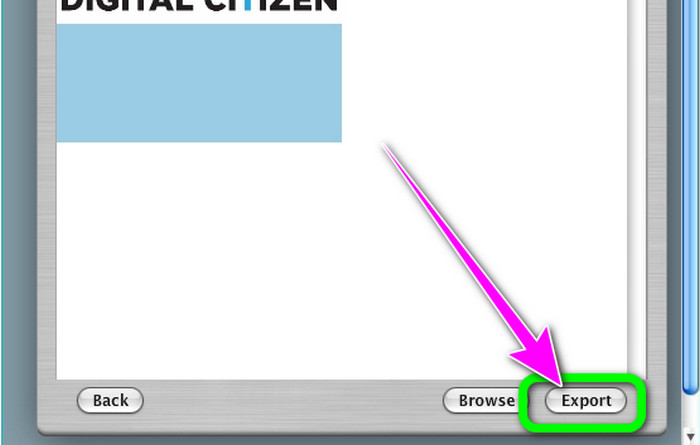
Langkah 3. Setelah itu, program akan menampilkan gambar yang dipilih. Klik opsi Export di sudut kanan bawah antarmuka.
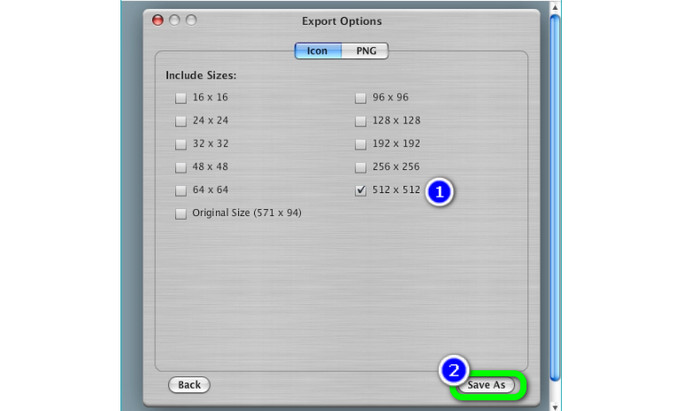
Langkah 4. Pilih resolusi yang akan disertakan dalam file ICO akhir di kotak Export Options. Resolusi 512 × 512 perlu diperhatikan, terutama jika Anda menjalankan Windows 11/10. Jika sudah selesai, klik Save as dan pilih lokasi di PC Windows Anda untuk menyimpan file ICO dari pengonversi gambar ini.
Konversikan JPG ke ICO di Mac
Anda dapat menggunakan aplikasi Preview sebagai cara bawaan untuk mengonversi JPG ke ICO di Mac. Dengan begitu, Anda tidak perlu mengunduh program offline apa pun di perangkat Anda. Anda juga dapat mengonversi format gambar secara efektif. Namun, proses konversinya memakan waktu. Diperlukan banyak waktu untuk mengonversi gambar. Prosesnya membingungkan sehingga menyulitkan pengguna, terutama pemula.
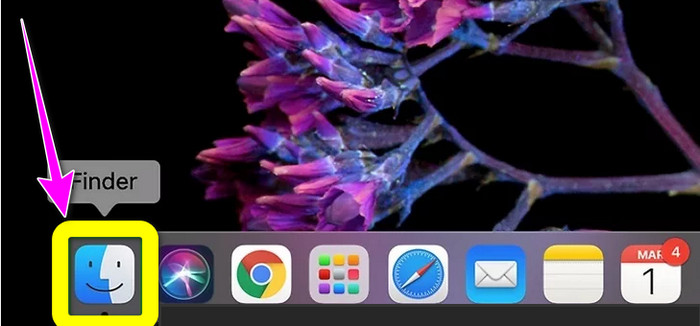
Langkah 1. Nyalakan Mac Anda dan gunakan Finder untuk menelusuri file gambar JPG yang ingin Anda konversi.
Langkah 2. Di Mac, penampil gambar bawaan disebut Preview. Umumnya, mengeklik ganda sebuah file akan membuka gambar di Preview.
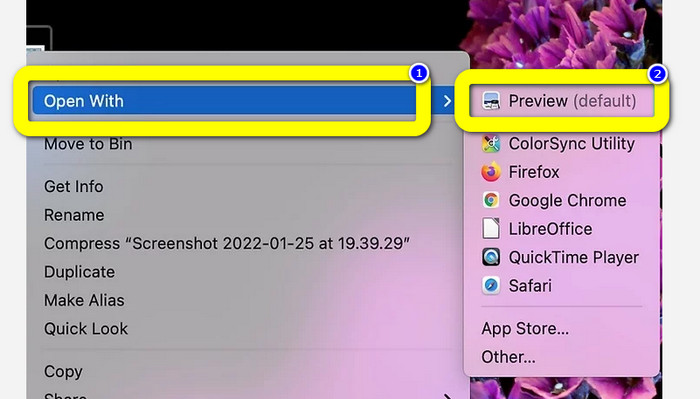
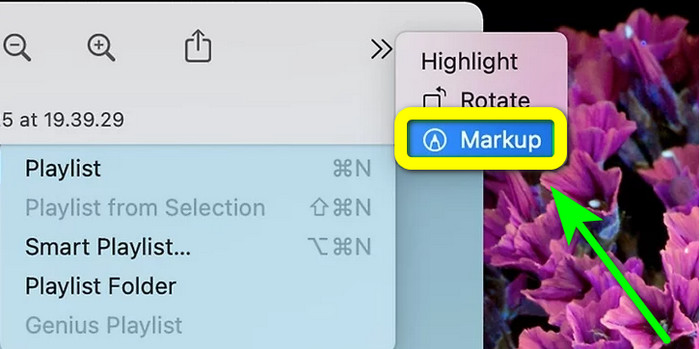
Langkah 3. Ikon Markup berada di bagian atas, berbentuk lingkaran dengan ujung spidol. Pilih tombol Resize yang berupa kotak dengan dua panah mengarah ke sudut-sudutnya. Masukkan resolusi gambar di kotak di sebelah Height and Width di jendela Image Dimensions, pada menu tarik-turun pilih Pixels, lalu klik Ok.
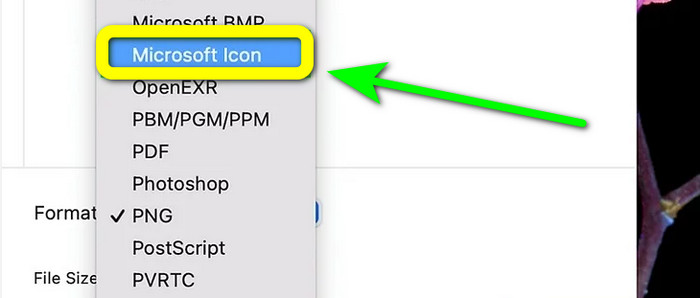
Langkah 4. Buka menu File. Pilih Export dari opsi yang ada. Lalu, ketik nama file. Klik menu tarik-turun Format sambil menahan tombol Option. Pilih Microsoft Icon dari opsi format dan klik Save. Klik di sini untuk mempelajari cara mengonversi ICO ke PNG.
Bagian 4. Bonus: Konverter JPG Terbaik Gratis
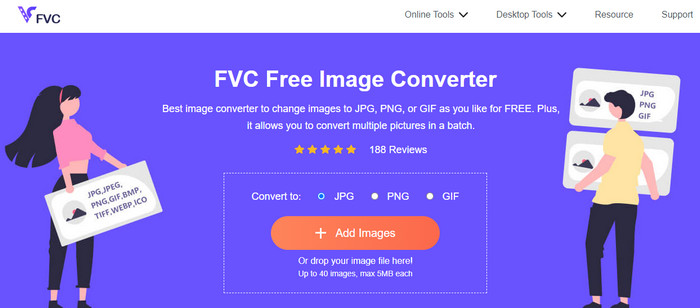
Saat membahas konversi gambar, pengonversi terbaik yang dapat Anda gunakan adalah FVC Free Image Converter. Alat online ini mendukung berbagai format gambar, sehingga memudahkan semua pengguna. Selain itu, proses konversinya sederhana. Anda dapat mengonversi format gambar hanya dengan beberapa langkah mudah. Antarmuka alat online ini juga mudah dipahami. Jadi, pengguna, terutama pemula, dapat mengoperasikannya dengan mudah dan cepat. Selain itu, alat ini menawarkan fitur konversi batch. Anda dapat mengunggah hingga 40 gambar sekaligus. FVC Free Image Converter dapat diakses di semua browser. Anda dapat menggunakan pengonversi online ini di Chrome, Edge, Mozilla, dan lainnya. Alat ini juga tidak memberi tanda air pada foto Anda setelah proses konversi.
Bagian 5. FAQ tentang Konversi JPG ke ICO
1. Apa perbedaan antara ICO dan ICNS?
Mereka berbeda dalam berbagai ukuran, dukungan warna, dan resolusi untuk memenuhi kebutuhan tampilan. File ICO dan jenis file ICNS memiliki fungsi yang setara di MacOS.
2. Berapa ukuran ideal untuk file ICO?
16 kali 16 piksel adalah ukuran yang sempurna. Anda dapat menawarkan gambar 16x16, 32x32, 48x48, dan 64x64 dalam file single.ico, dan sistem akan memilih yang terbaik untuk ditampilkan. File .ico dapat menyertakan banyak gambar dengan kedalaman warna yang bervariasi.
3. Apa keuntungan menggunakan file JPEG?
Manfaat utama file JPG adalah ukurannya jauh lebih kecil daripada format file gambar lama. Mereka membebaskan penyimpanan di komputer Anda, menjadikannya sempurna untuk menyimpan dan berbagi gambar digital.
Kesimpulan
Bagaimana cara mengonversi JPG ke ICO? Ada baiknya Anda melihat semua metode paling efektif yang disebutkan di atas. Dengan begitu, Anda dapat mengonversi file gambar dengan mudah dan seketika. Jika Anda mencari pengonversi gambar terbaik, kami sangat merekomendasikan FVC Free Image Converter. Pengonversi gambar ini memiliki prosedur yang mudah dipahami, sehingga cocok untuk semua pengguna.
-
 Cara Terdepan tentang Cara Mengonversi JPG ke SVG [Terselesaikan]
 Dalam posting ini, Anda akan mendapatkan data yang tidak boleh Anda lewatkan tentang cara terbaik untuk mengonversi JPG ke SVG. Baca pos untuk mendapatkan konverter JPG ke SVG untuk digunakan.
-
 Cara skala penuh untuk Mengonversi JPG ke PNG Online dan Offline
 Mencari metode yang berguna untuk mengonversi format file JPG ke PNG? Panduan ini memiliki jawaban yang Anda butuhkan. Untuk menemukan metode ini, baca artikelnya.
-
 Metode Cara Mengkonversi Gambar ke JPG Online dan Offline
 Apakah Anda ingin mengonversi file ke format JPG karena alasan tertentu? Maka artikel ini untuk Anda. Kami akan mengajari Anda metode terbaik untuk mengonversi gambar Anda ke JPG
