


 Video Converter Ultimate
 Perekam Layar
 Perbaikan Video
 Unduhan Aman
Cara Efektif Membuat Foto HD Online & di Android [Tutorial Lengkap]
Apakah itu keajaiban? Apakah itu sihir? Tidak, dan Anda dapat membuat foto HD secara instan tanpa menggunakan Adobe Photoshop atau perangkat lunak profesional apa pun di perangkat Anda. Informasi dalam artikel ini dapat mengubah gambar Anda menjadi definisi tinggi dengan penambah terbaik yang kami temukan di web dan perangkat Android Anda. Mungkin mustahil untuk menangani tugas ini, terutama bagi mereka yang tidak berpengalaman dalam situasi ini. Namun, Anda tidak perlu khawatir jika mengikuti panduan ini.

Bagian 1. Cara Membuat Foto HD Tanpa Alat Profesional di Web Secara Gratis [Pilihan Editor]
Cara ke-1. Cara Membuat foto menjadi HD Dengan Meningkatkan Gambar [Pilihan Teratas Editor]
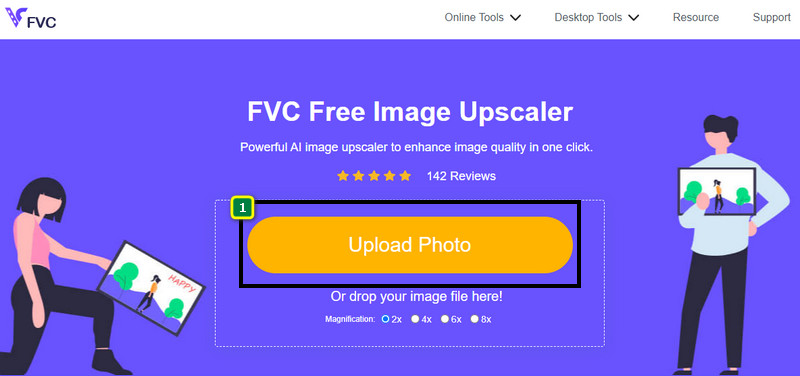
FVC Free Image Upscaler adalah pengunggah skala gambar yang kuat yang dapat Anda gunakan untuk meningkatkan piksel pada gambar dan mengubahnya menjadi HD. Pengunggah skala online ini memiliki AI yang dapat mendeteksi kekurangan pada gambar Anda dan memperbaikinya seketika tanpa perlu menyesuaikan banyak opsi. Selain itu, Anda juga dapat memperbesar gambar menjadi 2x, 4x, 6x, dan 8x tanpa membuat gambar yang Anda unggah di sini menjadi terdistorsi. Ingin tahu rahasia cara membuat foto menjadi HD dengan alat ini? Anda dapat mengikuti langkah‑langkah yang kami cantumkan di bawah ini.
Langkah 1. Buka pengunggah skala gambar online dengan mengklik tautan ini. Itu akan membawa Anda ke situs web resmi, dan Anda tidak perlu khawatir karena aman di semua peramban yang saat ini Anda gunakan atau sukai.
Langkah 2. Klik Upload Photo untuk menambahkan gambar berkualitas rendah yang ingin Anda ubah menjadi HD. Tersedia fitur drag and drop untuk menambahkan gambar jika Anda ingin mencobanya.
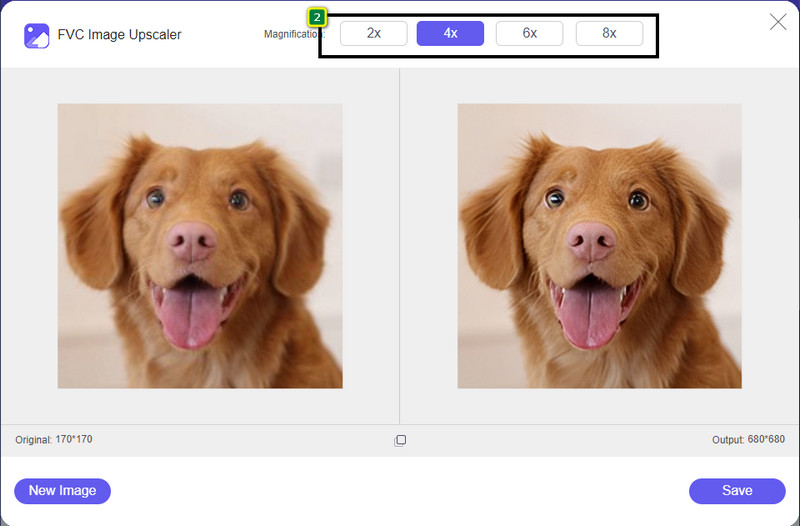
Langkah 3. Tunggu alat memproses gambar, lalu pilih pembesaran yang ingin Anda terapkan pada gambar Anda, dan alat ini akan mengubahnya menjadi HD.
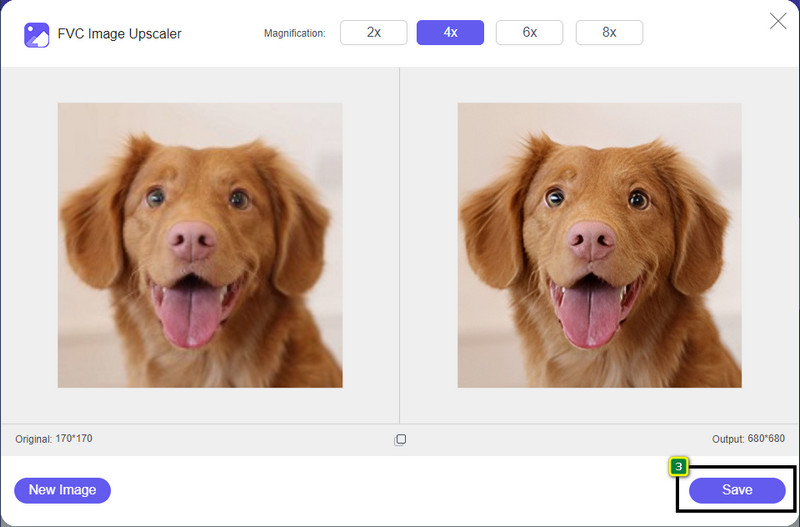
Langkah 4. Sekarang Anda dapat menyimpan gambar yang Anda tingkatkan di sini dengan mengklik tombol Save di bagian bawah. Gambar definisi tinggi akan tersimpan ke folder di drive Anda; Anda dapat mengeceknya untuk melihat hasilnya.
Cara ke-2. Cara Membuat Gambar HD Dengan Mengonversi Gambar
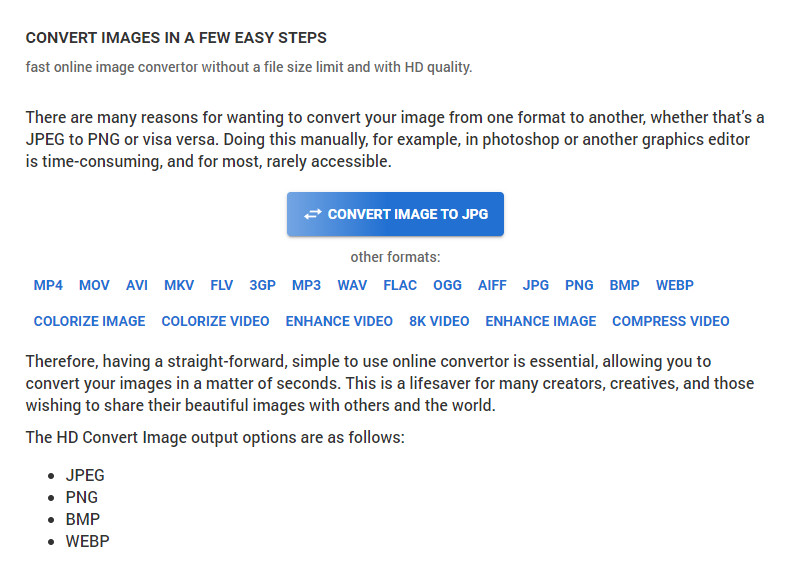
Meskipun HDconvert.com dapat membuat gambar Anda menjadi berkualitas tinggi, prosesnya menggunakan cara yang berbeda. Dengan alat ini, Anda dapat mengonversi gambar berkualitas buruk menjadi HD dengan mengunggahnya ke sini dan mengubah beberapa opsi untuk mencapai resolusi yang Anda inginkan. Tidak bisa dimungkiri bahwa alat ini dapat mengonversi gambar yang Anda unggah menjadi JPG, PNG, BMP, atau WebP sambil mengubah kualitas gambar Anda. Selain itu, Anda dapat mengatur beberapa opsi lanjutan pada gambar, seperti mengubah ukuran, atau Anda bisa melewatinya jika tidak ingin diterapkan. Namun, Anda perlu membeli versi premium untuk mendapatkan kualitas gambar yang tinggi. Tertarik dengan cara kerja alat ini? Jika ya, lanjutkan membaca cara membuat foto terlihat lebih HD.
Langkah 1. Buka situs resmi konverter ini, klik Convert Image to JPG, then Select Files untuk mengunggah gambar yang ingin Anda ubah menjadi HD.
Langkah 2. Pilih format gambar yang ingin Anda terapkan pada gambar Anda dan klik Next.
Langkah 3. Ubah kualitas gambar dengan menyesuaikan slider ke persentase yang Anda inginkan atau 100% lalu tekan Next.
Langkah 4. Tekan Convert File untuk mengekspor gambar yang Anda ubah menjadi HD di sini.
Cara ke-3. Cara Membuat Gambar HD Dengan Meningkatkan Gambar
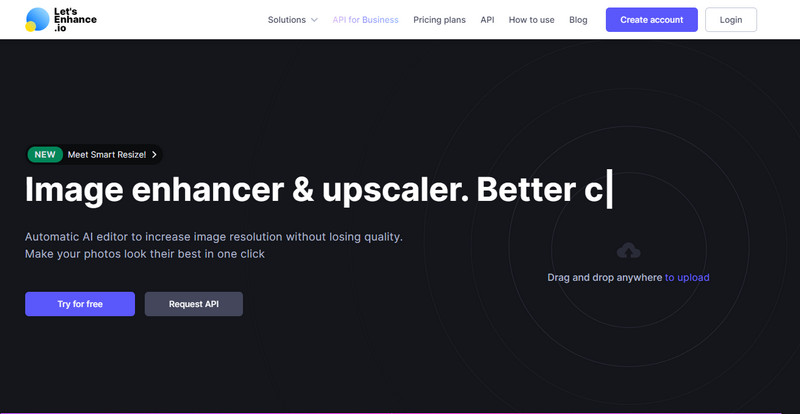
Let's Enhance.io dapat membantu Anda meningkatkan kualitas gambar di desktop menjadi lebih baik, seperti HD. Anda tidak akan mengalami kesulitan meningkatkan gambar menjadi HD jika menggunakan alat ini. Berbeda dengan alat pertama, sebelum Anda dapat menggunakan versi gratisnya, Anda perlu masuk menggunakan akun yang sudah ada atau membuat akun di sini. Meskipun masuk diwajibkan, dapat dipastikan kinerjanya mampu memberikan hasil terbaik yang bisa Anda dapatkan dibandingkan program desktop lain yang meningkatkan kualitas gambar. Jadi, jika Anda ingin menggunakan penambah kualitas foto HD ini, Anda dapat membaca langkah‑langkah yang kami cantumkan di bawah saat kami mencobanya untuk menunjukkan cara menggunakannya.
Langkah 1. Buka peramban web Anda, cari namanya, lalu klik tautan yang muncul di hasil pencarian.
Langkah 2. Tekan ikon upload untuk menambahkan gambar yang ingin Anda tingkatkan menjadi HD.
Langkah 3. Di bagian operation, ubah pengaturan yang Anda inginkan agar gambar Anda menjadi definisi tinggi.
Langkah 4. Setelah penyesuaian, klik Start Processing untuk memproses gambar berkualitas rendah menjadi HD.
Langkah 5. Tekan ikon download untuk mendapatkan foto yang Anda tingkatkan di sini.
Bagian 2. Cara Membuat Foto HD di Android dengan PicsArt
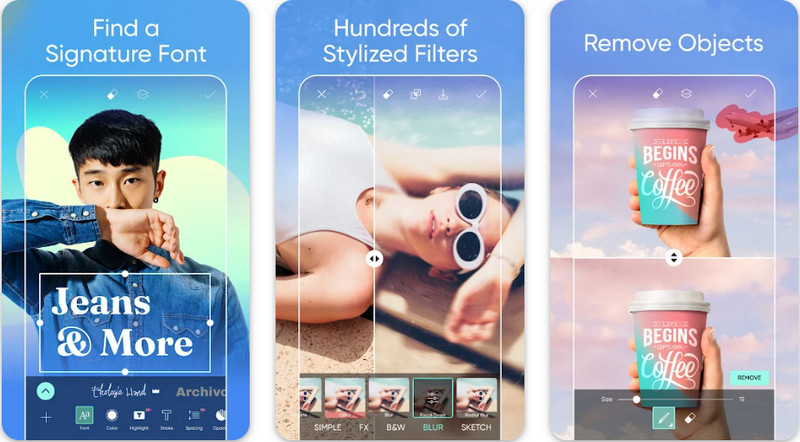
Untuk pengguna Android yang perlu membuat gambar mereka menjadi HD, Anda dapat mencoba mengunduh PicsArt di PlayStore. Aplikasi ini menjadi solusi bagi banyak pengguna karena berbagai fitur pengeditan yang dapat Anda gunakan pada gambar sehingga tampak lebih baik daripada versi mentahnya. Meskipun aplikasi ini bisa melakukan banyak hal untuk Anda, versi gratisnya akan memberikan watermark pada hasil akhirnya. Jika Anda tidak menyukai watermark, Anda perlu membeli versi premiumnya. Secara keseluruhan, aplikasi ini adalah pilihan kami untuk membuat gambar menjadi jernih dan HD. Jadi, jika Anda ingin membuat gambar berkualitas tinggi di perangkat Android Anda, Anda tidak akan salah memilih aplikasi ini. Salin tutorial cara membuat foto HD di PicsArt berikut ini.
Langkah 1. Unduh aplikasi di Playstore, lalu jalankan aplikasi.
Langkah 2. Klik ikon + untuk memilih gambar di galeri yang ingin Anda ubah menjadi HD.
Langkah 3. Ketuk Effects dan pilih HDR; sesuaikan opsi untuk membuat gambar Anda menjadi HD, lalu tekan ikon check.
Langkah 4. Di bagian atas ponsel Anda, klik ikon download untuk menyimpan gambar HD ke galeri Anda. Untuk mengubah resolusi foto di iPhone, klik di sini untuk mempelajari lebih lanjut.
Bagian 3. FAQ tentang Cara Membuat Gambar HD
Apakah membuat gambar ke HD memperbesar ukuran file?
Sangat! Ukuran gambar yang bukan HD dan HD memiliki ukuran file yang berbeda. HD memiliki lebih banyak data piksel yang dapat memberikan Anda gambar yang detail, dan ukurannya juga lebih berat daripada gambar yang bukan HD.
Apakah mengubah gambar 4k ke HD merupakan pilihan yang buruk?
Tampaknya memang demikian, tetapi jika Anda ingin menghemat penyimpanan, Anda dapat mengubah gambar 4k menjadi HD, dan perbedaan kualitas visualnya tidak terlalu banyak. Anda dapat menikmati gambar 4k Anda meskipun sudah menjadi HD.
Mengapa saya perlu membuat gambar HD?
Mengubah gambar Anda menjadi HD dapat membuat gambar Anda lebih detail dalam tampilan dan menarik mata dibandingkan dengan yang tidak. Jadi, jika Anda ingin menyempurnakan gambar menjadi HD, Anda memerlukan alat untuk meningkatkan piksel pada gambar agar HD menjadi hidup.
Kesimpulan
Menakjubkan bukan? Anda dapat membuat foto HD dengan berbagai cara yang kami tambahkan di sini tanpa bantuan perangkat lunak profesional seperti Adobe Photoshop. Salin langkah-langkah ke alat pilihan Anda dan tingkatkan gambar berkualitas rendah Anda menjadi gambar yang lebih baik seperti HD.
-
 Jadikan Resolusi Foto iPhone Lebih Baik dengan Peningkat Teratas
 Apakah Anda ingin meningkatkan resolusi foto iPhone? Nah, dalam artikel ini kami membahas alat terbaik yang dapat Anda gunakan dan trik lain yang harus Anda ketahui!
-
 Restorasi Foto Lama Online dan Offline [Langkah Mudah]
 Ingin mengembalikan foto lama? Dengan tools ini, Anda akan mengetahui proses restorasi foto lama. Baca posting ini untuk mempelajari metode yang paling mudah.
-
 Penambah 7 Piksel Teratas untuk Semua Peramban Web yang Harus Anda Gunakan
 Jika Anda ingin mengetahui penambah piksel terbaik untuk digunakan, Anda sebaiknya memeriksa posting ini. Artikel ini mencantumkan tujuh penambah piksel foto terbaik untuk semua browser web.
