


 Video Converter Ultimate
 Perekam Layar
 Perbaikan Video
 Unduhan Aman
5 Pemutar DVD Gratis Teratas untuk Windows 10
Apakah Windows 10 dilengkapi pemutar DVD?
Sebagai pengguna PC Windows, Anda mungkin sudah meng-upgrade sistem ke Windows 10 terbaru. Namun, Microsoft telah mengurangi fungsi Windows Media Player di Windows 10. Jadi, pemutar itu tidak dapat memutar DVD lagi untuk Anda. Anda harus membeli aplikasi Windows DVD Player untuk pemutaran DVD di Windows 10.

Tentu saja Anda lebih suka memutar DVD di PC Windows 10 Anda secara gratis. Jadi, adakah pemutar DVD gratis untuk Windows 10? Di artikel ini, kami membuat daftar 5 pemutar DVD gratis terbaik untuk PC Windows 10. Jika Anda menggunakan Windows 8, Windows 7 atau versi yang lebih lama, Anda tetap dapat mengandalkannya untuk menonton DVD.
Bagian 1. Pemutar DVD Gratis untuk Windows 10/8/7 PC dan Mac
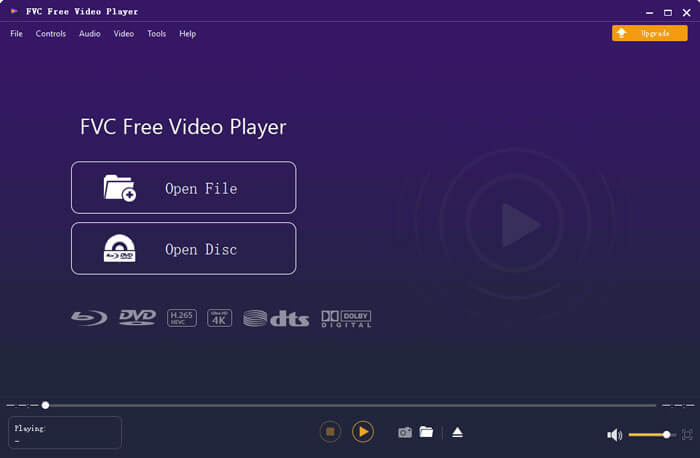
FVC Free DVD Player adalah alat pemutar DVD online yang sepenuhnya gratis dan memungkinkan Anda menonton cakram DVD, folder DVD, dan file image ISO DVD dengan kualitas tinggi. Anda tidak perlu menginstal aplikasi pemutar media berukuran besar di komputer untuk memutar DVD. Sebagai gantinya, Anda bisa langsung memutar DVD di peramban web.
Pemutar DVD gratis wilayah ini kompatibel dengan Windows 10, Windows 8, Windows 7, dan macOS. Jadi, ini bukan hanya pemutar DVD gratis untuk Windows 10. Anda dapat membuka browser dan menggunakannya di komputer mana pun.

Perangkat lunak pemutar DVD gratis ini dirancang dengan teknologi penyandian video canggih. Untuk bagian pemutaran audio, ia mendukung DTS-HD dan Dolby TrueHD. Hal ini memungkinkan Anda untuk menikmati film DVD dengan kualitas gambar yang tinggi dan efek suara lossless.
Sebagai pemutar DVD gratis untuk Windows 10, alat ini memiliki semua fitur pemutaran DVD yang Anda butuhkan. Selain itu, Anda dapat mengambil snapshot, menyesuaikan dan memilih subtitle serta trek audio. Saat ingin memutar cakram DVD, Anda bisa masuk ke halaman Free DVD Player dan klik tombol Play Now. Ikuti petunjuk untuk dengan cepat memasang file peluncur kecil guna pemutaran DVD. Setelah itu, Anda dapat dengan mudah menikmati film DVD dan video biasa dengannya.
Bagian 2. Pemutar DVD sumber terbuka untuk Windows 10 dan Mac - VLC Media Player
VLC media player adalah salah satu perangkat lunak pemutar video dan audio paling populer. Pemutar lintas platform ini kompatibel dengan Windows 10/8/7, macOS, dan Linux. Sebagai pemutar sumber terbuka dengan fitur lengkap, VLC juga dapat berfungsi sebagai pemutar DVD gratis untuk Windows. VLC mampu memutar DVD, VCD, dan CD Audio.
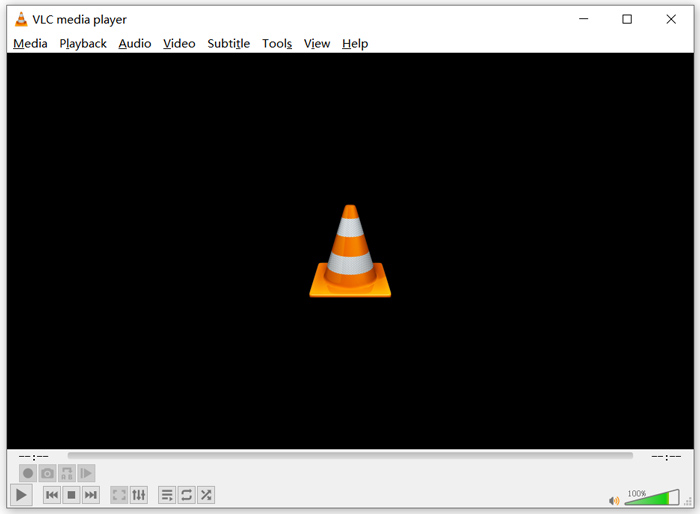
Sebagai pemutar DVD gratis, VLC dapat mengakses menu DVD, bab, dan konten terkait lainnya. Fitur decoding perangkat kerasnya memungkinkan Anda menikmati film DVD dengan lancar. Selain itu, Anda mendapat opsi kontrol lanjutan untuk pemutaran DVD. Anda bisa mengambil snapshot saat DVD diputar. Selain film DVD, VLC juga mendukung cakram Blu-ray.
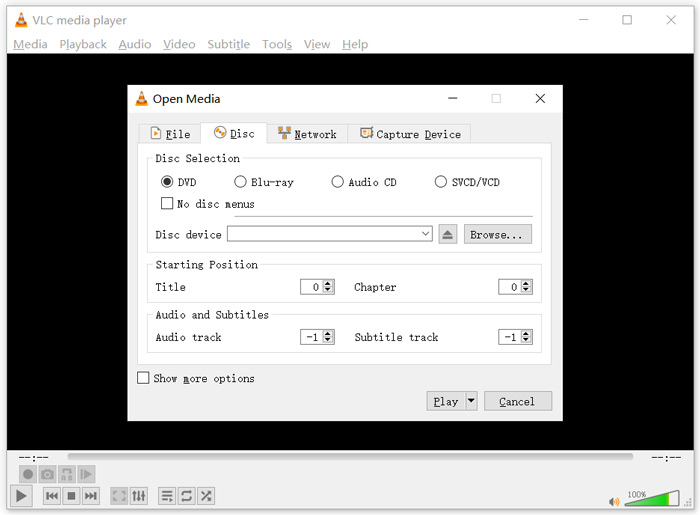
Untuk memutar DVD dengan VLC media player, masukkan cakram DVD ke drive cakram komputer, jalankan VLC lalu pilih Media di bilah menu atas. Pilih opsi Open Disc, DVD lalu tombol Browse untuk memilih file DVD Anda. Setelah itu, klik tombol Play untuk menonton DVD.
Bagian 3. Wilayah Pemutar DVD Gratis untuk Windows 10 - PotPlayer
PotPlayer adalah pemutar media kaya fitur yang memiliki fungsi pemutaran DVD. Pemutar ini dapat berfungsi sebagai pemutar DVD bebas region untuk PC Windows 10/8/7 Anda. PotPlayer dirancang dengan semua fitur yang Anda perlukan untuk pemutaran file DVD, Blu-ray, dan media biasa. Selain itu, pemutar ini mendukung OpenCodec. Jadi, Anda dapat dengan mudah menambahkan codec apa pun yang Anda inginkan.
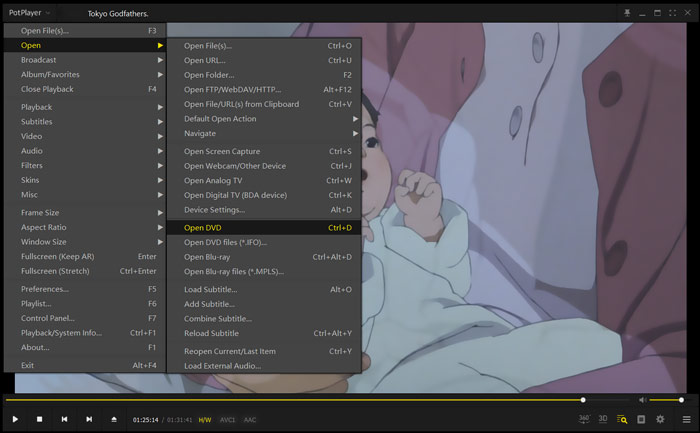
Untuk memutar film DVD dengan PotPlayer, buka aplikasi lalu klik kanan PotPlayer di pojok kiri atas. Dari daftar tarik-turun, pilih Open, Open DVD lalu pilih file DVD tertentu yang ingin Anda putar. Anda dapat dengan mudah mengontrol kecepatan pemutaran, efek video, menyesuaikan subtitle dan trek audio, serta menyesuaikan pengaturan lainnya.
Bagian 4. Perangkat Lunak Pemutar DVD Gratis untuk Windows 10/8/7 dan Mac - KMPlayer
KMPlayer adalah alat pemutar video populer yang dapat membantu Anda memutar DVD di PC Windows 10/8/7 dan Mac. Pemutar ini mendukung hampir semua format video dan audio populer termasuk MP4, MKV, FLV, MOV, MPG, VOB, MP3, AAC, WAV, dan banyak lagi. KMPlayer juga memiliki fitur pemutaran DVD.
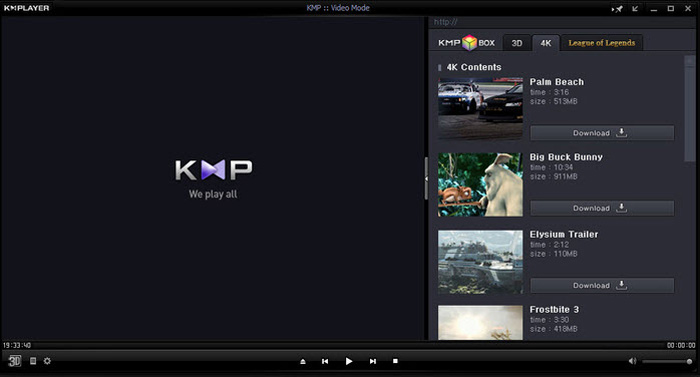
Untuk pemutaran DVD, KMPlayer memberi Anda kontrol penuh atas pemilihan DVD, menu DVD, trek audio dan subtitle, serta penyesuaian efek seperti kecerahan, kontras, dan lainnya. Saat ingin menikmati film DVD, buka KMPlayer, klik kanan pada area kosong di jendela, lalu pilih menu Open dan kemudian Open Folder untuk menonton DVD.
Bagian 5. Pemutar DVD Gratis untuk Windows 10/8/7 PC dan Mac - 5KPlayer
5KPlayer adalah rekomendasi terakhir dalam daftar 5 pemutar DVD gratis terbaik. Ini adalah pemutar media yang kuat dengan fungsi pemutaran DVD. Bukan hanya pemutar DVD gratis untuk Windows 10, 5KPlayer juga mendukung versi Windows lainnya dan macOS. Selain memutar DVD dan video biasa, 5KPlayer juga memungkinkan Anda memutar video melalui protokol AirPlay dan DLNA secara nirkabel.
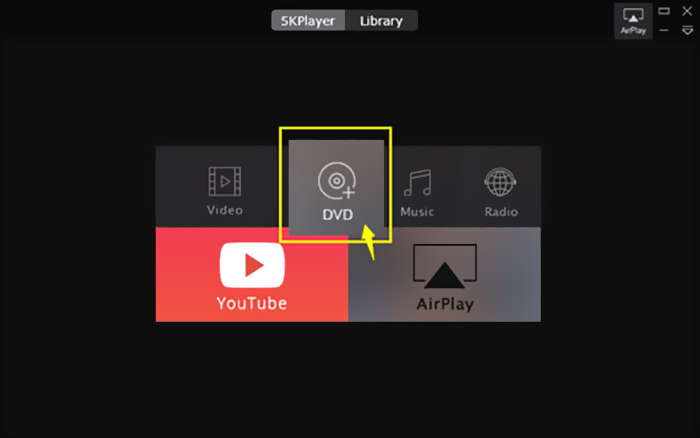
Pemutar DVD gratis ini memiliki fungsi AirPlay bawaan yang memungkinkan Anda menghubungkan DVD ke TV. Jadi Anda dapat langsung menonton film DVD di TV dengan kualitas tinggi. Untuk memutar DVD dengan 5KPlayer, buka aplikasinya dan pilih opsi DVD.
Bagian 6. FAQ Pemutar DVD Gratis untuk Windows 10
Pertanyaan 1. Bagaimana cara memutar file DVD di Windows Media Player?
Untuk file DVD yang disalin, Anda dapat memutarnya dengan Windows Media Player. Dalam banyak kasus, Anda perlu menginstal filter AC3 dan plugin yang disebut dekoder MPEG-2 untuk memutar DVD.
Pertanyaan 2. Mengapa saya tidak dapat memutar DVD di Windows 10?
Seperti yang disebutkan di atas, Microsoft telah menghapus dukungan pemutaran DVD bawaan di Windows 10. Jadi, pemutaran DVD lebih merepotkan pada PC Windows 10. Anda harus mendapatkan pemutar DVD pihak ketiga atau membayar $14.99 untuk Windows DVD Player.
Pertanyaan 3. Bagaimana cara menyalin DVD ke MP4?
Karena berbagai alasan, Anda mungkin ingin menyalin (rip) DVD ke video digital seperti MP4, MOV atau AVI. Anda dapat mengunduh konverter DVD untuk menyalin DVD ke MP4 tanpa kehilangan kualitas.
Pertanyaan 4. Format video apa yang dapat didukung oleh pemutar DVD?
Secara umum, sebagian besar pemutar DVD di pasaran dapat memutar video dalam format MPEG-4, MPEG-2, MOV, DivX, dan format file lain yang sering digunakan.
Kesimpulan
Sedang mencari pemutar DVD gratis untuk Windows 10? Setelah membaca halaman ini, Anda bisa mendapatkan 5 pemutar DVD gratis terbaik untuk PC Windows 10/8/7 maupun Mac. Anda dapat mempelajari fitur utama dari masing-masing perangkat lunak pemutar DVD lalu membuat pilihan. Tinggalkan pesan kepada kami jika Anda masih memiliki pertanyaan tentang pemutaran DVD.
-
 VOB Player - 5 Pemutar VOB Terbaik untuk PC dan Mac Windows 10/8/7 2025
 Bagaimana cara memainkan file VOB di Windows 10? Apa pemain VOB terbaik? Posting ini membuat review dari 5 pemain VOB terbaik untuk komputer Windows 10 dan Mac.
-
 Cara Membakar File Video _TS ke DVD di Mac / Windows 10
 Bagaimana cara mengonversi dan membakar file TS ke disk DVD? Panduan langkah demi langkah ini akan menunjukkan cara menyalin file dan folder TS ke DVD pada Windows / Mac sehingga Anda dapat menonton file TS di pemutar DVD atau TV.
-
 10 Cara Gratis untuk Mengonversi File TS ke MP3, AIFF, ALAC, FLAC, dan Lainnya
 Bagaimana cara mengonversi file TS ke MP3 secara gratis? Dalam panduan ini, Anda akan menemukan 11 cara mudah untuk mengekstrak audio dari file TS dengan TS ke freeware audio dan alat konverter online.
