


 Video Converter Ultimate
 Perekam Layar
 Perbaikan Video
[Gratis & Berbayar] Kuasai Seni Mengubah Format MKV ke AVI
Matroska developed the MKV format to preserve files so that it can be used in the future. Basically, the file in this format is sealed individually with different codecs in it. But, in some cases they can't be played over the native media player in your PC or Mac. So, the best choice is to convert it into an AVI file format or to another feasible format. Do you want to know how to change the MKV file to AVI format? Then you must read carefully the detailed information below as we stated only the truth and nothing but the truth.

Bagian 1. Cara Mengonversi MKV ke AVI Gratis Online dan Offline
1. Pengonversi Video Online Gratis FVC
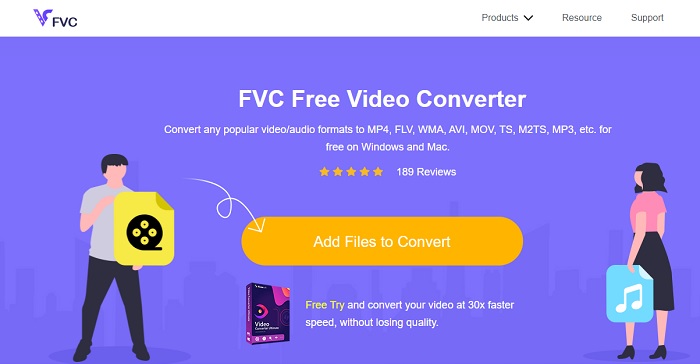
You can use this to convert MKV to AVI online with the help of the best. FVC Free Video Converter is intended to be user-friendly and no-cost as per user demand. Unlike any other tool mentioned here this tool provides a great compression on each file. You can also manipulate the bitrate, fps, codec and more in the file you want to be converted. On the contrary, all of the major features available in the premium version of this tool aren't available here. It only allows the user to have fewer formats, known as the basic format. As for now let's continue and see where the waves take us in converting videos. Follow the steps and let's start sailing the sea of conversion.
Step 1. Go to the link provided only for you to start on.
Step 2. To launch the tool, you must click the Add Files to Convert.
Unduh Versi Desktop untuk mengonversi file secara batch.
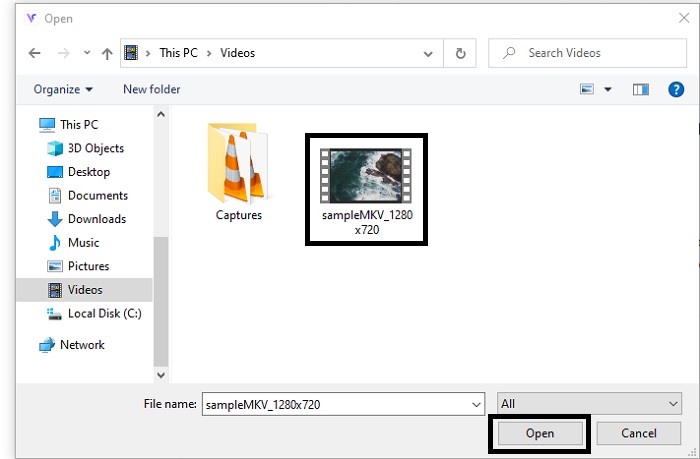
Step 3. Select the MKV file you want to be converted and click open to proceed.
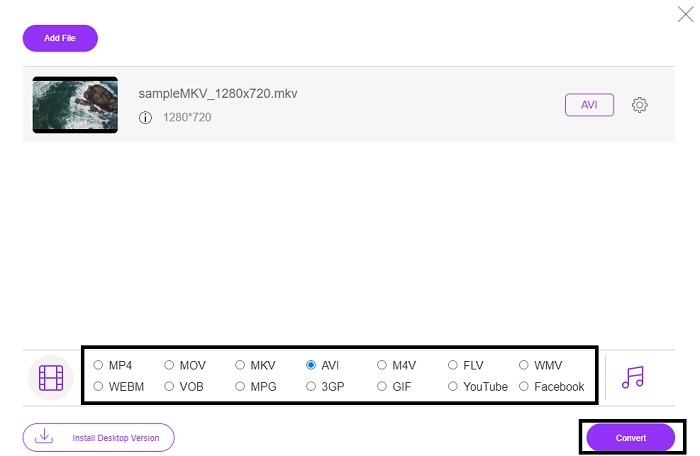
Step 4. In the interface, choose the AVI format below and select Convert to start the process.
Step 5. Wait until it is done. After a minute, clicking this folder to go to file manager will be displayed on your screen with the file you converted.

Pro
- Tidak perlu mengunduh karena Anda dapat mengaksesnya ke mesin pencari Anda.
- Ini menyediakan lebih banyak format daripada dua alat gratis lainnya di bawah ini.
- Hebat juga dalam kompresi.
Kontra
- Tidak menyediakan fitur pengeditan dan format yang tersedia terbatas.
- Jika koneksi tidak tersedia, Anda tidak dapat menggunakan alat ini.
2. VLC Media Player
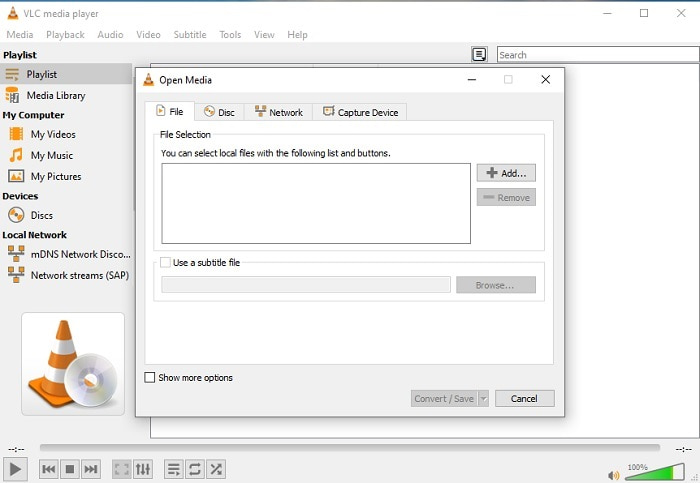
If you have a VLC then why don't you try and use it to convert. As being said, you can convert MKV to AVI on Mac using VLC. But it is not built to be the best on the job of conversion because of its limited format and other reasons. Although, this tool is infamous for being one of the outstanding media players you can use to watch and listen to. So, if you want to try using VLC as a converter then follow these steps below.
Step 1. Open VLC on your desktop.
Step 2. Click the file and locate the converter of the tool.
Step 3. Add the file you want to convert and start the process.
Pro
- Salah satu pemutar media terbaik yang menawarkan fitur konversi.
- Gratis untuk diunduh.
- Mendukung sebagian besar codec.
Kontra
- Ini bukan pilihan pemula untuk yang baru berkonversi
- Sulit untuk membaca dan memahami instruksi.
3. Freemake
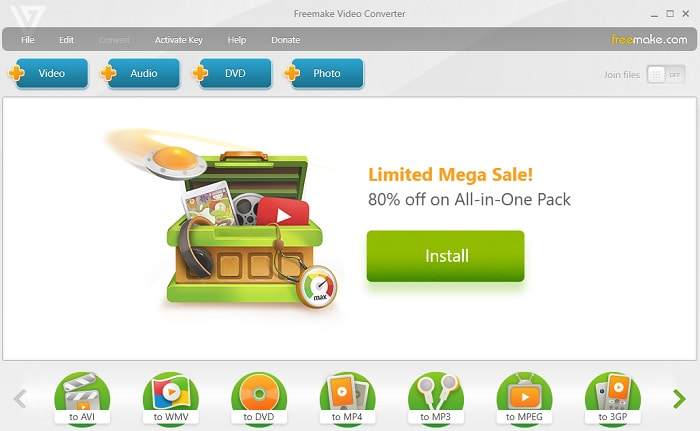
Freemake is one of the desktop tools you can use to convert MKV to AVI on Mac and PC. This tool is downloadable so you don't need internet connection to access it. The format it provides is very limited compared to the online FVC converter above. Another, the interface of the tool is outdated though it is easy to understand but boring to look at. Nevertheless, on the job of conversion you can depend on this tool. Learn how to use Freemake by following the step below.
Step 1. Download the Freemake into your computer and launch it.
Step 2. Choose the file format you want to convert.
Step 3. Wait for more than a minute to finish the conversion.
Pro
- Tidak perlu internet untuk menggunakannya.
- Mudah digunakan.
- Antarmuka yang mudah dipahami.
Kontra
- Kombinasi warna antarmukanya agak membosankan dan memiliki getaran kekanak-kanakan juga.
- Terbatas untuk menawarkan format dan fitur.
Bagian 2. Cara Terbaik untuk Mengubah File MKV ke Format AVI dengan Langkah Detail
If you want to take the converting a format to the next level then it is a must to know how to use this tool. Moreover, FVC Video Converter Ultimate provides the best conversion you want to do. Also, it allows the user to do multiple conversions at once. So, convert until you get tired of it but no need to worry because you won't get tired because of the special features it provides. For example, do you want to convert MKV to AVI and then enhance it later? By using the FVC Video Converter Ultimate you can do more. So, to know how majestic the tool is, here are the steps on how to use the unique converter feature it provides.
Step 1. Install the tool to your drive and follow the wizard setup to launch the tool.
Unduh GratisUntuk Windows 7 atau yang lebih baruUnduhan Aman
Unduh GratisUntuk MacOS 10.7 atau yang lebih baruUnduhan Aman
Step 2. Launch the tool after the installation. This is an example of the tool interface.
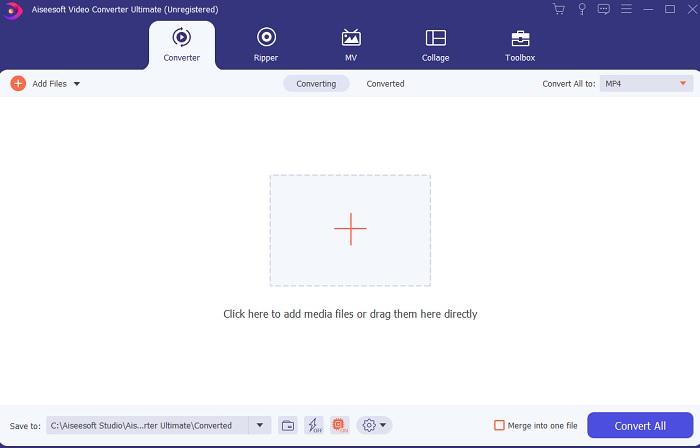
Step 3. Click the plus sign button to insert the MKV file you want to be converted. For example, if the file is more than two or three the best to insert, is to drag-and-drop it in the interface.
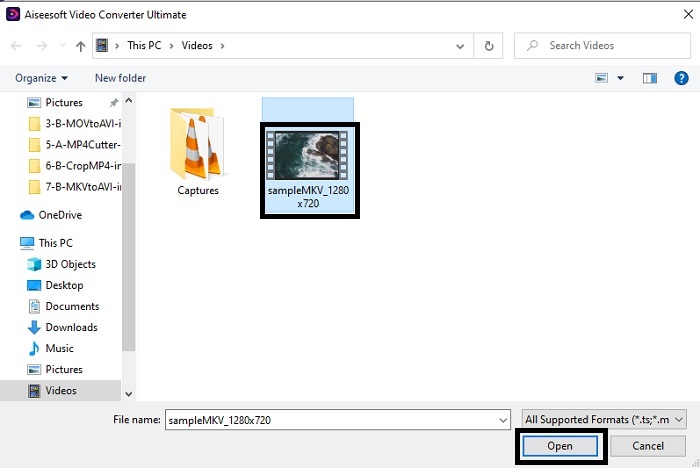
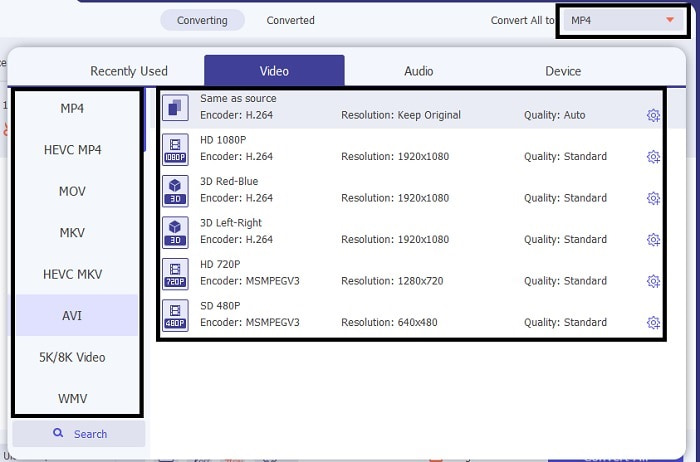
Step 4. On the drop-down menu choose what format you want it to be. Click the Convert All and wait for the conversion to be finished.
Step 5. The conversion will only take less than a second so waiting for it is not needed. After it is done, the file explorer will automatically be going to show into your screen with the file you converted. Click it and enjoy the newly converted file you just made.
Pro
- Apakah menyediakan fitur pengeditan utama untuk membuat file media Anda lebih baik.
- 30x lebih cepat dalam mengonversi daripada alat online. Dan itu 100x lebih baik dalam kompresi daripada alat lainnya.
- Semudah 1-2-3 untuk digunakan. Tidak perlu menjadi pro untuk menggunakan alat ini.
Kontra
- Perlu dibayar tetapi tidak terlalu mahal.
- Anda perlu mengunduh alat ini ke desktop Anda.
MKV vs.AVI
Format wadah multimedia Matroska, dirilis pada tahun 2002, adalah format sumber terbuka yang dapat mencakup sejumlah trek video, audio, gambar, dan subjudul. Jadi, Anda dapat menggunakannya untuk menyimpan klip video pendek, acara TV, dan film dengan mudah. Ini cukup populer untuk anime fan-subbbing.
Berdasarkan Resource Interchange File Format (RIFF), format AVI diperkenalkan oleh Microsoft pada tahun 1992. Ini dapat menyimpan video/audio berkualitas tinggi karena menggunakan lebih sedikit kompresi. Tapi itu juga menyebabkan ukuran file yang besar dari file AVI, yang mungkin menjadi masalah ketika ada ruang terbatas.
Bagian 3. FAQ tentang MKV ke AVI
Bisakah Handbrake mengubah MKV ke AVI?
Ya, Anda dapat menggunakan Handbrake untuk mengonversi format apa pun. Namun alat ini hanya terbatas pada Windows 10 ke atas.
Apakah MKV lossy atau lossless?
MKV adalah jenis kompresi lossless.
Apa kelemahan MKV?
As MKV creates a new future for the format worldwide. This format is still in progress as it is mentioned earlier it can contain different codecs. So, it means it is much larger than an AVI format and more complicated as well. However, you can choose to convert MKV to MP4 to get a smaller file.
Kesimpulan
As for now, learning how to convert is essential especially to those who love watching. There are times that our file format will not be playable into our default media player because the format or codec is not supported. So, the best we can do to solve this problem is to convert it into a new format. FVC Video Converter Ultimate is the ultimate tool that gives you the greatness you want. Instead of choosing a low quality tool why don't you try to use the ultimate tool that solves any converting, enhancing, joining, creating problem you ever have.
-
 MKV ke MOV - Cara Mengonversi MKV ke MOV
 Bagaimana cara saya mengonversi MKV ke MOV di Mac? Bisakah iMovie membaca MKV? Apa artinya format MOV? Posting ini memberi tahu 2 cara sederhana untuk membantu Anda mengonversi MKV ke MOV dengan konverter video online dan profesional gratis.
-
 Cara Mengonversi File MKV untuk Diputar di PS3 Dengan Lancar [Terpecahkan]
 Ingin memutar video MKV di PS3 Anda? Namun, PS3 tidak dapat memutar file MKV secara langsung. Artikel ini akan menunjukkan cara untuk mengonversi video MKV ke format video yang didukung PS3 untuk diputar di PS3 tanpa kerumitan.
-
 Cara Mengonversi Video MKV ke GIF Animasi tanpa Photoshop/FFmpeg
 Setelah mengunduh dan menonton film MKV di komputer, Anda mungkin ingin berbagi momen indah dengan teman atau di Internet sebagai GIF. Pada artikel ini, Anda dapat mempelajari tentang 2 cara termudah untuk mengonversi MKV ke GIF.

