


 Video Converter Ultimate
 Perekam Layar
 Perbaikan Video
 Unduhan Aman
Panduan Cepat untuk Mengonversi MKV ke DivX Online dan Offline Gratis dengan Mudah
MKV file format is a file container that stores audio, video, and subtitle tracks. It is a multi-purpose file format because it can also store HD videos. However, since it can keep a lot of data into one file, it takes too much space in a device. So, if you want to make your MKV file smaller in file size, you must convert it to a DivX file format. Keep on track because we will tackle the best ways to convert MKV to DivX Online and Offline for Free.

Bagian 1. Informasi tentang MKV dan DivX
Sebelum menangani konverter MKV dan DivX online dan offline, pertama-tama kita harus mengetahui persamaan dan perbedaan antara format file MKV dan DivX. Pada bagian ini, Anda akan mengetahui data dan informasi faktual tentang kedua format file tersebut.
File MKV atau Matroska adalah format file yang terkenal di kalangan penggemar film karena merupakan wadah file yang dapat menangani beberapa aliran subtitle dan trek audio dalam berbagai bahasa. Selain itu, file ini tahan masa depan, yang berarti tidak akan ketinggalan zaman di masa mendatang.
Berbeda dengan file MKV, DivX adalah format file yang memungkinkan Anda untuk mengompresi ukuran file besar hingga seperdua belas dari ukuran file aslinya. Dengan itu, ini adalah pilihan terbaik orang jika mereka ingin mengompres file MKV mereka.
Karena sekarang kita telah mengetahui apa itu file MKV dan DivX, sekarang kita akan mempelajari cara mengonversi file MKV ke format file DivX.
Bagian 2. 5 Alat untuk Mengonversi format MKV ke DivX dengan Mudah
Menemukan Konverter MKV ke DivX sulit karena beberapa konverter dapat mendukung format file DivX. Tetapi kami menyajikan konverter MKV ke DivX terbaik untuk mengonversi file MKV ke DivX Anda dengan mudah.
FVC Video Converter Ultimate
FVC Video Converter Ultimate is a suitable tool if you are looking for the ultimate converter to convert MKV to DivX. This offline converter supports 1000+ file-formats, including MKV, DivX, XviD, MOV, AVI, MP4, M4V, FLV, and more. It also has the best features like adding effects to your video file and enhancing it. Moreover, it supports batch conversion, where you can merge multiple file formats into one. And if you want to know the edge of this tool against other converters, read the advantages below.

Keuntungan dari FVC Video Converter Ultimate:
5.689.200+ Unduhan- Ini mendukung banyak format file, termasuk MKV, DivX, MP4, MPG, AVI, FLV, WMV, dan 1000+ format file.
- Ini memiliki fitur-fitur canggih seperti pembuat GIF, pembuat 3D, dan banyak lagi.
- Ini memiliki proses konversi yang sangat cepat.
- Dapat diakses di semua platform lintas media seperti Windows dan Mac.
Unduh GratisUntuk Windows 7 atau yang lebih baruUnduhan Aman
Unduh GratisUntuk MacOS 10.7 atau yang lebih baruUnduhan Aman
Here are the steps on how to convert MKV to DivX format using FVC Video Converter Ultimate:
Step 1. Download FVC Video Converter Ultimate by clicking the Download button below. And then follow the installation process, then open the app.
Unduh GratisUntuk Windows 7 atau yang lebih baruUnduhan Aman
Unduh GratisUntuk MacOS 10.7 atau yang lebih baruUnduhan Aman
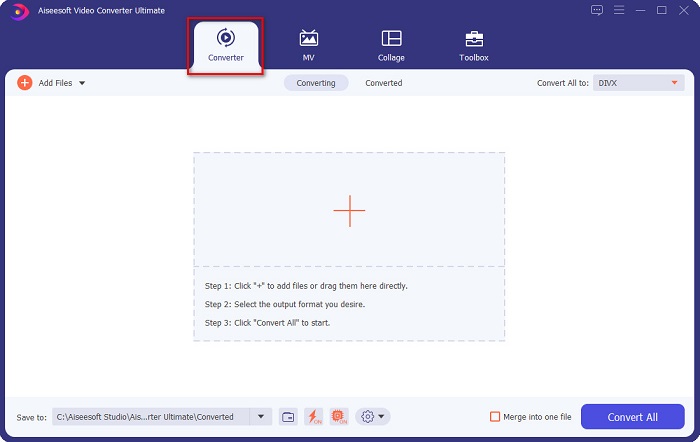
Step 2. On the software’s main interface, click the Converter option.
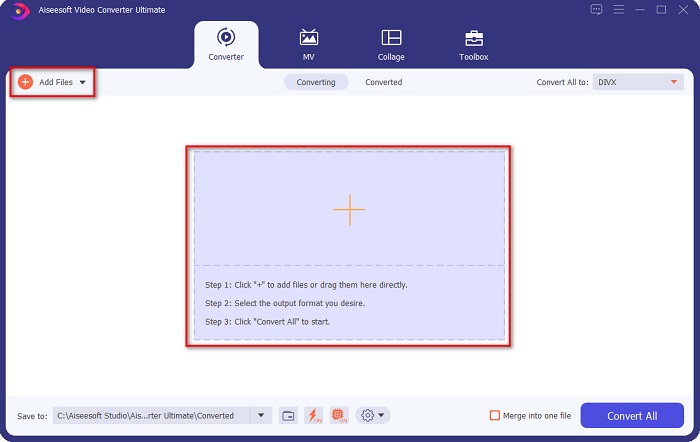
Step 3. Click the Add Files button or the + sign button on the same interface. Your computer files will appear, then select your MKV file to upload it.
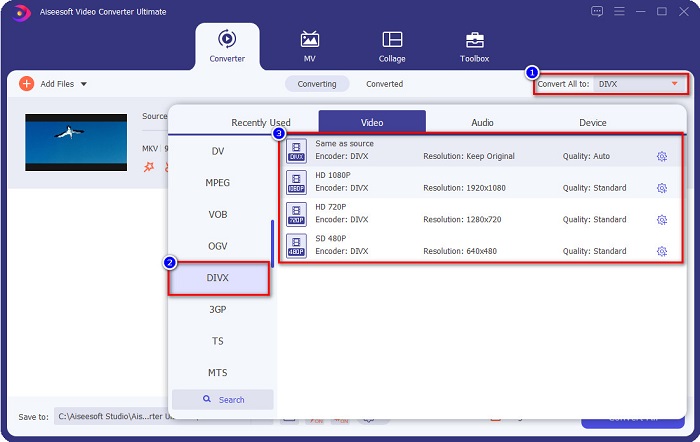
Step 4. After uploading your MKV file, click the Convert All to button to select the file output format that you want; click the DivX file format.
Step 5. Lastly, click the Convert All button to convert your MKV file to DivX file format.
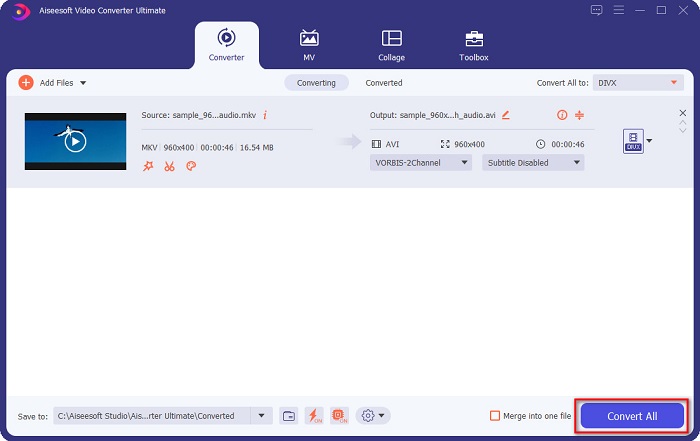
Kemudian tunggu beberapa detik, dan voila! File MKV Anda sekarang menjadi format file DivX!
Pengonversi Video AnyMP4
AnyMP4 Video Converter is a free MKV to DivX video converter that supports various file formats. It has a simple software interface, making it a user-friendly tool. You can also use a lot of features that this converter has. However, you cannot access its special features if you will not avail of the app.
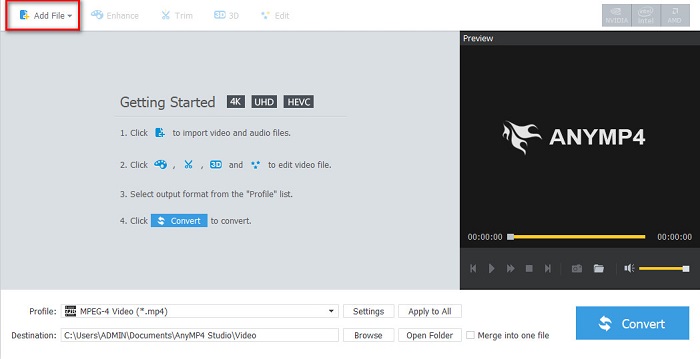
Step 1. In your browser, search AnyMP4 Video Converter, then download the app. Then on the main software interface, click the Add File button to upload your MKV file.
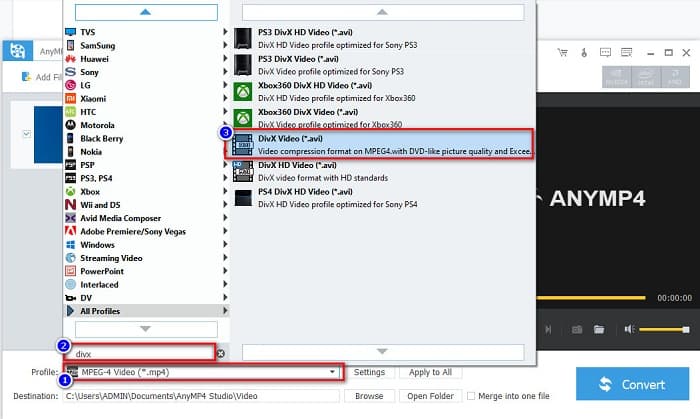
Step 2. Then on the Profile option below the software interface, search the DivX file format, then click it.
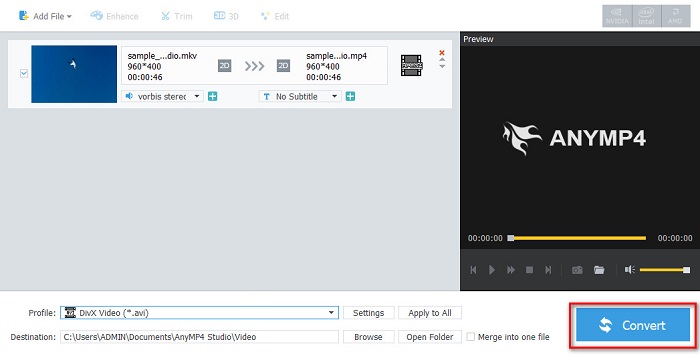
Step 3. For the last step, click the Convert button at the bottom right part corner of the interface. And then, just wait for your conversion process to finish. And it’s all done!
Media.io
Media.io is a free converter that can convert MKV to DivX online. This online converter has a simple user interface. Moreover, it does not contain any ads which other online converters have. However, you may experience having a slow conversion process because it is a web-based application.
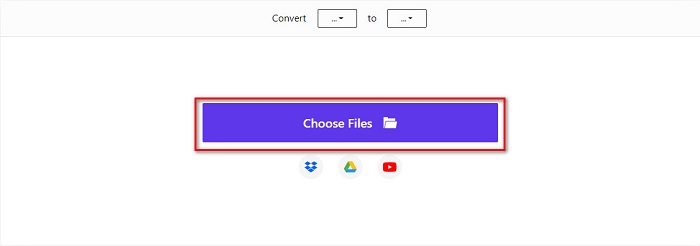
Step 1. In your trusted browser, search Media.io. Then on the software’s main interface, click the Choose Files button.
Step 2. Then, click the drop-down button to select the DivX output format.
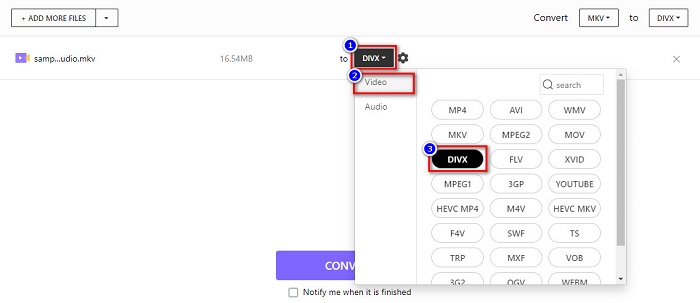
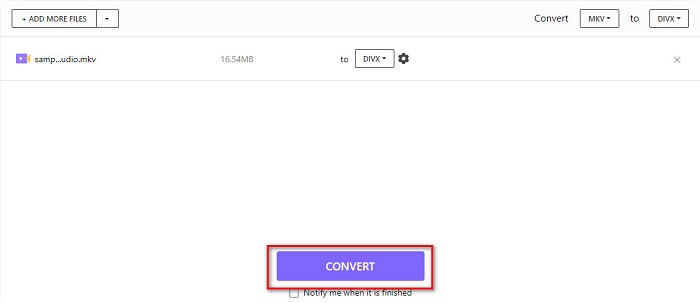
Step 3. And then, click the Convert button below to start converting your MKV file to DivX file format.
MiConv
Another way to convert MKV to DivX online for free is MiConv. This online converter is one of the know online converters you can find on the web. It is a web-based app; therefore, you do not need to download anything. Moreover, it is a beginner-friendly tool because of its easy-to-use GUI. Thus, it contains pesky ads that might be disturbing for you. Nonetheless, many people still use this online converter.
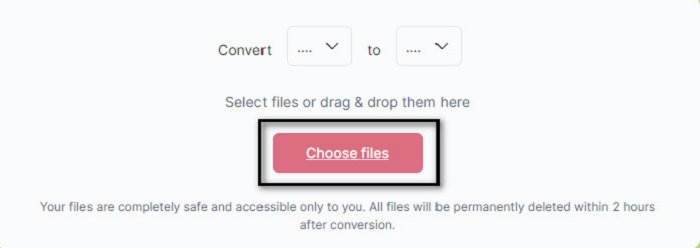
Step 1. Search MiConv on your browser to go to their webpage. And then, click the Choose files button. Your computer folders will appear, where you will select your MKV file.
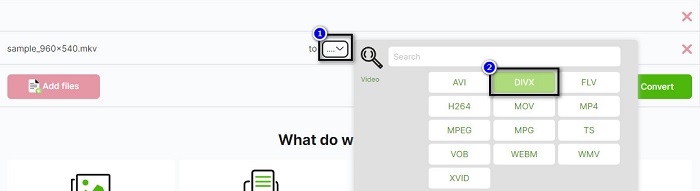
Step 2. Then, click the drop-down button on the bottom part of the software interface to select your output format.
Step 3. Finally, click the Convert button to transcode your MKV file to DivX.

AnyConv
The last converter that we will talk about is AnyConv online converter. This free MKV to DivX video converter is one of the most used online converters on the internet. Like the other online tools presented above, it also has an easy-to-use interface. Furthermore, it supports almost all standard video file formats. However, it contains disturbing ads and is internet-dependent, which means it depends on how fast your conversion process will be.
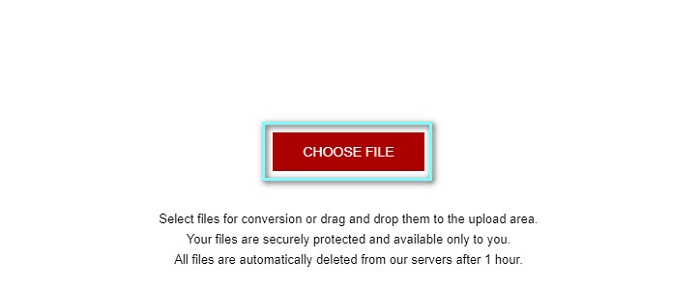
Step 1. Go to AnyConv website by searching AnyConv online converter on your browser. And then, click the Choose File button.
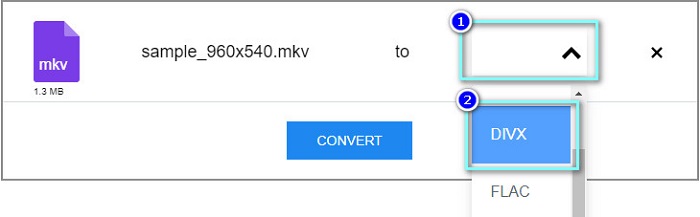
Step 2. Next, choose the DivX file format as your output format on the drop-down button.
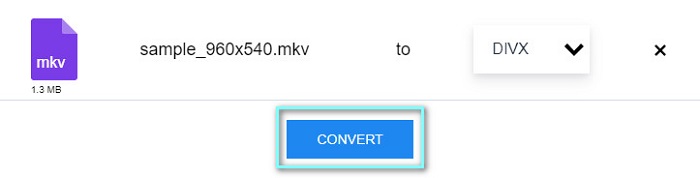
Step 3. Then, to start the conversion process, click the Convert button.
Bagian 3. FAQ tentang Mengonversi MKV ke DivX
Bisakah Anda memutar file MKV di Windows Media Player?
Windows Media Player does not natively support MKV file formats. Playing the MKV file on Windows Media Player may only show the audio. Therefore, if you want to play your MKV file on Windows Media Player, you can convert MKV to AVI file format.
Mana yang lebih berkualitas, MKV atau DivX?
MKV memiliki kualitas yang lebih baik daripada file DivX; namun, file MKV tidak terkompresi, membuatnya lebih menonjol dalam ukuran file. Sebaliknya, DivX adalah format file terkompresi.
Bisakah Anda memutar file DivX di macOS?
Sayangnya, pemutar media bawaan Mac yaitu QuickTime tidak mendukung format file DivX.
Kesimpulan
Fiuh! Itu adalah petualangan hebat yang kami alami. Semua pengetahuan dan informasi yang Anda miliki hari ini akan membantu Anda memilih konverter MKV ke DivX terbaik. Jadi, jika Anda menginginkan konverter dengan banyak fitur hebat untuk digunakan, banyak orang menggunakan FVC Video Converter Ultimate sebagai pilihan pertama mereka.
-
 MKV ke MOV - Cara Mengonversi MKV ke MOV
 Bagaimana cara saya mengonversi MKV ke MOV di Mac? Bisakah iMovie membaca MKV? Apa artinya format MOV? Posting ini memberi tahu 2 cara sederhana untuk membantu Anda mengonversi MKV ke MOV dengan konverter video online dan profesional gratis.
-
 Cara Mengonversi Video MKV ke GIF Animasi tanpa Photoshop/FFmpeg
 Setelah mengunduh dan menonton film MKV di komputer, Anda mungkin ingin berbagi momen indah dengan teman atau di Internet sebagai GIF. Pada artikel ini, Anda dapat mempelajari tentang 2 cara termudah untuk mengonversi MKV ke GIF.
-
 Tips dan Trik Cara Mengonversi File MKV ke MP3 [2021]
 Kesulitan memilih konverter yang tepat untuk MKV ke MP3? Kemudian lanjutkan membaca posting ini karena kami menyajikan solusi yang berbeda pada satu masalah.
