


 Video Converter Ultimate
 Perekam Layar
 Perbaikan Video
2 Cara Gratis Terbaik untuk Mengompresi File MPV Besar di Windows dan Mac
Bagaimana cara mengompres file MPV? Anda baru saja merekam video dengan perekam layar Anda di Windows 10. Akibatnya, perekam menghasilkan file MPV besar yang tidak dapat Anda tonton atau edit. Apa yang lebih buruk? MPV tidak ada dalam daftar format video populer. Lihat cara mengompres file video MPV besar di artikel ini.

Bagian 1: Cara Mengompres Video MPV Besar Secara Online
Solusi tercepat adalah menggunakan FVC Free Video Compressor. Dengan kompresor MPV terbaik ini, Anda hanya perlu mengikuti 3 langkah sederhana untuk menyelesaikan tugas mengompres video MPV berukuran besar secara online.
Fitur Utama:
- 1. Kurangi file video dari berbagai ukuran dengan tetap mempertahankan kualitas tinggi.
- 2. Sesuaikan pengaturan untuk setiap saat saat mengompresi file
- 3. Antarmuka yang mudah digunakan untuk semua level pengguna termasuk pemula.
- 4. Mendukung TS, MOV, 3GP, MP4, WMV, RMVB, AVI, dan format lainnya
Langkah-langkah Mengompres File MPV Secara Online
Langkah 1: Muat kompresor MPV dan masuk ke antarmuka.
Muat FVC Free Video Compressor dan klik tombol Add Files to Compress. Pilih file MPV untuk diunggah dan dikompres.

Catatan: Saat pertama kali menggunakan kompresor MPV ini, Anda perlu mengunduh dan menjalankan file bernama fvc-launcher.exe. Setelah memasang launcher, cukup klik kembali tombol Add Files to Compress. Jendela Open akan muncul.
Langkah 2: Sesuaikan pengaturan untuk kompresi MPV.
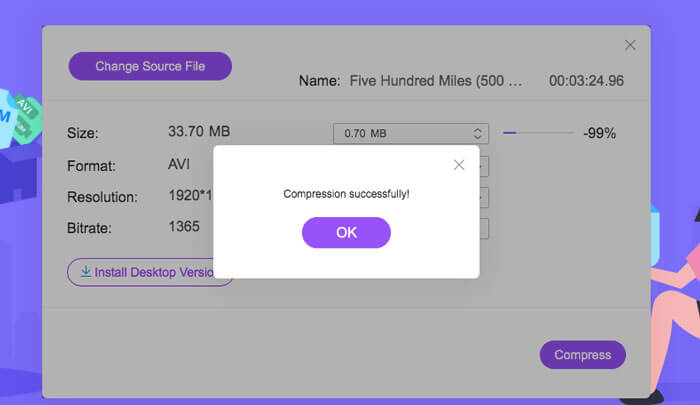
Size: Geser untuk mengubah ukuran output. Semakin kecil ukuran video output, semakin banyak kualitas gambar yang akan hilang.
Format: Pilih format yang Anda inginkan.
Resolution: Anda dapat menurunkan resolusi atau mempertahankannya seperti aslinya.
Bitrate: Bitrate akhir bergantung pada kombinasi ukuran dan resolusi.

Langkah 3: Mulai mengompres file MPV dan tunggu hasilnya.
Klik tombol Compress dan pilih lokasi tempat Anda ingin menyimpan file MPV yang sudah dikompres. Selama proses kompresi file MPV, hindari menutup browser atau mematikan komputer.
Bacaan Lebih Lanjut:
Cara Mengompres File WebM Secara Online dengan 2 Kompresor Video Gratis
2 Cara Mudah Mengompres MXF dengan Ukuran File Lebih Kecil
Bagian 2: Cara Mengompresi Video MPV Besar Secara Asli di Windows dan Mac
Bukan hanya mengompres video MPV ke ukuran yang lebih kecil, Anda mungkin juga ingin mengedit videonya. FVC Free Video Compressor tidak mendukung fitur tersebut. Jadi Anda memerlukan Aiseesoft Video Converter Ultimate. Ini adalah alat komprehensif untuk mengonversi, meripping, mengedit, dan mengompres video MPV.
Fitur Utama:
- 1. Kompres file video MPV dengan penurunan kualitas paling sedikit
- 2. Kompatibel dengan Windows 10/8/7 dan Mac OS X 10.7 atau lebih tinggi.
- 3. Sertakan semua format pengkodean seperti H.264, VP8, H.265/HEVC, dll.
- 4. Mendukung 1000+ format: AVI, WMV, MP3, MP4, FLAC, WMA, dan banyak lagi.
- 5. Akselerasi perangkat keras dan perangkat lunak memberikan kecepatan tertinggi.
- 6. Terapkan efek yang kuat dan filter yang menakjubkan hanya dalam satu klik.
Unduh GratisUntuk Windows 7 atau yang lebih baruUnduhan Aman
Unduh GratisUntuk MacOS 10.7 atau yang lebih baruUnduhan Aman
Langkah 1: Unduh, pasang, dan jalankan kompresor MPV ultimate ini di Windows atau Mac Anda. Beralih ke tab Toolbox.
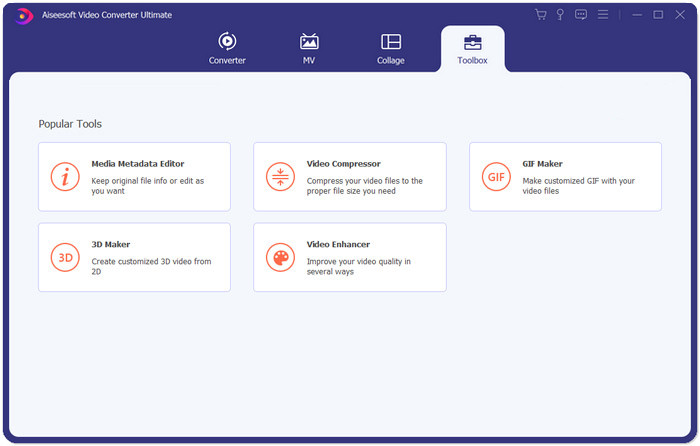
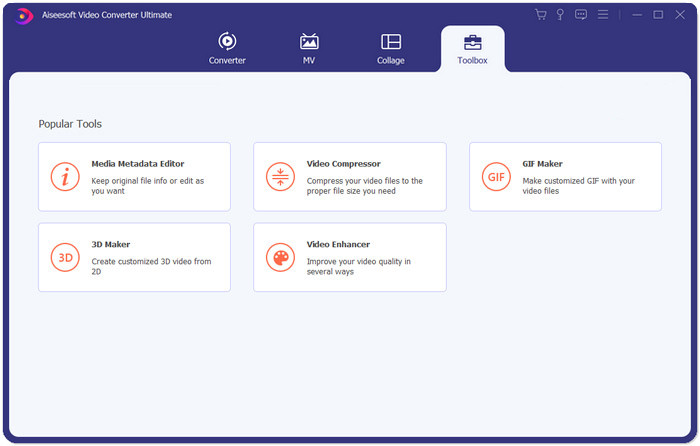
Langkah 2: Untuk mengompres file MPV, Anda perlu menggunakan fitur Video Compressor.
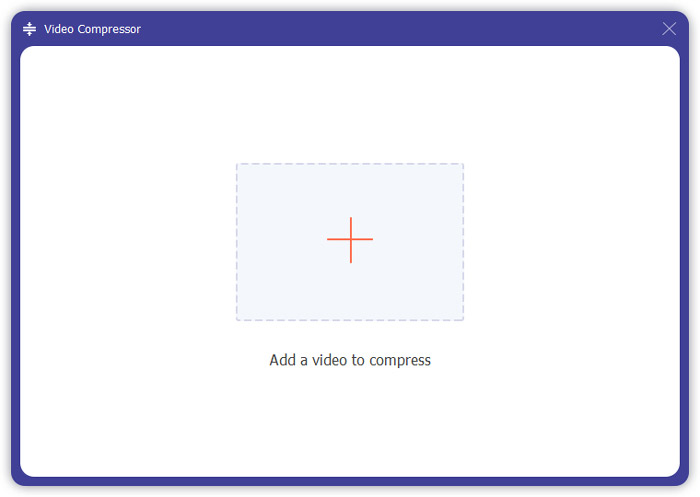
Langkah 3: Klik tombol “+” dan pilih file MPV yang ingin Anda kompres.
Langkah 4: Sesuaikan pengaturan sebelum mulai mengompres file MPV. Size: Anda dapat menyeret bilah persentase untuk menyesuaikan ukuran output atau langsung mengetik ukuran output yang diinginkan.
Format: MPV tidak ada dalam daftar. Anda dapat memilih salah satu dari 16 opsi yang tersedia.
Resolution: Sebaiknya pilih Auto. Anda juga dapat menurunkannya ke resolusi yang lebih rendah.
Bitrate: Bitrate akan dihitung secara otomatis sesuai dengan ukuran kompresi.
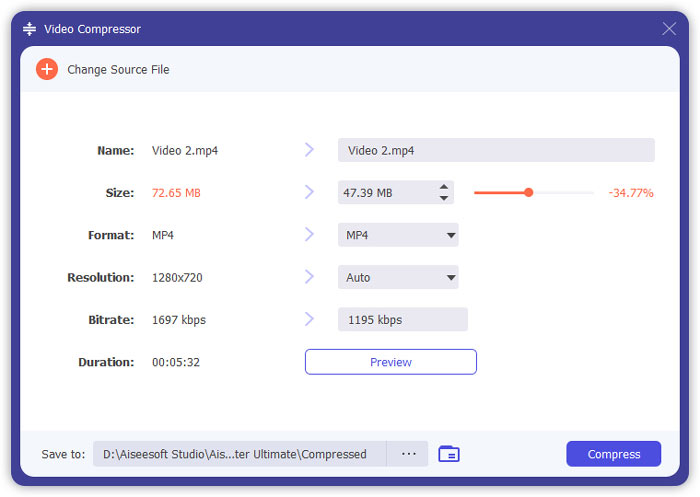
Langkah 5: Klik tombol Compress di kanan bawah antarmuka Video Compressor. Sebelum itu, Anda dapat mengubah nama file output.
Bagian 3: FAQ tentang Mengompresi MPV
Apa itu file MPV?
MPV adalah sejenis file video streaming dasar MPEG. Ini berisi data video mentah dan tidak terkompresi.
Apakah saya perlu mengonversi MPV ke MP4?
Itu akan tergantung pada keadaan. Misalnya, jika Anda akan membawa file ke komputer kelas dan memutarnya di kelas, Anda sebaiknya mengubahnya menjadi MP4 terlebih dahulu untuk kompatibilitas yang lebih baik.
Dapatkah saya membuka file MPV dengan Windows Media Player?
Iya. Windows Media Player mendukung file MPV.
Bisakah saya membuka file MPV dengan QuickTime?
Tidak. Untuk membuka file MPV di Mac Anda, Anda dapat mengunduh dan memasang pemutar Blu-ray.
Kesimpulan
Artikel ini memperkenalkan dua cara gratis untuk mengompresi file MPV besar di Windows dan Mac. Cara paling sederhana adalah dengan menggunakan FVC Free Video Compressor. Untuk pengalaman yang lebih lengkap, Anda bisa mendownload Video Converter Ultimate. Ini adalah alat all-in-one untuk mengonversi, memangkas, dan mengompres file MPV.
-
 Cara Mengompres Video untuk Facebook Gratis & Online
 Jika Anda dilarang mengunggah video besar di Facebook, jangan khawatir. Cukup kompres ukuran video besar dari GB ke MB dengan kompresor video gratis.
-
 Kompres MPEG-4 | Cara Memperkecil File MPEG-4 Tanpa Kehilangan Kualitas
 Tidak memiliki cukup penyimpanan file untuk menyimpan semua file MPEG-4 Anda? Berikut adalah beberapa solusi yang dapat membantu Anda memperkecil file video.
-
 Kompresi VOB: Cara Mudah Mengurangi Ukuran File VOB Online Gratis
 Apakah Anda mencari metode untuk mengompres file VOB? Pelajari cara terbaik untuk memperkecil ukuran file VOB di artikel ini.
