


 Video Converter Ultimate
 Perekam Layar
 Perbaikan Video
 Unduhan Aman
Cara Mengompres File WebM Online dengan 2 Kompresor Video Gratis
WebM adalah format berkas media audiovisual yang biasanya digunakan untuk konten media pada halaman web. Format ini kompatibel dengan semua peramban web populer seperti Chrome, IE, Safari, Firefox, dan lainnya. Saat Anda ingin video Anda dapat diputar (streaming) lebih cepat, Anda perlu mengompresnya. Pertanyaannya, apakah Anda tahu cara mengompres WebM tanpa kehilangan kualitas yang berarti?

Apakah Anda ingin mengompres file WebM dan mengurangi ukuran filenya? Pada posting kali ini, kami akan membagikan 2 cara gratis untuk membantu Anda mengompres WebM secara online.
Bagian 1. Cara Mengompres File WebM Secara Online
Untuk mengompres WebM agar ukuran filenya berkurang namun tetap mempertahankan kualitas gambar dan suara aslinya, Anda dapat mengandalkan Free Video Compressor yang populer. Alat ini dirancang khusus untuk mengompres video dalam berbagai format video yang sering digunakan termasuk WebM, AVI, MP4, FLV, MKV, MOV, dan lainnya.
Kompresor file WebM yang mudah digunakan ini memiliki kemampuan untuk mengurangi ukuran file video tanpa kehilangan kualitas. Ini memungkinkan Anda untuk mengompres 4K UHD dan 1080p, 720p HD dan video SD umum. Anda dapat menavigasi ke halaman Kompresor Video Gratis untuk langsung mengompres WebM dengan mudah.
Langkah 1. Buka peramban di komputer Anda dan kunjungi situs resmi kompresor file WebM online gratis ini.

Langkah 2. Setelah Anda tiba di sana, Anda dapat mengklik tombol Add Files to Compress untuk memasang peluncur (launcher) berukuran kecil guna mengompres WebM. Lalu Anda dapat memilih dan menambahkan file WebM yang ingin Anda kompres dari jendela pop-up.

Langkah 3. Anda bebas mengompres file WebM sesuai kebutuhan Anda. Selain itu, Anda diperbolehkan menyesuaikan resolusi video, frame rate dan bitrate, nama video, serta format keluaran. Setelah semua pengaturan selesai, Anda cukup mengklik tombol Compress untuk mulai mengompres WebM secara online.

Berbeda dengan banyak alat kompresi video WebM online lainnya, Kompresor Video Gratis ini tidak akan menambahkan tanda air apa pun ke file WebM Anda yang dikompresi.
Bagian 2. Cara Mengompres WebM dengan Kompresor WebM
Untuk mengompres file WebM secara online, Anda juga dapat mengandalkan VEED WebM Compressor. Baik itu karena file Anda melebihi batas lampiran email, batas pengiriman Facebook Messenger, atau batas unggah lainnya, Anda dapat menggunakan WebM Compressor ini untuk mengurangi ukuran file video WebM Anda.
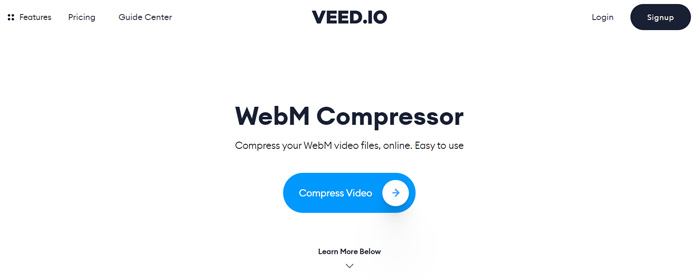
Langkah 1. Buka peramban Anda dan kunjungi situs VEED WebM Compressor. Klik tombol Compress Video untuk masuk ke langkah pengunggahan berikutnya.
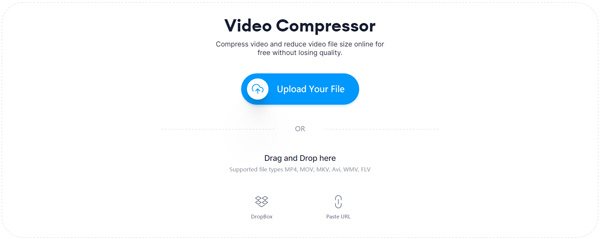
Langkah 2. Anda dapat mengklik tombol Upload Your File untuk mengunggah video WebM Anda. Di sini Anda juga diperbolehkan melakukan drag and drop file untuk mengunggah WebM. Kompresor video WebM gratis ini juga memungkinkan Anda mengunggah video dari DropBox dan URL.
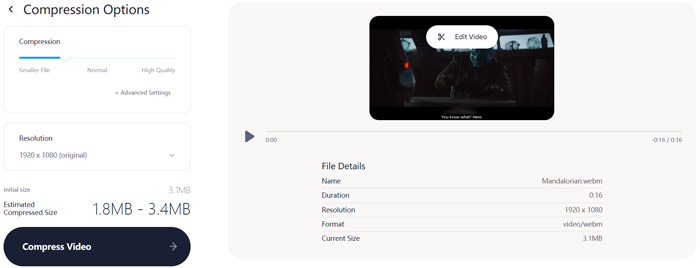
Langkah 3. Anda dapat dengan bebas menyesuaikan pengompresan video sesuai kebutuhan. Selain itu, Anda dapat mengatur resolusi video. Anda juga dapat memangkas (trim) file WebM Anda dengan mengklik Edit Video. Alat ini dilengkapi pemutar media untuk Anda meninjau video yang dimuat.
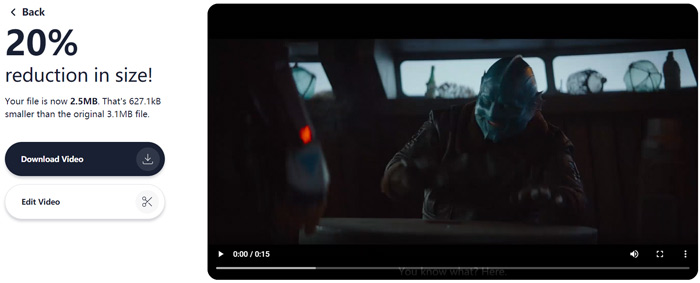
Langkah 4. Klik tombol Compress Video di sudut kiri bawah untuk mulai mengompres file WebM. Setelah itu, Anda dapat mengklik tombol Download Video untuk menyimpan video WebM yang sudah dikompres ke komputer Anda.
Bagian 3. Tanya Jawab tentang Mengompresi File WebM
Pertanyaan 1. Apa itu format WebM?
WebM adalah format sumber terbuka yang berisi video yang dikompresi dengan codec VP8 atau VP9 dan audio yang dikompresi dengan codec Vorbis atau Opus. WebM awalnya dimaksudkan untuk menawarkan alternatif bebas royalti untuk digunakan dalam video HTML5 dan elemen audio HTML5. File WebM terutama digunakan untuk konten media di halaman web.
Pertanyaan 2. Bagaimana cara gratis mengkonversi WebM ke MP4 secara online?
Untuk secara gratis mengonversi file WebM ke MP4, Anda dapat mengandalkan konverter video populer, Free Online Video Converter. Alat ini mampu melakukan konversi WebM ke MP4 dan berbagai konversi video/audio lainnya dengan mudah.
Pertanyaan 3. Apa format video terkecil dengan kualitas tinggi?
MP4. Ini biasanya memberikan kualitas video terbaik dengan ukuran file terkecil.
Kesimpulan
Saat Anda memutuskan untuk membagikan video WebM ke Facebook, Instagram, Twitter, atau akun media sosial lainnya, sebaiknya Anda mengompresnya terlebih dahulu. Pada posting ini, Anda dapat mempelajari 2 metode sederhana untuk mengompres WebM secara gratis dan online. Anda dapat menggunakan kompresor video pilihan Anda untuk mengurangi ukuran file WebM Anda.
-
 Tutorial untuk Mengompres Video untuk Email di iPhone / Android / Online
 Tidak dapat mengirim video melalui email yang terlalu besar? Jika Anda mengalami masalah ini, Anda bisa mendapatkan cara yang bisa diterapkan untuk mengompres video untuk email di sini. Artikel ini akan menunjukkan cara mengecilkan file video besar secara gratis.
-
 MP4 to WebM Converter - 4 Metode Terbaik untuk Mengonversi MP4 ke WebM
 Jika Anda ingin mengonversi MP4 ke WebM secara gratis, Anda dapat mempelajari lebih lanjut tentang 4 metode yang paling sering digunakan untuk mendapatkan video yang diinginkan secara gratis dari artikel.
-
 3 Cara Mengompres dan Mengonversi File Video Besar untuk WhatsApp
 Dari artikel ini, Anda bisa mendapatkan 3 cara mudah untuk mengompres video online untuk WhatsApp. Mengapa Anda tidak dapat mengirim video di WhatsApp? Apa yang dapat Anda lakukan untuk memperbaiki batas ukuran video WhatsApp? Baca dan periksa saja.
