


 Video Converter Ultimate
 Screen Recorder
 Riparazione video
Scopri di più sui 5 migliori editor video per PC e confronta
Al giorno d’oggi molte persone amano girare video per conservare i momenti memorabili e la maggior parte di loro li usa anche per guadagnare. Proprio come vlogger e influencer, che registrano continuamente video di sé stessi mentre fanno qualcosa per i loro fan, e per ottenere ancora più popolarità rispetto agli altri influencer o vlogger. Quindi, se sei un aspirante vlogger o influencer a cui piace riprendersi in video, devi assolutamente prendere in considerazione il miglior editor video per Windows 10 per migliorare e creare video impressionanti, ottenere più “mi piace”, visualizzazioni, iscritti e anche guadagni nel lungo periodo. Prima di iniziare, vogliamo congratularci con te, perché hai già compiuto il primo passo per diventare un vlogger o influencer di successo. Tuttavia, scegliere lo strumento giusto da utilizzare è una delle fasi cruciali che dovrai affrontare. Per questo abbiamo raccolto qui sotto diversi editor video, tutti ancora molto efficaci, tra cui potrai scegliere.

Parte 1. I 5 migliori editor video di Windows online e offline
Top 1. Video Converter Ultimate
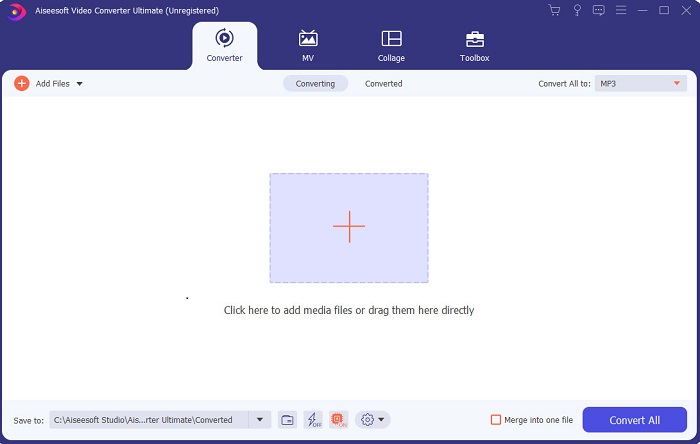
Se vuoi avere un vantaggio sugli altri e creare video al livello dei tuoi idoli, allora usa FVC Video Converter Ultimate. Questo convertitore ed editor video per Windows ha già aiutato molti utenti a diventare famosi in tutto il mondo, e magari il prossimo sarai tu. La maggior parte degli influencer, vlogger ed editor video più conosciuti lo usa come programma di montaggio, miglioramento, potenziamento e molto altro. Dunque, se vuoi ottenere un risultato professionale come quello dei tuoi idoli e ricavarne anche un vero guadagno, devi scaricare subito questo software per diventare la nuova celebrità di Internet e anche la migliore versione di te stesso. Inoltre, abbiamo indicato pro e contro in modo che tu possa capire meglio questo strumento.
Download gratuitoPer Windows 7 o versioni successiveDownload sicuro
Download gratuitoPer MacOS 10.7 o versioni successiveDownload sicuro
Professionisti
- Per i principianti, questo strumento è la scelta giusta per loro. Poiché fornisce istruzioni semplici da seguire e più facili da capire. Fondamentalmente, è sul punto.
- Per professionisti, come tutti gli altri editor video per PC questo strumento ha molte funzionalità futuristiche. Ad esempio, se desideri aumentare la qualità dell'audio e migliorare il video, puoi utilizzare questo strumento. Inoltre, se l'audio non è sincronizzato con il video, ha una funzione di sincronizzazione audio per risolverlo.
- Nel complesso, questo è il convertitore e l'editor fenomenale su cui puoi fare affidamento. Soprattutto se vuoi fare un ingresso sorprendente nel mondo dei vlogger e degli influencer.
- Il software dell'editor è scaricabile e non ci sono strumenti di editor che hanno le stesse caratteristiche come questo.
Contro
- Questo strumento non è gratuito ma ha un prezzo basso. In altre parole, è economico e produce un output di alta qualità.
Top 2. Windows Movie Maker
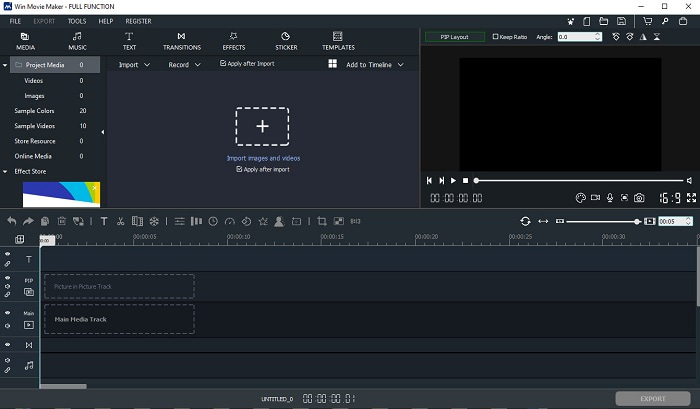
Questo editor video per Windows 7, 8, 10 e XP è tra i migliori per creare e montare filmati. Windows Movie Maker è già stato scaricato da molti utenti per modificare i propri video, poiché offre funzioni di editing articolate. Tuttavia, lo strumento può risultare troppo complesso per chi è alle prime armi nel montaggio. Se invece sei un professionista, o comunque hai già esperienza di editing, allora dovresti provarlo. Il programma ha anche una versione premium che è molto simile a quella gratuita, ma il risultato esportato non presenta filigrana.
Professionisti
- Per i principianti, questo strumento non è l'ideale ma è ottimo per eseguire modifiche complicate.
- Per i professionisti, le funzionalità presentate qui sono fattibili se hai esperienza.
- Fornisce transizioni, effetti e adesivi, ecc.
Contro
- Lo strumento è un po' inquietante a causa delle funzioni dello strumento che puoi eseguire qui. Inoltre, è travolgente e non ha istruzioni su come azionarlo.
- Se utilizzi la versione gratuita di questo strumento, aspettati di avere una filigrana sul video stesso dopo averlo esportato.
Inizio 3. OpenShot
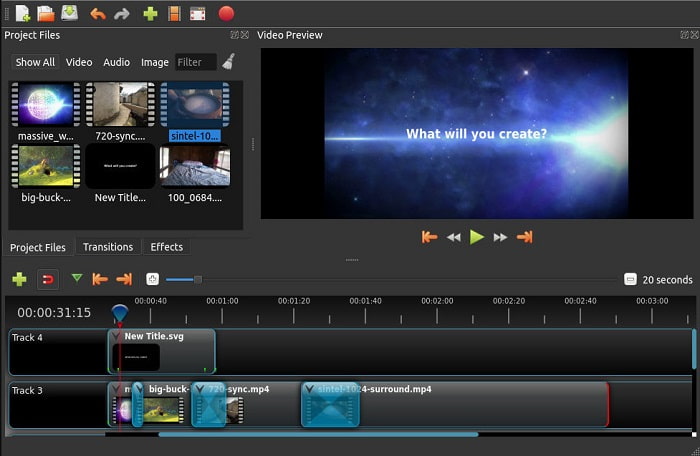
Un altro software di montaggio video gratuito senza filigrana è Openshot. Offre funzioni più semplici da comprendere rispetto a Windows Movie Maker. Inoltre, dopo l’installazione del programma viene proposta una breve guida alle funzioni. Tuttavia vengono spiegate solo le funzioni di base. Questo strumento, infatti, mette a disposizione esclusivamente le funzioni di editing fondamentali, il che significa che non potrai essere molto creativo. Inoltre, una volta installato, l’interfaccia può risultare un po’ monotona da guardare a causa dei suoi colori monocromatici.
Professionisti
- Per i principianti, questa è una versione più semplice di Windows Movie Maker. Puoi aggiungere effetti, transizioni e altro.
- Per i professionisti va bene usarlo ma non è il massimo.
- Il software va bene se viene fornito con una semplice modifica.
Contro
- Non è possibile modificare l'interfaccia noiosa ed è meno interattivo.
- Alcuni bug principali e minori sono ancora presenti qui anche dopo l'aggiornamento.
Top 4. Lavori di luce
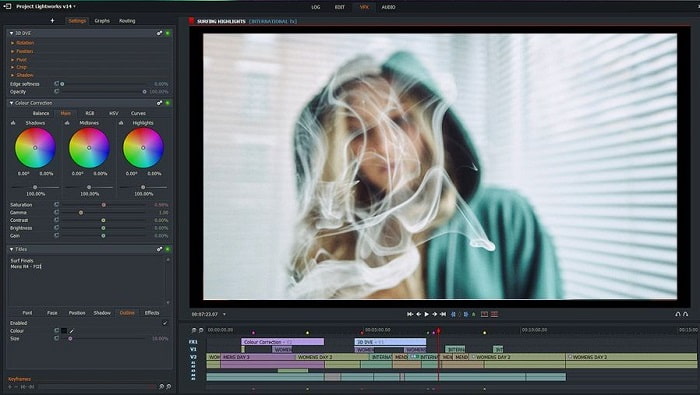
Lightworks è un editor video gratuito per Windows, ma dispone anche di una versione premium. Tuttavia, quando abbiamo provato a scaricare il programma, è comparso un avviso secondo cui il file .exe poteva danneggiare il computer. Di conseguenza non lo abbiamo installato e abbiamo effettuato una ricerca approfondita su questo software. Se decidi di installarlo sul tuo disco, dovrai prima registrarti per poterlo utilizzare. Le funzioni di editing offerte sono numerose e possono risultare impegnative da gestire se sei un principiante, ma possono essere piuttosto complesse anche per un utente esperto. Non c’è comunque da preoccuparsi: puoi imparare a usarlo semplicemente provandolo.
Professionisti
- Per i principianti, lo strumento è troppo complicato e può essere troppo da gestire. Soprattutto se vuoi provare a fare solo semplici modifiche.
- Per i professionisti, puoi utilizzare le funzionalità di modifica in tempo reale fornite da questo strumento. Anche se alcune delle funzionalità sono nuove e la maggior parte sono a pagamento.
- Le prestazioni complessive dello strumento sono classificate di classe A nell'editing e nella realizzazione di video.
Contro
- Se vuoi avere un output di 1080px devi acquistare lo strumento. E anche prima ancora di poterlo utilizzare, dovrai registrarti.
- Il software ha un file .exe dannoso, quindi scaricalo a tuo rischio.
Top 5. ClipChamp
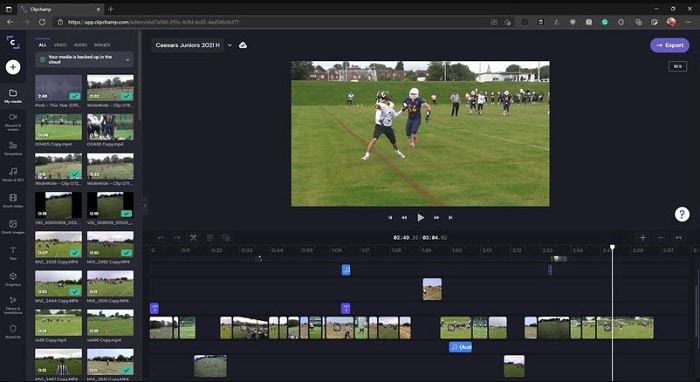
Questo strumento online offre ulteriori funzioni se effettui l’upgrade del piano. È anche uno degli strumenti più facilmente accessibili per modificare video senza dover scaricare un software dedicato. Clipchamp è un ottimo strumento da usare, ma è necessario registrarsi prima di poterlo utilizzare. Questo editor video per Windows 10 online presenta funzioni simili a Lightworks, con la differenza che funziona direttamente nel browser. Bisogna però aspettarsi un processo di importazione dei file video piuttosto lento. Il vantaggio, d’altra parte, è che non dovrai scaricare alcun programma per farlo funzionare.
Professionisti
- Per i principianti, questo strumento è assolutamente da provare, ma il processo di modifica e inserimento di video qui è un po' più lento.
- Per i professionisti, va bene usare e modificare video semplici con risorse limitate.
- Nel complesso, lo strumento è più facile da capire rispetto a Windows Movie Maker.
Contro
- Dipendente da Internet, il che significa che se hai una connessione Internet lenta, ti aspetti un processo instabile.
- È necessario un modulo di registrazione prima ancora di poter utilizzare lo strumento web.
Parte 2. Grafico di confronto per i 5 editor video per Windows
| Caratteristiche | Video Converter Ultimate | Windows Movie Maker | OpenShot | Lightworks | ClipChamp |
| Video Editing come ritaglio, taglio, unione e così via. |  | | | | |
| Miglioramento video | |  | | | |
| Filigrana | | | | | |
| Programma supportato | Strumento basato su desktop | Strumento basato su desktop | Strumento basato su desktop | Strumento basato sul Web | Strumento basato sul Web |
| Fascia di prezzo | Per 1 mese: $25.00 Per un anno: $31.20 | $39.95 Pagamento una tantum | Gratuito ma puoi donare | QScan Pro QScan Pro – Attivazioni abbonamenti mensili $59.99 | Creator- $9/mensile Business- $19/ mensile |
| Per licenza a vita: $55.20 | QScan max QScan Max – Attivazioni abbonamenti mensili $119.99 | Business Platinum – $39/ mensile |
Parte 3. Domande frequenti su Windows Video Editor
Qual è il miglior editor video per Mac che posso usare?
Anche se gli strumenti presentati qui sono tutti editor per Windows, ad eccezione di Video Converter Ultimate, se vuoi sapere quali sono gli altri editor video per Mac devi fare clic su questo link e scegliere dall’elenco proposto.
Perché i miei video non possono essere riprodotti su Android?
Ci sono molte ragioni per cui i video potrebbero non essere riprodotti sul tuo dispositivo Android. Per scoprire quali sono i motivi e risolvere rapidamente il problema, leggi Come riparare i video che non vengono riprodotti sui telefoni Android.
Come comprimere i miei video lunghi e condividerli su YouTube?
Al momento puoi caricare file con una dimensione massima di 256 MB, quindi il modo migliore per ovviare a questo limite è comprimerli. Se vuoi condividere i tuoi video su YouTube, allora scopriamo insieme come ridurre la dimensione del file e pubblicarlo su YouTube.
Conclusione
Prima di diventare uno dei vlogger o influencer che hai sempre ammirato, devi acquisire la capacità di montare da solo i tuoi video. Oggi hai l’occasione di usare un editor straordinario, che offre funzioni e qualità di montaggio in stile Hollywood. In questo modo potrai impressionare i tuoi spettatori, i tuoi follower e persino te stesso. Quindi, brilla come un diamante e lascia che un raggio di luce apra la strada verso il successo con l’aiuto di FVC Video Converter Ultimate.
-
 Il miglior editor MP4 per Windows e Mac nel 2025
 Sia che tu stia utilizzando il tuo computer per l'editing video MP4 o semplicemente lavorando sul tuo telefono, qui potrai trovare alcune fantastiche opzioni, incluso il miglior editor MP4 per Windows e Mac.
-
 Come aggiungere gratuitamente audio e musica al video sul tuo computer / telefono
 Questo articolo mostra 4 semplici modi per aggiungere gratuitamente l'audio al video. Indipendentemente dalla traccia audio che desideri aggiungere al tuo video, puoi ottenere risultati soddisfacenti qui.
-
 Come tagliare e unire brani online - 4 modi migliori che dovresti sapere
 Quando vuoi tagliare e unire brani online per creare un brano musicale, puoi saperne di più sui 4 migliori strumenti online per ritagliare i brani e combinare i file dall'articolo.
