


 Video Converter Ultimate
 Screen Recorder
 Riparazione video
Comprensione profonda dei 5 editor video al rallentatore disponibili
Ti piace guardare sport di impatto ad alta velocità come corse, boxe, baseball, pallavolo e altri ancora? Tutti gli sport menzionati hanno bisogno di una videocamera ad alta velocità solo per effettuare un’analisi del movimento. Se vuoi davvero analizzare ogni singolo movimento di ciascun atleta, allora prova a leggere quali sono i migliori slow motion video maker che puoi usare. Inoltre, con l’aiuto degli strumenti qui sotto, non avrai bisogno di alcuna attrezzatura extra oltre al tuo computer, a Internet o al tuo telefono. Man mano che procedi, leggi attentamente la descrizione degli strumenti e scegli quello che è più adatto a te.

Parte 1. 3 Migliori Video Maker al rallentatore per PC Windows, Mac e Online
1. Convertitore video definitivo
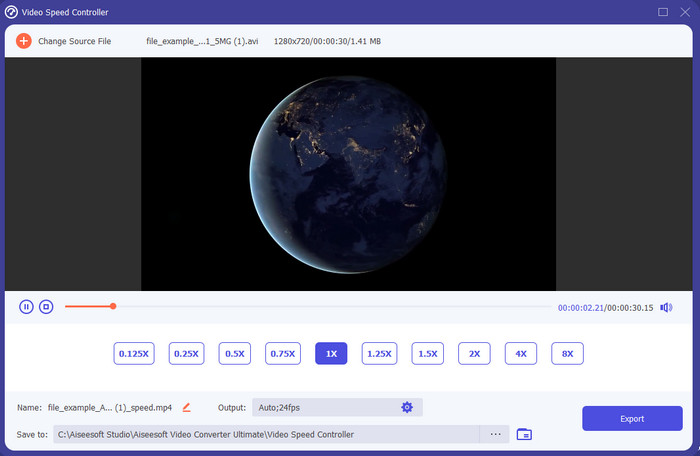
Vuoi sapere quale tra i slow-motion video editor è il migliore da usare per trasformare il tuo filmato in slow motion? Allora prova a usare Video Converter Ultimate, perché questo strumento non è solo il migliore, è straordinario. Questo programma dispone già di molte funzioni avanzate che ti piacerà utilizzare anche se non sei un professionista del montaggio. E anche se lo sei, questo software è comunque la scelta ideale, indipendentemente dal tuo livello di abilità nel montaggio. Inoltre, puoi aggiungere rapidamente effetti di rallentatore al tuo video senza leggere manuali o guardare tutorial su come farlo, perché lo strumento offre istruzioni molto più semplici rispetto agli altri qui sotto. Sebbene il programma sia a pagamento, il prezzo non è affatto eccessivo. Se vuoi saperne di più su questo strumento, leggi le caratteristiche chiave qui sotto.
Caratteristiche principali di Video Converter Ultimate:
◆ Avanzata app per creare video in slow motion con istruzioni di base.
◆ Interfaccia strumento di facile utilizzo.
◆ Regola facilmente la velocità del video sul Video Speed Controller.
◆ Supporta oltre 200 formati video e audio.
◆ Può essere scaricato e consultato su sistemi operativi PC e Mac.
Download gratuitoPer Windows 7 o versioni successiveDownload sicuro
Download gratuitoPer MacOS 10.7 o versioni successiveDownload sicuro
2. Boris Continuum Time Unit
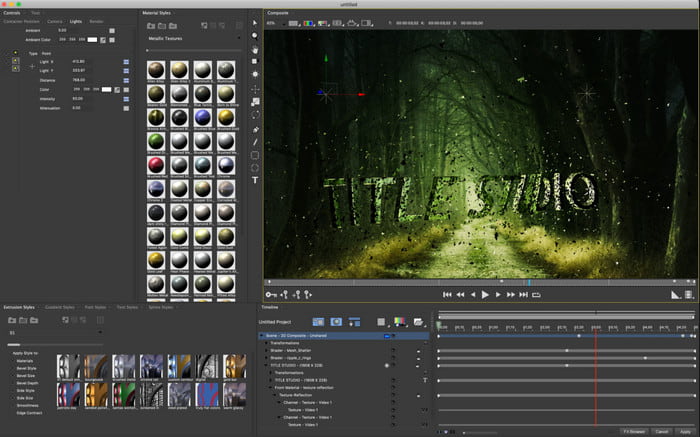
Boris Continuum Time Unit è la scelta migliore se desideri una app per creare video in slow motion davvero “heavy‑duty”. Non c’è nessun altro strumento in grado di offrire tutto ciò che offre questo per ottenere un risultato professionale. Inoltre, questo programma dispone delle migliori funzioni di editing dettagliato che vorrai sicuramente provare. Sebbene sia superiore agli altri strumenti, è anche letteralmente super costoso. Inoltre, se vuoi provare a usare questo software devi avere un computer con componenti di fascia alta, perché non riuscirai a usarlo su desktop datati o di vecchia generazione.
Professionisti
- Il miglior strumento da utilizzare per eseguire modifiche pesanti.
- È compatibile con tutte le piattaforme.
- L'interfaccia dello strumento sembra più uno strumento professionale.
Contro
- Questo software è il più costoso in questo articolo.
- Aveva bisogno di un'unità di sistema di alta qualità.
- Non è la scelta migliore per un principiante che non ha esperienza nell'editing.
3. VEED.IO
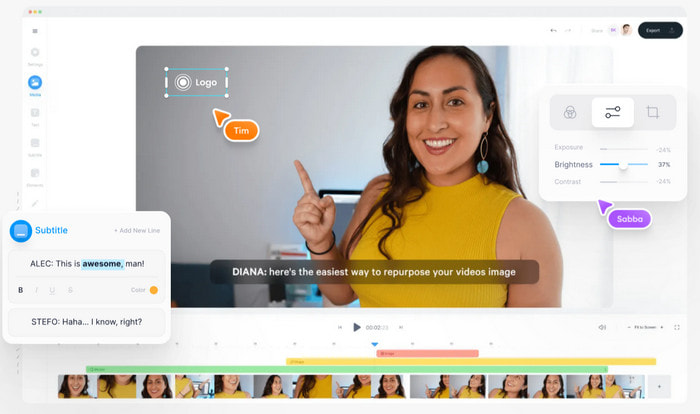
Quindi, se non vuoi spendere un centesimo e hai una connessione a Internet, prova ad accedere a VEED.IO. Questo è il miglior software per creare video in slow motion online, perché è semplice e facile da usare. L’interfaccia complessiva dello strumento è molto pulita, con istruzioni dirette, quindi è davvero comodo per chiunque. Tuttavia, puoi caricare solo file inferiori a 50 MB e, se vuoi caricare file di dimensioni maggiori, lo strumento ti chiederà di effettuare un upgrade. Inoltre, se non acquisti la versione a pagamento, aspettati che il risultato finale presenti una filigrana.
Professionisti
- Può essere facilmente accessibile da chiunque disponga di connettività Internet.
- Nessuna pubblicità fastidiosa sul sito web.
- Facile essere affrontato dai neofiti dell'editing.
Contro
- Le funzionalità dello strumento sono molto limitate nella versione gratuita dello strumento.
- Dipendente da Internet. Quindi, se la tua connessione Internet è lenta, aspettati un ritmo lento di caricamento, download e modifica. Inoltre, non puoi accedere a questo strumento se non disponi di una connessione Internet.
Parte 2. 2 della migliore app video al rallentatore su Android e iOS
1 SloPro
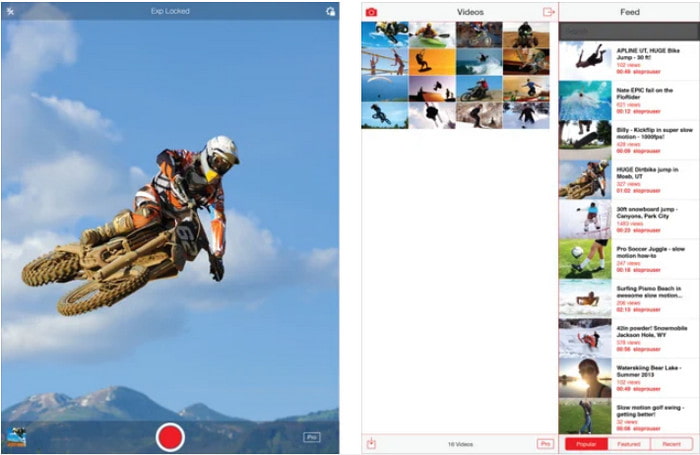
SloPro è la migliore app per video in slow motion che puoi scaricare gratuitamente su iOS. L’app può riprodurre i video al rallentatore fino a 500 o 1000 fps. Inoltre, puoi modificare il video passando dalla velocità aumentata allo slow motion o viceversa. Anche se lo strumento può sembrare un’ottima opzione, presenta comunque diversi svantaggi. Ad esempio, il video finale viene salvato nella galleria interna dell’app e non nel rullino foto. Inoltre, se provi a usare i 1000 fps, il video diventa instabile e pieno di bug, secondo gli utenti che l’hanno già testata. Tuttavia, questa app resta comunque valida perché è gratuita e rallentare i video è molto semplice.
Professionisti
- La migliore riproduzione al rallentatore che puoi utilizzare su iOS gratuitamente.
- Riceve già una valutazione equa e 3,3 stelle.
- Semplice e facile da usare.
Contro
- L'output finale non viene salvato direttamente nella galleria.
- Tutti i video salvati nella galleria SloPro sono casuali e non classificati correttamente.
- Se stai usando 1000 fps, aspettati un'uscita video difettosa.
2. Creatore di video al rallentatore
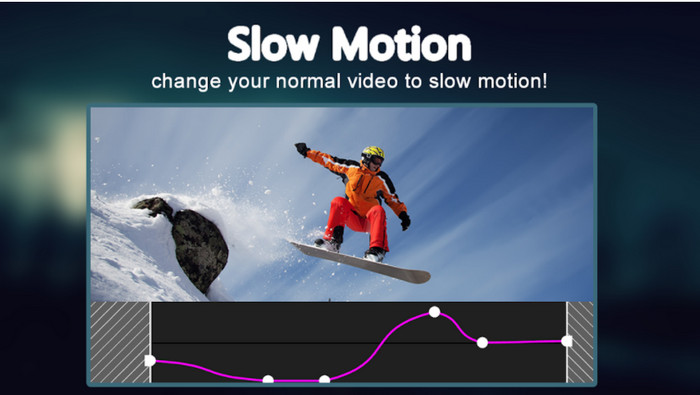
Una delle migliori slow motion video maker che puoi scaricare gratuitamente sul tuo telefono Android è Slow Motion Video Maker. Con l’aiuto di questa app puoi eseguire facilmente l’avanzamento veloce e la riproduzione al rallentatore dei tuoi video. Tuttavia, l’app presenta molte fastidiose pubblicità che compaiono all’improvviso. Inoltre, la riproduzione in slow motion può essere regolata solo a 0,5 volte. Nel complesso, è comunque ottima per rallentare un video su Android, ma la presenza degli annunci rovina molto l’esperienza d’uso.
Professionisti
- L'app è scaricabile gratuitamente dal Play Store.
- È fantastico da usare per rallentare il video senza intoppi.
- L'app è facile da gestire.
Contro
- Ha un sacco di fastidiosi annunci che compaiono dal nulla.
- Il download del video potrebbe richiedere molto tempo perché non accelera l'elaborazione.
Parte 3. Domande frequenti su Slow Motion Video Maker
Qual è il ruolo dell'FPS?
Viene utilizzato per calcolare la serie consecutiva di frame che vengono visualizzati sul pannello del display. Questo è più comunemente visto in ogni motion capture come nei videogiochi, nelle fotocamere, nei film e anche il nostro occhio può vedere da 30 a 60 fps.
Qual è la migliore velocità FPS al rallentatore?
L'FPS ideale che puoi utilizzare per guardare i video in riproduzione al rallentatore è compreso tra 120 o 240 fps. Quindi, se vuoi avere una riproduzione al rallentatore più dettagliata, aumenta l'FPS.
Come riprodurre un video in riproduzione veloce?
Per farti un’idea su come riprodurre un video in velocità aumentata, prova a cliccare questo link. Scopri quali sono i 5 migliori strumenti che puoi usare per velocizzare un video.
Conclusione
In conclusione, tutti gli strumenti presentati qui sono i migliori slow motion makers che puoi trovare sul web. Inoltre, questo articolo ti ha già aiutato e ha reso la tua ricerca più semplice che mai. Tuttavia, c’è un programma specifico che potresti voler usare per migliorare i tuoi video: Video Converter Ultimate. Tutte le funzioni avanzate che puoi usare qui sono straordinarie e al tempo stesso facili da utilizzare. Inoltre, se ancora non ti convince, prova prima a scaricare il programma e testarlo direttamente.
-
 La migliore applicazione Android per riprodurre file MOV sui tuoi telefoni cellulari
 Hai difficoltà perché la tua registrazione MOV non può essere riprodotta sul tuo Android? Quindi, in questo caso sei alla ricerca di quale sia il miglior lettore MOV per Android.
-
 5 potenti lettori AVI per guardare e riprodurre file AVI [Web e desktop]
 Scopri quali lettori AVI puoi utilizzare per riprodurre e guardare i file .avi. Continua a leggere di seguito e scegli qual è il lettore multimediale migliore dell'altro.
-
 Modi efficaci su come creare file MKV su Xbox One S 2021
 Scopri i modi che possono aiutarti a riprodurre file MKV su Xbox One S utilizzando alcuni dei migliori convertitori.
