


 Video Converter Ultimate
 Screen Recorder
 Riparazione video
Scopri quali sono i 2 migliori convertitori per convertire gratuitamente RMVB in AVI
Se stai cercando una compressione più efficiente, usa il formato RMVB perché questo formato utilizza bit rate variabili per codificare audio e video. Questo formato è il miglior contenitore per archiviare contenuti multimediali in streaming codificati a bit rate costante. Sebbene il formato sia la scelta migliore per lo streaming online, avrai comunque bisogno di un lettore multimediale o di un codec multimediale per guardare il video con estensione file .rmvb. Quindi, se è questo il caso, semplifichiamo la tua vita scoprendo quale convertitore di file RMVB in AVI puoi usare per convertire i tuoi file RMVB.
Parte 1. Il miglior convertitore offline da RMVB a AVI per Windows e Mac [il modo più veloce ed efficace]
Per primo in questa lista trovi il fenomenale convertitore che amerai: FVC Video Converter Ultimate offre il modo più rapido e sicuro per convertire RMVB in AVI gratuitamente. Tutte le funzioni offerte da questo strumento sono indispensabili per chi converte spesso da un formato all'altro. Inoltre, se vuoi modificare il tuo video, potenziare l’audio, creare una GIF unica e molto altro, questo strumento è un’ottima scelta per tutti. Anche se puoi convertire qui il tuo formato gratuitamente, lo strumento in sé non è gratuito. Tuttavia, non spenderai centinaia di dollari per scaricare, accedere e sperimentare tutte le potenzialità di questo convertitore. Se decidi di acquistare e scaricare questo strumento, è il momento giusto per usare la tua immaginazione e ottenere il miglior risultato possibile con il suo aiuto. E ora, i seguenti dettagli illustrano i passaggi su come convertire i tuoi file RMVB in un nuovo formato.
Passaggi su come convertire RMVB in AVI con FVC Video Converter Ultimate:
Passaggio 1. Scarica questo convertitore da RMVB a AVI sul tuo PC o Mac, installalo, effettua la configurazione e fai clic su Start Now.
Download gratuitoPer Windows 7 o versioni successiveDownload sicuro
Download gratuitoPer MacOS 10.7 o versioni successiveDownload sicuro
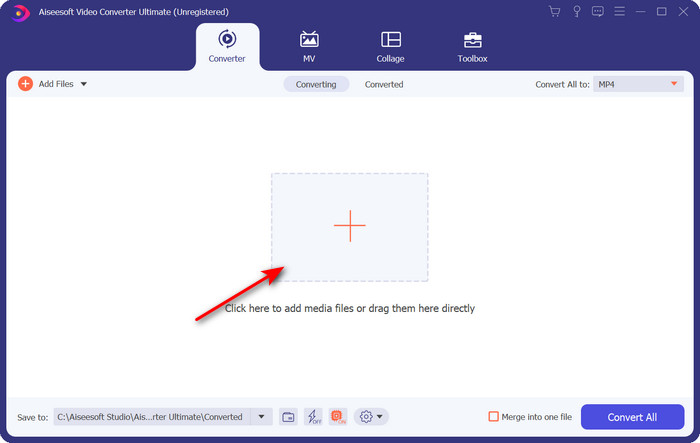
Passaggio 2. Avvia il programma e carica il file .rmvb nell’interfaccia facendo clic sul pulsante + al centro. Trova il file nella cartella e fai clic su Open.
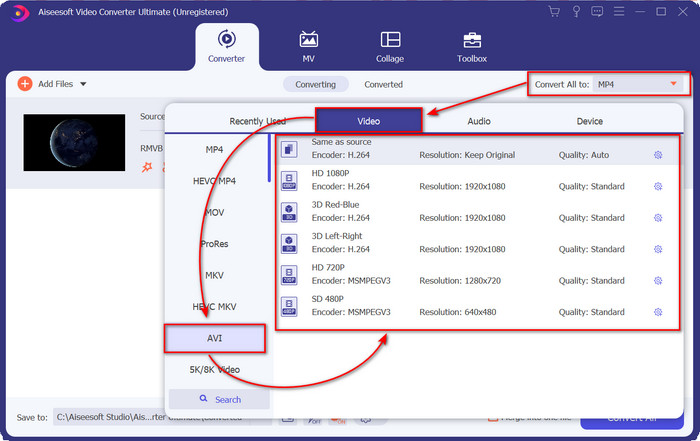
Passaggio 3. Vai a Convert All to: e trova il formato AVI, quindi cliccalo.
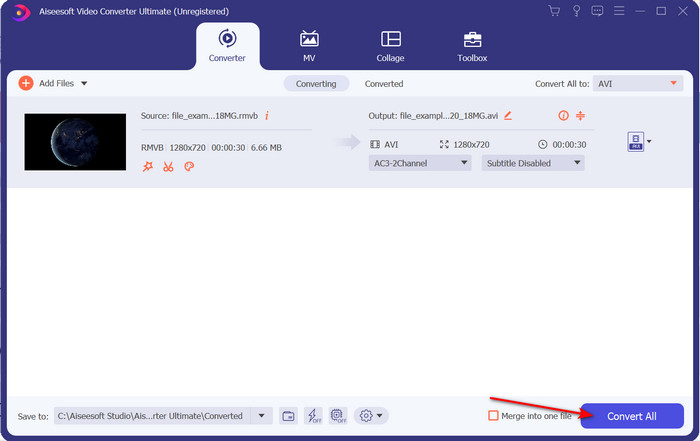
Passaggio 4. Dopo aver scelto il formato, inizia a convertire il file facendo clic su Convert All.
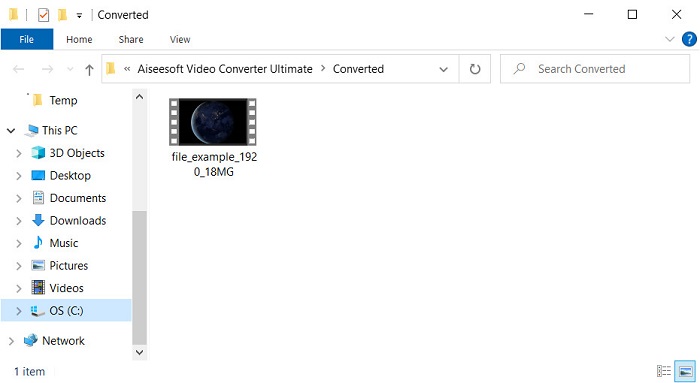
Passaggio 5. Una cartella con il nuovo file .rmvb apparirà sullo schermo; fai clic sul file per guardare il video e divertirti.
Professionisti
- La casella degli strumenti offre molteplici utilità popolari che ti aiuteranno con diversi problemi che potresti incontrare.
- Fornisce 30 volte più veloce nella conversione del file rispetto agli altri convertitori online e offline.
- È infallibile che chiunque abbia o senza esperienza nella conversione può convertire facilmente.
- La conversione batch viene eseguita rapidamente con diversi formati.
Contro
- Per accedere allo strumento, dovrai pagarlo, ma non è più di cento dollari.
- Il download è necessario sul tuo PC o Mac.
Parte 2. Il miglior convertitore online da RMVB a AVI per browser Web [gratuito]
Stai cercando un convertitore da RMVB a AVI online? Allora FVC Free Video Converter Online è una delle opzioni. Questo strumento web ti permette di convertire senza scaricare alcun software. È accessibile a chiunque disponga di una connessione internet. Inoltre è gratuito, sicuro e senza pubblicità sul sito durante la conversione. Un altro vantaggio è che puoi convertire file qui senza alcun limite. Puoi scegliere tra i numerosi formati disponibili. Tuttavia, questo strumento web non dispone delle stesse funzioni avanzate offerte da FVC Video Converter Ultimate. Inoltre, non puoi accedervi senza connessione internet, come accade con altri strumenti online. Quindi ora, se vuoi provare a convertire senza spendere denaro, segui i passaggi indicati di seguito.
Passaggi su come convertire RMVB in AVI online con FVC Free Video Converter Online:
Passaggio 1. Per accedere a questo convertitore da RMVB a AVI online, devi fare clic su questo link.
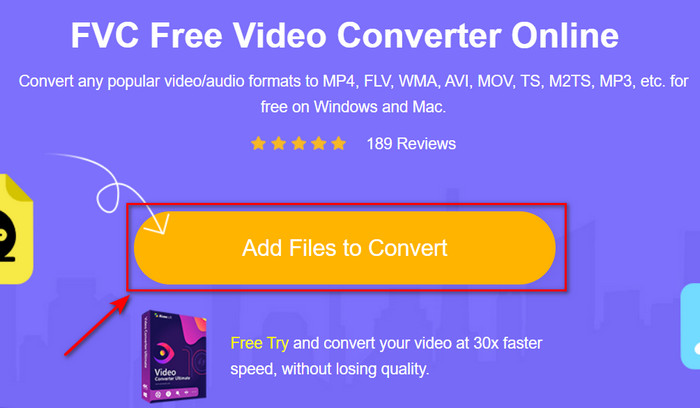
Passaggio 2. Premi Add Files to Convert e, se è la prima volta che usi questo strumento, verrà scaricato automaticamente un launcher; fai di nuovo clic su Add Files to Convert e apparirà una cartella. Cerca il file .rmvb nella cartella e fai clic su Open.
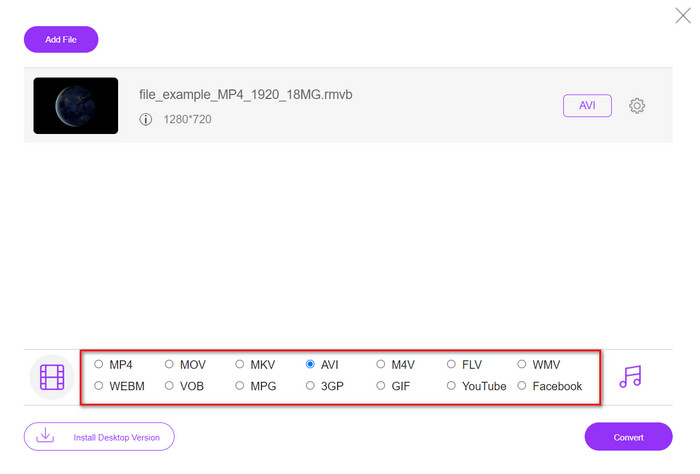
Passaggio 3. Una volta che il file è sull’interfaccia web, fai clic su AVI tra le opzioni disponibili in basso.
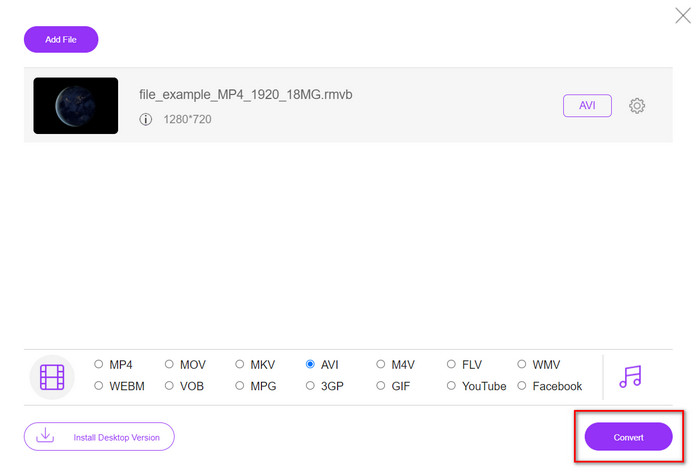
Passaggio 4. Dopo aver selezionato AVI, avvia la conversione premendo Convert.
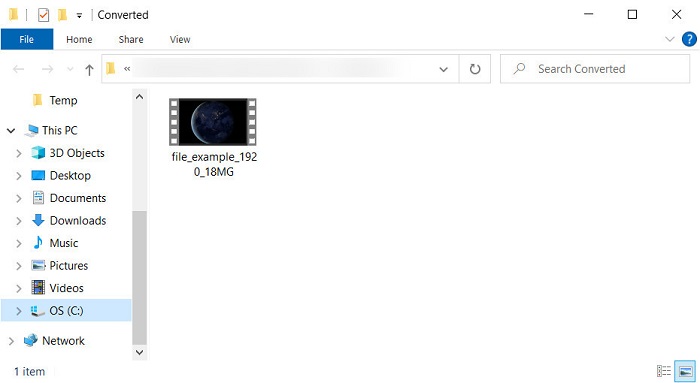
Passaggio 5. Quando la conversione del file è terminata, sullo schermo comparirà una cartella con il file e, se vuoi guardarlo, fai clic su di esso.
Professionisti
- Non è necessario alcun download per accedervi oltre al programma di installazione.
- Gratuito e non ha pubblicità sull'interfaccia web.
- Apri lo strumento web in un browser diverso perché è disponibile in tutti.
Contro
- Dipendente da Internet, il che significa che se non hai Internet, non puoi usarlo.
- Non ha funzioni di editing come FVC Video Converter Ultimate.
Parte 3. Domande frequenti su RMVB e AVI
Posso riprodurre il file RMVB su Quicktime?
Quicktime può riprodurre vari formati e questo lettore multimediale supporta diversi codec codificati nella traccia video o audio. Tuttavia, .rmvb non è tra i formati supportati, quindi per riprodurre un file .rmvb su Quicktime devi convertirlo in un formato supportato, come MOV, MPEG-4, AVI e altri formati compatibili. In alternativa puoi affidarti a lettori RMVB per goderti senza problemi i tuoi video RMVB.
Perché non riesco ad aprire i file .rmvb su Windows Media Player?
Poiché il codec dei tuoi file .rmvb non è supportato in questo lettore multimediale, supponi di voler guardare un video con estensione di file .rmvb. In tal caso, è necessario installare un codec video sul computer prima di riprodurlo. Ma per evitare questo problema, prova a convertire il formato in un formato plausibile supportato da questo lettore multimediale.
Posso salvare un video in formato RMVB sul mio telefono?
Sì, puoi salvarlo, ma non puoi riprodurlo sul tuo lettore video predefinito e, per riprodurre il file, devi scaricare un lettore video di terze parti che supporti questo formato.
Conclusione
Per riassumere, ora abbiamo compreso che cos’è il formato RMVB e quale tipo di codifica supporta. Sebbene il formato sia eccellente per trasmettere file online, alcuni lettori multimediali non lo supportano ancora a causa della complessità della sua struttura. Pertanto, presentiamo due soluzioni tra cui puoi scegliere e imparare come convertire i file RMVB in AVI: uno strumento è accessibile online senza alcun costo di utilizzo, mentre l’altro è il fenomenale convertitore che svolge tutte le operazioni in un battito di ciglia. Se scegli FVC Free Video Converter Online, puoi aspettarti la migliore conversione online. Tuttavia, se decidi di scaricare una versione molto più avanzata, puoi aspettarti prestazioni al massimo livello.
-
 Guida su come convertire RMVB in MP4 su Windows / Mac (3 modi gratuiti)
 Vuoi convertire RMVB in MP4 per una facile riproduzione sul tuo computer o telefono cellulare? Troverai modi semplici per convertire i tuoi file RMVB in MP4 in questa guida.
-
 Le 4 migliori app di conversione da RMVB a FLV gratuite su desktop o online
 Questo articolo ti dirà il miglior software di conversione da RMVB a FLV e le app Web in grado di convertire i file RMVB (RealMedia Variable Bitrate) in video FLV.
-
 Metodo migliore da utilizzare per convertire AMV in AVI [Approvato]
 Hai difficoltà a convertire il tuo file video in formato AMV in AVI? Ecco alcuni suggerimenti forniti che puoi trovare solo in questo articolo.
