


 Video Converter Ultimate
 Screen Recorder
 Riparazione video
Scopri i 4 migliori convertitori offline e online da SWF a FLV su Windows e Mac
Attualmente sto cercando una soluzione per caricare i miei file SWF su siti di condivisione video come Youtube, Facebook, MySpace e altri. Potete aiutarmi a trovare il modo più rapido per risolvere questo problema?
Questo problema è comune, soprattutto se il tuo video ha l’estensione di file .swf. Tuttavia, questo formato è molto usato sul web, ma la condivisione del file sulle piattaforme di condivisione video non funziona. Inoltre, se vuoi condividere i tuoi file SWF, devi convertire il formato in uno molto più supportato, come l’FLV. Detto questo, scopriamo le quattro gemme nascoste dei convertitori SWF in FLV online e offline che puoi usare leggendo questo articolo.

Parte 1. Converti SWF in FLV online gratuitamente con il convertitore video gratuito FVC online
FVC Free Video Converter Online è l’incomparabile convertitore video che puoi usare per convertire SWF in FLV online e gratuitamente. Questo strumento web è specializzato nella conversione del file in un nuovo formato senza dover scaricare il programma sul tuo desktop. Oltre alla sua capacità di conversione, puoi anche modificare le specifiche video e audio in base alle tue esigenze. Vuoi sapere come usare questo leggero convertitore online? Allora copia i passaggi riportati di seguito.
Passaggio 1. Fai clic su questo link per aprire una nuova scheda che ti porterà alla pagina ufficiale di FVC Free Video Converter Online.
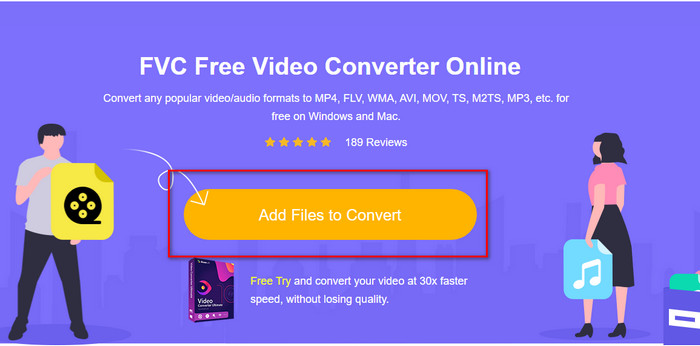
Passaggio 2. Sul sito web, fai clic su Add Files to Convert, quindi si aprirà una cartella del computer; seleziona il file .swf e premi Open.
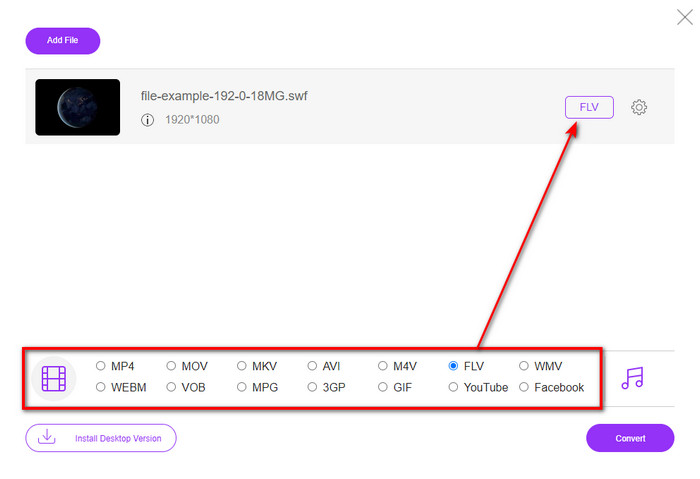
Passaggio 3. Dopo aver inserito il file, sotto l’elenco dei formati scegli il formato FLV.
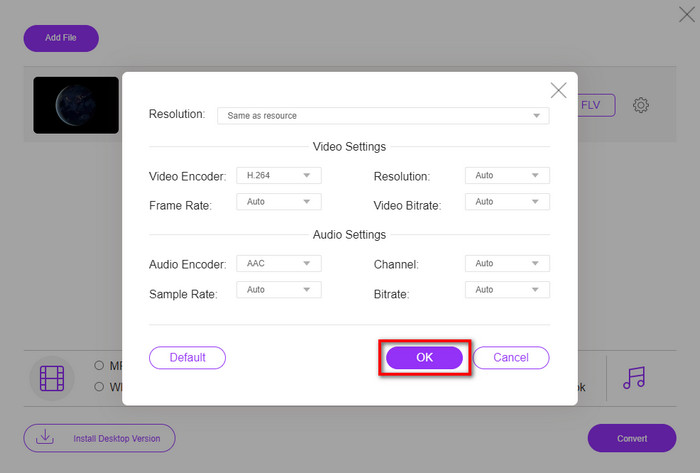
Per modificare le specifiche video e audio, fai clic sul pulsante a forma di ingranaggio.
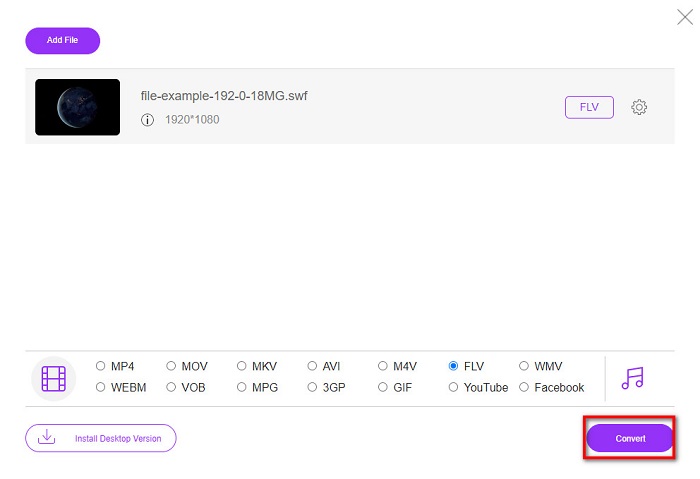
Passaggio 4. Per avviare il processo di conversione, fai clic sul pulsante Convert.
Parte 2. Converti SWF in FLV con FFmpeg
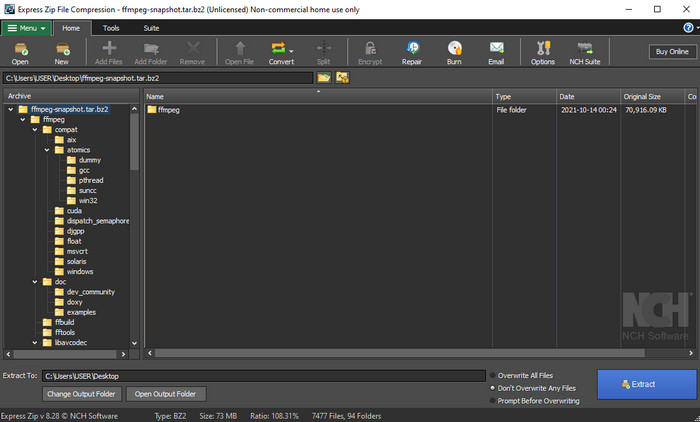
FFmpeg ha un’interfaccia e un sistema di comandi unici per convertire SWF in FLV gratuitamente. Se già conosci questo convertitore, sai già come usarlo; tuttavia, non tutti lo conoscono. In breve, questo convertitore non è il classico convertitore video che si usa normalmente sul web o che si scarica con un’interfaccia grafica. Invece di usare pulsanti per impartire comandi, dovrai utilizzare il prompt dei comandi per controllare questo convertitore.
Passaggio 1. Scarica il convertitore FFmpeg sull’unità del tuo computer, quindi aprilo.
Passaggio 2. Sul tuo computer, apri il prompt dei comandi.
Passaggio 3. Nel CMD, raggiungi la cartella in cui si trova il tuo file SWF, quindi inseriscila. Copia questo comando e inseriscilo nel prompt dei comandi: ffmpeg -i input.swf -vn -ar 44100 -ac 2 -b:a 192k output.flv e premi Invio per avviare il processo.
Parte 3. Converti SWF in FLV in Flash
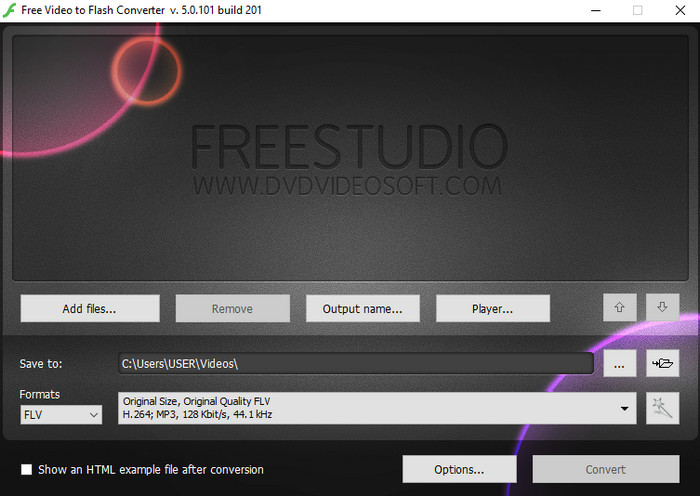
Free Video to Flash Converter è un convertitore gratuito da scaricare su Windows. Questo convertitore offre due formati tra cui scegliere. È pensato esclusivamente per convertire file in formato FLV o SWF. Quindi, se stai pensando di convertire i tuoi file SWF in AVI, MP4, MOV, MKV e altri ancora, qui non lo puoi fare. Vediamo subito come convertire SWF in FLV in Flash senza ulteriori indugi.
Passaggio 1. Scarica il software ufficiale di Flash Converter sul tuo Windows ed esegui l’applicazione.
Passaggio 2. Clicca su Add Files per caricare il file nel convertitore. Poi premi Formats, cerca FLV e puoi anche scegliere la qualità.
Passaggio 3. Avvia la conversione facendo clic sul pulsante Convert nell’angolo in basso a destra dell’interfaccia.
Parte 4. Come convertire SWF in FLV con l'aiuto del miglior convertitore SWF su Windows e Mac
Non sei ancora soddisfatto dei primi tre convertitori SWF in FLV online e offline presentati sopra? In tal caso, prova a usare FVC Video Converter Ultimate. Questo convertitore supera le aspettative di ogni utente, soprattutto per la rapidità del processo di conversione che offre. Oltre alla sua straordinaria funzione di conversione, dispone anche di avanzate funzioni di editing per migliorare il tuo video e di una Toolbox per altri scopi. Inoltre, i passaggi guida elencati di seguito promettono un successo 101% nella conversione del tuo file.
Passaggio 1. Prima di usare lo strumento, devi scaricarlo sull’unità del tuo Windows o Mac, seguire il processo di installazione del programma ed eseguirlo.
Download gratuitoPer Windows 7 o versioni successiveDownload sicuro
Download gratuitoPer MacOS 10.7 o versioni successiveDownload sicuro
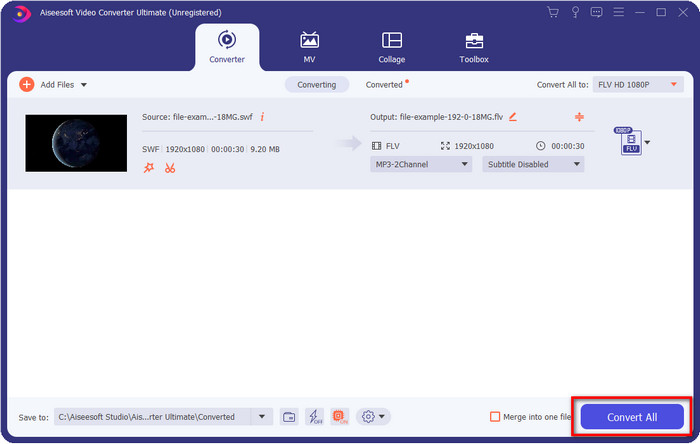
Passaggio 2. Una volta in esecuzione sul sistema, fai clic su Add Files per caricare i file SWF che desideri convertire.
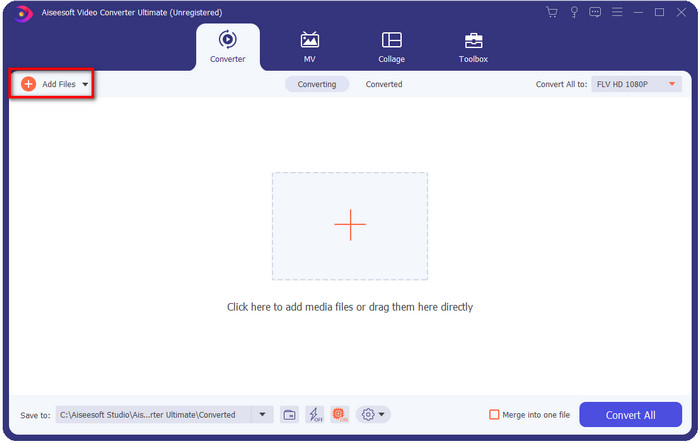
Passaggio 3. Clicca sull’opzione Convert All to e scegli il formato FLV. Puoi anche selezionare la qualità in alta definizione o mantenere la versione originale.

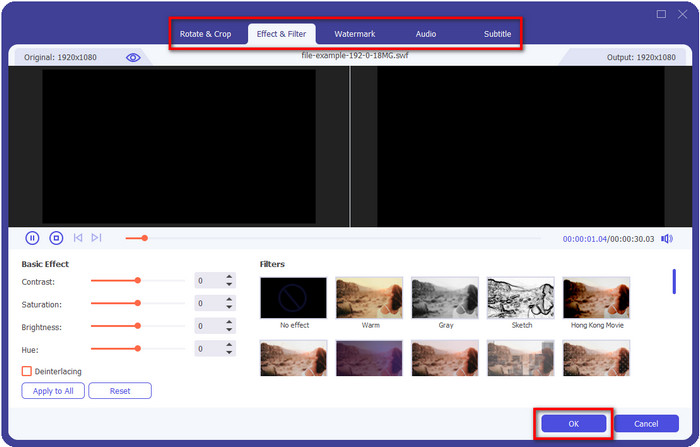
Se vuoi migliorare ulteriormente il tuo video in uscita, fai clic sul pulsante a forma di bacchetta. Ti porterà alle varie funzioni di editing disponibili, come Ritaglia, Ruota, Aggiungi effetti, Sottotitoli, Audio e Filigrana. Per salvare le modifiche apportate, fai clic su OK.
Passaggio 4. Fai clic su Convert All e il processo inizierà. Ci vorrà solo poco tempo per convertire SWF in FLV; al termine della conversione, si aprirà una cartella sullo schermo con il file FLV.
Parte 5. Conoscenza estesa di SWF e FLV
ShockWave File o SWF è un formato Adobe, ma Macromedia lo ha creato. È noto per mantenere animazioni e suoni basati su vettori utilizzati sul Web. Inoltre, poiché si tratta di una base vettoriale, puoi facilmente regolare il ridimensionamento grafico per adattarlo o ingrandirlo. Oltre all'animazione vettoriale, le dimensioni del file sono così ridotte da caricare il video più velocemente anche se hai una connessione Internet lenta. Ma il formato non è supportato se desideri condividerli sulle piattaforme di condivisione video.
Sebbene FLV sia anche sotto Adobe, questo formato è migliore di SWF. FLV o FlashVideo Format è il formato video standard sulla maggior parte dei siti web. Questo formato può contenere due diversi codec destinati a video e audio. E proprio come il file SWF, questo formato è piccolo per caricare il file più velocemente sul web; una volta scaricato il file FLV sul tuo disco, puoi riprodurlo sul tuo lettore multimediale anche se non è ancora completo.
Sarebbe utile se convertissi il file SWF in FLV perché il file SWF ha molte imperfezioni che puoi trovare nel formato FLV. Soprattutto se il file video è lungo, poiché solo .swf può contenere un frame al secondo limitato, ci sarà la possibilità che tu non possa usarlo. Ma FLV può contenere facilmente video lunghi. Inoltre, se vuoi concentrarti sulla qualità, FLV ha una qualità migliore rispetto a SWF.
Parte 6. Domande frequenti sulla conversione da SWF a FLV
Il file SWF supporta la trasparenza?
Come PNG e GIF, questo formato supporta anche la scala di grigi con colori reali o assegna un colore per renderlo trasparente.
Dove posso guardare i video SWF?
Al momento non puoi guardare i file SWF con il tuo lettore multimediale predefinito perché non è supportato. Tuttavia, puoi fare clic su questo link e scoprire di più sui 4 migliori lettori multimediali SWF per Windows e Mac.
Posso salvare il .swf del mio telefono?
È possibile salvare i file SWF sul telefono, ma non riprodurli sul lettore multimediale locale. Perché questo formato non è per la compatibilità del telefono ma per il web. Quindi, se scarichi un file con questa estensione, aspettati di non poterlo utilizzare; tuttavia, puoi convertirlo in un formato riproducibile come MP4 sul tuo telefono.
Conclusione
Questo articolo svela le gemme tra i convertitori che puoi usare per convertire SWF in FLV senza degradare la qualità del file SWF. Durante la raccolta di tutti questi convertitori, abbiamo scoperto che FVC Video Converter Ultimate è la gemma nascosta che stavi cercando per questo problema. Offre il risultato più straordinario e il processo di conversione più rapido rispetto a tutti gli strumenti menzionati. Ora non ti resta che scegliere il “tesoro” che vuoi usare per risolvere il tuo problema di conversione, scaricando o accedendo allo strumento sul web.
-
 Convertitori DV in FLV utili per convertire DV in FLV [2022]
 Se stai cercando gli strumenti migliori e facili da utilizzare per convertire DV in FLV, ecco il miglior articolo da leggere. Avere una visione eccellente, scavando attraverso tutte le informazioni di questo articolo.
-
 Come convertire MPG in FLV senza perdere qualità [Dimostrato]
 Devi guardare il tuo film preferito su questo lettore multimediale, ma non supporta MPG. Prova a convertire il tuo file MPG in FLV usando questi convertitori presentati in questo articolo.
-
 Converti TRP in FLV con i metodi offline e online più semplici
 Vuoi convertire il tuo file video TRP in FLV rapidamente e senza problemi? Leggi questo articolo per fornirti il miglior software e servizio online che meglio si adatta alla situazione.
