


 Video Converter Ultimate
 Screen Recorder
 Riparazione video
Come convertire rapidamente MTS in MKV gratuitamente
In breve, per il sistema di trasporto MPEG, il file MTS è un formato file standard che supporta video 720p e 1080i. Tuttavia, la dimensione del file in uscita con questo formato può essere enorme. Pertanto, è necessario convertirlo in un formato di file ampiamente supportato e con dimensioni più ridotte, come il formato MKV. E in questo articolo presentiamo i modi migliori per convertire MTS in MKV gratis.

Parte 1. 2 I migliori strumenti online gratuiti che convertono MTS in MKV
Convertitore video gratuito FVC online
Al giorno d’oggi le persone preferiscono usare un convertitore online invece di installare un software di conversione. FVC Free Online Video Converter è un convertitore online che ti permette di convertire file come MTS in MKV, MP4, WMV, AVI, FLV e altro ancora. Pur essendo un convertitore online gratuito, non compromette la qualità del tuo file durante la conversione. Inoltre, dispone di funzioni che consentono di modificare la risoluzione e il bitrate video o audio.
Ecco i passaggi su come convertire il tuo file MTS in MKV utilizzando questo strumento online gratuito:
Passaggio 1. Per usare questo convertitore, fai clic su questo link per essere reindirizzato alla loro pagina web.
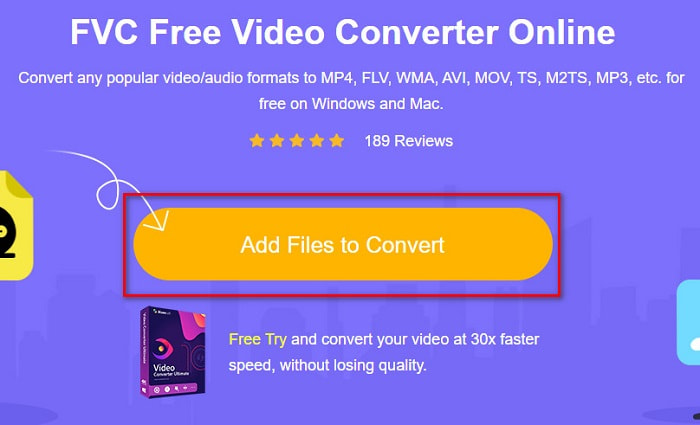
Passaggio 2. Il passaggio successivo è cliccare sul pulsante Add Files to Convert per scaricare il launcher. Dopo aver scaricato il launcher, verranno visualizzati i file del tuo computer, quindi scegli il tuo file MTS da caricare.
Passaggio 3. Dopo aver scelto il file MTS, fai clic sul file MKV sotto l’interfaccia del software.
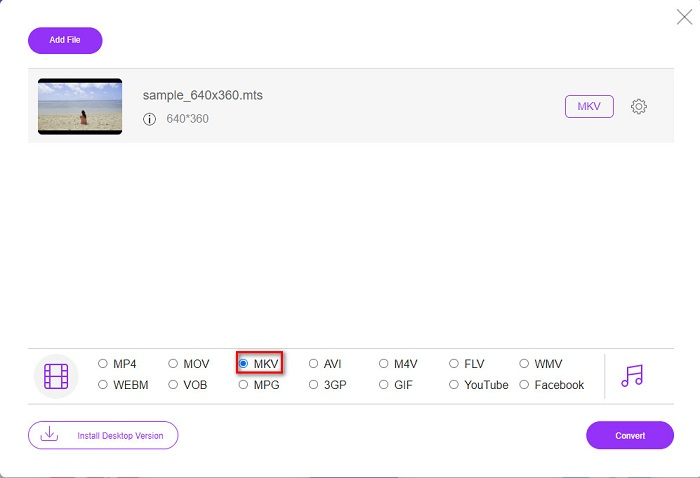
Passaggio 4. Infine, fai clic sul pulsante Convert per convertire il tuo file MTS in un file MKV. Poi attendi che il file venga convertito.
Seguendo questi semplici passaggi, puoi convertire MTS in MKV gratuitamente e online.
AnyConv
Un altro convertitore online che puoi usare per convertire file senza perdere qualità è AnyConv File Converter. Questo convertitore trasforma anche numerosi formati di file, inclusi MTS in MKV, AVI, MP4, MOV, MPEG, ecc. Tuttavia, dispone solo di funzioni limitate. Non puoi modificare o cambiare la risoluzione del tuo file. Inoltre è basato sul web; di conseguenza, potresti avere una conversione lenta. Ciononostante, è usato da molte persone per la sua praticità.
Passaggi su come utilizzare AnyConv File Converter:
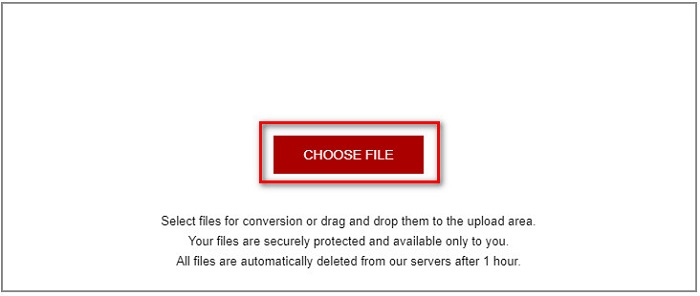
Passaggio 1. Cerca AnyConv File Converter nel tuo browser. Dopo essere entrato nel loro sito, fai clic sul pulsante Choose Files per selezionare il tuo file MTS tra i file del computer.
Passaggio 2. Dopo aver selezionato il file MTS, fai clic sul pulsante drop-down e scegli il formato file MKV.
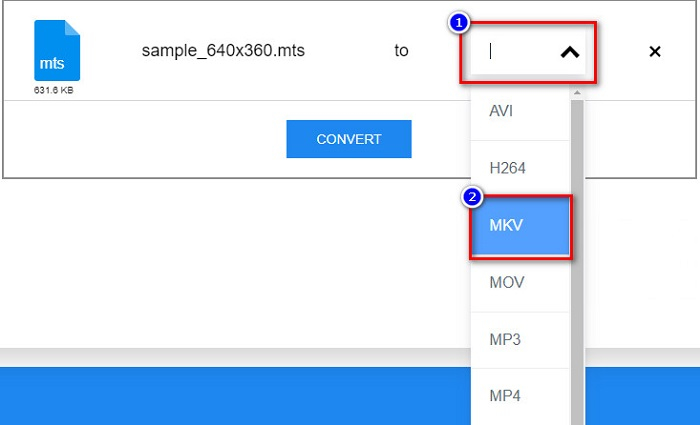
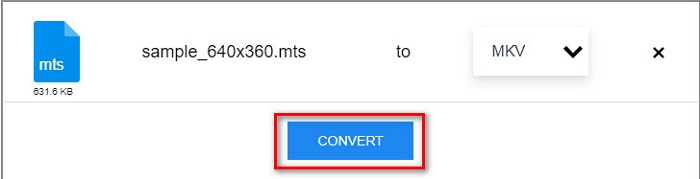
Passaggio 3. Per finire, fai clic sul pulsante Convert per avviare la conversione del tuo file MTS in MKV.
Parte 2. Converti MTS in MKV su Windows 10/11 senza perdita di dati
Se stai cercando un convertitore per Windows 10/11, FVC Video Converter Ultimate è lo strumento migliore per te. Supporta vari formati di file e può convertire MTS in MKV, MP4, WebM, VOB, MPG, AVI e molti altri. Inoltre, questo convertitore ha una funzione in cui puoi creare GIF e persino creare un video 3D. Puoi anche convertire MTS in MKV in modo rapido e semplice senza perdere la qualità del tuo file.

FVC Video Converter Ultimate
5.689.200+ download- Puoi convertire in batch i tuoi file con questo convertitore.
- Ti consente di convertire vari formati di file come MTS, MKV, MP4, WMV, ecc.
- Ha una funzione che ti consente di avere una conversione ultraveloce.
Download gratuitoPer Windows 7 o versioni successiveDownload sicuro
Download gratuitoPer MacOS 10.7 o versioni successiveDownload sicuro
Ecco come utilizzare FVC Video Converter Ultimate con questi semplici passaggi:
Passaggio 1. Per prima cosa, scarica l’app facendo clic sul pulsante Download qui sotto per Windows. Poi avvia il software per procedere al passaggio successivo.
Download gratuitoPer Windows 7 o versioni successiveDownload sicuro
Download gratuitoPer MacOS 10.7 o versioni successiveDownload sicuro
Passaggio 2. Dopo aver aperto il convertitore, fai clic sul pulsante Add Files, oppure puoi trascinare e rilasciare il tuo file sull’icona con il segno + per caricare il tuo file MTS. Il tuo file verrà quindi aggiunto all’elenco.
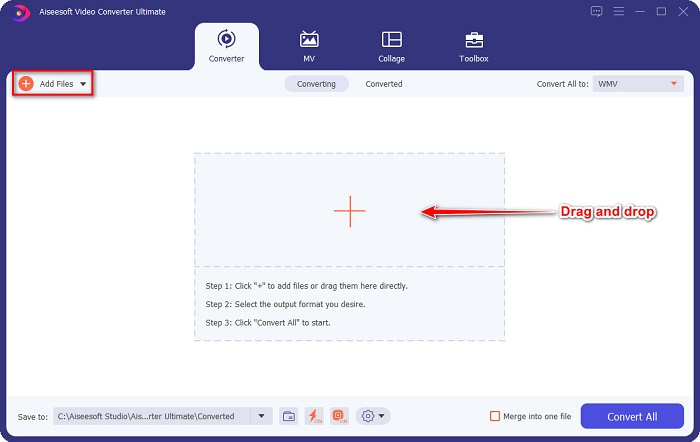
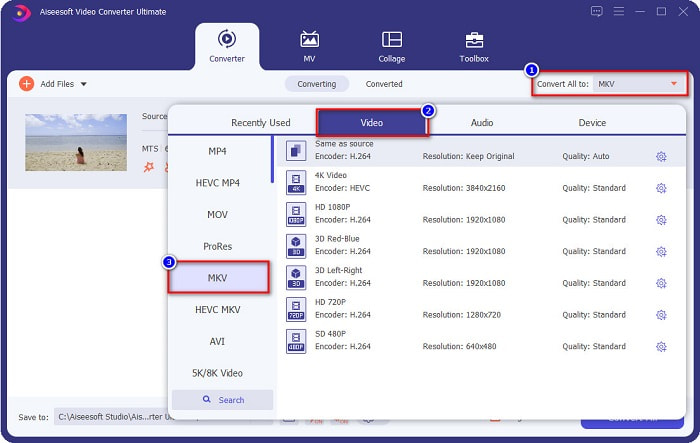
Passaggio 3. Per scegliere il formato in cui vuoi convertire il tuo file MTS, fai clic sul pulsante Convert All to e seleziona il file MKV.
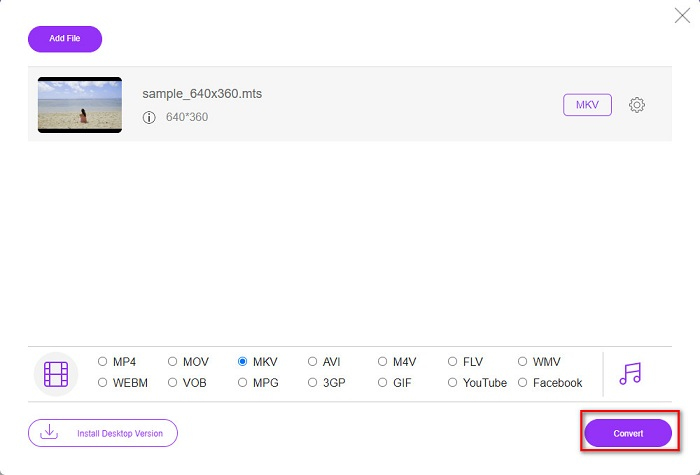
Passaggio 4. Per concludere, fai clic sul pulsante Convert All per iniziare a convertire il tuo file MTS in un file MKV. Et voilà! In pochi secondi, il tuo file convertito sarà pronto.
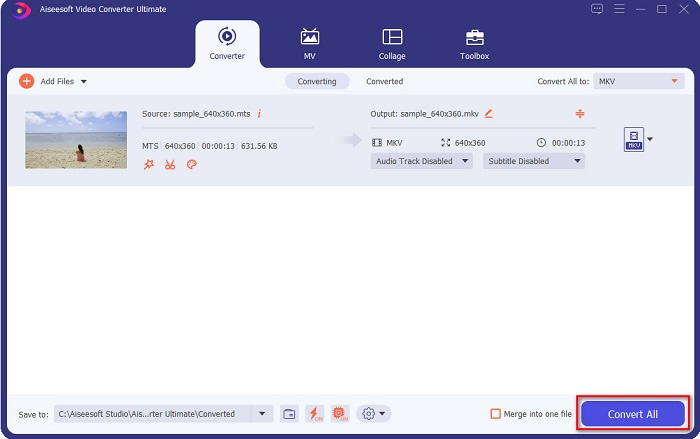
Seguendo questi semplici passaggi, puoi convertire MTS in MKV velocemente come 1-2-3!
Parte 3. Perché convertire file MTS in formato file MKV
Il file MTS, abbreviazione di MPEG Transport System, è un formato di file standard utilizzato principalmente dalle videocamere Sony e Panasonic HD. È un file che utilizza la compressione video MPEG4/H.264. Inoltre, supporta video 720p e 1080i, che altri formati di file non supportano. Poiché Panasonic e Sony hanno sviluppato questo file, utilizza un file di codifica audio avanzato relativo al formato di file AVCHD. D'altra parte, il file MKV o Matroska è un formato di file standard che supporta molti codec audio e video. Di solito viene utilizzato per archiviare brevi video clip e filmati.
Inoltre, supporta anche le tracce dei sottotitoli. Questo è il motivo per cui numerose persone che seguono i fan usano questo formato di file. Allora perché convertire MTS in MKV? Semplicemente perché la dimensione del file di MKV è inferiore a quella contenuta nel formato file MTS.
Parte 4. Grafico di confronto sui convertitori online e offline
| CARATTERISTICHE | Convertitore online gratuito FVC | Convertitore di file AnyConv | FVC Video Converter Ultimate |
| Velocità di conversione | Normale | Normale | Molto veloce |
| Formati di file da convertire | MKV, MP4, MTS, MPG, MOV, AVI, WMV, FLV e altri formati di file | MTS, MKV, AVI, MOV, MP4, MPEG e altri formati | Supporta oltre 1000 formati di file |
| Funzionalità di modifica | – | – |  |
| Conversione in batch | – | – | |
| Connessione internet | Necessario | Necessario | Non necessario |
Parte 5. Domande frequenti sulla conversione di MTS in MKV
Puoi ridurre la dimensione del file di un file MTS?
Sì. Puoi comprimere la dimensione di un file MTS usando uno strumento di compressione disponibile online e offline, come Free Video Compressor.
Dove puoi riprodurre i formati di file MKV?
Puoi riprodurre file MKV in Windows Media Player, VLC Media Player, DivX Player, MX Player e altri ancora. Puoi anche usare codec multimediali per codificare e decodificare i file multimediali. Oppure puoi convertire il tuo file MKV nel formato MP4, che è un formato ampiamente utilizzato.
Puoi convertire MTS in MKV in Handbrake?
Sì. Questo convertitore ti consente anche di convertire il tuo file MTS in formato file MKV. Tuttavia, non supporta più file e non può combinarli in uno solo.
Conclusione
Al giorno d’oggi sono disponibili sul mercato molti convertitori online e offline. E i convertitori che abbiamo elencato sopra sono tra quelli più usati e si sono dimostrati strumenti eccellenti. Inoltre, questi convertitori hanno funzioni e capacità diverse per convertire MTS in MKV gratis online. Ma se stai cercando un convertitore comodo ed efficiente, ti consigliamo di usare FVC Video Converter Ultimate. Questo convertitore velocissimo non deluderà le tue aspettative. Quindi, se sei pronto a convertire i file, scaricalo subito!
-
 [Gratuito e online] 6 modi per convertire MTS in MP4 in alta qualità
 Non sai come convertire un file MTS in MP4? In questa guida troverai 6 modi semplici e gratuiti per cambiare il formato MTS in MP4 su Windows o Mac senza perdita di qualità.
-
 Come convertire MTS in WMV senza perdere la qualità
 Stai lottando per guardare il tuo programma preferito perché il tuo lettore multimediale non supporta il formato video MTS? Prova a convertirlo in WMV con questi nuovi e migliori convertitori presenti in questo articolo.
-
 Come convertire MTS in MP3 senza perdita di qualità (AVCHD in MP3)
 Hai la necessità di estrarre l'audio MP3 dal file MTS ma non sai come fare? Qual è il miglior convertitore da MTS a MP3? Questo post condivide 2 semplici modi per aiutarti a convertire MTS / M2TS in MP3 con alta qualità audio.
