


 Video Converter Ultimate
 Screen Recorder
 Riparazione video
 Download sicuro
Recensione definitiva sul convertitore HEIC che puoi utilizzare senza sforzo
Ci sono oltre 4,5 miliardi di immagini scattate ogni giorno a livello globale. Regolarmente una persona prendeva in media quasi 20 scatti al giorno. Con la sua vasta influenza in tutto il mondo, la maggior parte di noi ha fatto un altro passo per archiviare l'immagine con una qualità migliore, come ha fatto Apple quando ha cambiato il formato immagine standard in HEIC. Questo formato immagine può contenere una foto di alta qualità ma di dimensioni inferiori rispetto a JPG o PNG. Pertanto, con la sua compressione migliorata, molti di noi possono risparmiare più spazio sull'unità iOS se il file immagine è in questo formato. Di conseguenza, il formato è diventato popolare su ogni iOS 11 e macOS High Sierra.
Indipendentemente da quanto sia buono il formato, probabilmente non aprirai il file se lo trasferisci su altri dispositivi. In questo tipo di situazione è molto più probabile che un convertitore possa tornare utile. Per risolvere il problema, continua a leggere questo articolo, in cui presentiamo cinque convertitori HEIC che puoi utilizzare gratuitamente e, se vuoi, acquistare. Continua a seguire per ottenere in meno di 7 minuti tutte le informazioni di cui hai bisogno per risolvere la questione.

Parte 1. I 3 migliori convertitori HEIC gratuiti disponibili sul Web
FVC Convertitore gratuito da HEIC a JPG
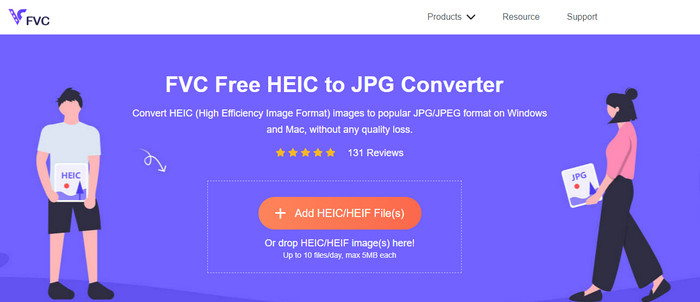
FVC Free HEIC to JPG Converter ti offre un semplice ed efficace convertitore HEIC gratuito che puoi usare direttamente online. Con questo strumento web puoi trascinare e rilasciare il file sul sito per caricarlo; non serve avviare manualmente il processo di conversione, perché inizierà automaticamente. Anche se questo strumento basato sul web non supporta la conversione in batch, è comunque considerato uno dei migliori convertitori online che dovresti conoscere. A differenza di altri convertitori che riducono la qualità dell’immagine convertita, questo strumento non degrada la qualità del tuo file HEIC e ne manterrà lo stesso livello anche dopo averlo convertito in JPG.
Forse ti stai chiedendo se usi questo strumento, hai bisogno di scaricare file aggiuntivi, come l'installer? Fortunatamente, durante l'utilizzo, non sarà necessario scaricare il programma di installazione sull'unità e utilizzarlo sul posto. Non è necessaria alcuna configurazione perché lo strumento è accessibile sul tuo browser preferito, a differenza degli altri convertitori disponibili sul mercato. Anche se lo strumento funziona perfettamente sul tuo file HEIC, le funzionalità sono limitate; questo fornisce le dimensioni e la conversione ogni giorno. Supponiamo che tu abbia deciso di utilizzare il convertitore online. Fare clic sul collegamento sopra per vedere la sua pulizia e le prospettive generali.
JPGHEIC.com
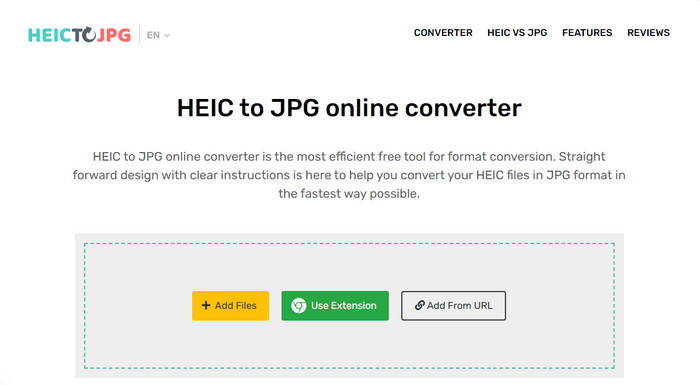
JPGHEIC.com funziona allo stesso modo del convertitore di immagini HEIC che abbiamo presentato sopra. Ma ciò che rende lo strumento interessante è che il servizio online non pone limiti né al numero di utilizzi né alla dimensione dei file. Con questo strumento puoi aggiungere facilmente i file multimediali trascinandoli e rilasciandoli nella pagina principale del sito. Inoltre puoi usare un URL per caricare il link dell’immagine HEIC che vuoi convertire in formato JPG. Sebbene lo strumento abbia un sito ufficiale, puoi anche usare l’estensione per Chrome per accedervi in modo più rapido rispetto a visitare ogni volta il sito principale. Le funzioni e le caratteristiche del convertitore web e dell’estensione non differiscono molto tra loro.
Nonostante sia un convertitore gratuito, ci sono alcuni annunci fastidiosi che potresti fare clic e aprire accidentalmente. Quindi, assicurati di evitare di fare clic su di essi per impedire l'apertura di annunci che potrebbero contenere virus. Dopo aver utilizzato questo strumento, il file che hai caricato qui verrà eliminato dopo un'ora. Puoi accedervi prima che il file venga eliminato completamente su questo strumento web.
Freeconvert.com
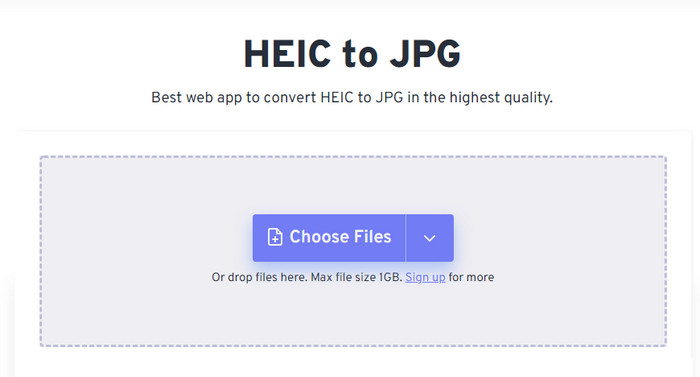
Freeconvert.com è un convertitore di file HEIC molto semplice da usare sul tuo browser preferito, che supporta la funzione di trascinamento e rilascio per aggiungere i file HEIC con maggiore facilità. A differenza del convertitore online citato sopra, questo strumento supporta come formato di uscita non solo JPG, ma anche BMP, PNG, TIFF, WebP, ecc. Sebbene il servizio online sia valido, presenta alcune limitazioni potenzialmente fastidiose, in particolare riguardo alle dimensioni dei file. Tuttavia, la dimensione massima supportata è di 1 GB, molto più grande rispetto ad altri strumenti web che puoi trovare online o citati in questo articolo.
Oltre alla dimensione del file supportata e alla conversione, puoi modificare la dimensione, la compressione e rimuovere i metadati sul tuo file HEIC. È uno dei vantaggi dell'utilizzo dello strumento; ancora più importante, se vuoi manipolarli manualmente. Anche se ha funzionalità aggiuntive che lo rendono migliore, la velocità di conversione di questo strumento non è così veloce come ci aspettavamo.
Parte 2. I 2 migliori convertitori HEIC a pagamento scaricabili su Windows e Mac
Aiseesoft HEIC Converter – Il miglior convertitore HEIC su Windows e Mac
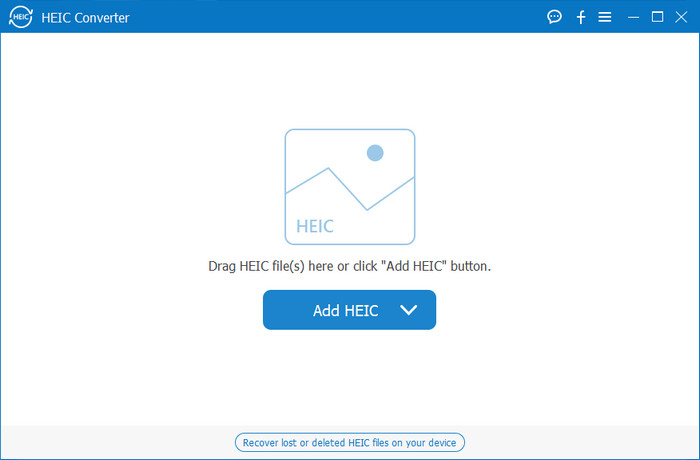
Tutto può procedere nel modo più fluido possibile con un convertitore HEIC professionale per Windows 10/11 e Mac, come Aiseesoft HEIC Converter. È il convertitore principale che dovresti considerare per entrambi i sistemi operativi. Abbonandoti al software, puoi ottenere un processo di conversione estremamente rapido e performante. Una volta caricato il tuo file HEIC, non noterai alcuna differenza dopo aver convertito il formato in JPG. Che tu sia un professionista o meno, questo è lo strumento ideale su cui fare affidamento per convertire i tuoi file HEIC e assicurarti un risultato impeccabile.
Oltre alla velocità di conversione fulminea, possiamo anche avere la possibilità di ridurre la qualità se lo desideri e salvare i dati EXIF memorizzati sul tuo HEIC in JPG. Per quanto riguarda le prestazioni, la velocità di conversione, l'interfaccia utente semplice e altre funzioni consolidate, non è rimasto nulla che questo strumento non abbia spuntato per quanto riguarda la conversione delle immagini. Una volta utilizzato lo strumento, puoi caricare qui tutti i file HEIC finché non sei soddisfatto. Per saperne di più sulle funzionalità supportate da questo strumento, leggi il contenuto di seguito.
Funzioni:
◆ Supporta la conversione simultanea di più file HEIC in un formato JPG.
◆ La dimensione del file di ciascun file immagine non è un problema in questo strumento.
◆ Una perdita di qualità non sarà un problema perché lo strumento mantiene la stessa qualità.
◆ Con la sua orgogliosa velocità di conversione, converti i tuoi file in pochissimo tempo.
◆ Utilizzo del software su Windows o Mac.
Convertitore TunesBro HEIC
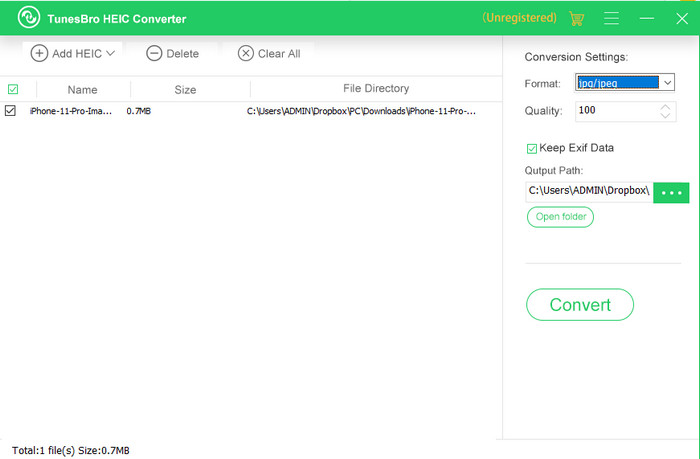
TunesBro HEIC Converter è un noto convertitore HEIC che puoi installare su Windows e Mac. Come il convertitore a pagamento che abbiamo presentato prima, ti permette di convertire le immagini HEIC senza perdere la qualità originale anche senza connessione a Internet. Anche se non sei un professionista, puoi utilizzare facilmente lo strumento grazie alla sua interfaccia intuitiva. Persino alcuni convertitori popolari non riescono a competere con le funzionalità complessive e le prestazioni di conversione di questo programma. Tuttavia, il prezzo è più alto rispetto a quello di Aiseesoft HEIC Converter, se confrontiamo i due prodotti. Rimane comunque più economico rispetto ad altri convertitori.
Molti utenti lo trovano un po' costoso da usare come convertitore personale; il motivo per cui è costoso è perché supporta funzionalità che potrebbero aiutarti nella conversione. Se intendi convertire l'HEIC in un formato standard, potresti scegliere questo come ultima scelta per gli utenti con un budget limitato. Ma se vuoi avere un convertitore batch intuitivo, scarica lo strumento sul tuo desktop.
Parte 3. Qual è il migliore? Grafico di confronto per i 5 convertitori HEIC
| Caratteristiche | FVC Convertitore gratuito da HEIC a JPG | JPGHEIC.com | Freeconvert.com | Convertitore HEIC Aiseesoft | Convertitore TunesBro HEIC |
| Velocità di conversione | Veloce | Un po' lento | Un po' lento | Il più veloce | Veloce |
| Converti più file HEIC |  | | |  | |
| Conserva i metadati dopo la conversione | | | | | |
| Facile da usare | | | | | |
| Dipendente da Internet | | | | | |
Parte 4. Domande frequenti sui convertitori HEIC
Perché la conversione di HEIC è lenta?
Se stai utilizzando uno strumento che necessita di Internet, devi controllare la tua connessione a Internet, ma se la tua connessione Internet è stabile, il problema è con lo strumento che stai utilizzando. Puoi contattare il servizio clienti che supporta lo strumento che stai utilizzando. Supponiamo che non lo sia, quindi ti suggeriamo di cambiare il convertitore. Ma se si tratta di uno strumento offline, lo strumento che stai utilizzando non ha l'accelerazione hardware o la conversione veloce. Quindi, prima di scegliere un convertitore offline, devi controllare alcuni articoli sulla sua velocità e affidabilità.
Perché HEIC non è supportato?
Uno dei motivi per cui non è supportato in modo nativo è che il tipo di compressione è attualmente utilizzato. La compressione supportata da HEIC è una moderna compressione con perdita che non tutti i dispositivi supportano. Quindi, la scelta di un convertitore è particolarmente importante in questo tipo di situazione.
HEIC è disponibile solo su iOS?
Per ora, questo formato immagine è attuale e sarà il formato standard per l'immagine che catturerai su ogni iOS 11 e versioni successive. Ma presto il formato sarà disponibile anche su Android e Windows, poiché è uno dei migliori formati in grado di memorizzare un'immagine di alta qualità con dimensioni inferiori a JPG.
Conclusione
Possiamo essere tutti d’accordo sul fatto che scegliere un convertitore HEIC sia fondamentale, soprattutto se sei tu a ricevere immagini in formato HEIC. In precedenza abbiamo detto che il formato è ottimo e, come hai visto, è stato confermato che rappresenta un’opzione migliore del JPG sia in termini di dimensioni del file che di qualità. Ora che hai terminato la lettura di questo articolo, è il momento di scegliere lo strumento che fa per te, decidendo se preferisci una soluzione online o offline. Entrambe le opzioni sono valide, ma Aiseesoft HEIC Converter risulta superiore sotto molti aspetti. Prova il programma acquistandolo e scaricandolo sul tuo computer desktop e sfrutta tutte le sue funzioni.
-
 Converti HEIC in JPG con i 6 modi efficaci offline e online
 Vuoi sapere come convertire HEIC in JPG? In questo caso, aggiungiamo 6 modi online e offline che puoi utilizzare per completare e gestire completamente questa attività.
-
 5 dei migliori convertitori HEIC in JPG scelti nel 2025
 Con il convertitore da HEIC a JPC puoi facilmente cambiare il formato dell'immagine in un JPG portatile. Vuoi sapere quali sono questi 5 strumenti? Leggi questo articolo.
-
 Converti HEIC in PDF utilizzando i 4 metodi più migliorati nel 2025
 Per saperne di più sul miglior convertitore HEIC in PDF puoi scaricare questo 2025. Puoi leggere questo articolo poiché abbiamo fornito una recensione su di loro.
