


 Video Converter Ultimate
 Screen Recorder
 Riparazione video
 Download sicuro
Il miglior registratore dello schermo AMV per computer Windows e Mac
Azioni Media Video noto anche come AMV. È un formato di file video prodotto specificamente per sostituire MP4 come formato universale riproducibile dalla maggior parte dei lettori multimediali. Se hai familiarità con il formato AVI, questa è una versione modificata e migliorata di esso. Questo formato di file contiene un video compresso. Il formato AMV è realizzato per consentire a lettori e dispositivi economici di riprodurre video. Tuttavia, il rendering del file iniziale è basso perché la frequenza dei fotogrammi è bassa. Nonostante ciò, puoi ancora considerarlo un buon formato alternativo quando esegui il rendering del tuo video di output.
In alternativa, puoi anche prendere in considerazione l’utilizzo di un registratore dello schermo che ti aiuti a esportare facilmente i video in un file AMV. Esistono in realtà moltissimi strumenti in grado di fare al caso tuo. In ogni caso, non è obbligatorio usare sempre un file AMV: è solo utile sapere che ora esiste anche questo formato. Perciò abbiamo elencato alcuni registratori video .amv per piattaforme Android e computer. Puoi consultare l’elenco qui sotto per saperne di più.

Parte 1. Il miglior registratore AMV online
1. Registratore dello schermo gratuito FVC
Quando si parla di strumenti gratuiti accessibili online, potresti pensare a limiti, filigrane e scarsa sicurezza. Anche se spesso è così, non tutti i registratori dello schermo gratuiti sono uguali. Alcuni hanno rotto gli schemi e offerto soluzioni a questi problemi. FVC Free Screen Recorder è uno di questi. Questo strumento ti offrirà sicuramente maggiore libertà per quanto riguarda le tue esigenze di registrazione dello schermo. Con il frame regolabile puoi selezionare il rapporto d’aspetto desiderato e personalizzare le tue registrazioni. Anche il bitrate è regolabile. Il bitrate è importante perché ti permette di impostare la qualità del video che stai esportando. C’è molto altro da scoprire su questo straordinario strumento.
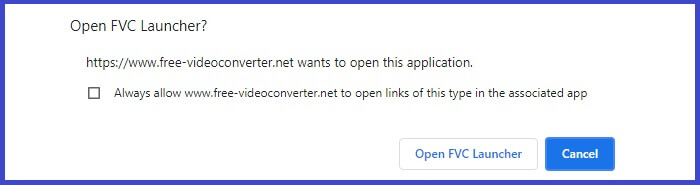
Passaggio 1. Avvia l’app visitando la pagina ufficiale https://www.free-videoconverter.net/free-screen-recorder/. Fai clic sul pulsante Start Recording per avviare l’app.
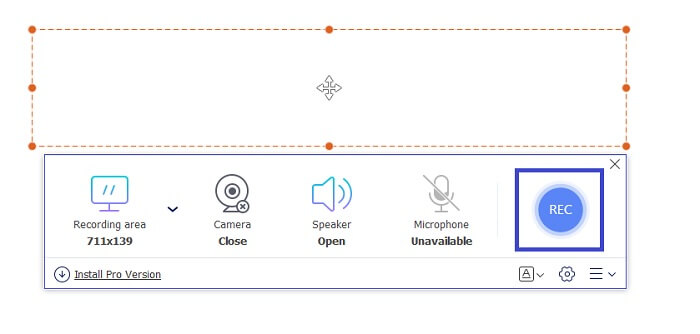
Passaggio 2. Una volta avviato lo strumento, regola il rapporto d’aspetto della registrazione spostando il riquadro tratteggiato finché non ottieni la dimensione video desiderata. Quindi fai clic su REC per iniziare la registrazione.
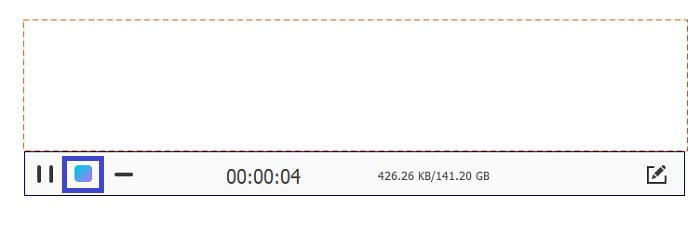
Passaggio 3. Durante la registrazione fai clic sull’icona della matita per abilitare l’annotazione in tempo reale, dove puoi aggiungere forme, linee e testo. Quando hai terminato la registrazione, fai clic sul pulsante Quadrato blu per interromperla.
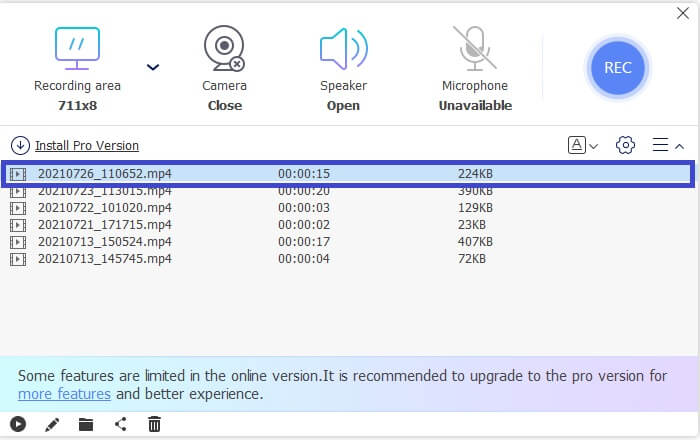
Passaggio 4. Per visualizzare il file registrato, fai clic sul nome del file nella parte inferiore dell’interfaccia principale. Fai doppio clic per riprodurlo.
Professionisti
- Registrazione illimitata.
- Nessun limite di durata.
- Bitrate regolabile per un'uscita video di alta qualità.
- Ritaglio video supportato.
Contro
- Mancano i sottotitoli generati automaticamente.
2. Screencast-O-Matic
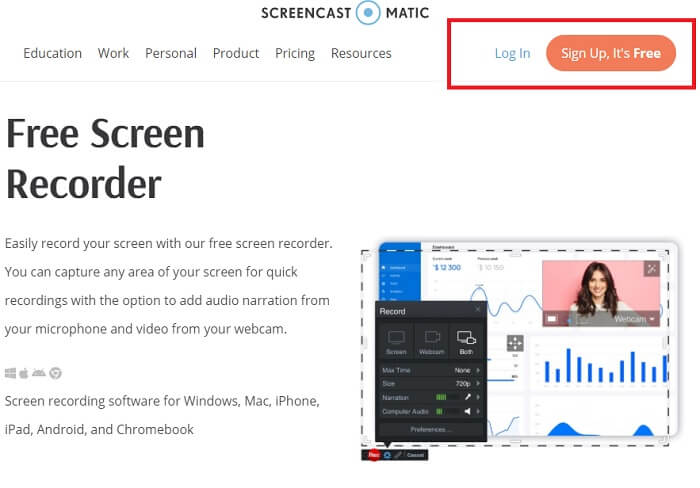
Personalizza la tua registrazione con Screencast-O-Matic e sperimenta la miscelazione e l'abbinamento della registrazione dello schermo video importati e video registrati. Per non parlare, è uno strumento online che può screenshot, consente di disegnare sullo schermo, con didascalie automatizzate e può registrare l'audio allo stesso tempo. Puoi scegliere di aggiungere narrazione o sottotitoli durante la registrazione del video. Questo è utile principalmente per i creatori di tutorial video e per coloro che stanno risparmiando denaro. L'unico aspetto negativo di questa app gratuita è il processo di registrazione. È lungo. Nel frattempo, ecco come puoi usarlo.
Passaggio 1. Visita la pagina principale e registrati per creare un account.
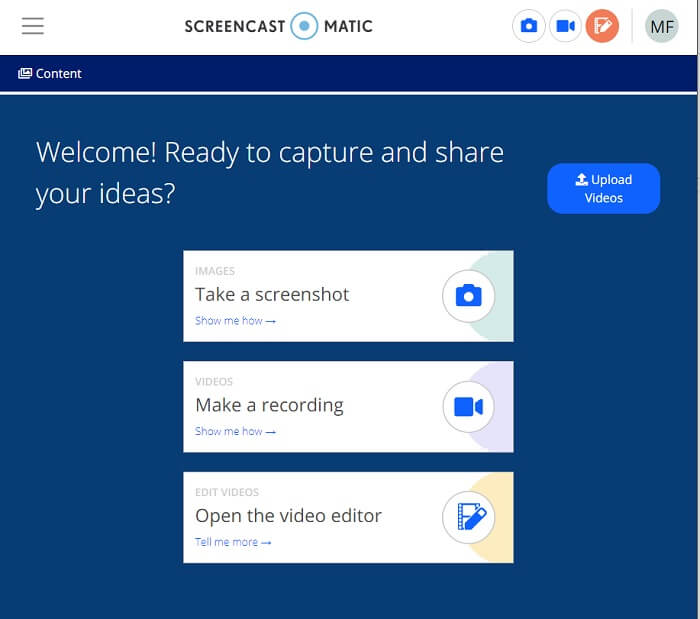
Passaggio 2. Dopo la registrazione, accederai a una pagina in cui ti verrà chiesto quale azione desideri eseguire. Scegli Make a Recording.
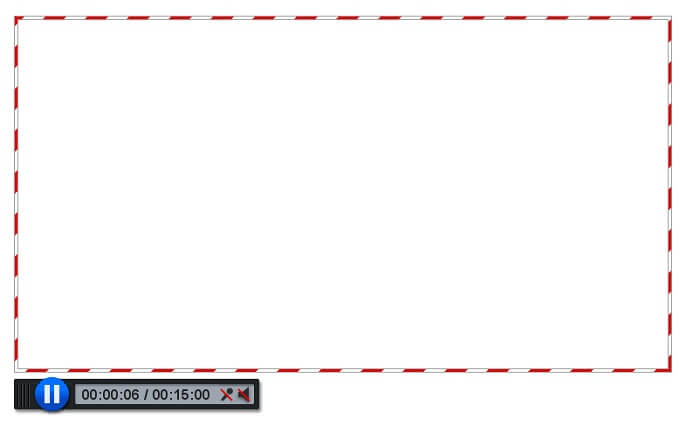
Passaggio 3. Lo strumento verrà quindi visualizzato. Per iniziare la registrazione fai clic sul pulsante rosso REC. Dovrai fare clic sullo stesso pulsante per interrompere la registrazione.
Se non sei soddisfatto delle funzionalità che queste due fantastiche app gratuite possono offrire, puoi continuare a leggere il prossimo strumento offerto per te. Questa volta parleremo di strumenti premium che puoi scaricare sul tuo PC.
Parte 2. Il miglior registratore AMV desktop
1. Registratore dello schermo FVC
Il primo strumento desktop è FVC Screen Recorder. Ha la capacità di registrare lo schermo del tuo computer, l'audio del sistema e catturare lo streaming online senza rumore di fondo. Lo strumento registra il suono di sistema del computer, questo significa che la qualità audio è molto soddisfacente. Oltre ai formati ampiamente supportati, questo strumento supporta la tecnologia di accelerazione per lo streaming di giochi online. NESSUNA filigrana, solo registrazione di qualità. Ottieni il meglio solo se usi questo strumento. Qualità HD, audio senza perdite, registrazione fluida durante lo streaming live e accelerazione. Tutto ciò di cui hai bisogno per le tue esigenze di registrazione è qui. Inoltre, c'è una funzione di blocco della finestra che ti consente di registrare solo una finestra specifica. Inoltre lo strumento è facile da usare, inizia facendo clic sul pulsante in basso.
Download gratuitoPer Windows 7 o versioni successiveDownload sicuro
Download gratuitoPer macOS 10.7 o versioni successiveDownload sicuro
Passaggio 1. Fai clic sul pulsante Video Recorder per iniziare la registrazione.
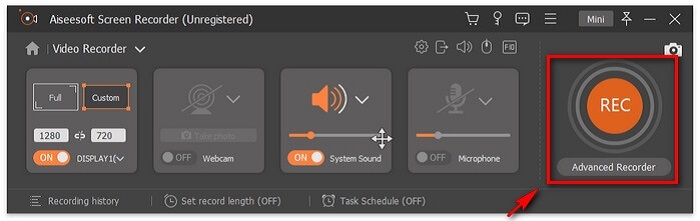
Passaggio 2. Avvia la registrazione e aggiungi annotazioni sullo schermo mentre registri.
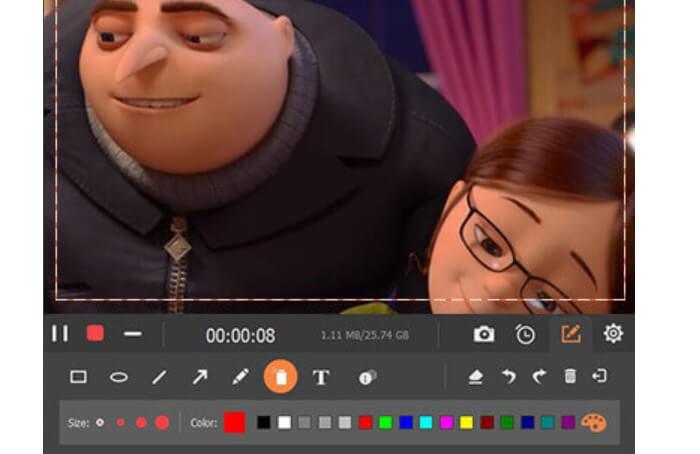
Passaggio 3. Al termine, interrompi la registrazione facendo clic sul pulsante Quadrato rosso.

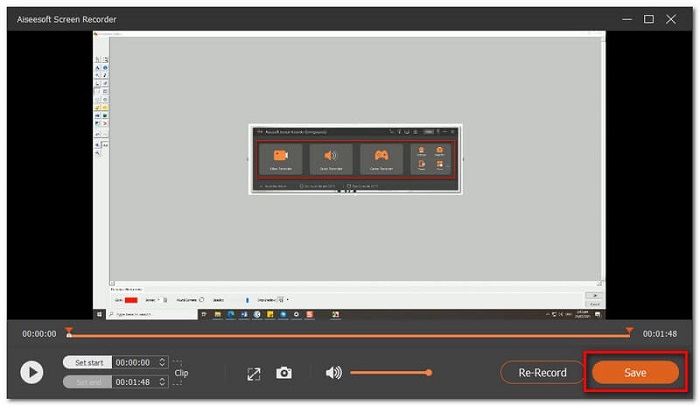
Passaggio 4. A questo punto apparirà un’altra finestra. Scegli tra Re-Record e Save.
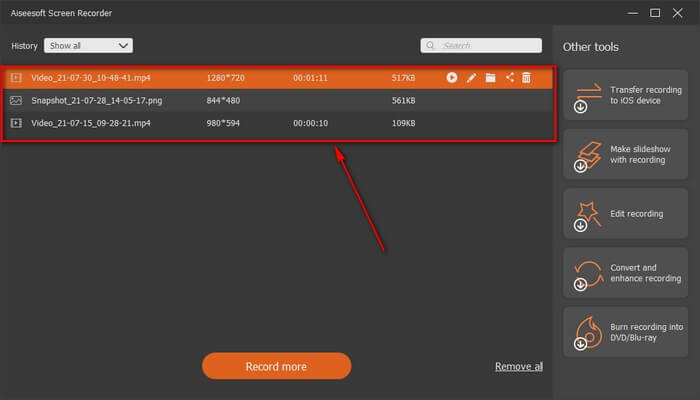
Passaggio 5. Nella finestra successiva che si aprirà, individua il file registrato.
2. Bandicama
Infine abbiamo Bandicam. È uno degli strumenti più affidabili quando si tratta di registrazione dello schermo. Uno è perché lo strumento ha un'interfaccia molto semplice. Tutte le impostazioni che devi controllare e le caratteristiche sono fornite su un'unica schermata. Quando avvii lo strumento, puoi vedere immediatamente tutte le impostazioni e le funzionalità. In effetti la vera definizione di un'interfaccia user-friendly. Anche un principiante di questo tipo di tecnologia può facilmente farcela. Per mostrarti ciò che viene detto, ecco come puoi usarlo.
Passaggio 1. Vai sul sito ufficiale dello strumento per scaricare e installare l’app.
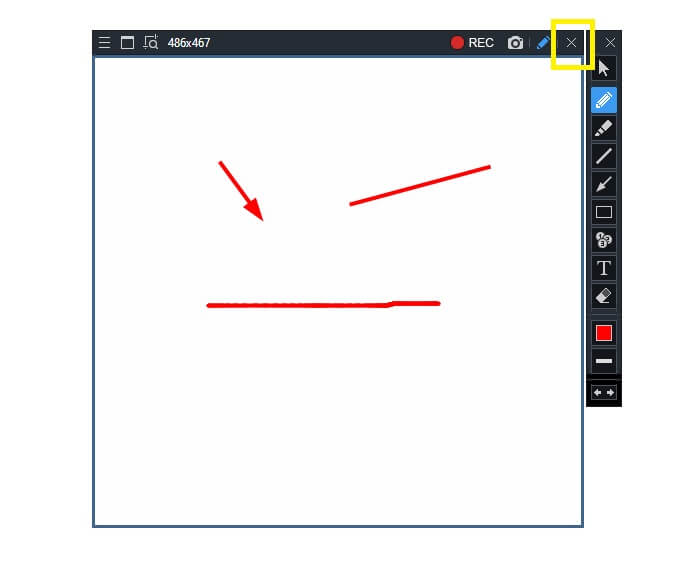
Passaggio 2. Fai clic sul pulsante REC nell’angolo in alto a destra dell’interfaccia. Lo strumento ti chiederà quindi di regolare la dimensione del frame.
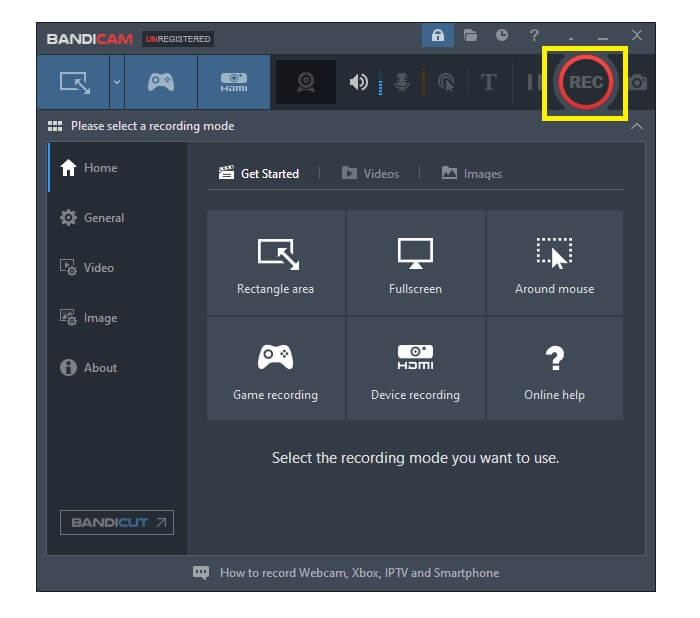
Passaggio 3. Da lì inizia ad annotare mentre registri. Fai clic sul pulsante X nell’angolo destro per terminare la registrazione.
Tutti gli strumenti scritti sono davvero utili. Bandicam rappresenta semplicità e usabilità. Nel frattempo, Screencast-O-Matic è versatile. D'altra parte, FVC Screen Recorder può fornire strumenti sia gratuiti che premium che superano del tutto gli strumenti elencati. La funzione Lock Window è notevolmente un vantaggio perché consente multitasking ed efficienza. Nessun altro registratore dello schermo può eseguire questa capacità, è solo con FVC Screen Recorder.
Per saperne di più:
2. Come comprimere file AMV di grandi dimensioni
Parte 3. Domande frequenti sul registratore AMV
Perché non riesco ad aprire un file AMV sul mio PC?
Ci sono diversi motivi per cui. Il più comune è che il file non dispone di un software adatto sul tuo computer. Scaricane uno online.
Il lettore MP4 non riproduce l'errore di formattazione e come risolverlo?
È semplice. Converte il file .amv alla versione più recente. Converti il file: se vuoi convertirlo, segui la guida qui sotto:
1. Visita questo link https://www.free-videoconverter.net/free-online-video-converter/.
2. Apri il launcher e carica il tuo file.
3. Scegli il formato che preferisci. Una volta fatto, il file verrà elaborato a breve.
4. Fai clic sul pulsante di download per ottenere il file convertito.
Come associo un file a un software?
Ci sono due modi per farlo. Uno è selezionare il file AMV, poi scegliere Scegli programma predefinito e quindi Browse. L’altro modo consiste nel registrare il file nel Registro di sistema di Windows.
Conclusione
Per concludere, AMV è utile conoscere il formato che puoi considerare di utilizzare, ma non è consigliato a coloro che cercano video di buona qualità. Inoltre, l'elenco dei registratori dello schermo AMV non è solo limitato ad AMV, ma può produrre più formati come MP4, MOV e molto altro.
-
 I 5 migliori registratori per mouse e tastiera per Windows e Mac
 Ecco i cinque migliori programmi di registrazione per mouse e tastiera che possono salvare i movimenti del mouse e i clic della tastiera e ripetere gli eventi.
-
 I 4 migliori registratori di schermo AVI gratuiti per acquisire video dello schermo come file AVI
 Per registrare lo schermo in file AVI di alta qualità, l'articolo identifica e condivide i 4 migliori registratori di schermo AVI gratuiti in questo post. Ulteriori dettagli per trovare quello desiderato di conseguenza.
-
 I 6 migliori registratori WAV gratuiti disponibili per Windows e Mac
 Il miglior software di registrazione WAV che condividiamo in questo articolo ha una varietà di funzioni utili, che ti aiutano a catturare audio e voce come professionisti.
