


 Video Converter Ultimate
 Screen Recorder
 Riparazione video
Esprimi meglio le tue emozioni con gli 8 migliori creatori di GIF online su PC e Mac
La prima cosa che ci viene in mente quando si parla di GIF è la commedia. Queste semplici immagini video possono trasformare il nostro semplice vecchio messaggio di testo in una melodia più vivace. Pertanto, le GIF sono diventate popolari al giorno d'oggi perché mostrano alcune delle emozioni esagerate che vogliamo che il mondo veda. Ma è davvero più facile aggiungere GIF al tuo messaggio per esprimere meglio le tue emozioni. Ma non tutte le GIF su Internet forniscono le emozioni specifiche che vuoi trasmettere. Quindi avere GIF ingannevoli può fornire al tuo messaggio l'intenzione sbagliata. Ma invece di cercare su Internet o dipendere dalle tue app di messaggistica, perché non fai la tua GIF?

In effetti, è facile crearne uno. Se stai cercando il miglior creatore di GIF online, allora sei nel posto giusto. Quindi devi prestare attenzione agli elenchi qui sotto e capire quale sia quello che crea le GIF migliori da usare per esprimere le tue emozioni o anche per aiutare altri utenti che hanno difficoltà a trovare la GIF giusta per mostrare ciò che provano. Imparare a creare le tue GIF e aiutare gli altri è come prendere due piccioni con una fava. Dunque, senza altre spiegazioni, vediamo quali sono i migliori strumenti e come usarli correttamente per creare una GIF eccezionale. L’elenco seguente presenta gli 8 migliori creatori di GIF gratuiti che potresti trovare sul web.
Top 1. Convertitore video online gratuito
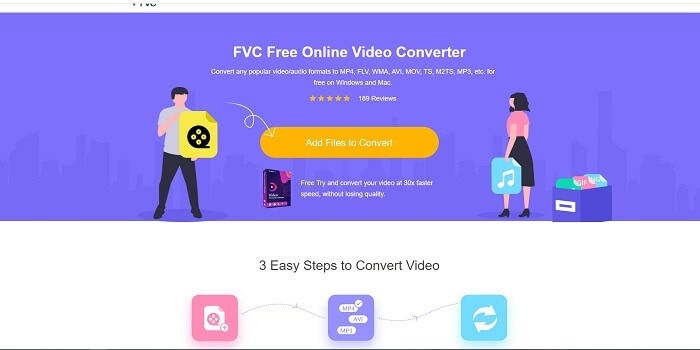
Se stai cercando un eccezionale creatore di GIF online, questo fa per te: leggi con attenzione per saperne di più. FVC convertitore video online gratuito Questo strumento è un servizio web che puoi facilmente trovare su internet. Il modo migliore per creare GIF dai video è convertirli in formato GIF. Forse ti chiedi se sia davvero possibile creare GIF con un convertitore invece che con un creatore dedicato. La risposta è sì. Questo è il modo più semplice per creare una GIF. Ma questo strumento non è come gli altri convertitori o creatori presenti nell’elenco qui sotto. A differenza degli altri strumenti disponibili in rete, offre il convertitore più rapido e affidabile che tu possa desiderare di usare. Nessun limite alle conversioni: puoi convertire tutti i video o gli audio che vuoi, purché tu abbia una connessione a internet. Anche la dimensione del file non è limitata a un certo numero di MB e la qualità di tutti i file in uscita è eccellente.
Ma sapevi che questo strumento offre anche una versione premium senza rivali? È conosciuto anche come il padre di tutti i convertitori. Il suo nome è Video Converter Ultimate. Questo strumento offre all’utente un’esperienza di conversione decisamente migliore grazie all’elevata velocità e alle funzioni premium avanzate, oltre alla possibilità di convertire in tutti i vari formati che conosci. Diversamente dagli altri strumenti presenti in questo elenco e sul web, l’Ultimate Converter è il miglior creatore di GIF per convertire qualsiasi file video in GIF. Inoltre, puoi aggiungere un tocco personale alla GIF per renderla più espressiva. La velocità di conversione in formato GIF è 30 volte superiore a quella dello strumento online e 100 volte superiore rispetto ai convertitori o ai creatori di GIF elencati di seguito. Puoi usarlo installandolo sul tuo computer. Anche se è uno strumento a pagamento, non ti costerà troppo. Ed è davvero un convertitore multifunzione, soprattutto per le GIF. Quindi non devi aspettarti meno del massimo, perché questo strumento è molto più di un semplice convertitore.
Download gratuitoPer Windows 7 o versioni successiveDownload sicuro
Download gratuitoPer macOS 10.7 o versioni successiveDownload sicuro
Ma per ora, concentriamoci sullo strumento online gratuito di questo software. Quindi, per fornirti la prova che questo strumento online è molto efficace nella conversione, devi seguire questi semplici passaggi di seguito. Se hai un dubbio a riguardo. Ma per dirti che non tutte le funzionalità di Converter Ultimate sono qui nello strumento online, ma producono davvero un formato sorprendente.
Passo 1. Per avviare lo strumento, devi cliccare sul link per accedere al sito principale di FVC.
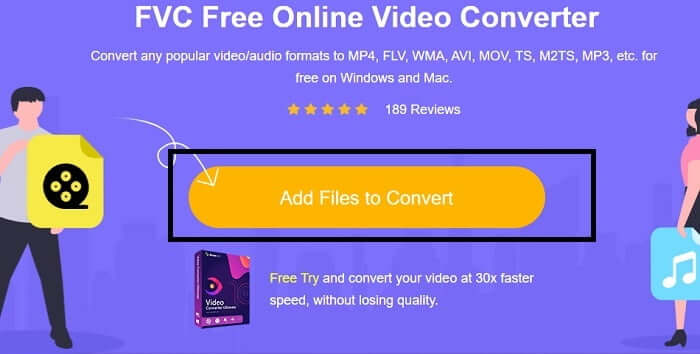
Passo 2. Clicca su Add Files to Convert e poi su Allow per avviare il convertitore.
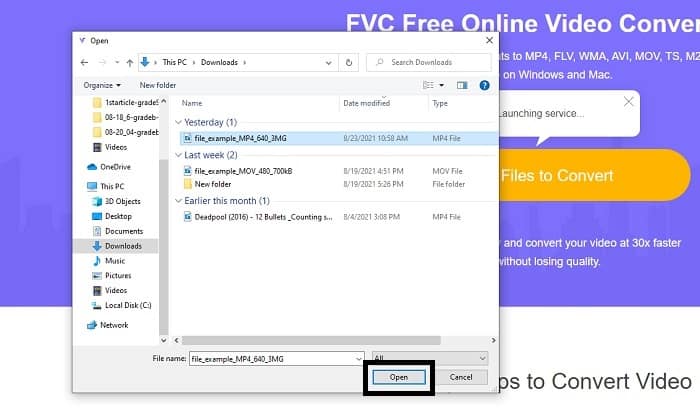
Passo 3. Se sullo schermo compare una finestra di esplorazione file come questa, significa che stai procedendo correttamente. Trova e seleziona il file video che vuoi convertire e fai clic su Open.
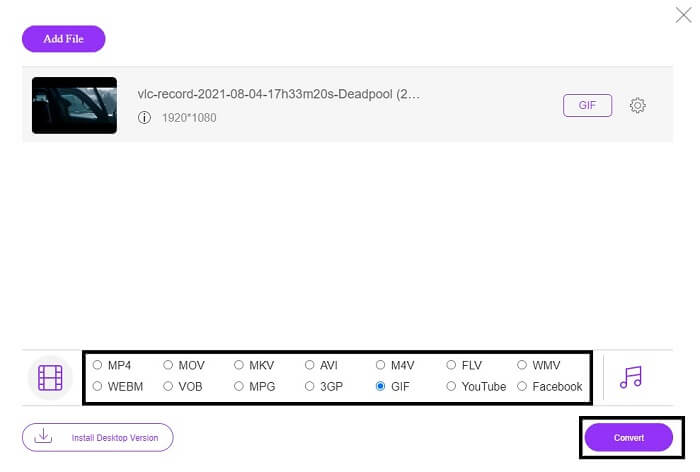
Passo 4. Cambia il formato del file in GIF. Come informazione aggiuntiva, puoi anche convertire il tuo video o audio in un altro formato più adatto alle tue esigenze. Se è tutto pronto, clicca su Convert per avviare la conversione. Scegli la cartella in cui desideri salvare il file finale.
Passo 5. Quando la conversione è terminata, l’esplora file verrà visualizzato sullo schermo: trova il file finale e goditelo.
Top 2. Ezgif
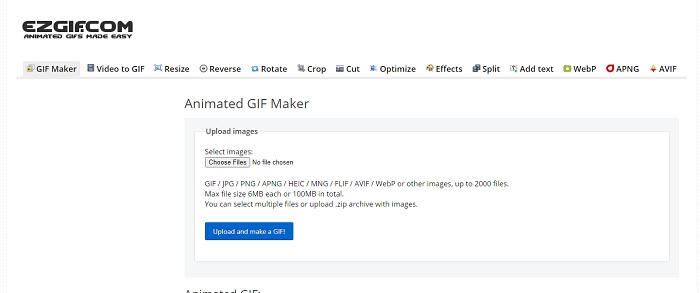
Uno dei migliori creatori di GIF online è Ezgif. Con questo strumento puoi sostanzialmente creare una GIF e poi migliorarla, ridimensionarla, ritagliarla, ottimizzarla, aggiungere testo e molto altro. Converte anche i video esclusivamente in formato GIF. Sebbene offra molte funzioni, ognuna di esse è separata dalle altre. Quindi, invece di lavorare in un’unica interfaccia, devi passare da una sezione all’altra per creare ed editare. Usarlo può risultare scomodo, soprattutto perché non supporta il drag and drop per un caricamento più semplice. Ma nonostante tutto rimane uno dei migliori creatori online.
Top 3. Imgflip
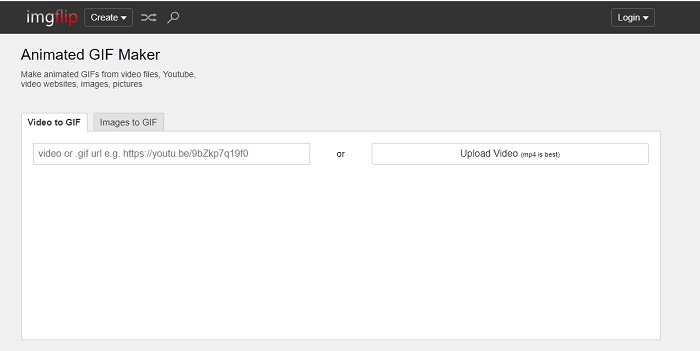
Creatore di GIF online da video e link che offre un’ottima opportunità per realizzare una GIF: allora questo è lo strumento che fa per te. Imgflip ti aiuta a creare meme, GIF o grafici e svolge molto bene il suo lavoro. Offre anche semplici funzioni di editing per le GIF. Tuttavia, la risoluzione massima gratuita è di 360 pixel, mentre con la versione premium arriva a 480. Ciò significa che, se il tuo video è in 1080p o 4K, la qualità del risultato finale sarà molto più bassa del previsto.
Top 4. Visme
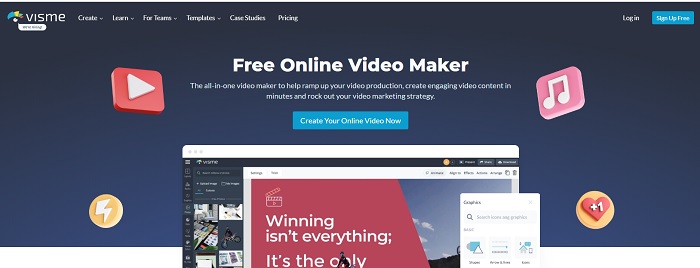
Questo strumento ti consente di diventare più dettagliato nella tua GIF. Visme è noto perché fornisce un creatore di video più dettagliato. Inoltre, questo strumento richiede che il tuo account sia connesso prima che tu possa usarlo. Puoi utilizzare Facebook, Gmail o iscriverti al loro sito web. Quindi, se sei un fan della privacy dei dati, questo strumento non è un'ottima scelta. Sebbene l'accesso a questo strumento non divulgherà informazioni su di te, alcuni di noi non vogliono fornire informazioni importanti su di noi perché vogliamo che i nostri dati siano più privati e per la nostra sicurezza. Ma non c'è bisogno di preoccuparsi perché non è possibile che questo strumento perda la tua privacy.
Top 5. FreeGIFMaker.me
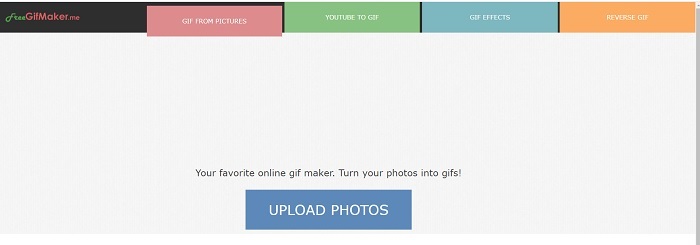
Se stai cercando un collegamento video al convertitore GIF, questo è per te. Supporta specificamente solo i collegamenti video della piattaforma YouTube. Creatore di GIF gratuito. può fare un semplice video alla conversione GIF. Ma fornisce anche immagini per gif, modificare la tua gif e gif inversa. Sebbene questo strumento fornisca la funzionalità più comune che un creatore di GIF dovrebbe fornire, non è ancora uno dei migliori, ma può essere inserito nell'elenco dei primi 30 produttori di GIF. Le funzionalità elencate sono in parti diverse, quindi invece di produrre un output finale GIF con la modifica, dovrai passare dall'una all'altra per eseguire solo la modifica che desideri.
Top 6. Crea una gif
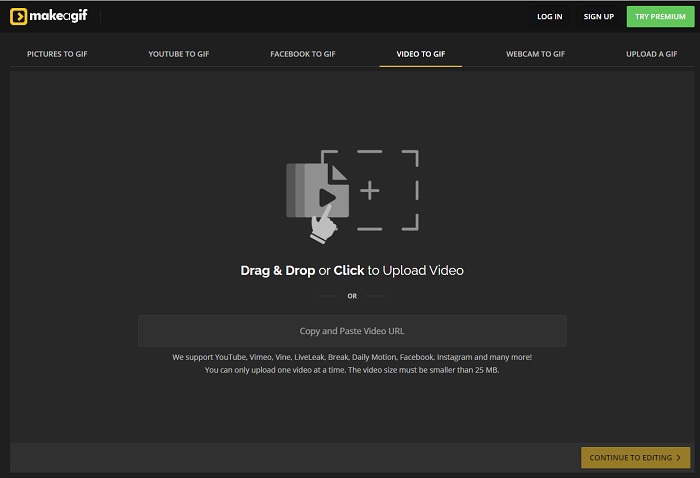
Un altro creatore di GIF online che probabilmente hai già incontrato sul web. Make A Gif offre all’utente un’interfaccia più rilassante; se ti piace un’atmosfera più scura, questo strumento è perfetto. È davvero flessibile, perché è specializzato nella creazione di GIF a partire da immagini, video di Facebook, video di YouTube, i tuoi video e anche quelli della webcam. Tuttavia, il video che carichi deve essere sempre inferiore a 25 MB, quindi se vuoi creare una GIF lunga questo strumento non è la scelta giusta; se invece desideri una GIF breve, di circa 10 secondi, allora è perfetto.
Top 7. Editor di immagini online
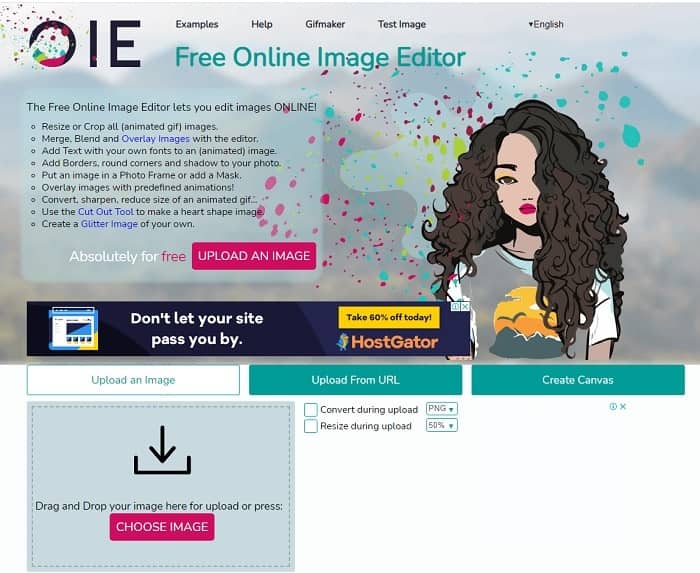
Questo strumento ti consente di modificare la tua immagine e trasformarla in un formato GIF. L'editor di immagini online ti consente di creare una GIF utilizzando le tue immagini. Inoltre, fornisce animazioni e semplici funzioni di strumenti di modifica. Ma è più difficile creare una GIF con questo strumento perché devi prenderti il tuo tempo per crearne una. Quindi, se sei nuovo nella creazione di una GIF, questo strumento potrebbe essere buono ma non il migliore per te. È come se stessi creando una GIF su Photoshop, ma molto peggio a causa dello strumento stesso. Sebbene la pagina Web principale sia eccezionale, l'interfaccia dello strumento è così semplice che diventa più noioso da guardare di volta in volta. Sembra che nessuno stia ancora aggiornando l'interfaccia. Ma nonostante ciò, è un'ottima scelta se vuoi creare una GIF con immagini.
Top 8. Kapwing
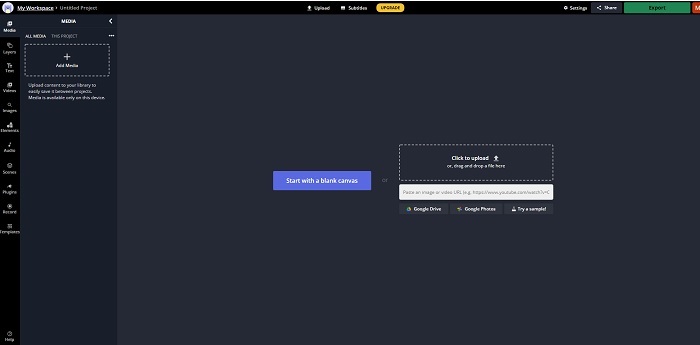
Questo è un altro creatore di GIF online gratuito. Ti darà l’impressione di usare Photoshop, ma in versione online. Kapwing ti aiuta a creare le tue GIF a partire dai video o dalle immagini che carichi. Anche se il nome non suona particolarmente bene o non sembra molto serio, è un’ottima scelta come creatore di GIF animate online. Questo strumento non è un convertitore, ma un vero e proprio creatore di GIF. Puoi anche condividere il file finale sulle principali piattaforme come Facebook, Twitter e Instagram. Nonostante sia semplice creare GIF, l’esportazione del video è molto più lenta rispetto agli altri strumenti in elenco. Quindi, se hai una connessione internet lenta, puoi comunque usarlo, ma devi aspettarti tempi più lunghi per ottenere il risultato finale. La durata massima del video che dovresti caricare è inferiore a 60 secondi, per mantenere una buona qualità. Se non hai alcuna esperienza con Photoshop, questo strumento potrebbe risultare difficile da usare.
Domande frequenti su Creatore di GIF online
Perché si sviluppano le GIF?
Alla fine del 1987, uno scienziato informatico americano di nome Steve Wilhite che lavorava per CompuServe ha avuto un problema perché voleva visualizzare un'immagine in movimento risparmiando spazio, quindi ha sviluppato GIF. Basandosi anche sulla sua affermazione che si pronuncia JIF non GIF ma l'ortografia è GIF con pronuncia G morbida. Sebbene entrambi abbiano l'ortografia corretta.
Posso usare Photoshop per convertire il mio file in una GIF?
Sì, puoi convertire MPG in GIF usando Photoshop o qualsiasi formato noto in GIF.
È possibile convertire MP4 in GIF?
Sì, puoi convertire MP4 in GIF oppure convertire qualsiasi formato video in GIF.
Conclusione
Dopo tutta la discussione, ora è più chiaro che tutti gli strumenti sono in grado di creare il formato GIF. Sebbene abbiano abilità diverse nel modo in cui funzionano, come convertirlo in una GIF, creare una GIF, collegarsi a GIF o immagini in GIF. Ma tutti gli strumenti hanno le loro qualità uniche, ma una di queste: FVC Video Converter Ultimate è la scelta migliore. Questo non è solo il migliore per creare GIF, ma ti dà l'opportunità di convertire, unire, creare collage, MV e molti altri. Sebbene non sia possibile accedere alle funzionalità della versione premium online, è sempre disponibile per testare, provare o eseguire una conversione online con la versione gratuita. Il Video Converter Ultimate è il migliore di tutti non solo nella conversione come si dice. Puoi anche usare la tua magia per creare un bellissimo output senza limiti. Quindi non porre mai alcun limite alle tue abilità perché questo strumento è facile, semplice ma crea risultati maestosi.
-
 (Guida) Come convertire video M4V in GIF animate su Windows/Mac
 Se vuoi creare file GIF animati dai tuoi video M4V preferiti, puoi conoscere 2 modi semplici ed efficienti per convertire i video M4V in GIF con impostazioni personalizzate.
-
 Da WebM a GIF: 3 convertitori gratuiti da WebM a GIF per creare le tue GIF
 WebM è una GIF? Come trasformare un video in una GIF? Esiste un convertitore gratuito da WebM a GIF? Questo post condivide 3 modi gratuiti per aiutarti a convertire WebM in GIF.
-
 Come convertire video MKV in GIF animate senza Photoshop/FFmpeg
 Dopo aver scaricato e visto film MKV sul tuo computer, potresti voler condividere alcuni momenti meravigliosi con gli amici o su Internet come GIF. In questo articolo, puoi conoscere i 2 modi più semplici per convertire MKV in GIF.
