


 Video Converter Ultimate
 Screen Recorder
 Riparazione video
[2021] Quale dei 4 è il miglior convertitore gratuito da AVI a MOV online e offline
AVI è un formato non compresso sviluppato da Microsoft. Sebbene il file non abbia restrizioni, il formato non può comunque essere riprodotto su Mac perché è proprietario di Microsoft. Quindi, il modo migliore per riprodurre un file AVI è convertirlo in un file MOV. Se vuoi sapere come convertire AVI in MOV, continua a leggere per scoprire come farlo e qual è il miglior strumento per questo lavoro.

Parte 1. Il modo migliore per convertire AVI in MOV
Come si suol dire, inizia la giornata con un caffè o un tè per partire alla grande. Allo stesso modo, qui iniziamo con il potente convertitore video sviluppato da FVC. Video Converter Ultimate può convertire qualsiasi formato in un altro, ad esempio convertire AVI in MOV è semplice se usi questo strumento. Inoltre, puoi convertire non solo uno, due o tre file alla volta, ma molti di più. In realtà, non ha un limite al numero di file che possono essere convertiti. Oltre a ciò, dopo la conversione potrai anche migliorare il video tramite la barra degli strumenti offerta dal programma. Quindi, se stai cercando lo strumento che supera tutti gli altri convertitori nell’elenco o nei risultati di ricerca sul web, puoi dirti che la ricerca è finita. Se hai dei dubbi su questo strumento, prima mettilo alla prova e segui questi passaggi su come usare il convertitore definitivo che offre una conversione definitiva.
Passaggio 1. Scarica lo strumento e installalo sul disco rigido. Modifica le impostazioni del programma e fai clic su Fine per salvare le modifiche apportate.
Download gratuitoPer Windows 7 o versioni successiveDownload sicuro
Download gratuitoPer MacOS 10.7 o versioni successiveDownload sicuro
Passaggio 2. Dopo l’installazione e la configurazione, il programma si avvierà automaticamente e sullo schermo dovrebbe apparire un’interfaccia come questa.
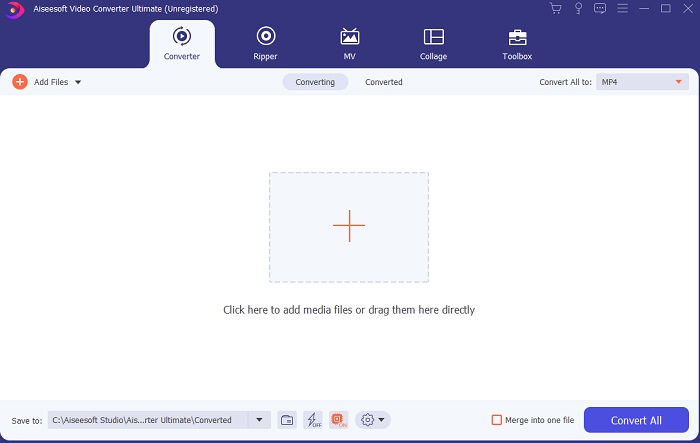
Passaggio 3. Fai clic sul grande segno più al centro per aggiungere il file da convertire da AVI a MOV o in un altro formato.
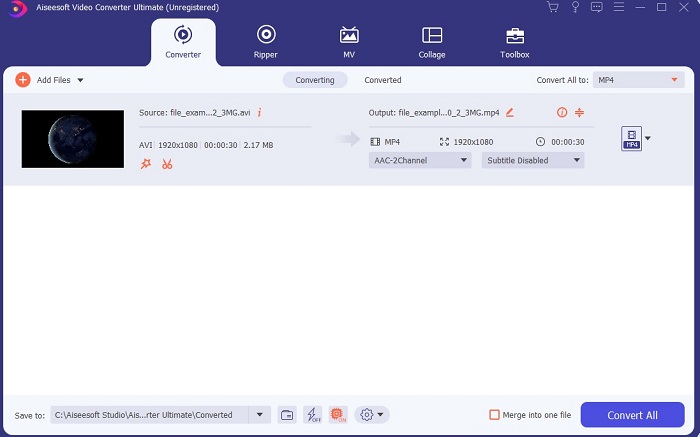
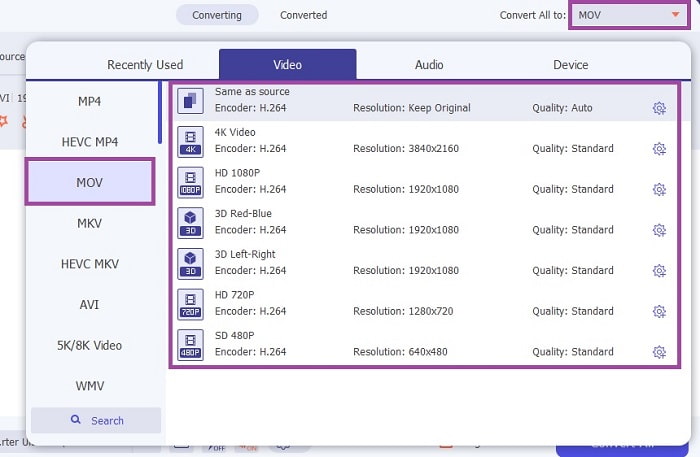
Passaggio 4. Cambia il formato facendo clic sul pulsante a discesa e scegli MOV o il formato in cui desideri convertire. Se il file è pronto per essere convertito, fai clic su Converti tutto per avviare la conversione.
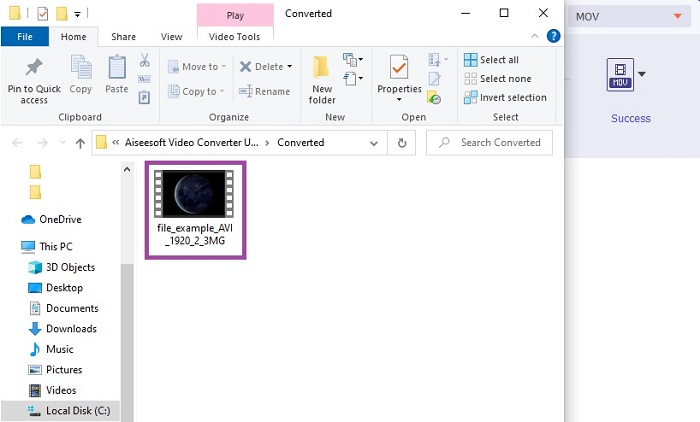
Passaggio 5. La conversione richiederà meno di un minuto. Una volta terminata, sullo schermo si aprirà una finestra di Esplora file: fai clic sul file convertito per guardarlo. Successivamente, potrai migliorare il video ottenendo una qualità superiore con l’aiuto della barra degli strumenti.
Parte 2. Altri modi possibili su come convertire AVI in MOV online
1. Convertitore video online gratuito FVC
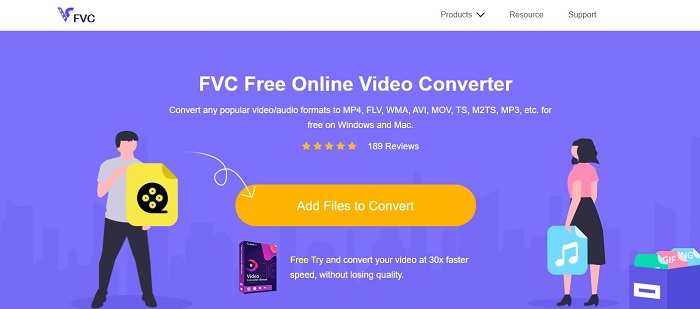
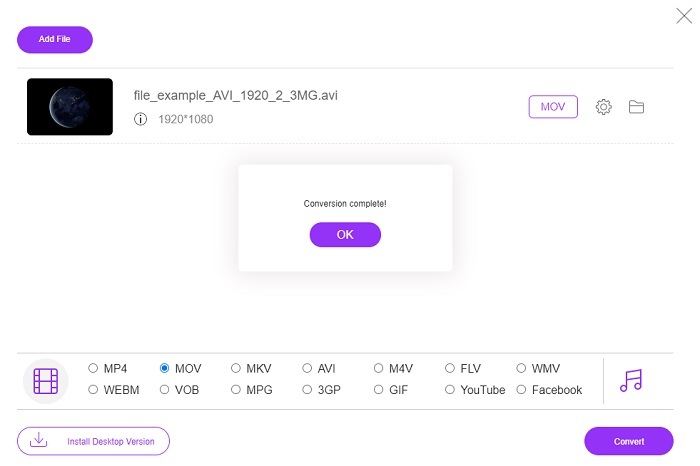
A differenza dello strumento sopra, questo è gratuito. FVC Free Video Converter è la versione gratuita del programma precedente, ma le funzioni principali come il miglioramento dei video e altro non sono disponibili in questa versione. Tuttavia, con questo strumento puoi comunque effettuare la conversione di base. Se vuoi sapere come funziona questo convertitore AVI in MOV gratuito online, segui i semplici passaggi riportati di seguito per garantire il buon esito del processo di conversione.
Passaggio 1. Fai clic su questo link e poi su Add Files to Convert per avviarlo sul tuo PC o Mac.
Scarica la Versione Desktop per convertire i file in batch.
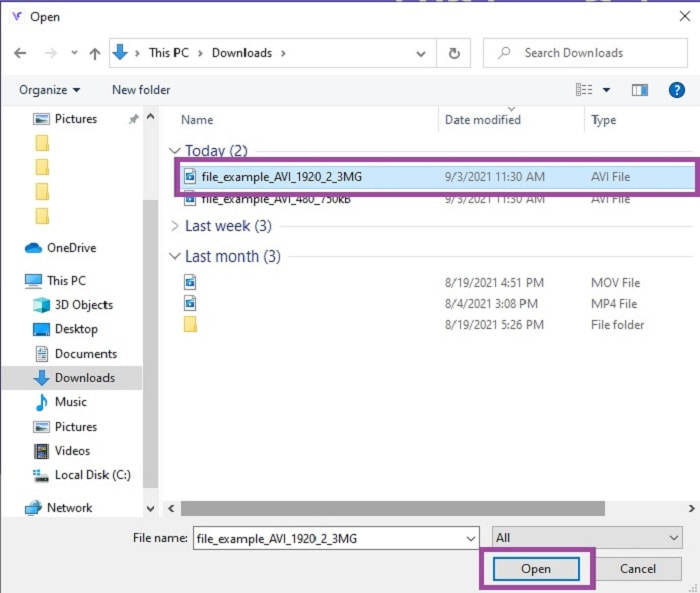
Passaggio 2. Dopo aver fatto clic, seleziona i file che desideri convertire. Quindi fai clic su Apri per iniziare.
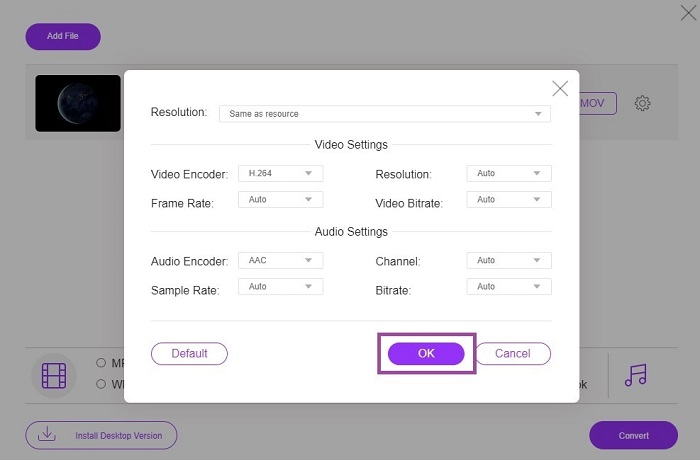
Passaggio 3. Fai clic sull’icona a forma di ingranaggio per modificare, se lo desideri, le impostazioni video e audio. Per salvare le modifiche apportate fai clic su OK.
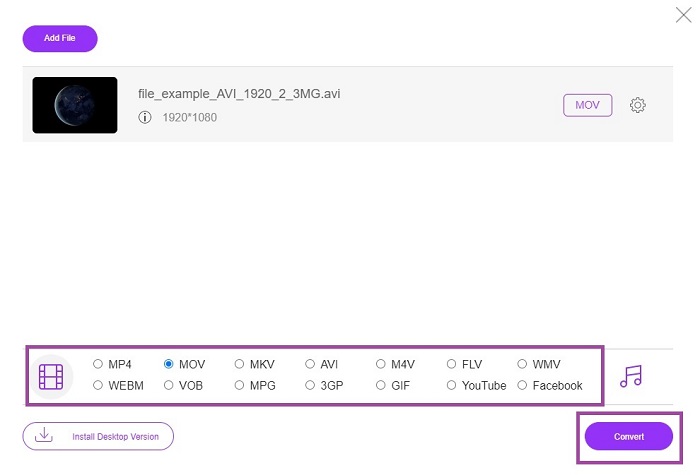
Passaggio 4. Se il file è già nell’interfaccia, seleziona ora il formato in cui desideri convertirlo. Tornando all’interfaccia principale, fai clic su Converti per avviare il processo.
Passaggio 5. Una volta terminata la conversione, potrai controllare il file in un secondo momento nel file manager.
2. CloudConvert
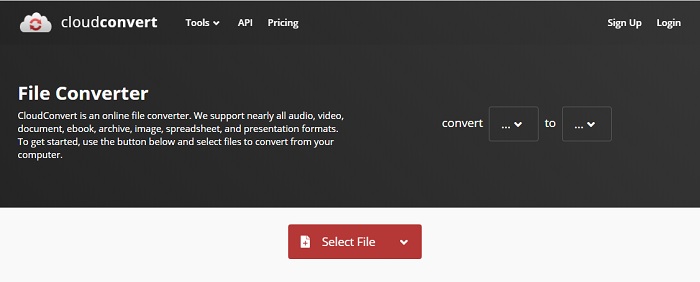
Se stai cercando un convertitore AVI in MOV per Mac online, potresti provare CloudConvert. Permette agli utenti di convertire qualsiasi tipo di video, audio, documenti, PDF e altri file in un nuovo formato. Tuttavia, nonostante la potente conversione, questo strumento non offre funzioni di editing. Quindi converte il video senza migliorarlo ulteriormente. Nel complesso è ottimo per convertire, ma FVC Free Online Video Converter è migliore di questo.
3. FreeConvert.com
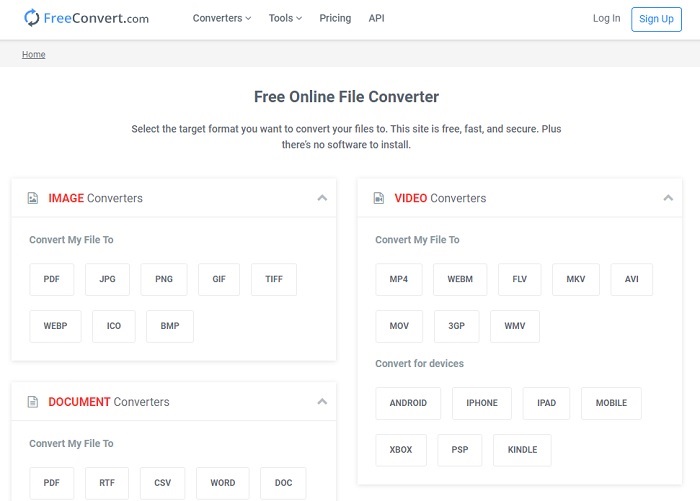
Un altro straordinario strumento online per la conversione è FreeConvert.com. Se lo strumento precedente offre una potente compressione, anche questo ha tutte le carte in regola per rientrare nell’elenco. Fornisce inoltre funzioni di editing di base come taglio e ritaglio, compressione dei file e conversione ottimizzata per il dispositivo. Tuttavia, il lato negativo di questo strumento è che i formati supportati sono molto limitati. Di conseguenza, non avrai piena libertà di scelta a causa delle funzioni limitate che offre.
Ulteriori letture
AVI contro MOV
Basato sul Resource Interchange File Format (RIFF), il formato AVI è stato introdotto da Microsoft nel 1992. Può salvare video/audio di alta qualità poiché utilizza meno compressione. Ma ciò causa anche la grande dimensione del file di un file AVI, che potrebbe essere un problema quando lo spazio è limitato.
Il formato MOV può essere utilizzato per memorizzare un film, un programma TV, un breve video clip o un filmato amatoriale. In realtà viene salvato nel formato QuickTime File Format (QTFF), introdotto da Apple nel 1991. I file MOV vengono spesso utilizzati quando le persone vogliono salvare un video di alta qualità.
Parte 3. Domande frequenti sull'AVI in MOV
QuickTime può convertire AVI in MOV?
QuickTime è un lettore multimediale integrato in Mac. Può anche convertire AVI in MOV con QuickTime, ma non è il metodo migliore né l’ideale per convertire i formati multimediali, anche se svolge comunque il suo compito.
Qual è il migliore? AVI o MOV?
Ogni formato ha le sue caratteristiche uniche per distinguersi, ma questi due sono uno dei migliori. AVI è un formato proprietario sviluppato da Microsoft per sincronizzare la riproduzione video e anche una grande qualità. Ma poiché Apple vuole competere, sviluppa MOV che è il formato nativo di QuickTime. Per archiviare più tracce con i loro dati come audio, video e sottotitoli separatamente ma in un unico contenitore.
AVI e MOV sono lossless o lossless?
Non sono la compressione perché AVI è stato creato per essere decompresso, quindi questo è un lossless ma MOV è un lossy compresso e di dimensioni inferiori.
Conclusione
Infine, convertire un file AVI non è uno scherzo, quindi devi prenderlo seriamente perché è non compresso. Se scegli il convertitore sbagliato per svolgere il lavoro, c’è la possibilità che alcuni codici vadano persi durante il processo. Ma non preoccuparti, perché FVC Video Converter Ultimate è qui per salvare la situazione. Se vuoi ottenere una conversione davvero riuscita, devi usare questo strumento e nessun altro. Oltre a essere veloce e sicuro, questo programma può effettuare conversioni multiple in una sola volta. Invece di aspettare che il primo file sia pronto, puoi convertire tutti i file AVI e trasformarli contemporaneamente in formato MOV o in qualsiasi altro formato desideri.
-
 FLV in MOV - Come convertire FLV in MOV su Mac / PC / online gratuitamente
 Come convertire FLV in MOV? Come posso convertire FLV in MOV su Mac? C'è un modo gratuito per convertire YouTube FLV in MOV online? Questo post condivide 3 convertitori FLV in MOV per cambiare i file FLV in MOV.
-
 5 metodi praticabili per risolvere QuickTime Impossibile aprire i file MOV
 Il formato MOV viene creato principalmente per la riproduzione in QuickTime Player. Tuttavia, a volte potresti scoprire che non ci giocano. Scopri come risolvere QuickTime non riproduce i file MOV da questo post.
-
 Guida eccezionale su come riprodurre file MOV su dispositivi mobili Android
 Hai un problema perché i tuoi file MOV non vengono riprodotti sul tuo lettore multimediale Android? Quindi, leggi questo articolo, ti fornirà 2 metodi diversi per correggere i file MOV e renderli riproducibili.

