


 Video Converter Ultimate
 Screen Recorder
 Riparazione video
2 dei migliori convertitori DivX: come convertire DivX in FLV su Windows e PC
DivX è uno dei primi contenitori video proprietari utilizzati nei DVD. Questo formato di compressione permette di archiviare video di alta qualità senza richiedere una grande capacità di memoria. Anche se i file DivX occupano poco spazio, è comunque necessario installare un codificatore specifico per poterli riprodurre. Tuttavia, possiamo evitare questo passaggio convertendo il file in FLV o in altri formati supportati. Vuoi sapere come convertire DivX in FLV? Allora leggi i dettagli completi qui sotto e decidi quale convertitore utilizzare, in base a ciò che si adatta meglio alle tue esigenze.

Parte 1. Converti DivX in FLV con FVC Video Converter Ultimate
Questo straordinario convertitore DivX ha la migliore interfaccia e il miglior processo di rendering rispetto agli altri convertitori. FVC Video Converter Ultimate è diventato il convertitore di riferimento che puoi scaricare su Windows o Mac. Convertire i file è diventato più semplice e rapido grazie a questo convertitore, alla sua accelerazione hardware e alla conversione veloce. A differenza degli strumenti che puoi scaricare o usare online, questo è il più leggero ma anche molto potente. Inoltre, puoi convertire i tuoi DivX in FLV, MP4, MOV, AVI, MKV e in oltre 200 formati aggiuntivi. Dunque, vuoi imparare a usare questo strumento? Allora segui i passaggi qui sotto.
Passaggi su come convertire DivX in FLV con l’aiuto di FVC Video Converter Ultimate:
Passaggio 1. Scarica FVC Video Converter Ultimate sul tuo computer facendo clic sul pulsante di download qui sotto. Una volta scaricato il file, cliccaci sopra per installarlo e completare rapidamente la configurazione.
Download gratuitoPer Windows 7 o versioni successiveDownload sicuro
Download gratuitoPer MacOS 10.7 o versioni successiveDownload sicuro
Passaggio 2. Premi il pulsante + per inserire il file oppure, se i file che vuoi convertire sono più di due, ti consigliamo di trascinarli e rilasciarli direttamente nell’interfaccia.
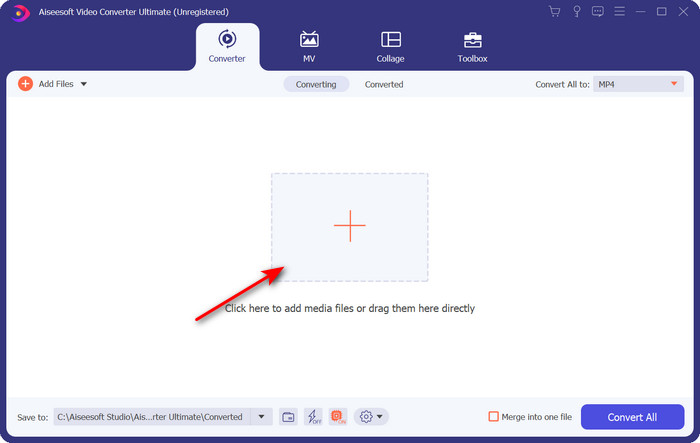
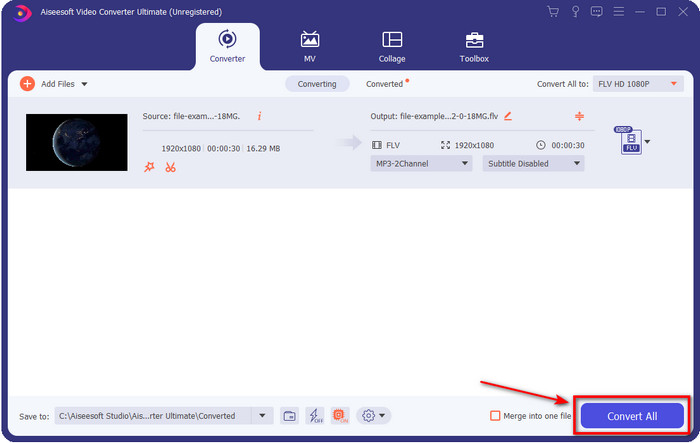
Passaggio 3. Cambia il tuo DivX in FLV facendo clic sul pulsante a discesa.
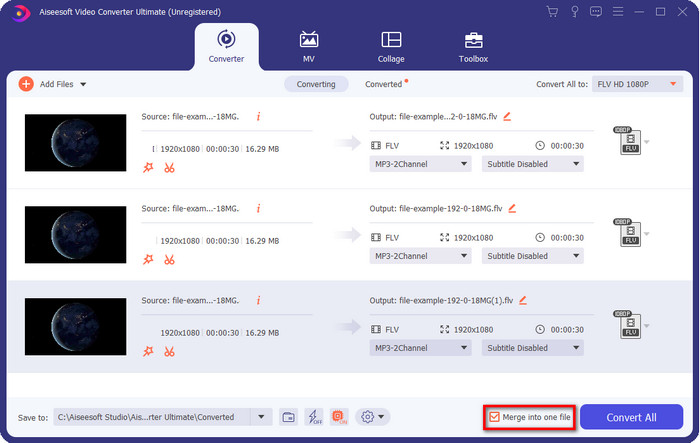
Se desideri unire i tuoi file DivX e fonderli in un unico file, allora spunta la casella per collegare tutti i file DivX dopo la conversione.
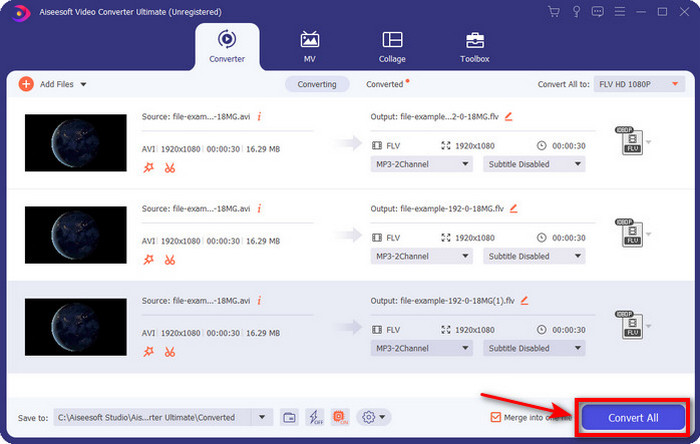
Passaggio 4. Per avviare la conversione, fai clic su Converti tutto. Non dovrai aspettare a lungo, perché il processo richiederà meno di un minuto. Al termine, si aprirà sullo schermo la cartella con il file .flv convertito.
Professionisti
- Converti DivX in FLV con una velocità 30 volte superiore rispetto agli altri convertitori online e offline.
- Disponibile in tutti i sistemi operativi come Windows e Mac.
- Sono disponibili funzionalità avanzate di editing video.
- Converti quanti ne vuoi un file con l'aiuto della conversione batch.
Contro
- Deve essere acquistato e installato sul tuo computer.
Parte 2. Converti DivX in FLV con il convertitore video gratuito FVC online
Se stai cercando una soluzione online per risolvere il tuo problema di conversione DivX, allora usa FVC Free Video Converter Online. Questo strumento web supporta un numero medio di formati, è compatibile con tutti i motori di ricerca ed è gratuito. Sebbene questo convertitore sia disponibile online, non dovrai preoccuparti di fastidiose pubblicità sull’interfaccia del sito. Se ritieni che questa soluzione online sia l’aiuto migliore per te, segui i passaggi dettagliati qui sotto.
Passaggi su come convertire DivX in FLV con l’aiuto di FVC Free Video Converter Online:
Passaggio 1. Per prima cosa, fai clic su questo link per aprire il sito web del convertitore online.
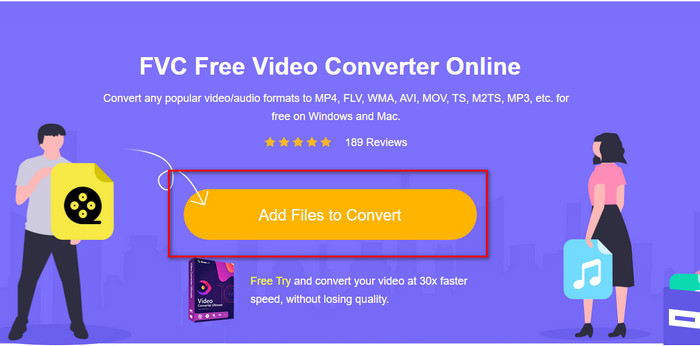
Passaggio 2. Fai poi clic sul pulsante Add Files to Convert e consenti l’avvio dello strumento. Seleziona il file nella cartella e premi Open.
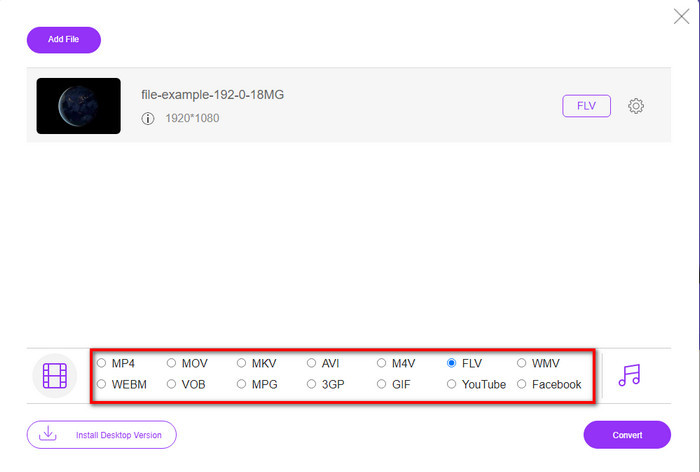
Passaggio 3. Scegli il formato FLV o un altro formato disponibile in basso.
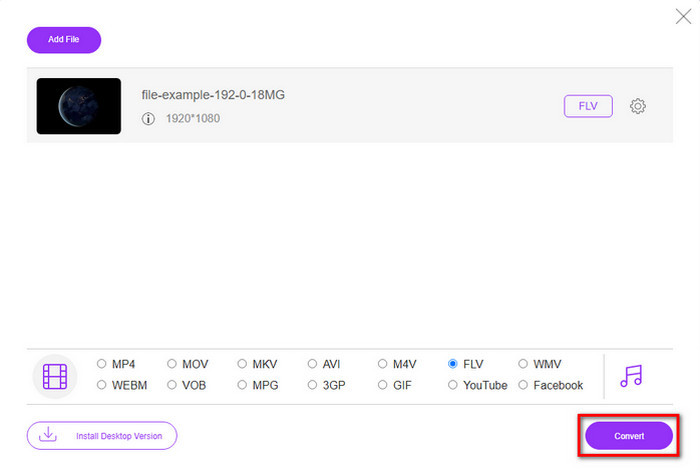
Passaggio 4. Una volta terminato, fai clic su Convert per avviare il processo di conversione.
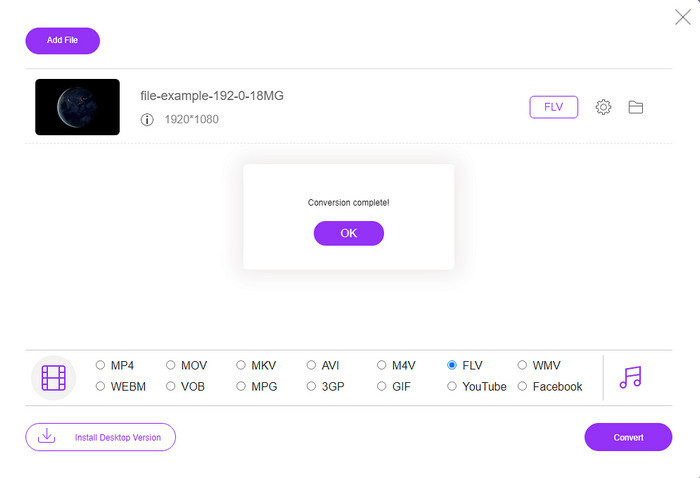
Passaggio 5. La conversione è completa e sullo schermo verranno mostrati sia la cartella sia il file.
Professionisti
- Non è necessario scaricare il software sull'unità.
- Senza malware e senza pubblicità fastidiose sull'interfaccia.
- Accesso illimitato a convertitori online per chiunque.
Contro
- Supporta formati limitati e codificatori da convertire.
- Non ha funzionalità avanzate come FVC Video Converter Ultimate.
Parte 3. DivX vs FLV
DivX
Digital Video Express, abbreviazione di DivX, è il formato migliore per flussi video e DVD ad alta compressione con modifiche minime di qualità. Questo codec funziona quasi come MPEG-4, ma la differenza principale è che è proprietario. Inoltre, non puoi riprodurre un video .divx senza l'aiuto di un software adatto. Invece di riprodurlo correttamente su Windows o Mac, anche su smartphone, riceverai solo avvisi che questo formato non è supportato. Sebbene il formato sia un po' fastidioso da usare, ti aiuta comunque a risparmiare larghezza di banda e spazio sull'unità.
FLV
Tuttavia, FLV o Flash Video è il formato più utilizzato in HTML 5. Questo formato funziona in modo diverso da DivX perché utilizza il supporto di Adobe Air e Flash Player per distribuire in modo efficiente il file multimediale sul Web. Inoltre, questo è stato il formato standard lungo per incorporare video su piattaforme di condivisione video che contengono file multimediali. Sebbene FLV sia migliore di DivX, se parliamo di compressione del file, DivX è di dimensioni inferiori rispetto a FLV. Ma se vuoi distribuire il tuo file online più velocemente, l'estensione del tuo file dovrebbe essere .flv.
Parte 4. Domande frequenti sulla conversione da DivX a FLV
Dopo aver convertito DivX, la sua qualità cambia?
Sebbene i file DivX siano nel formato della versione precedente, possono comunque archiviare video di alta qualità compressi in piccole dimensioni. Quindi, dopo aver convertito il tuo DivX in FLV, MP4, MOV, AVI o qualsiasi altro formato, la qualità del video DivX non dovrebbe cambiare. Tuttavia, se utilizzi lo strumento sbagliato che non supporta l'output di alta qualità, aspettati una perdita di qualità. Ma possiamo evitarlo utilizzando gli strumenti disponibili sopra.
Perché non riesco a riprodurre file DivX su Windows Media Player?
Anche se i file DivX sono diventati popolari su Internet, è possibile riprodurli su Windows Media Player se scarichi il codec corretto. Ma se non vuoi affrontare questa seccatura, leggi questo articolo e scopri i 5 lettori DivX che puoi usare per riprodurre questo tipo di file.
La conversione dei file DivX richiede tempo?
Bene, dipende dalla dimensione del tuo file DivX. In tutti i casi, più grande è il file DivX, più tempo aspetterai per terminare la conversione. Supponiamo di utilizzare uno strumento con accelerazione hardware e conversione rapida. In tal caso, sei fortunato perché non dovrai aspettare o passare molto tempo ad aspettare per convertire il file.
Conclusione
In conclusione, le informazioni dettagliate riportate sopra ci aiutano a capire perché è necessario convertire DivX in FLV. Usare lo strumento migliore per ottenere il miglior risultato è fondamentale per evitare inconvenienti. Dopo aver effettuato ricerche su Internet, abbiamo individuato i migliori convertitori che puoi usare sia online che offline. Inoltre, se vuoi usare FVC Free Video Converter Online come soluzione online, allora devi fare clic sul link. Se invece desideri ottenere un risultato finale eccellente, con il supporto di oltre 200 formati e funzioni speciali, devi scaricare FVC Video Converter Ultimate.
-
 4 modi per convertire DivX in MOV gratuitamente [online e offline]
 Hai difficoltà con i limiti di un DivX o non hai i lettori multimediali per accedere ai video in questo formato? Se vuoi convertirlo in formato MOV, continua a leggere questo articolo per colmare le lacune.
-
 Approccio eccezionale per convertire M2TS in FLV online e offline
 Hai mai provato a convertire M2TS in FLV su una piattaforma diversa? Leggi questo articolo per saperne di più sul miglior strumento e software online di facile utilizzo che dovresti considerare di convertire M2TS in FLV.
-
 Miglior convertitore da 3GP a FLV da utilizzare nella conversione da 3GP a FLV [2022]
 Hai mai provato a convertire 3GP in FLV, ma non sai che tipo di convertitore utilizzerai? Leggi questo articolo per conoscere tutti i dettagli sulla conversione da 3GP a FLV.
