


 Video Converter Ultimate
 Screen Recorder
 Riparazione video
Come convertire GIF in WebM con passaggi e strumenti dettagliati [Gratis e costoso]
Le GIF sono diventate popolari grazie ai contenuti divertenti che ci offrono. Invece di usare immagini statiche per rendere più vivaci i nostri messaggi di testo, utilizziamo GIF che ci mostrano il movimento e aggiungono emozioni esagerate. Tuttavia, non tutte le piattaforme supportano le GIF, perché questo formato ha più di 30 anni. E in alcuni casi, quando aggiungi un file GIF al tuo sito web, la sua qualità non viene supportata adeguatamente. Quindi, il modo migliore per condividere GIF è convertirle in formato WebM. Questo formato WebM offre una compressione e una dimensione molto più ridotte e al tempo stesso una qualità elevata, ideale per chiunque. Questo tipo di formato è il miglior sostituto delle GIF sul lungo periodo perché, proprio come le GIF, può contenere sia immagini statiche sia animazioni. Per scoprire quali sono i migliori convertitori da GIF a WebM, continua a leggere qui sotto e scegli quello più adatto a te.

Parte 1. Come convertire GIF in WebM per Web e desktop gratuiti
1. Video gratuito FVC su GIF Maker
Per svolgere il lavoro in modo efficace devi scegliere lo strumento giusto. E se il lavoro è convertire GIF in WebM, allora potresti provare FVC Free Video to GIF Maker. Creare una GIF diventa facile se utilizzi questo software, così come convertire le GIF. Di conseguenza, il processo di apprendimento su come usare questo strumento è semplice, grazie alla guida precisa fornita da FVC. Sia un nuovo utente sia un professionista possono gestirlo facilmente ottenendo il miglior risultato possibile. Per sapere come usare lo strumento, segui i passaggi qui sotto pensati appositamente per te.
Passaggio 1. Installa questo strumento gratuito sul tuo disco. Scegli il sistema operativo corretto per il tuo programma.
Download gratuitoPer Windows 7 o versioni successiveDownload sicuro
Download gratuitoPer MacOS 10.7 o versioni successiveDownload sicuro
Passaggio 2. Fai clic sull’icona dello strumento che è stata scaricata per avviare il programma. Se lo strumento è già in esecuzione in background, l’interfaccia dovrebbe essere esattamente come questa.
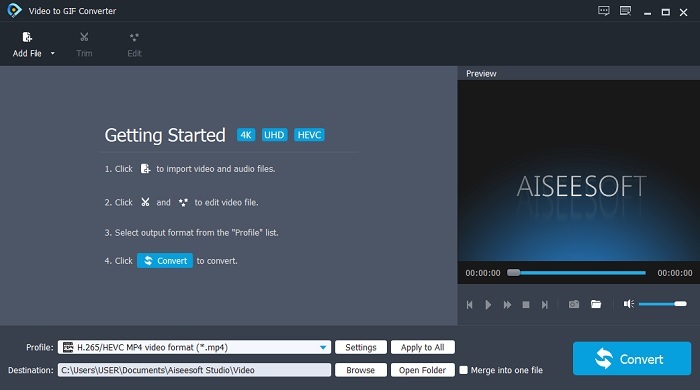
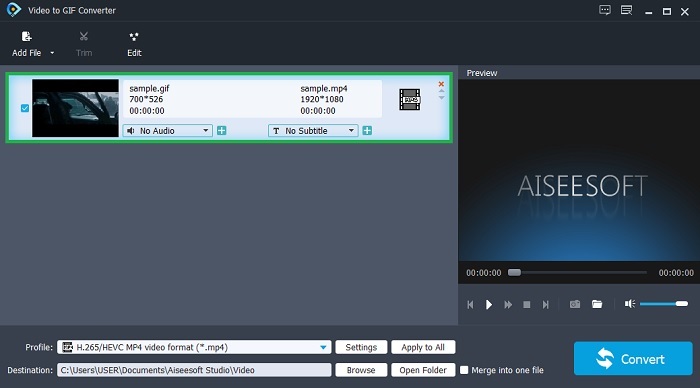
Passaggio 3. Fai clic su Add File e seleziona la GIF che vuoi convertire. Nell’interfaccia puoi modificare il video o tagliarlo.
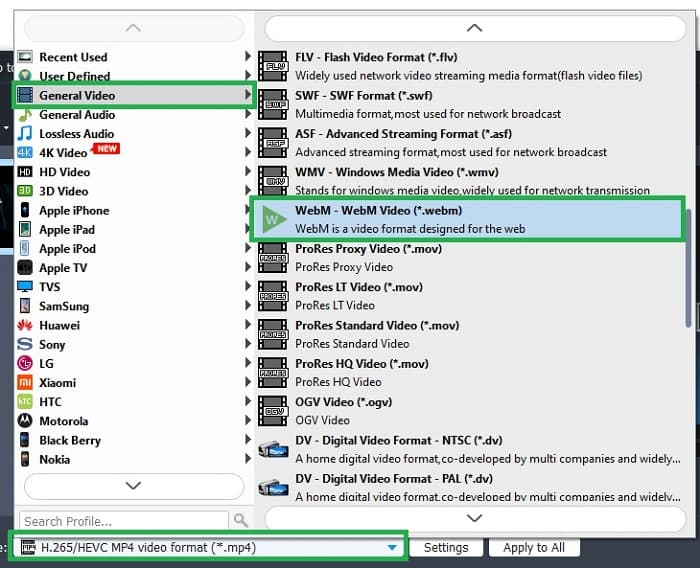
Passaggio 4. Nel pulsante a discesa seleziona il file WebM o qualsiasi altro formato in cui vuoi convertire. Quando sei pronto per avviare il processo di conversione, premi Convert.
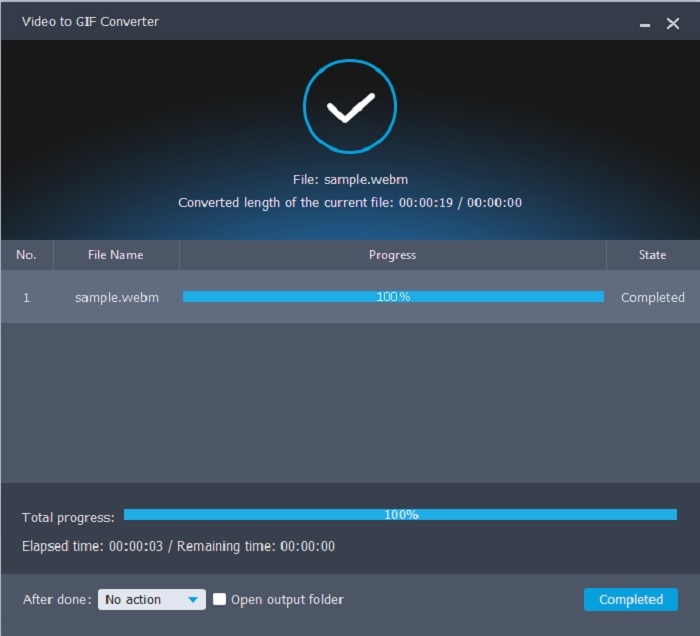
Passaggio 5. Il processo di conversione richiederà meno di un minuto. Quando la conversione è terminata, puoi controllare il risultato finale nel file manager.
Professionisti
- È ottimo per creare e convertire GIF.
- Strumenti puntuali in modo che il processo di apprendimento su come utilizzare questo strumento sia molto semplice a tutte le età.
- Nessuna connessione Internet necessaria per utilizzare lo strumento.
Contro
- La maggior parte delle funzionalità principali dello strumento definitivo non sono disponibili qui.
- Deve essere installato sul desktop.
2. OnlineConverter.com
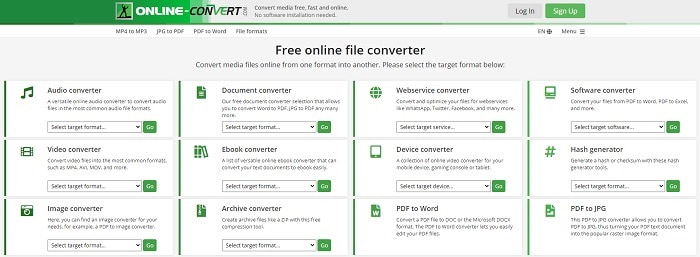
Trasforma il tuo file .webm in .gif con l’aiuto di OnlineConverter.com. Se vuoi uno strumento dedicato specificamente alla conversione, allora dovresti provare questo servizio. Questo strumento supporta diversi tipi di conversione come documenti, eBook e archivi. Tuttavia, lo svantaggio è che non offre funzioni di modifica, nemmeno quelle di base. Se vuoi sapere come usare questo strumento, segui i passaggi qui sotto.
Passaggio 1. Cerca la pagina principale dello strumento nel tuo motore di ricerca preferito.
Passaggio 2. Fai clic su “video converter” e carica il file.
Passaggio 3. Per avviare la conversione, fai clic su “start conversion” e attendi che la conversione sia completata.
Professionisti
- Accesso facile che può essere utilizzato da chiunque online.
- Non sono necessari file aggiuntivi da utilizzare.
- Supporta anche diverse conversioni.
Contro
- Il processo di conversione online richiede più tempo rispetto agli strumenti basati su desktop.
- Ha alcuni annunci e un'interfaccia web noiosa.
3. Convertio
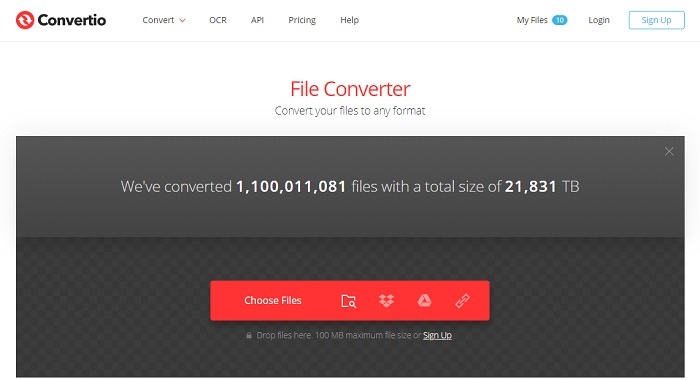
Se vuoi sapere come trasformare WebM in GIF o viceversa, con questo strumento online Convertio puoi convertire praticamente di tutto. Se la conversione è un problema per te, questa può essere la soluzione. Anche se lo strumento online contiene pubblicità e non offre funzioni di editing, resta comunque uno dei migliori convertitori online che potresti trovare. Se vuoi provarlo, segui i passaggi qui sotto.
Passaggio 1. Trova la pagina principale di Convertio online e fai clic sul link.
Passaggio 2. Una volta nell’interfaccia principale seleziona la GIF che vuoi convertire.
Passaggio 3. Per avviare il processo, fai clic su “convert”.
Professionisti
- Facile da usare a causa del punto come usarlo.
- Supporta anche diverse piattaforme.
- È facilmente accessibile tramite Internet.
Contro
- Ha una grande possibilità di perdere dati durante la conversione se Internet è stato interrotto.
- Annunci sul sito stesso che potrebbero essere un po' fastidiosi.
Parte 2. Il modo migliore per trasformare GIF in WebM con l'aiuto di Ultimate Tool
Video Converter Ultimate
Ma potresti prendere in considerazione l'utilizzo di questo Video Converter Ultimate sviluppato da FVC. Se la versione gratuita di questo strumento ti fornisce il miglior risultato, questo strumento è molto di più. Può migliorare la qualità del video e anche aggiungere effetti al suo interno. Se ti piace migliorare la qualità dell'audio puoi anche utilizzare questo strumento per migliorarla. Quindi, se vuoi portare la tua conversione al livello successivo, devi usare questo strumento come tua scelta personale. Perché è lo strumento giusto che fornisce un risultato finale definitivo per impressionare i tuoi amici, la tua famiglia o chiunque altro. Leggi i passaggi dettagliati di seguito per sapere come utilizzare questo strumento definitivo per creare un output definitivo.
Passaggio 1. Per iniziare a usare lo strumento, devi scaricare il programma corretto sul tuo computer. Fai clic sul pulsante di download e segui la procedura di installazione, modificando le impostazioni se necessario. Fai clic su “finish” per avviare il programma.
Download gratuitoPer Windows 7 o versioni successiveDownload sicuro
Download gratuitoPer MacOS 10.7 o versioni successiveDownload sicuro
Passaggio 2. Sullo schermo apparirà una mini‑interfaccia come questa.
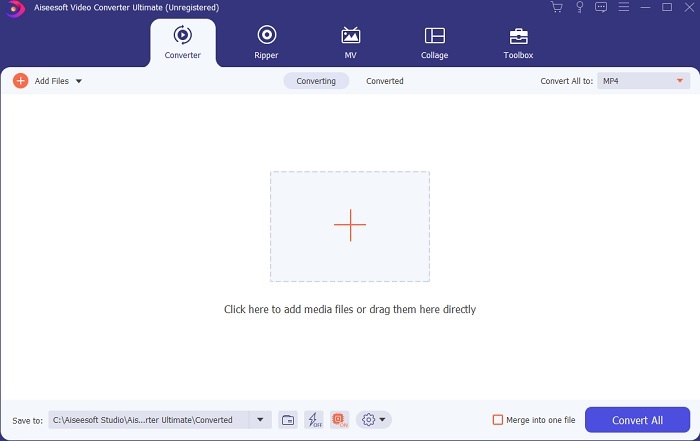
Passaggio 3. Fai clic sul segno più al centro dell’interfaccia per aggiungere il file. Se vuoi convertire molti file GIF è meglio trascinarli e rilasciarli direttamente nell’interfaccia.
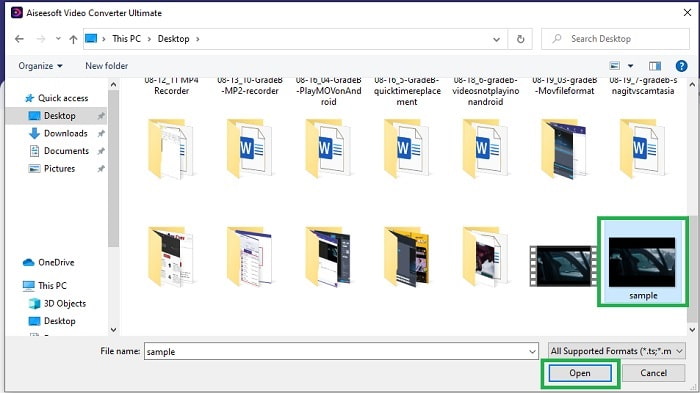
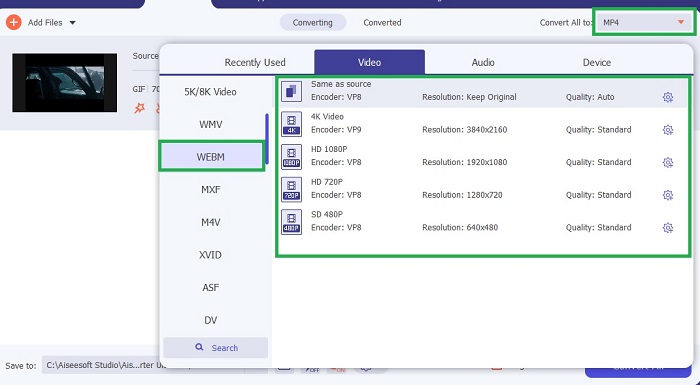
Passaggio 4. Dopo aver aperto il menu Convert All to, scegli il formato che preferisci. Quando sei pronto, fai clic su Convert All per avviare il processo di conversione.
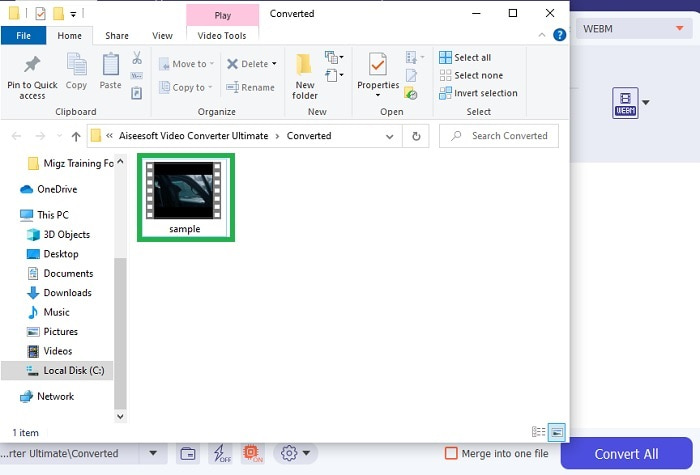
Passaggio 5. Il processo di conversione non richiederà molto tempo, perché è 30 volte più veloce dello strumento gratuito e 100 volte più veloce degli altri strumenti. Quando il processo è terminato, sullo schermo si aprirà una finestra del file manager: fai clic sul video per riprodurlo. Puoi anche migliorare il risultato successivamente tramite la barra degli strumenti, se lo desideri.
Professionisti
- Fornisce più funzioni per migliorare il tuo video convertito.
- Fornisce tutti i formati conosciuti o meno da te.
- Il processo di conversione è super veloce piuttosto che qualsiasi strumento di conversione disponibile qui.
Contro
- È necessario scaricare file aggiuntivi prima di avviare lo strumento, altrimenti non verrà avviato.
- È uno strumento di pagamento prima dell'uso.
Parte 3. Domande frequenti su GIF su WebM
Perché il mio WebM non è riproducibile sul Web?
È molto semplice: il problema è che il tuo motore di ricerca è obsoleto. Nessun file WebM può essere riprodotto su vecchie versioni del web, ad esempio su Internet Explorer. Fai clic qui per conoscere altri lettori WebM disponibili.
Quale è meglio, GIF o WebM?
Se vuoi contenere video con audio WebM è un formato molto migliore. Ma se il formato GIF di immagini statiche è il tuo obiettivo.
Chi ha sviluppato il formato WebM?
I primi sono On2, Xiph e Matroska e successivamente Google lo sviluppa.
Conclusione
Ora ci è molto più chiaro che convertire GIF in WebM è indispensabile, soprattutto se vuoi avere file di piccole dimensioni ma con un’elevata qualità video. E il miglior strumento di conversione è Video Converter Ultimate. Inoltre, supporta anche la conversione da WebM a GIF in modo semplice e veloce. Se hai dubbi sullo strumento gratuito, è meglio utilizzare questo strumento premium. Oltre a essere sicuro, offre un tasso di successo 100 volte superiore sia nella conversione sia nell’editing. Questo strumento diventerà il tuo punto di riferimento, è semplice. Usa il miglior convertitore che garantisce un’ottima conversione.
-
 Scegli il miglior ritagliatore GIF online e offline per ritagliare GIF [2021]
 La scelta del miglior strumento di ritaglio è d'obbligo e alcuni dei creatori di GIF non hanno fornito questa funzione. Ma qual è il miglior strumento di ritaglio GIF da usare e come usarlo?
-
 5 migliori opzioni per registrare il formato GIF con i registratori GIF per PC e Mac
 Qual è il miglior registratore GIF che dovresti usare per registrare GIF? L'elenco seguente fornisce prove su quale sia il miglior registratore dello schermo.
-
 Come convertire MPG in formato GIF [online e offline]
 Vuoi esprimere un'emozione molto migliore? Quindi devi invece usare GIF. Questo articolo ti insegnerà come convertire un file MPG in GIF per esprimere molto meglio i tuoi sentimenti.
