


 Video Converter Ultimate
 Screen Recorder
 Riparazione video
I 3 migliori convertitori ideali per convertire file VOB in formato GIF
I file VOB sono file più comunemente visti sui DVD, che possono contenere quasi tutti i dati come navigazione, menu, sottotitoli, video, audio ecc. Inoltre, questo formato può facilmente memorizzare programmi di riproduzione ed è comunque difficile salvarli il tuo desktop Condividere alcuni dei video in evidenza sul formato VOB con le altre piattaforme di social media in modo semplice ed efficace. Il formato migliore che puoi utilizzare è il formato GIF, sebbene questo formato non supporti un file audio, è comunque il formato migliore da condividere in tutto il mondo. Quindi, per avere più idea di cosa stiamo parlando, continuiamo con lo strumento che puoi utilizzare per convertire un file VOB in GIF in modo da poterlo guardare e condividerlo con il mondo intero.

Parte 1. 3 diversi metodi su come trasformare il file VOB in GIF
Metodo 1. Usa il software desktop - Convertitore video gratuito FVC
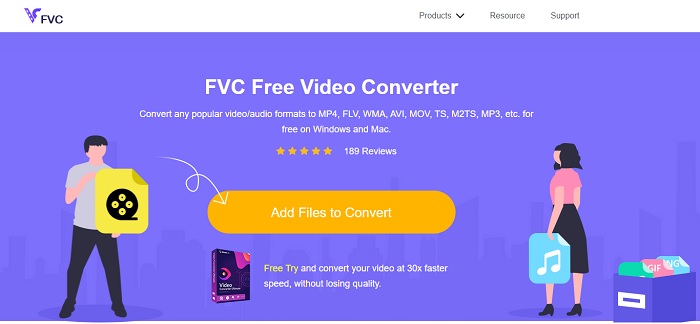
Il miglior convertitore online sviluppato da FVC per convertire file VOB in GIF è FVC Free Video Converter. Sebbene questo strumento sia gratuito, manca ancora di alcuni formati, ma qui sono comunque presenti quelli di base. Inoltre, con questo strumento web puoi modificare bitrate, fps e risoluzione del file video. Tuttavia, funzioni di editing avanzate come il miglioramento di video e audio, la creazione di GIF o il potenziamento dell’audio non sono disponibili. La conversione è però molto più veloce rispetto a fConvert e la pagina web di questo strumento non contiene fastidiose pubblicità. Per capire come funziona questo strumento, segui i passaggi sottostanti e impara a usare al meglio il miglior strumento online gratuito a tua disposizione.
Passaggi su come usare FVC Free Video Converter per convertire online
Passaggio 1. Clicca sul link ipertestuale qui sopra che rimanda al sito principale di FVC Free Video Converter
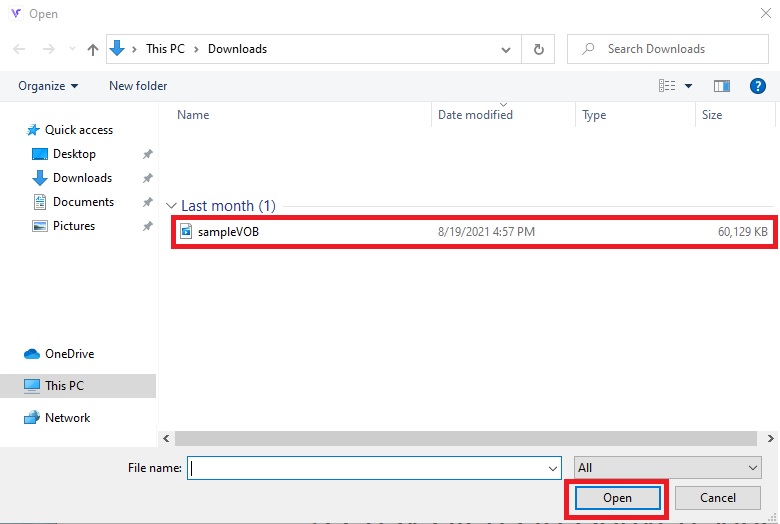
Passaggio 2. Clicca su Add Files to Convert, trova il file VOB e clicca su open.
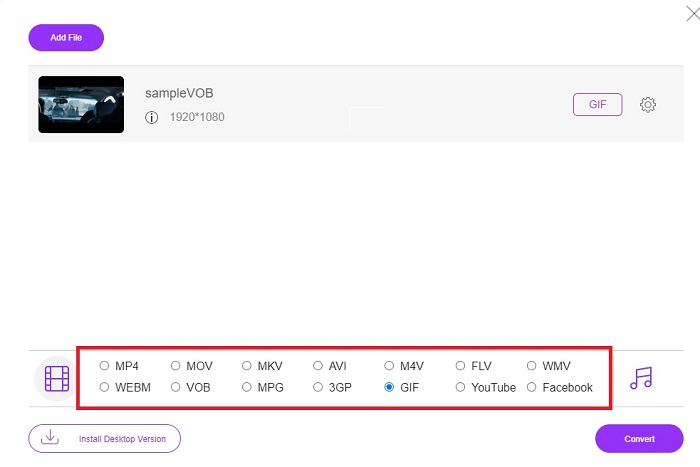
Passaggio 3. Scegli il formato che desideri per il file finale nella parte inferiore e poi cliccaci sopra.
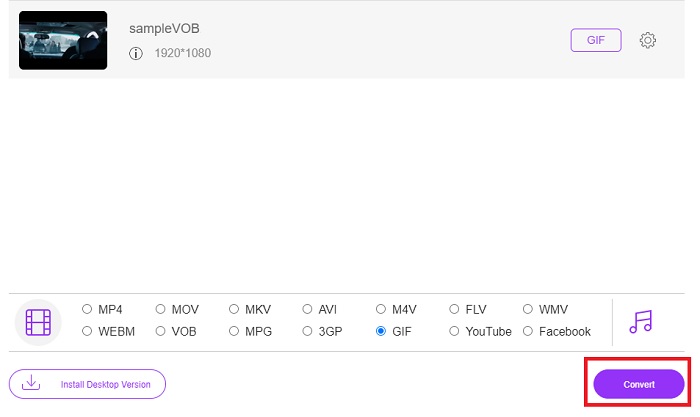
Passaggio 4. Per avviare la conversione, clicca su Convert.
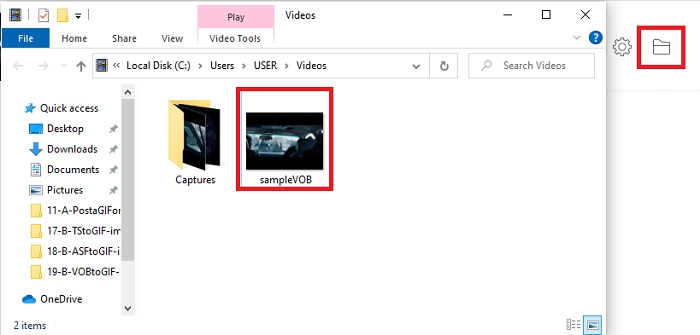
Passaggio 5. Per individuare il file VOB convertito che hai appena creato, clicca sul pulsante a forma di cartella per aprire la cartella in cui si trova il file convertito.
Metodo 2. Usa Freeware – FVC Free Video to GIF Maker
Se lo strumento online è eccellente, allora scopri anche come convertire un file .vob in GIF con l’aiuto di FVC Free Video to GIF Maker. Se il problema è la conversione, risolviamolo con l’aiuto di questo strumento scaricabile gratuitamente. Supporta più formati rispetto allo strumento online gratuito e include anche funzioni di editing di base. Tuttavia non offre funzioni di editing avanzate come il convertitore definitivo che FVC può metterti a disposizione. Oltre al convertitore definitivo, puoi comunque usare questo programma, che è diventato uno dei migliori strumenti per convertire in modo sicuro ed efficiente. Inoltre è molto più veloce di qualsiasi strumento web a cui puoi accedere online. Se desideri quindi una conversione più rapida ed efficace, segui i passaggi indicati di seguito.
Passaggi su come utilizzare FVC Free Video in GIF Maker per convertire offline
Passaggio 1. Scarica FVC Free Video to GIF Maker sul disco del tuo PC o Mac. Quindi completa la procedura di installazione e clicca su “Finish” al termine per salvare le modifiche.
Download gratuitoPer Windows 7 o versioni successiveDownload sicuro
Download gratuitoPer MacOS 10.7 o versioni successiveDownload sicuro
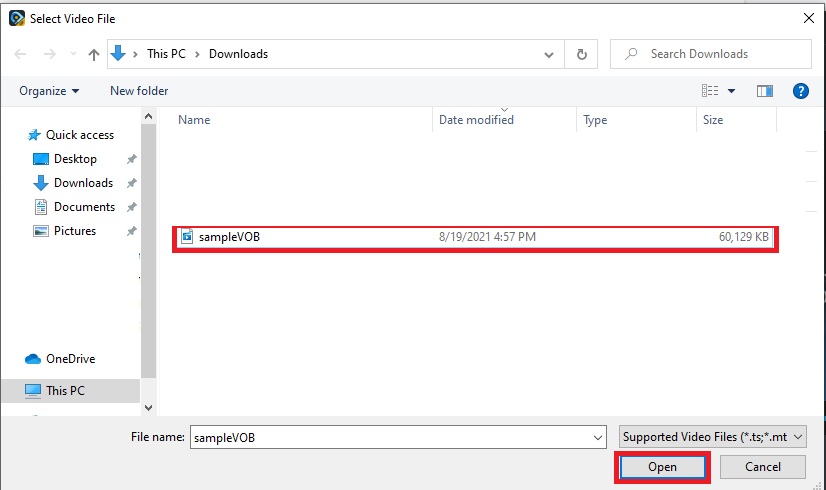
Passaggio 2. Per inserire i file nell’interfaccia, clicca sul pulsante Add File nella parte in alto a sinistra dell’interfaccia. Poi clicca su open per importare il file VOB nell’interfaccia principale.
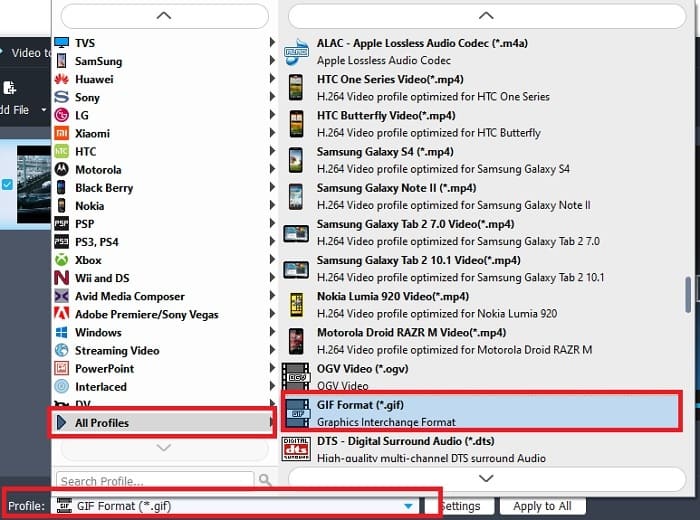
Passaggio 3. Cambia il formato cliccando su Profile e scegli il tipo di file che desideri ottenere come risultato finale.
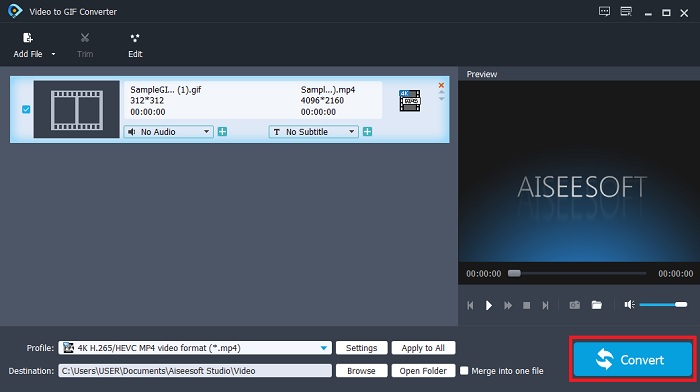
Passaggio 4. Per iniziare la conversione dei file VOB, premi il pulsante Convert.
Passaggio 5. Individua il file nel tuo file manager e riproduci il file VOB che hai convertito in precedenza.
Metodo 3. Usa uno strumento online: fConvert
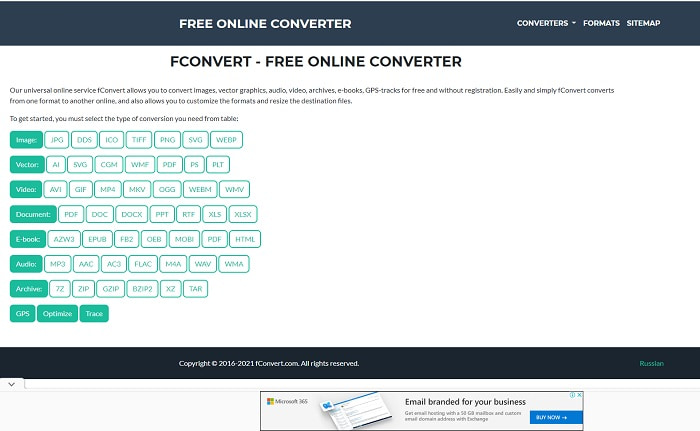
Un altro strumento online che puoi usare per convertire file VOB è fConvert. Questo strumento web consente all’utente di convertire qualsiasi formato di file multimediale in una versione più recente da utilizzare. Tuttavia il sito presenta diverse pubblicità fastidiose. Anche se sono ancora gestibili, gli annunci sulla pagina principale del sito risultano irritanti. Sebbene fConvert supporti quasi tutte le conversioni possibili, i formati disponibili sono comunque inferiori rispetto a quelli di FVC Free Video Converter. Inoltre, quando avvii il convertitore compaiono ancora più annunci rispetto al sito stesso, quindi fai attenzione a non essere reindirizzato ad altre pagine.
Passaggio 1. Apri il tuo motore di ricerca e cerca il sito principale dello strumento.
Passaggio 2. Scegli il tipo di conversione che desideri eseguire.
Passaggio 3. Poi aggiungi il file da convertire e attendi il completamento del processo.
Parte 2. Domande frequenti sulla conversione da VOB a GIF
Che cos'è un file VOB?
VOB può contenere dati di flusso multiplex in DVD e la maggior parte delle volte questo formato è anche crittografato. Detto questo, i file VOB non possono essere facilmente copiati sui DVD a causa delle restrizioni fornite da questo formato. Se si forza a rippare il file .vob c'è la possibilità che il risultato abbia molti dati persi o se si è abbastanza fortunati la possibilità di essere copiati correttamente è molto ridotta. Ma puoi scaricare file VOB su Internet ma non puoi riprodurli sui tuoi telefoni o desktop se non disponi del file corretto. È possibile che una notifica come questo file non sia supportata o che questo file sia crittografato venga visualizzato sullo schermo.
Dove posso riprodurre il mio file VOB senza convertirlo?
Convertire il file è una soluzione ideale per risolvere questo problema. Ma se non vuoi preoccuparti della conversione, puoi comunque riprodurlo qui. Questo lettore multimediale è anch’esso sviluppato da FVC per riprodurre tutti i formati non compatibili che hai già incontrato. Blu-ray Player è una delle soluzioni per riprodurre file VOB non leggibili senza utilizzare un altro software. Per scaricare questo strumento clicca sui link sottostanti. Scarica Blu-ray Player per PC Scarica Blu-ray Player per Mac
Quale è meglio: VOB o MP4?
Se dovessimo archiviare il file su DVD o CD, è più ideale utilizzare file VOB rispetto a MP4. Perché questo file è molto più piccolo, il che significa che puoi archiviarne di più senza perdere la qualità. Ma se vuoi archiviarlo sul tuo telefono o desktop, allora MP4 è molto meglio del file VOB. Per convertire MP4 in VOB o viceversa, puoi sfruttare lo strumento di conversione video, come FVC Free Video Converter per ottenere la conversione del formato.
Dopo aver convertito VOB, la sua qualità andrà persa?
Questo accade solo se usi il convertitore sbagliato. Anche se la conversione può sembrare facile, scegliere il convertitore giusto è più difficile di quanto pensi. Se vuoi provare una conversione davvero straordinaria, devi scaricare FVC Video Converter Ultimate e provarlo di persona. Scarica FVC Video Converter Ultimate per PC Scarica FVC Video Converter Ultimate per Mac
Conclusione
Per concludere la discussione, se si verificano nuovamente i file VOB non riproducibili, è necessario considerare la possibilità di convertirli in un formato riproducibile. Sebbene FVC Video Converter Ultimate non sia menzionato qui, tuttavia il processo di conversione fornito da questo strumento è veloce, facile, efficiente ed efficace a differenza di altri. Per esplorare lo strumento, devi scaricarlo subito sul tuo PC o Mac.
-
 [2 Soluzioni] Come convertire facilmente e gratuitamente file SWF in GIF
 Quando non riesci a esportare il formato GIF tramite il software Flash, puoi provare a salvare i file in formato SWF all'inizio. Quindi puoi imparare 2 semplici modi per convertire file SWF in GIF da questo articolo.
-
 [2 Soluzioni] Come convertire i video WMV in file GIF gratuitamente
 Se vuoi ritagliare le parti meravigliose dei video WMV e creare GIF da loro, puoi conoscere 2 semplici metodi per trasferire video WMV in GIF in questo articolo
-
 MOV in GIF – Come convertire MOV in GIF animate su Mac, PC e online gratuitamente
 Che cos'è una GIF? Come convertire video in GIF? Come cambiare MOV in GIF animate online? Questo post indica 3 modi per convertire MOV in GIF online, su Mac/PC.
