


 Video Converter Ultimate
 Screen Recorder
 Riparazione video
 Download sicuro
Guida completa alla conversione di un'immagine in bianco e nero
L’avvento delle immagini a colori sembra aver reso il bianco e nero inutile. Ma è davvero così? A quanto pare, le tonalità in bianco e nero non sono scomparse del tutto dalla nostra vita. Quando le persone guardano foto in bianco e nero, tendono a concentrarsi maggiormente sulle linee più essenziali dei soggetti e sulla sensazione di texture degli oggetti. Gli artisti usano spesso il bianco e nero per enfatizzare effetti vintage nei documentari storici. Alcuni designer scelgono anche di convertire un’immagine in bianco e nero prima di aggiungere un altro colore brillante per mettere in risalto una parte specifica dell’immagine. Se anche tu vuoi far sembrare le tue foto come se avessero viaggiato nel tempo o più drammatiche, puoi provare i metodi che consigliamo in questo articolo per rendere le immagini in bianco e nero. Forniremo sia soluzioni desktop che online per utenti su diverse piattaforme.

Parte 1. Come rendere un'immagine in bianco e nero in Photoshop
Quando dobbiamo apportare modifiche a un'immagine, il primo strumento che ci viene in mente è Adobe Photoshop, un programma che è diventato così popolare da essere diventato lo standard nel settore fotografico. Questo programma è diventato uno standard nel settore grafico e può aiutarci a dare alle nostre immagini qualsiasi aspetto, incluso il bianco e nero, ovviamente. Non importa quale sistema operativo si abbia sul computer. È possibile installare Photoshop sul computer e iniziare a usarlo. Oltre a modificare le tonalità di colore, possiamo usarlo per aggiungere altri effetti all'immagine, come ritagliare, selezionare, migliorare la qualità, rimuovere le impurità e così via.
Qui spiegheremo come convertire un'immagine in bianco e nero in Photoshop. Seguite i passaggi indicati di seguito.
Passaggio 1. Scarica Adobe Photoshop sul tuo computer. Tieni presente che, se sei un nuovo utente, puoi usufruire prima di una prova gratuita di 7 giorni. Tuttavia, Photoshop è un programma a pagamento e dovrai eseguire l’upgrade del tuo account se vuoi continuare a utilizzare il servizio senza limitazioni.
Passaggio 2. Dopo averlo avviato, fai clic su File > Apri e scegli l’immagine a colori che vuoi convertire.
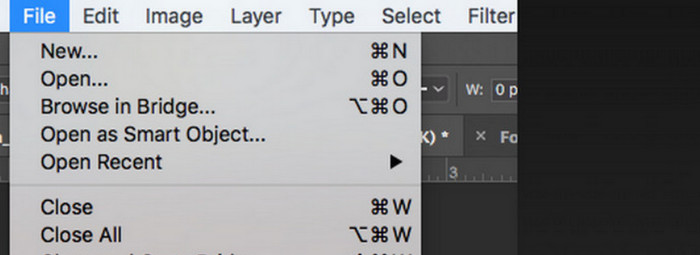
Passaggio 3. Quando l’immagine è stata caricata, vai su Finestra e fai clic su Regolazioni. Qui troverai un’icona Bianco e nero. Cliccaci sopra.
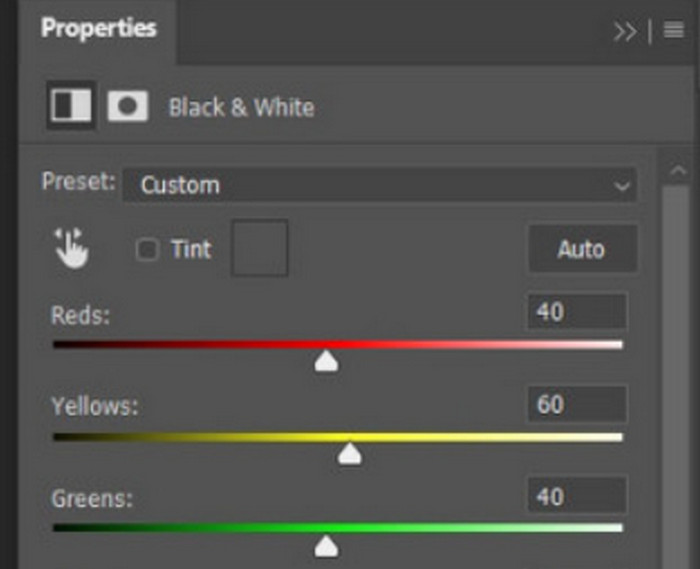
Passaggio 4. Si aprirà il pannello Proprietà. Seleziona Color Slider, quindi sposta il cursore per regolare le tonalità di grigio della tua immagine. Prenditi il tempo necessario per impostarla finché non sei soddisfatto dell’aspetto in bianco e nero della foto.
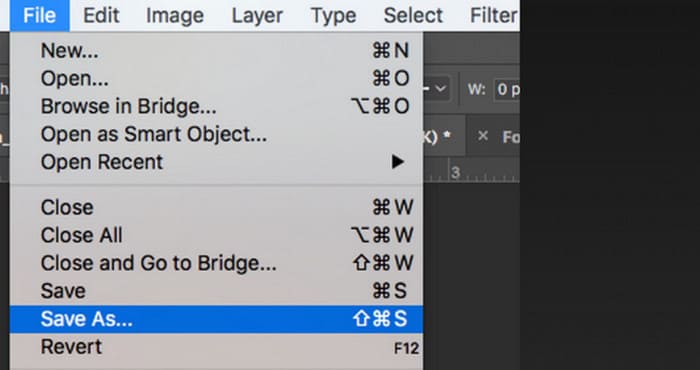
Passaggio 5. Successivamente, fai clic su File nell’angolo in alto a sinistra e scegli Salva con nome nell’elenco a discesa. Quindi seleziona un percorso di archiviazione per le immagini convertite.
Dopo aver completato i passaggi precedenti, abbiamo convertito con successo l'immagine in bianco e nero. Tuttavia, durante l'operazione, gli utenti potrebbero trovare l'interfaccia di Photoshop davvero complicata e alcuni pulsanti non facili da trovare. Nonostante le funzionalità complete, i principianti quasi non riescono a usare Photoshop; spesso ci vuole molto tempo per imparare e fare pratica per familiarizzare con il funzionamento lento del software. Se non volete perdere tempo e volete andare dritti al punto e iniziare subito a convertire l'immagine in bianco e nero, continuate a leggere per trovare una soluzione più semplice.
Parte 2. Convertire l'immagine in bianco e nero online
Alcuni strumenti online sono decisamente più adatti a convertire un'immagine a colori in bianco e nero rispetto al macchinoso Adobe Photoshop. Non richiedono installazione e download e possono essere utilizzati direttamente dal browser. In questo caso, consigliamo di provare Pixelied Photo Editor, che può adattare le tonalità di colore al bianco e nero e attualmente supporta il caricamento di immagini in formati come JPG, PNG, SVG e così via. Questo assistente online offre anche alcune utili sezioni per il ritaglio e la modifica delle immagini che possono aiutarci a rendere i nostri lavori più belli.
Ecco come trasformare una foto in bianco e nero con Pixelied Photo Editor.
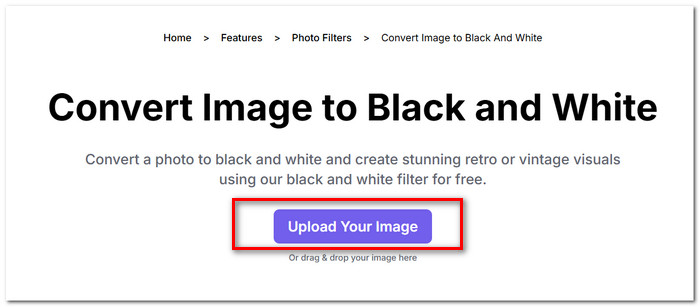
Passaggio 1. Vai al sito web del convertitore Pixelied da Immagine a Bianco e Nero. Fai clic su Upload Your Image e aggiungi il file che desideri convertire.
Passaggio 2. Quando l’immagine caricata è pronta, vai su Modifica Immagine > Filtri. Trova il filtro Black and White e applicalo alla tua immagine.
Passaggio 3. Dopo aver terminato la conversione, fai clic su Download per salvare l’immagine sul tuo computer.
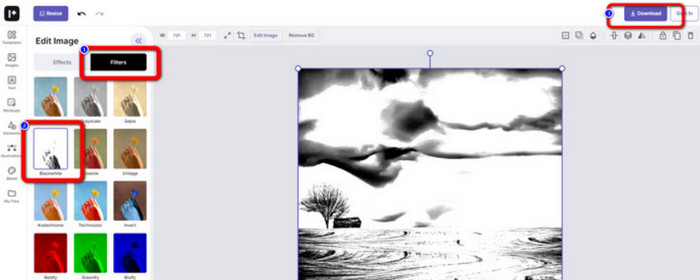
Convertire un’immagine in bianco e nero con Pixelied è immediato e l’interfaccia della piattaforma è molto più pulita rispetto a quella di Adobe Photoshop. Tuttavia, per applicare correttamente il filtro bianco e nero, gli utenti devono pagare per aggiornare il proprio account. La versione gratuita di questo photo color enhancer offre solo 2 GB di spazio di archiviazione. Sono questi gli aspetti a cui dobbiamo prestare attenzione quando lo utilizziamo.
Parte 3. Suggerimento bonus: trasforma un'immagine in bianco e nero in colorata
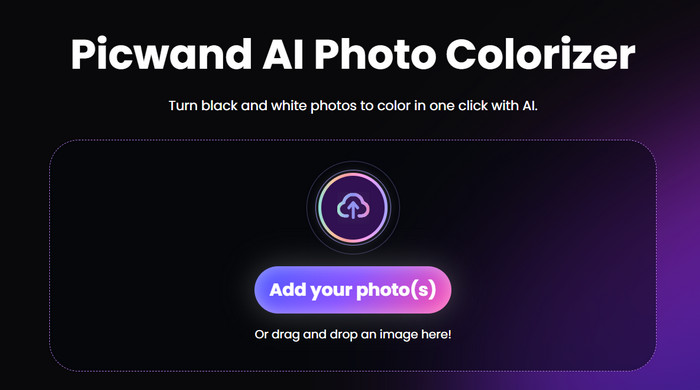
Colorizzatore di immagini Picwand
Ora sappiamo esattamente come rendere una foto in bianco e nero. Quindi, al contrario, esiste uno strumento in grado di correggere una foto originariamente in bianco e nero e restituire il colore alle persone ritratte? Questo ci porta a un editor di foto online, ovvero Picwand Image Colorizer. Supportato dalla più recente tecnologia di intelligenza artificiale, può utilizzare algoritmi avanzati per colorare le vecchie foto. Non dobbiamo eseguire molte operazioni fini e complicate; con un solo clic, Picwand Image Colorizer può riportare le foto in bianco e nero ai colori originali.
Parte 4. Domande frequenti sulla conversione di un'immagine in bianco e nero
È possibile convertire un'immagine direttamente da colore a bianco e nero?
Certo. Possiamo usare degli strumenti intelligenti che non richiedono regolazioni manuali del colore. Questi strumenti sovrappongono un filtro bianco e nero all'immagine originale.
Quali foto risultano migliori in bianco e nero?
Un'immagine con linee, forme e bordi netti funziona meglio se convertita in bianco e nero. Un filtro bianco e nero permette di ignorare le impurità dell'immagine e di concentrarsi solo sulle linee più originali.
Qual è il formato migliore per le foto in bianco e nero?
Naturalmente, la scelta migliore è il JPG, che è il formato più versatile e trova un equilibrio tra dimensioni e qualità dell’immagine, assicurando che il file non sia troppo pesante senza perdere troppa qualità. Se la tua immagine è in un altro formato, puoi anche usare uno strumento per convertirla in un file JPG prima di modificarla ed elaborarla.
Conclusione
In questo articolo, abbiamo illustrato due modi per rendere le immagini in bianco e nero, incluso l’uso del software di fotoritocco più classico, Photoshop, e il test di un editor online. Adobe Photoshop svolge il compito con la massima precisione, ma l’abbonamento è costoso e il programma è complesso da usare. Gli utenti meno esperti possono optare per Pixelied, che offre un’interfaccia più adatta ai principianti.
-
 Come cambiare colore in Photoshop | Guida completa 2025
 Vuoi portare la tua creatività a un livello superiore imparando come cambiare il colore di sfondo in Photoshop? Questo articolo contiene tutto ciò che devi sapere. Leggilo ora!
-
 Come rimuovere lo sfondo dall'immagine utilizzando GIMP
 Inizia con GIMP e il processo passo passo per rimuovere gli sfondi dalle immagini. Scopri modi efficaci per creare immagini trasparenti utilizzando GIMP oggi!
-
 Come rimuovere lo sfondo dall'immagine: strumenti senza problemi
 Scopri sei strumenti per rimuovere lo sfondo da qualsiasi immagine senza sforzo. Dì addio alle modifiche complicate e cancella facilmente gli sfondi delle immagini oggi stesso!
