


 Video Converter Ultimate
 Screen Recorder
 Riparazione video
 Download sicuro
La migliore app per migliorare il colore delle foto che devi scaricare sui tuoi dispositivi mobili [gratuita]
Durante l’elaborazione di un’immagine, il colore è fondamentale per renderla attraente per il pubblico e per chi osserva il soggetto. In ogni pixel sono presenti dati relativi al colore. Non importa quanto sia buona la foto che hai scattato: a volte sarà comunque necessario elaborarla ulteriormente per mostrare al pubblico immagini davvero straordinarie. Per fortuna puoi effettuare queste regolazioni anche su Android e iOS, e in questo articolo trovi le soluzioni migliori disponibili nei vari store da cui puoi scaricarle. Se vuoi ottenere dettagli più raffinati nelle foto che hai scattato, leggi qui e scarica subito un’app per migliorare i colori delle foto!

Parte 1. I 4 migliori potenziatori di colore per foto che puoi scaricare su Playstore e Appstore
EnhanceFox - AI Photo Enhancer 12+
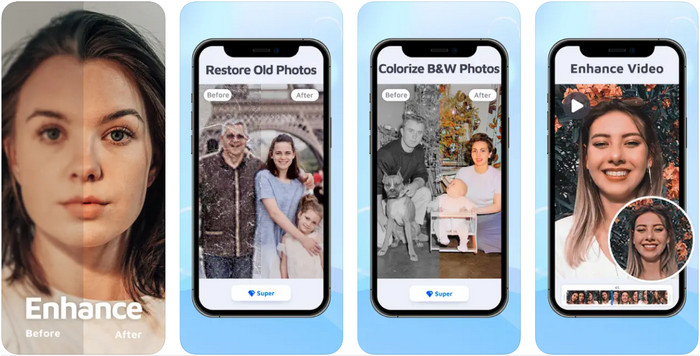
Puoi scaricare questo potenziatore di colori per foto sul tuo dispositivo iOS per ritoccare la grafica. EnhanceFox offre agli utenti la possibilità di rendere le foto che hanno scattato più raffinate rispetto al risultato originale. Anche se sei alle prime armi con il fotoritocco, riuscirai a imparare a usare quest’app per rendere le tue immagini più belle che mai. Inoltre, può trasformare le foto sfocate in immagini ad alta risoluzione grazie all’AI integrata. Sebbene tu possa usare la versione gratuita dell’app, dovrai acquistare la versione Pro per accedere a tutte le funzionalità.
Professionisti
- Puoi scaricare l'app sul tuo iOS gratuitamente.
- Ripara e trasforma le immagini in un aspetto migliore.
- Questa app è supportata dall'IA.
Contro
- Alcune funzionalità non sono disponibili nella versione gratuita di esso.
- Avrai bisogno di una connessione Internet per elaborare la tua immagine.
Remini - AI Photo Enhancer 4+
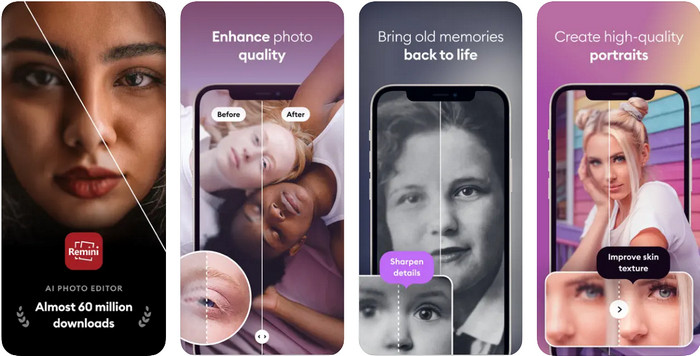
Remini è una delle app più popolari per migliorare i colori delle foto che puoi scaricare su iOS e Android. La sua capacità di valorizzare le immagini ha attirato l’attenzione di molti utenti su entrambe le piattaforme. Grazie al set di funzioni di editing, puoi rielaborare vecchie foto in meno di un secondo con l’aiuto della tecnologia AI. Inoltre, puoi anche abbellire i tuoi selfie prima di utilizzarli. Anche se è necessario acquistare l’app, puoi scegliere il tipo di abbonamento che preferisci: settimanale, mensile o annuale.
Professionisti
- Trasforma la tua foto del viso in un'immagine liscia e setosa.
- Ripara il colore perso sulle immagini che hai con la tecnologia AI.
- Abbellisci la tua immagine modificando le impostazioni in questa app.
Contro
- Il prezzo di ciascuna funzionalità di questa app prevede pagamenti aggiuntivi.
- Rinnova automaticamente la quota di abbonamento dopo la fine di un abbonamento.
Colorato - Colore a vecchie foto
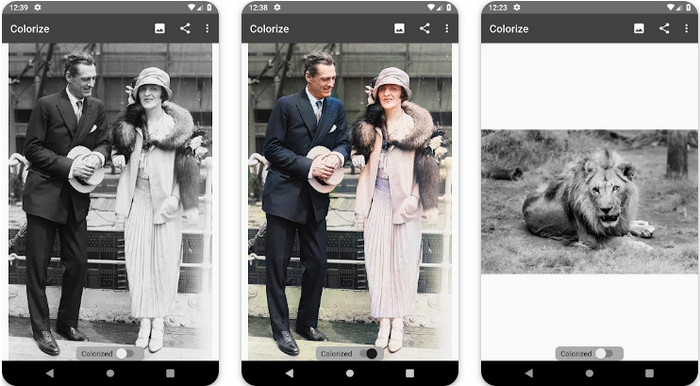
Colorize è un’app di scansione intelligente che puoi scaricare sui dispositivi Android per ripristinare i colori perduti nelle tue immagini ed eseguire il restauro di vecchie foto. Puoi imparare come migliorare il colore degli occhi nelle foto con le funzioni di editing dell’app, funzioni che altre applicazioni non supportano. Grazie alla tecnologia Photomyne, questa app può trasformare le tue foto in bianco e nero in versioni a colori. L’app è ben strutturata e incredibilmente facile da usare, anche se è la prima volta che modifichi un’immagine. Come le altre applicazioni che abbiamo menzionato, prevede acquisti in-app prima di poter utilizzare tutte le sue funzioni.
Professionisti
- Aggiunge automaticamente i colori alle immagini in bianco e nero con Photomyne.
- Professionisti o meno possono facilmente utilizzare questo software grazie alla sua struttura.
- Le impostazioni di colorazione di questa app sono di gran lunga superiori ad altre app di colorazione delle immagini.
Contro
- Mancano alcuni punti quando aggiungi colore all'immagine.
- Ritaglia automaticamente l'immagine quando viene elaborata.
- Sarà necessario acquistare l'app per evitare limitazioni.
Editor di foto di Photoshop Express
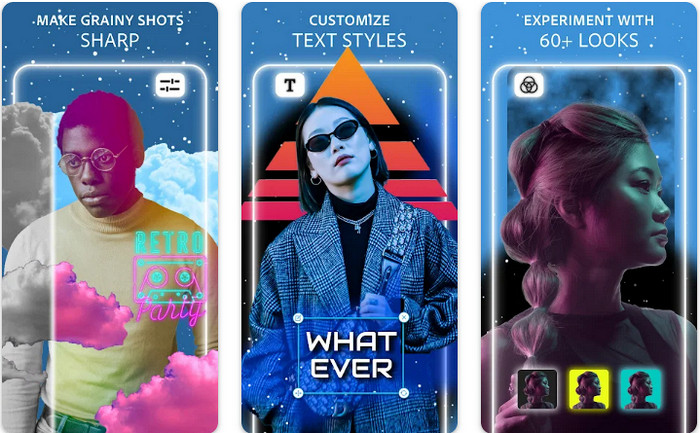
Photoshop Express Photo Editor è una versione ridotta del programma professionale che milioni di esperti ed editor usano già per trasformare le loro immagini in HD. Puoi avere questo Photoshop per migliorare i colori delle foto sia su Android che su iOS. Risolve il problema? Sì, e lo fa senza sforzo. Come abbiamo detto in precedenza, quest’app è simile a Photoshop non tanto nell’interfaccia grafica quanto nelle capacità di editing. Offre agli utenti risultati molto dettagliati intervenendo sull’aggiunta o sulla correzione dei PPI di ogni immagine che hai scattato. Tuttavia, l’app è difficile da usare e potresti dover dedicare del tempo a leggere come funziona. Nonostante ciò, è un pacchetto software completo, tutto ciò di cui potresti aver bisogno.
Professionisti
- Puoi scaricare il software non solo su desktop ma anche su dispositivi mobili.
- Supporta funzionalità di modifica professionale che puoi applicare alle tue foto.
- Ha somiglianze con Photoshop, poiché entrambi forniscono un output professionale.
- Puoi eseguire molti tipi di modifiche qui che l'altra app non può offrirti.
Contro
- L'app può essere costosa rispetto ad altri acquisti in-app.
- Deve migliorare altri problemi minori.
Parte 2. Miglioratore della qualità delle foto consigliato che non avresti bisogno di scaricare [Servizio Web]
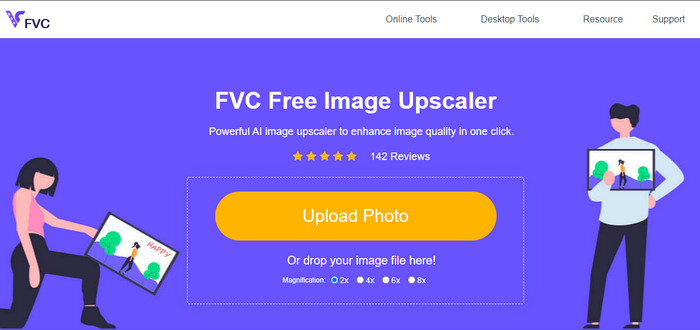
FVC Free Image Upscaler può aiutarti a risolvere il problema senza dover acquistare nulla. Questo strumento per migliorare la qualità delle foto è disponibile sul web, quindi non devi scaricarlo prima di usarlo. Inoltre, puoi sfruttare le sue potenti funzioni di editing basate sull’intelligenza artificiale, che analizzano ciò che non va nella tua immagine e lo correggono immediatamente. Rispetto alle altre app che abbiamo menzionato, questa è di gran lunga la soluzione di miglioramento 'a un clic' di cui hai bisogno. Carica la foto, scegli il fattore di ingrandimento e otterrai la versione migliorata della tua immagine. Usandola, non avrai bisogno di ritocchi aggiuntivi o di particolari regolazioni. Vuoi provarla? Clicca sul link, che ti porterà direttamente al sito dell’upscaler.
Parte 3. Domande frequenti su Photo Color Enhancer
Devo diventare un professionista per utilizzare un potenziatore di colore fotografico?
Se stai utilizzando un software ben sviluppato, dovrai avere un'idea, non un professionista, delle sue caratteristiche e della loro funzione per l'immagine. Tuttavia, esiste un software semplificato, il che significa che l'IA è supportata; a volte, non avresti bisogno di fare il tweaking, oa volte lo fai. Per i principianti, devi utilizzare un software facile da usare prima di passare al miglioramento professionale del tuo gioco.
Cosa succede all'immagine Migliorare il colore?
Le immagini con un colore ben sviluppato saranno più dettagliate e nitide rispetto alle immagini che supportano meno colori. Il loro pixel non può essere visto rispetto alle foto che hanno una bassa qualità supportata.
Quale formato immagine supporta la migliore combinazione di colori dell'immagine?
JPEG e PNG supportano 16 milioni di colori e sono uno dei migliori formati di immagine che puoi utilizzare per scopi diversi. Ma HEIC supporta bit avanzati rispetto ai due formati di immagine.
Conclusione
Quale esaltatore di colore delle foto sceglieresti tra le app che esaminiamo? Bene, con tutte le informazioni che aggiungiamo, puoi capire rapidamente quale app dovresti scaricare sul tuo dispositivo. Sebbene abbiano diversi pro e contro, possono comunque migliorare rapidamente i colori delle tue foto.
-
 I migliori 7 pixel Enhancer per tutti i browser Web che devi utilizzare
 Se vuoi conoscere i migliori potenziatori di pixel da utilizzare, è meglio che tu dai un'occhiata a questo post. Questo articolo elenca i sette migliori ottimizzatori di pixel fotografici per tutti i browser web.
-
 La migliore app per ridimensionare foto online, offline, Android e iPhone
 Quali sono le migliori app per ridimensionare le foto? Fai clic sulla pagina per scoprire le prime cinque app di ridimensionamento delle foto più potenti che puoi utilizzare per migliorare o ridimensionare il tuo file.
-
 I 7 migliori ingranditori di foto online e offline
 Vuoi imparare gli ingranditori di foto più performanti per il tuo dispositivo Windows o Mac? Leggi questo post per conoscere i migliori ingranditori fotografici che vale la pena provare.
