


 Video Converter Ultimate
 Screen Recorder
 Riparazione video
 Download sicuro
Le 5 migliori app per ridimensionare le foto che devi provare
Altre persone trovano difficile ridimensionare una foto perché non riescono a trovare uno strumento che possa comprimere senza perdita di qualità. E molti ridimensionano le proprie foto per migliorare la qualità delle immagini. Sebbene il ridimensionamento di un’immagine influisca sulla qualità, è la scelta migliore se non hai abbastanza spazio di archiviazione sul tuo dispositivo. Inoltre, ridimensionare un’immagine è anche un’ottima soluzione per migliorare una foto sfocata. La buona notizia è che esistono app online, offline, per Android e per iPhone che possono ridimensionare le tue immagini senza perdere qualità. Quindi, termina di leggere questo articolo per conoscere le cinque migliori app per ridimensionare foto.

Parte 1. App Photo Resizer online gratuita
Molte persone desiderano utilizzare un ridimensionatore di foto online perché non richiede il download di nulla sul dispositivo. Uno strumento online è la scelta migliore se desideri risparmiare spazio di archiviazione per il tuo dispositivo. Inoltre, le applicazioni online sono spesso gratuite, proprio come lo strumento consigliato da molti utenti, che è FVC Free Image Upscaler.
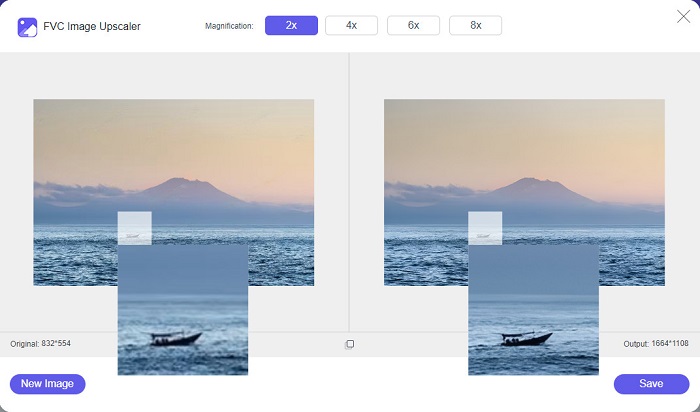
FVC Free Image Upscaler è un’app online per il ridimensionamento accessibile da tutti i browser, tra cui Google, Firefox e Safari. Inoltre, questa straordinaria applicazione può ingrandire la tua immagine di 2x, 4x, 6x e 8x. Supporta inoltre quasi tutti i formati di immagine, come PNG, JPG, JPEG e BMP. Ciò che rende questo strumento ancora migliore è la sua interfaccia intuitiva, che lo rende adatto anche ai principianti. Inoltre, FVC Free Image Upscaler utilizza una tecnologia di IA (Intelligenza Artificiale) che identifica automaticamente le parti sfocate della tua immagine e le migliora immediatamente. Oltre a ingrandire l’immagine scegliendo il livello di ingrandimento che desideri, questo strumento è noto per le sue capacità di miglioramento tramite IA. E poiché è un’applicazione online, non devi scaricare nulla sul tuo dispositivo, il che ti permette di risparmiare spazio di archiviazione. Allora, cosa stai aspettando? Visita subito questa migliore app gratuita per ridimensionare foto.
Professionisti
- Ha un processo di upscaling veloce.
- Non richiede l'accesso per un account.
- Ha un'interfaccia software facile da usare.
- Puoi accedervi sul tuo dispositivo Windows o Mac.
Contro
- È uno strumento dipendente da Internet.
Parte 2. La migliore app Photo Resizer per il tuo computer
Puoi utilizzare molte app sul tuo computer se stai cercando un ridimensionatore di immagini o un upscaler. Tuttavia, non tutte le applicazioni scaricabili sono gratuite. Spesso le applicazioni software per il tuo PC non sono gratuite. Fortunatamente, abbiamo trovato un'app per il tuo computer che può essere scaricata gratuitamente. Leggi questa sezione per saperne di più su questa migliore app gratuita per il ridimensionamento delle foto per il tuo PC Windows.
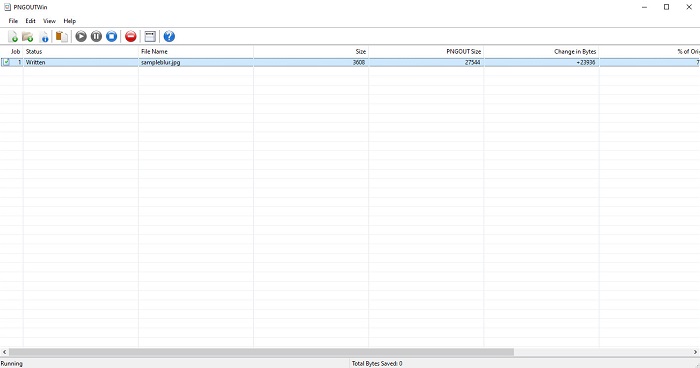
PNGOUTWin è un programma offline per il ridimensionamento delle foto che puoi scaricare gratuitamente sul tuo computer Windows. Questa app per ridimensionare foto supporta i formati di immagine standard, come PNG e JPG. Inoltre, ridimensiona automaticamente la tua foto dopo che hai caricato l’immagine che desideri comprimere. Sebbene sia facile da usare, le sue funzioni non sono semplicissime da navigare. Tuttavia, dopo diversi utilizzi, riuscirai sicuramente a prendere dimestichezza con lo strumento. Dispone di un processo di ridimensionamento in batch, che ti consente di ridimensionare più immagini contemporaneamente e salvarle in un’unica cartella.
Professionisti
- È scaricabile gratuitamente.
- È sicuro e facile da usare.
- Offre un processo di upscaling batch.
Contro
- Disponibile solo su dispositivi Windows.
- Non è possibile visualizzare in anteprima l'immagine ingrandita.
Parte 3. La migliore app per ridimensionare le foto su Android
Al giorno d'oggi, molte persone usano telefoni Android. E se hai un'immagine di bassa qualità nella tua galleria, potresti voler migliorarla con un'app di ridimensionamento delle foto. Fortunatamente, ci sono molte app di ridimensionamento foto gratuite che puoi scaricare sul PlayStore per aiutarti a migliorare la tua immagine di bassa qualità.
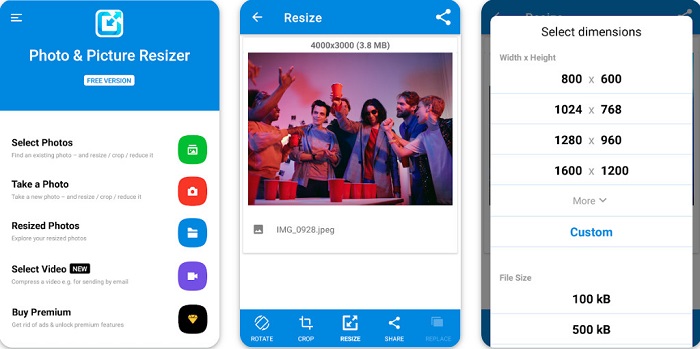
Photo & Picture Resizer è il primo risultato nell’elenco quando cerchi app per ridimensionare foto su PlayStore. È una delle migliori app per ridimensionare immagini che puoi scaricare sul tuo dispositivo Android. Inoltre, offre un processo di upscaling in batch, con cui puoi comprimere due o più immagini contemporaneamente. Puoi anche scegliere tra i preset di dimensione la misura che desideri per la tua immagine. In aggiunta, puoi modificare la dimensione del file e la risoluzione dell’immagine. L’app Photo & Picture Resizer può anche comprimere i tuoi video. Lo svantaggio di Photo & Picture Resizer è che richiede l’acquisto della versione premium per accedere alle sue funzioni avanzate di editing.
Professionisti
- È gratuito e sicuro da scaricare.
- Ha un processo di ridimensionamento veloce.
- Puoi esportare il tuo output su altre piattaforme di social media.
Contro
- Acquista la versione premium per utilizzare funzioni speciali.
- Contiene annunci fastidiosi.
Parte 4. Le migliori app per ridimensionare le foto per iPhone
Molte persone usano gli iPhone in questi giorni e lo sapevi? Puoi scaricare molte app di ridimensionamento foto gratuite sul tuo iPhone per ridimensionare o migliorare la tua immagine. E se vuoi sapere qual è il migliore da usare, leggi questa parte all inclusive.
Remini
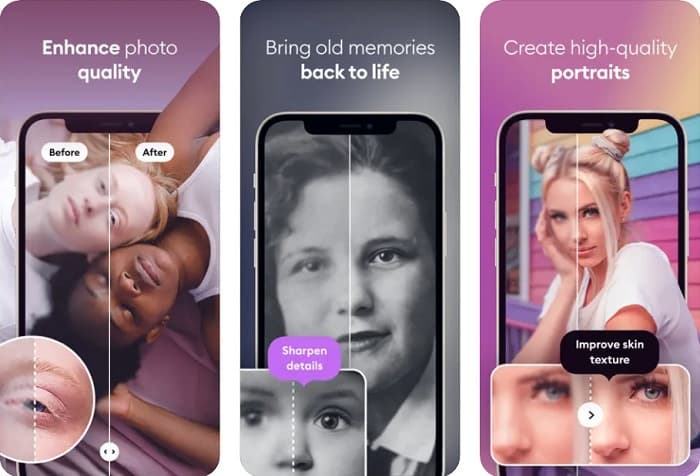
Remini è la migliore app per ridimensionare foto su iPhone. Remini è gratuita da scaricare sull’AppStore ed è sicura da usare. Inoltre, utilizza la tecnologia di IA (Intelligenza Artificiale), che ridimensiona e migliora automaticamente la tua immagine. Questa app ti consente anche di vedere le modifiche apportate alla foto prima di salvarla sul dispositivo. Ti permette inoltre di esportare il risultato sulle principali piattaforme social come Facebook, Instagram e TikTok. Nella versione Pro sono disponibili ulteriori funzioni di editing con cui puoi migliorare ancora di più le tue immagini. Quindi, se vuoi che la tua foto appaia nitida e chiara, questa app potrebbe essere proprio quella che stai cercando.
Professionisti
- Supporta i formati immagine per iPhone.
- Ha una semplice interfaccia utente.
- Può correggere immagini a bassa risoluzione.
Contro
- È necessario acquistare l'app per migliorare le immagini.
Ridimensionamento immagine
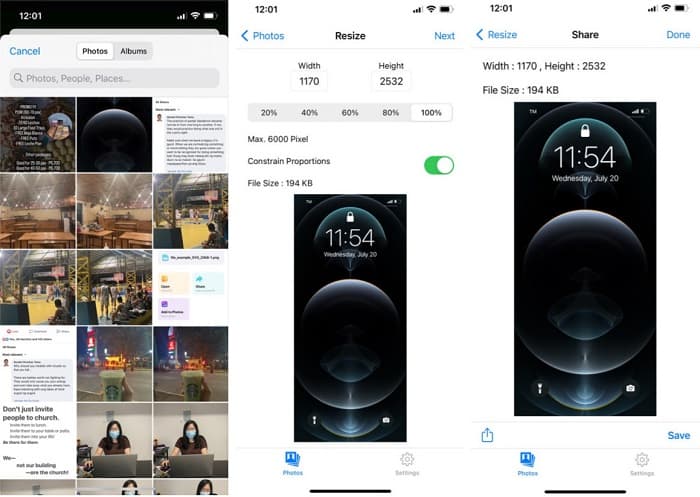
Un’altra ottima app per ridimensionare un’immagine è Image Resize. Image Resize è anch’essa gratuita da scaricare sul tuo iPhone. Questa app ti permette di ridimensionare la foto scegliendo la percentuale che desideri applicare all’immagine. Inoltre, puoi regolare larghezza e altezza della tua foto con questa applicazione. Ciò che la rende ancora più interessante è la rapidità del processo di ridimensionamento, che molti utenti trovano estremamente comoda.
Professionisti
- Supporta immagini HEIC, Exif e PNG.
- È un'app facile da usare.
Contro
- Può solo ridimensionare i fotogrammi della tua immagine ma non la migliora.
Correlato a:
Come migliorare facilmente la qualità dell’immagine su Windows e Mac
Come aumentare la risoluzione dell’immagine [5 modi per migliorarla]
Parte 5. Domande frequenti sulla migliore app Photo Resizer
Posso ridimensionare una foto senza perdere la qualità?
Il ridimensionamento di un'immagine non significa necessariamente che rovinerà la qualità dell'immagine. Sebbene influisca sulle dimensioni dell'immagine, la maggior parte delle volte le app possono ridimensionare un'immagine senza perdere la qualità.
Posso ridimensionare un'immagine utilizzando Adobe Photoshop?
Sì. Adobe Photoshop è la più straordinaria applicazione di fotoritocco, e dispone di una funzione che ti permette di ridimensionare la tua immagine. Per farlo, apri Adobe Photoshop, seleziona l’immagine che vuoi ridimensionare, quindi vai su barra del menu principale > Immagine > Dimensione immagine per aprire la finestra di dialogo Dimensione immagine e regolare le dimensioni della tua foto.
Quali formati di immagine sono supportati da Adobe Photoshop?
Adobe Photoshop supporta quasi tutti i formati di immagine conosciuti, come JPG, JPEG, PNG, GIF, TIFF e altri.
Conclusione
Ora che conosci le migliori app per ridimensionare foto, puoi scegliere quella che preferisci. Esistono diverse applicazioni per online, offline, Android e iPhone: dipende dal dispositivo che stai usando. Ma se non vuoi scaricare nulla sul tuo dispositivo, utilizza subito FVC Free Image Upscaler.
-
 Migliora la risoluzione delle foto dell'iPhone con i migliori potenziatori
 Vuoi migliorare la risoluzione delle foto dell'iPhone? Bene, in questo articolo trattiamo i migliori strumenti che puoi usare e altri trucchi che devi conoscere!
-
 Ripristino di vecchie foto online e offline [semplici passaggi]
 Vuoi ripristinare una vecchia foto? Con questi strumenti, conoscerai il vecchio processo di restauro delle foto. Leggi questo post per imparare i metodi più semplici.
-
 I migliori 7 pixel Enhancer per tutti i browser Web che devi utilizzare
 Se vuoi conoscere i migliori potenziatori di pixel da utilizzare, è meglio che tu dai un'occhiata a questo post. Questo articolo elenca i sette migliori ottimizzatori di pixel fotografici per tutti i browser web.
