


 Video Converter Ultimate
 Screen Recorder
 Riparazione video
Strumenti utili che devi sapere che convertono SWF in MOV [Risolto]
Le animazioni video e basate su grafica vettoriale si trovano nei file SWF, creati con il software Adobe Flash. ShockWave Format è un altro nome per Small Web Format, che è l’acronimo completo. I file SWF sono comunemente usati per distribuire in modo efficiente contenuti multimediali su Internet. Le piccole applicazioni web traggono vantaggio dagli ActionScript, che possono essere memorizzati in questo formato. Se ti stai chiedendo se esista un convertitore SWF in MOV gratuito perché non riesci a riprodurre un file con questo formato, questo è l’articolo perfetto per te: presenta infatti i migliori e più efficienti strumenti che puoi usare per convertire i file video. Iniziamo!

Parte 1. Prefazione: SWF e MOV
SWF è un tipo di file utilizzato per trasferire testo, video, grafica vettoriale e ActionScript su Internet. Per utilizzare i file SWF è necessario Adobe Flash Player. Il formato di file SWF è stato concepito come formato di trasferimento a basso consumo di risorse, che può essere usato non solo per trasmettere elementi grafici ma anche per l’anti-aliasing e la visualizzazione a schermo, tra le altre cose. L’anti-aliasing è fondamentale per il rendering rapido delle bitmap e delle loro proprietà associate, come pulsanti interattivi, ombreggiatura e animazione.
I file MOV, invece, sono codificati secondo le linee guida di codifica e gli standard di compressione dati di Apple QuickTime Movie; i file video prodotti in questo formato hanno l’estensione .mov. Gli standard di qualità e compressione per i filmati digitali e altre clip video sono stati sviluppati esclusivamente da Apple. Poiché questi file MOV sono codificati con supporto di compatibilità incrociata, possono essere riprodotti anche su lettori video digitali basati su Mac e Windows. Windows Media Player include inoltre la funzione di riproduzione per questi file MOV, che possono essere aperti e visualizzati tramite Apple QuickTime Player o VLC Media Player sia su piattaforma Mac che Windows.
| Estensione del file | SWF | MOV |
| Tipo di file | Film Flash ShockWave | Film QuickTime di Apple |
| Sviluppato da | Sistemi Adobe | Mela |
| Professionisti | L'animazione Web è resa possibile dall'utilizzo di un formato visivo liberamente scriptabile. Poiché la grafica è basata su vettori, è possibile ridimensionarla senza difficoltà. caricato in breve tempo; | Ogni file ha componenti audio e video di alta qualità che vengono salvati su tracce indipendenti e possono essere modificati sia per il tempo che per il contenuto. I file possono essere visualizzati da molti diversi lettori video gratuiti. |
| Contro | Utilizzo intensivo della CPU; un video SWF non può essere riprodotto finché il plug-in Flash non è installato sul computer; ci vuole software costoso da realizzare, tra le altre cose; | L'ambiente QuickTime fornisce prestazioni più stabili; tuttavia, potrebbe essere necessario un codec specifico per aprire un file .mov. |
Parte 2. 3 Strumenti efficaci da utilizzare per convertire SWF in MOV
Opzione 1. Convertitore video online gratuito
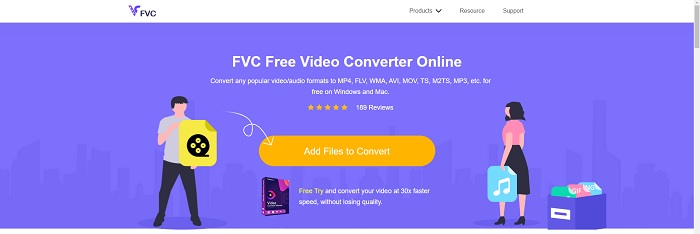
Con FVC Free Video Converter Online è possibile convertire un’ampia varietà di formati video e audio. I video in alta definizione possono essere facilmente convertiti in codec come MP4, FLV e WMV senza perdita di qualità. Non devi preoccuparti di perdere qualità quando converti molti filmati o file audio. Questo strumento gratuito di conversione video è noto per le sue capacità di conversione e modifica, che consentono agli utenti di personalizzare i propri video come desiderano.
Professionisti
- Supporta numerosi formati di file video.
- Le uscite convertite sono di alta qualità.
Contro
- Poiché è uno strumento web online, ha bisogno di una connessione più veloce per convertire video di grandi dimensioni.
Opzione 2. Conversione gratuita online
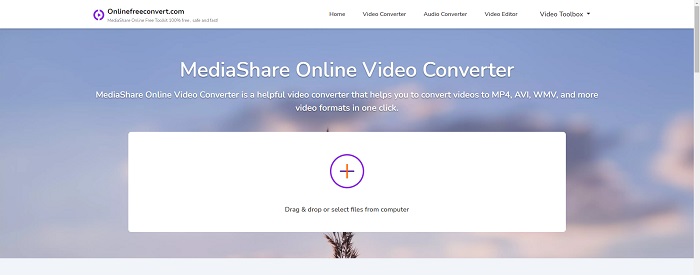
Quando transcodifica il tuo video, questa applicazione online gratuita è l'opzione migliore. Questa applicazione offre due opzioni per mantenere le cose semplici e facili da usare: tipo di file e risoluzione. Segui le istruzioni sullo schermo per utilizzare questo convertitore online.
Professionisti
- Ha un'interfaccia accessibile e facile da usare.
- Offre altri strumenti che possono migliorare la qualità del video.
Contro
- Non ha molti formati video supportati.
Opzione 3. Qualsiasi conv
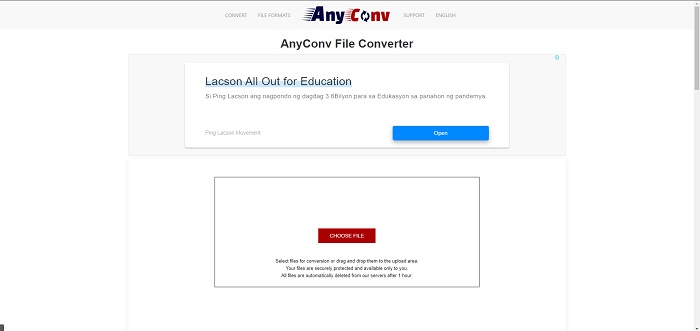
AnyConv è un convertitore online con un'interfaccia utente olandese. Anche l'edizione commerciale di questa applicazione è gratuita. AnyConv include anche una restrizione di conversione di 60 file all'ora. Utilizzando il convertitore online, puoi convertire file di dimensioni fino a 50 MB e scegliere tra oltre 300 diversi formati di output.
Professionisti
- Ha una vasta gamma di formati; supporta anche i formati non video e audio come i documenti.
- Fornisce le istruzioni per utilizzare questo convertitore.
Contro
- Mostra annunci pubblicitari che non aiutano o non si adattano al processo di conversione o al contenuto stesso.
Parte 3. Come convertire SWF in MOV su Mac
Questo articolo propone Video Converter Ultimate per gli utenti Mac che desiderano convertire SWF in MOV. Le versioni per Windows e Mac di questo software sono disponibili per il download gratuito. Può essere utilizzato da un’ampia gamma di utenti, poiché offre uno strumento facile da usare e un’interfaccia semplice. Con questo programma puoi convertire file da un formato video a un altro in circa un minuto, caratteristica che lo distingue da altre applicazioni di conversione e risorse online. Inoltre, questo software include numerose funzionalità aggiuntive che possono aiutarti a migliorare ulteriormente il tuo video. Dopo aver letto la descrizione del software, iniziamo:
Passaggio 1. Per avviare la procedura di download, fai semplicemente clic con il tasto destro sull’icona Download gratuito fornita di seguito. Questo software è compatibile con computer che eseguono sia il sistema operativo Windows sia Mac. Una volta terminato il download del software, puoi installarlo e iniziare a utilizzarlo selezionando il pulsante Avvia ora nella schermata principale del programma.
Download gratuitoPer Windows 7 o versioni successiveDownload sicuro
Download gratuitoPer MacOS 10.7 o versioni successiveDownload sicuro
Passaggio 2. Dopo aver scaricato il software, avvialo. Alla prima apertura del programma, queste informazioni verranno visualizzate in una finestra.
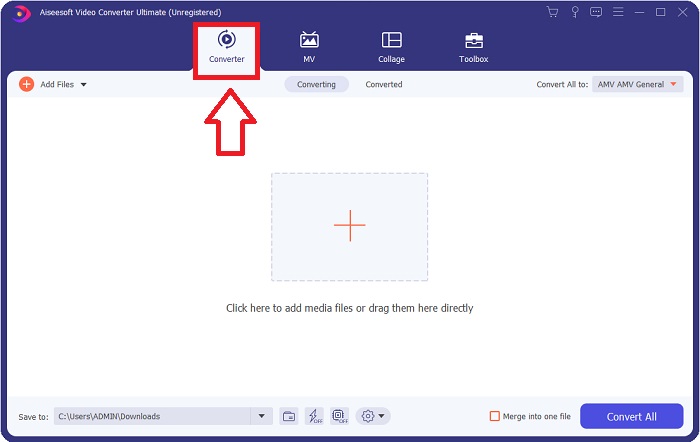
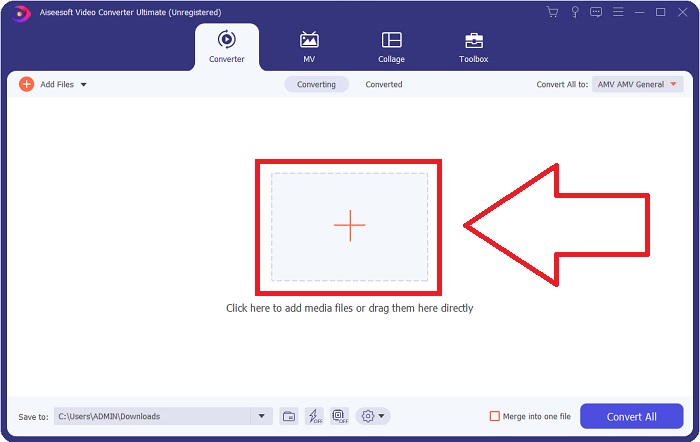
Passaggio 3. La procedura di conversione inizia con il caricamento nel convertitore dei file che desideri convertire. Trascina e rilascia il video che desideri convertire sul segno + per iniziare il processo di conversione.
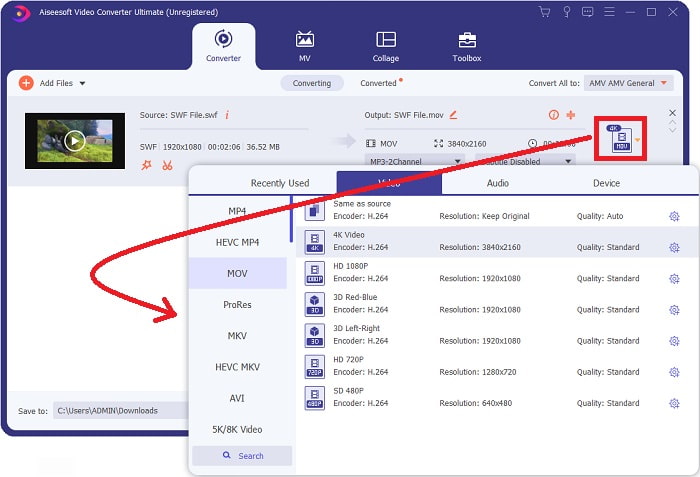
Passaggio 4. Nella parte in alto a destra dello schermo compare un menu di opzioni dal quale puoi scegliere un formato video. Seleziona MOV come formato video dal menu a discesa che appare. In base al file MOV che hai selezionato, potrai scegliere tra una varietà di opzioni di qualità video. Se l’output video desiderato non è disponibile, puoi regolare le impostazioni di qualità in Windows. Puoi modificare il frame rate dello schermo e la qualità audio facendo clic sull’icona a forma di ingranaggio nell’angolo in alto a destra. Usa il pulsante Crea nuovo per salvare le modifiche dopo averle apportate.
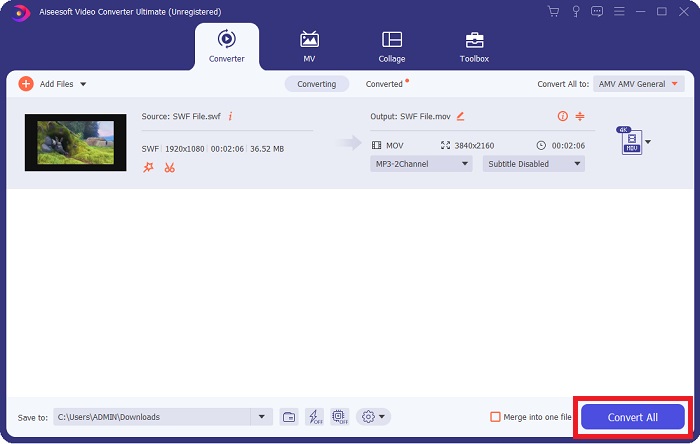
Passaggio 5. Quando hai terminato di modificare il video e questo è pronto per essere convertito, fai clic su Converti tutto per iniziare il processo di conversione.
Correlato:
Parte 4. Domande frequenti sulla conversione da SWF a MOV
SWF è un formato video?
Le animazioni video e vettoriali si trovano nei file SWF, creati con il software Adobe Flash. Tuttavia, è anche noto come Shockwave Format, che è l'abbreviazione completa di SWF. Originariamente sviluppato da Macromedia, questo formato di file è ora di proprietà di Adobe.
I file SWF sono sicuri?
In particolare, Flash è soggetto a un'ampia varietà di diversi tipi di vulnerabilità. A causa del fatto che il file SWF viene scaricato sui client ed eseguito sui loro computer, il tuo server non rappresenta un pericolo. Tuttavia, anche se tenti di controllare la presenza di malware nei file SWF, riceverai solo una protezione minima.
Quale browser supporta ancora Flash 2021?
Adobe Flash sarà deprecato in Firefox 84, la prossima major release del browser. Per migliorare la velocità e la sicurezza, Firefox 85 (prevista per il rilascio il 26 gennaio 2021) rimuoverà il supporto per Adobe Flash.
Conclusione
Per concludere, tutto ciò che è stato discusso in questo articolo trova la sua piena realizzazione nell’uso del software menzionato sopra. Video Converter Ultimate ti permette di convertire facilmente i file video e offre complessivamente un lavoro di qualità. A differenza di altri strumenti o software disponibili su Internet, questo programma ti offre un’esperienza accessibile insieme a risultati di alto livello.
-
 Da SWF a MP4: Converti gratuitamente SWF in MP4 online e su PC
 Come aprire il file SWF senza Adobe Flash Player? Prendi il miglior convertitore gratuito 3 da SWF a MP4 per cambiare gratuitamente SWF in MP4 online e su PC / Mac entro 3 passaggi.
-
 [2 Soluzioni] Come convertire facilmente e gratuitamente file SWF in GIF
 Quando non riesci a esportare il formato GIF tramite il software Flash, puoi provare a salvare i file in formato SWF all'inizio. Quindi puoi imparare 2 semplici modi per convertire file SWF in GIF da questo articolo.
-
 Miglior convertitore GIF per convertire GIF animate in formato MOV [2021]
 Converti la tua GIF in formato MOV in modo semplice senza compromettere la qualità del file video. Con passaggi e strumenti diversi.
