


 Video Converter Ultimate
 Screen Recorder
 Riparazione video
Qual è il miglior convertitore da utilizzare per convertire MP3 in WAV
L’MP3 è il formato audio più conosciuto al mondo. In effetti, è il formato predefinito per il salvataggio e la registrazione dei file audio. Sebbene questo formato sia usato da molti, esistono comunque numerosi altri formati che offrono una qualità audio più elevata rispetto all’MP3, come ad esempio il WAV. Dunque, se vuoi sapere come convertire MP3 in WAV per goderti al meglio la musica o le registrazioni che hai fatto, devi stare al passo, perché potrebbe essere un percorso un po’ lungo: senza ulteriori indugi, iniziamo la corsa.

Parte 1. Come convertire MP3 in WAV su Windows e Mac con passaggi dettagliati
1. Convertitore video FVC Ultimate
Vuoi sapere come convertire MP3 in WAV su Mac e PC ottenendo un audio di alta qualità? Allora FVC Video Converter Ultimate è proprio quello che fa per te. Inoltre, è veloce nella conversione come una SSC Tuatara ed è anche sicuro. Puoi convertire quanti file vuoi contemporaneamente, perché non c’è alcun limite al numero di file multimediali da convertire. Non solo: puoi usare questo strumento anche per creare MV, collage e sfruttare molte altre funzioni. Se vuoi sapere come usarlo, segui questi passaggi e iniziamo il processo di conversione.
Passaggio 1. Scegli se usare la versione per PC o per Mac e fai clic sul pulsante di download corrispondente. Installa il programma seguendo la procedura guidata e, al termine, fai clic su Fine per salvare le modifiche.
Download gratuitoPer Windows 7 o versioni successiveDownload sicuro
Download gratuitoPer MacOS 10.7 o versioni successiveDownload sicuro
Passaggio 2. Dopo l’installazione, fai clic su Add Files per inserire l’audio MP3 che vuoi convertire. Se i file audio sono più di due, è preferibile trascinarli direttamente sull’interfaccia (drag-and-drop).
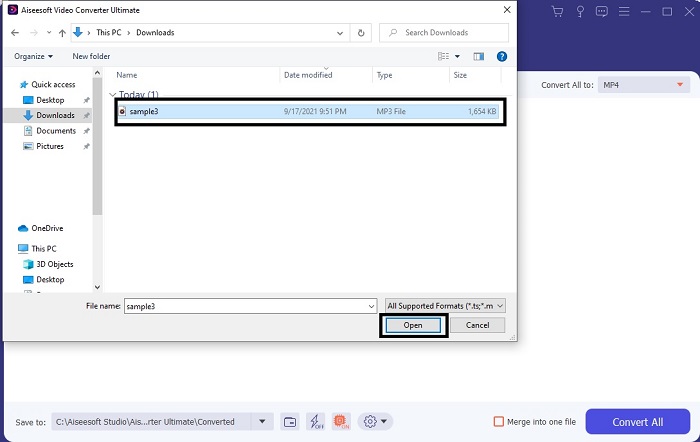
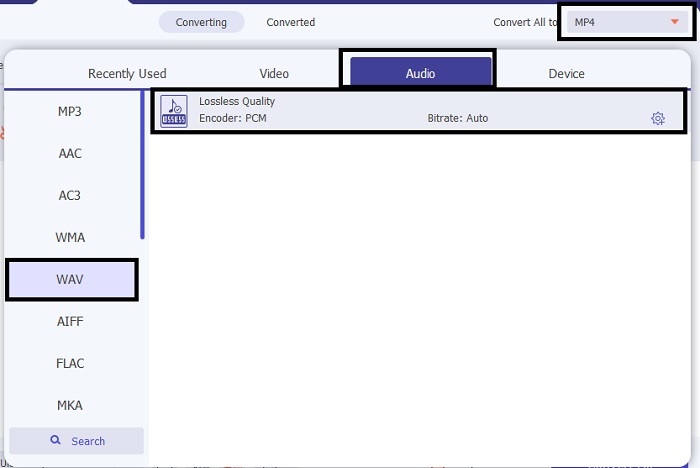
Passaggio 3. Cambia da MP3 a WAV o in qualsiasi altro formato audio desideri tramite il sottomenu.
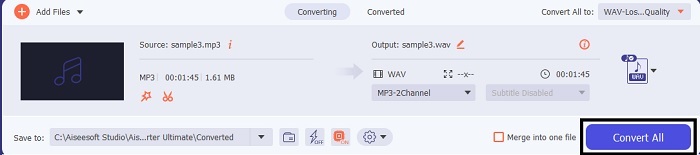
Passaggio 4. Se è tutto impostato correttamente, fai clic su Convert All per avviare la conversione.
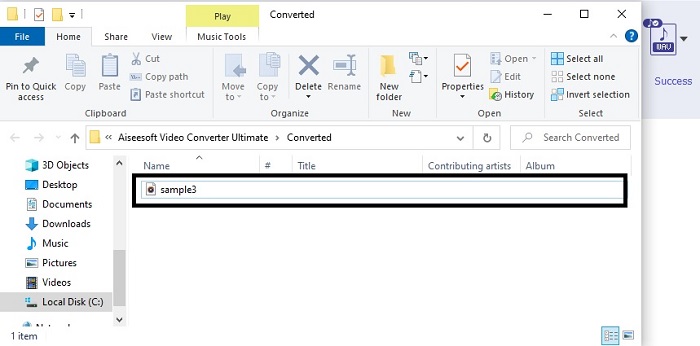
Passaggio 5. Al termine della conversione, sullo schermo si aprirà automaticamente un file manager. Fai clic sul file audio convertito e goditi la nuova versione. Inoltre, se l’audio ti sembra un po’ troppo basso, vai sulla barra degli strumenti e cerca Audio Booster per ottenere un suono più chiaro e potente.
2. iTunes
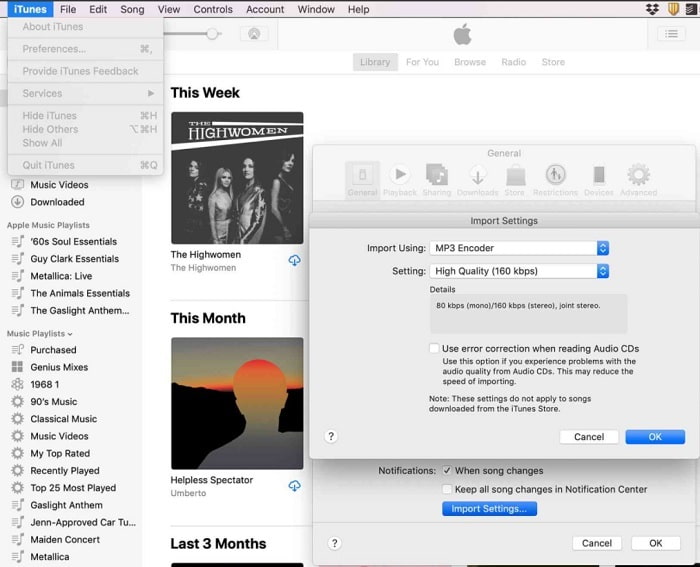
iTunes è ampiamente utilizzato per riprodurre musica su Mac e sui dispositivi iOS. Ma sapevi che puoi anche convertire MP3 in WAV con iTunes? La risposta è sì. Riproduzione e conversione sono entrambe incluse in questo strumento, ma non è accessibile su Android e Windows perché è il lettore multimediale predefinito dei prodotti Apple. Quindi, se non possiedi un prodotto Apple puoi comunque effettuare la conversione con l’aiuto di FVC Video Converter Ultimate. Se invece ne hai uno, allora vale davvero la pena usare iTunes e seguire i passaggi indicati di seguito.
Passaggio 1. Apri il software sul tuo dispositivo.
Passaggio 2. Seleziona l’audio MP3 che desideri convertire.
Passaggio 3. Dopodiché fai clic su Convert e attendi che il processo sia completato.
Parte 2. I 5 migliori convertitori online gratuiti da MP3 a WAV sul Web
1. Convertitore audio gratuito FVC
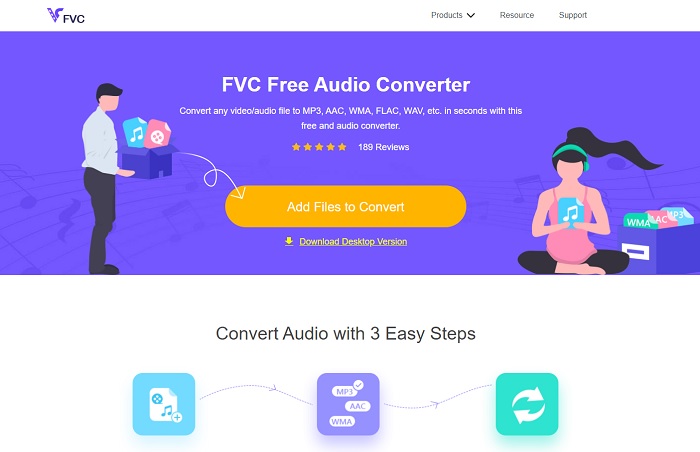
FVC Free Audio Converter è il miglior convertitore da MP3 a WAV online. Questo perché offre gran parte delle funzioni secondarie disponibili anche in FVC Video Converter Ultimate. Quindi, aspettati ottime prestazioni durante l’uso, anche se le funzioni principali della versione premium qui non sono presenti, proprio perché si tratta di uno strumento gratuito. Se vuoi provarlo, puoi fare clic sul collegamento ipertestuale messo a tua disposizione. Prima di tutto, vediamo come usare questo convertitore web.
Passaggio 1. Per accedere allo strumento, fai clic su questo link.
Passaggio 2. Fai clic su Add Files to Convert per avviare lo strumento.
Scarica la Versione Desktop per convertire i file in batch.
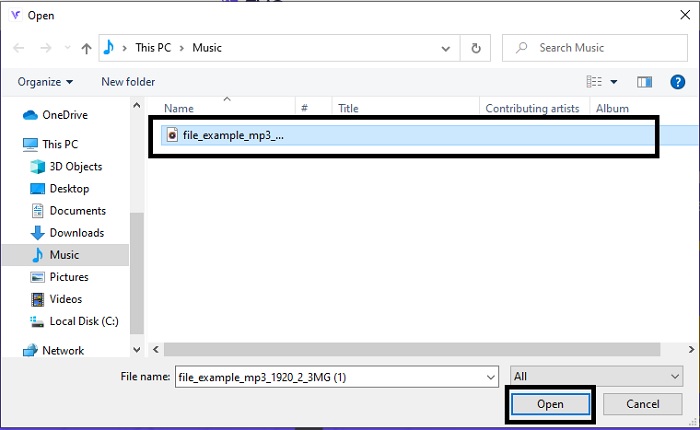
Passaggio 3. Dopo aver avviato lo strumento, seleziona il file MP3 che vuoi convertire e fai clic su open.
Passaggio 4. Seleziona il formato desiderato in basso, quindi fai clic su Convert per avviare il processo.
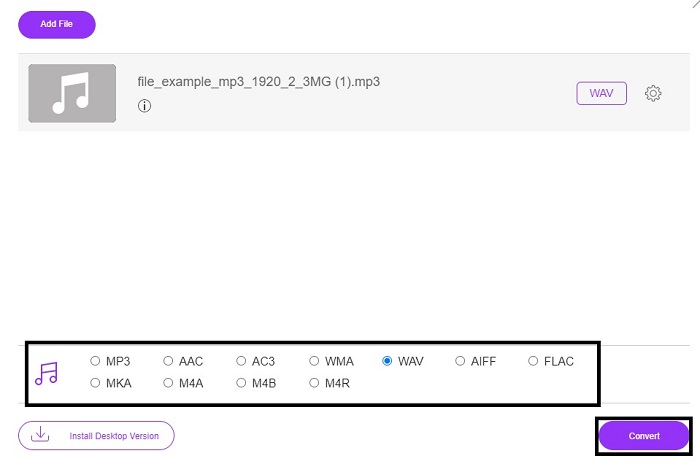
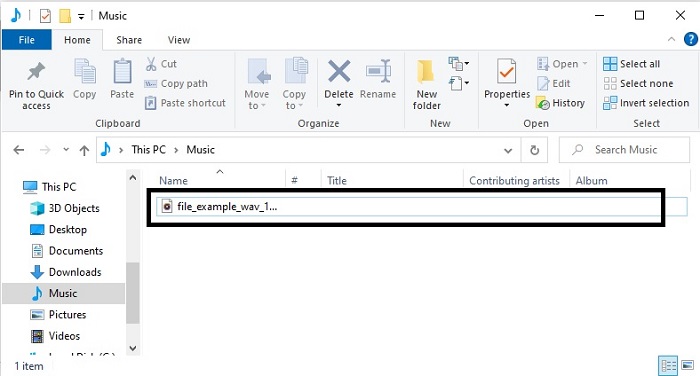
Passaggio 5. Ci vorranno solo pochi minuti e, una volta terminata la conversione, fai clic sulla cartella per individuare il file che hai appena convertito.
2. Conversione cloud
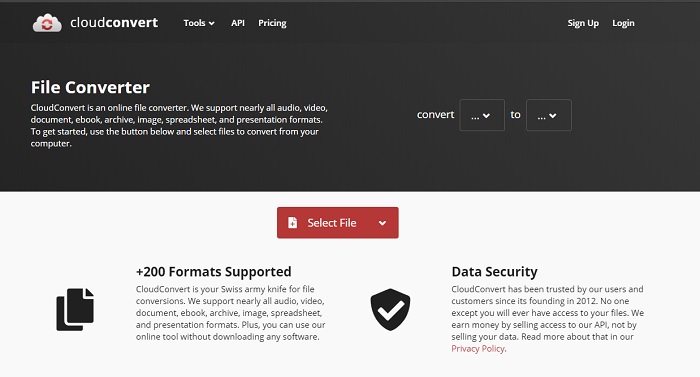
Un altro strumento che puoi usare direttamente online è Cloud Convert, per trasformare i tuoi file in un nuovo formato. È uno dei migliori sul mercato quando si parla di conversione, ma non ti permette di regolare o modificare bitrate, fps e codec. Tuttavia, se vuoi convertire file di testo in un nuovo formato, questo strumento merita sicuramente una prova.
3. Convertio
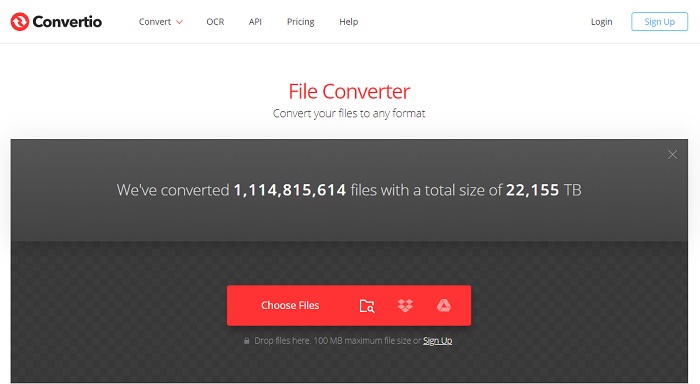
Proprio come Cloud Convert, anche Convertio è stato creato per essere gratuito. Per quanto riguarda la conversione, offre anche una potente compressione e un’ottima qualità di conversione. Molti utenti lo scelgono per convertire i file grazie alle istruzioni molto chiare e alla sua semplicità d’uso. Anche se puoi accedere allo strumento dal web, il sito principale presenta numerose pubblicità nell’interfaccia, cosa che può risultare un po’ fastidiosa, soprattutto se non vuoi essere disturbato durante la conversione.
4. Conversione in linea
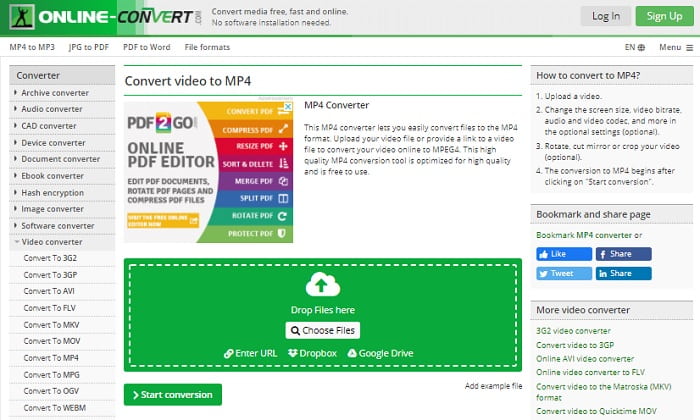
Questo strumento offre davvero molto in termini di conversione ed è anche molto ricco di informazioni. Online-Convert mette a disposizione funzioni avanzate con cui puoi modificare bitrate, risoluzione e canali. Se sei alle prime armi con la conversione, questo strumento potrebbe risultare un po’ complesso. Inoltre, dopo aver caricato il file sull’interfaccia web, devi attendere che venga elaborato. Non solo: esiste un limite di dimensione per la conversione, fissato a 100 MB, quindi se desideri convertire un numero maggiore di file dovrai acquistare la versione premium per rimuovere anche le pubblicità.
5. 123 app: convertitore audio
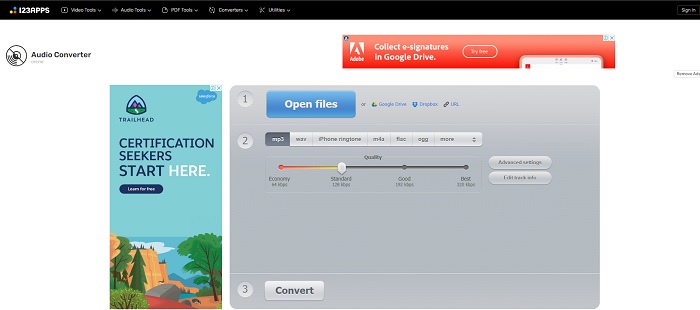
Con questo strumento online puoi effettuare la conversione in modo efficace ed efficiente. Tuttavia supporta solo tre formati audio. 123 Apps - Audio Converter è uno degli strumenti più semplici da usare: ti basta aprire il sito, inserire il file, scegliere il formato e avviare la conversione, tutto qui. Il lato negativo è che, secondo alcune segnalazioni, dopo la conversione la qualità dell’audio può risultare inferiore.
Parte 3. Grafico di confronto dei convertitori in lista
Impara le differenze di ogni strumento e confrontiamole di conseguenza.
| Caratteristiche | FVC Video Converter Ultimate | iTunes | Convertitore audio gratuito FVC | Conversione cloud | Convertio | Conversione in linea | 123 app: convertitore audio |
| Convertitore audio |  | | | | | | |
| Funzionalità di modifica | |  | | | | | |
| Modifica di Bitrate, Fps, risoluzione o simili | | | | | | | |
| Programma supportato | Strumento basato sul desktop | Strumento predefinito basato su desktop | Strumento basato sul Web | Strumento basato sul Web | Strumento basato sul Web | Strumento basato sul Web | Strumento basato sul Web |
| Sistema operativo supportato | Disponibile in tutti i sistemi operativi | Solo prodotto supportato da Apple | Disponibile in tutti i sistemi operativi | Disponibile in tutti i sistemi operativi | Disponibile in tutti i sistemi operativi | Disponibile in tutti i sistemi operativi | Disponibile in tutti i sistemi operativi |
| Fascia di prezzo | Per 1 mese: $25.00 Per un anno: $31.20 Per licenza a vita: $55.20 | Per rimuovere gli annunci: $10 al mese $15 al mese per una famiglia di sei persone $5 al mese per gli studenti | Gratuito | Gratuito | Gratuito | Per gli 8 GB aggiuntivi: Abbonamento mensile $70 USD con fatturazione mensile Abbonamento annuale $672 USD | Gratuito |
MP3 contro WAV
Il formato MP3 è stato rilasciato nel 1993 dal Moving Picture Experts Group (MPEG). Era lo standard per la memorizzazione della musica in quanto poteva comprimere l'audio a una dimensione molto più piccola rispetto ad altri formati non compressi. È ancora ampiamente utilizzato al giorno d'oggi, soprattutto per la distribuzione di audio online.
WAV, noto anche come formato WAVE, è basato sul Resource Interchange File Format (RIFF). È stato sviluppato insieme da Microsoft e IBM all'inizio degli anni '90. È un'opzione per salvare l'audio grezzo e non compresso in Microsoft Windows. Pertanto, i file WAV vengono riprodotti più spesso su computer Windows.
Parte 4. Domande frequenti su MP3 in WAV
Qual è il significato di WAV?
WAV significa file audio Waveform; è un formato lossless non compresso.
Qual è la dimensione del file più grande? MP3 o WAV?
Sebbene entrambi i formati memorizzino file audio, il WAV è molto più grande dell’MP3. In alcuni casi può arrivare a essere fino a 15 volte più voluminoso, perché è non compresso. Puoi fare clic qui per imparare come convertire WAV in MP3.
Dove posso registrare WAV?
Per registrare, devi usare il miglior strumento disponibile online. Proprio perché questo formato è non compresso, devi prestare attenzione a non perdere dati durante la registrazione. Detto questo, FVC Screen Recorder è l'registratore WAV insuperabile. Può registrare e anche modificare, così da migliorare ulteriormente il risultato finale sia in termini di immagine che di suono. Per saperne di più, scarica il software sul tuo computer.
Conclusione
Ora che la corsa volge al termine, è più chiaro che mai che esiste un solo vincitore. Solo con questo strumento ti sentirai il re del mondo delle registrazioni. FVC Video Converter Ultimate svolge la maggior parte dei compiti che gli altri software di registrazione non riescono a fare. Se hai problemi a registrare video, audio o gameplay, puoi assicurarti un vantaggio scegliendo l’opzione giusta. Punta tutto su FVC Video Converter Ultimate e otterrai una vittoria facile sulla tua strada.
Download gratuitoPer Windows 7 o versioni successiveDownload sicuro
Download gratuitoPer MacOS 10.7 o versioni successiveDownload sicuro
-
 Come convertire gratuitamente MP4 in WAV su desktop o online [2021]
 Stai cercando di convertire MP4 in WAV? Non sai quale convertitore può aiutarti perfettamente senza pagare un centesimo? Leggi questo post e tutte le tue domande avranno una risposta.
-
 WAV Player - Le 5 migliori app per lettori WAV per Android, iPhone, PC e Mac
 Come riprodurre file WAV sul telefono Android? Quale giocatore può riprodurre WAV? Questo post condivide i 5 migliori lettori WAV gratuiti per Android, iPhone, Mac e PC.
-
 FLV in WAV - Converti FLV in WAV online gratuitamente e su Mac / PC
 Come posso convertire un file FLV? VLC può convertire YouTube FLV in WAV? Questo post dice 3 modi gratuiti per convertire FLV in WAV senza perdita di qualità.

