


 Video Converter Ultimate
 Screen Recorder
 Riparazione video
 Download sicuro
Come convertire MP4 in 3GP online e offline
MP4 è un formato video popolare che può essere riprodotto su lettori MP4, telefoni cellulari e tablet. I film che scarichiamo dal sito web di solito rimangono in formato MP4. Ma alcuni telefoni cellulari supportano solo la riproduzione di video 3GP. Questo articolo ti mostrerà 3 convertitori gratuiti da MP4 a 3GP e potrai convertire MP4 in 3GP senza problemi.

Parte 1. Come convertire un MP4 in 3GP su Windows e Mac
Se vuoi convertire MP4 in 3GP offline, puoi usare un converter MP4 in 3GP per desktop. FVC Free FLV to 3GP Converter è il software gratuito e facile da usare per la conversione video per Windows e Mac. Può convertire con facilità vari formati video come FLV, MP4, MOV, MKV, MTS, M2TS, ecc. in 3GP. Inoltre, offre funzioni di editing per aggiungere temi, modificare autore, ora, provider all’inizio/alla fine del video.

- Converti video in MP4, MKV, AVI, MOV, MP3, AAC, AIFF, ecc. In 3GP.
- Esporta video 3GP e file audio senza perdita di dati da file MP4 con 1 clic.
- Consenti agli utenti di modificare provider, titolo, autore, ora e aggiungere tema.
- Batch converte MP4 in 3GP per giocare su alcuni telefoni cellulari.
Download gratuitoPer Windows 7 o versioni successiveDownload sicuro
Download gratuitoPer macOS 10.7 o versioni successiveDownload sicuro
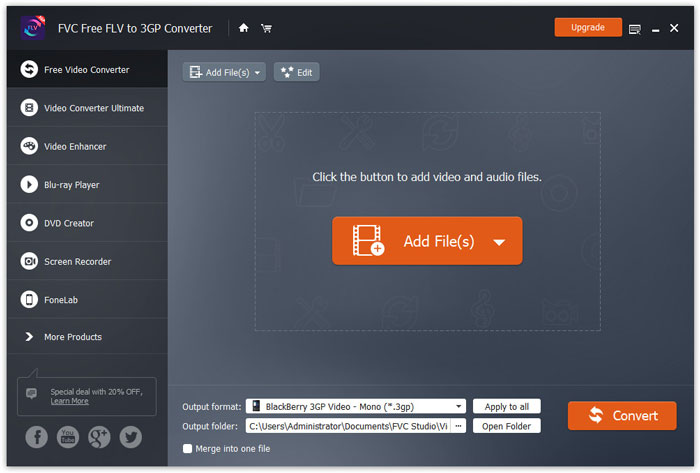
Passaggio 1. Scarica gratuitamente, installa e avvia FVC Free FLV to 3GP Converter sul tuo Windows o Mac. Fai clic sul pulsante Add Files per caricare i file MP4 dal computer. Puoi convertire più file MP4 contemporaneamente.
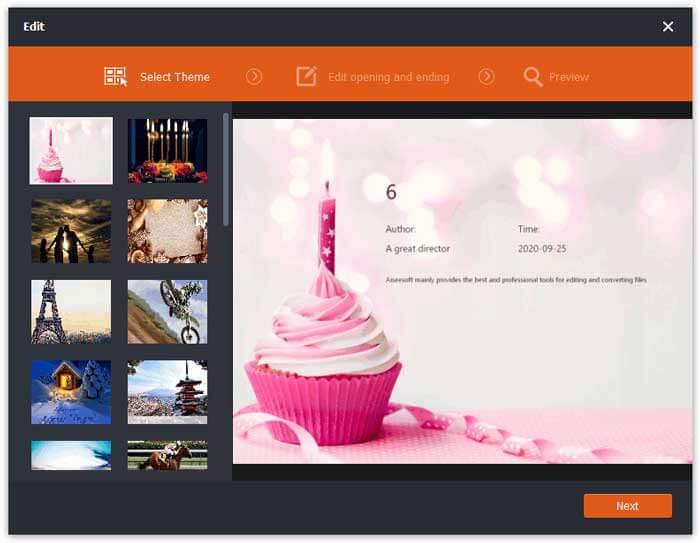
Passaggio 2. Fai clic sul tuo file MP4 e poi sul pulsante Edit. Puoi aggiungere un tema al tuo file MP4 e modificare i contenuti di apertura e chiusura. Quindi fai clic su Next per visualizzare l’anteprima e salvare le modifiche.
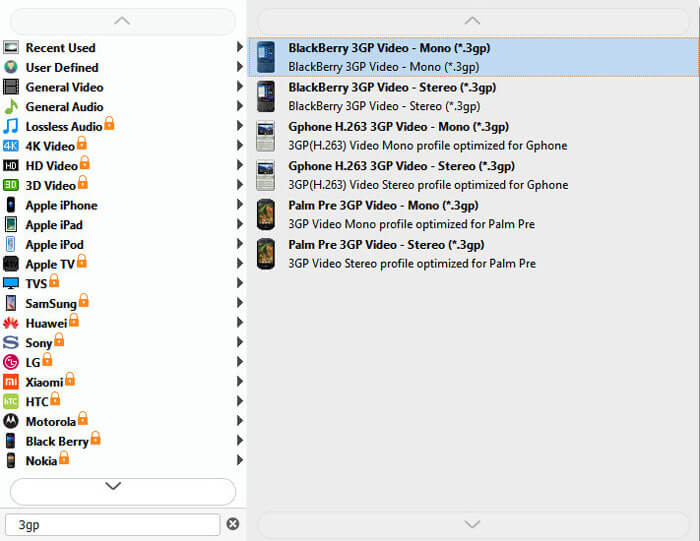
Passaggio 3. Seleziona 3GP dall’elenco a discesa di Output format in basso. Puoi scegliere BlackBerry 3GP Video - Mono (*.3gp) o un’altra opzione a tua scelta.
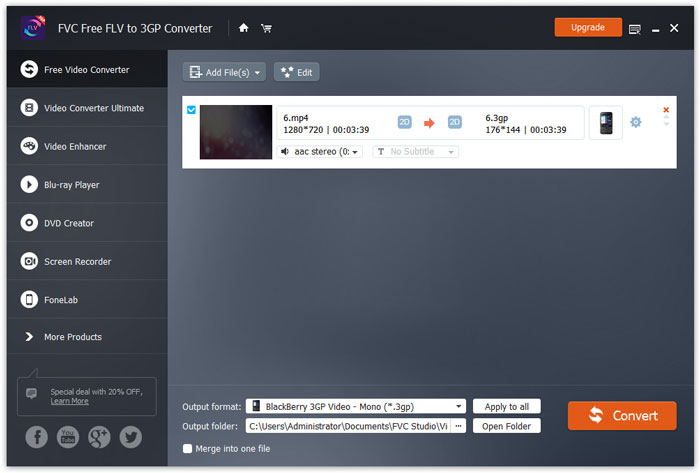
Passaggio 4. Infine, scegli la cartella di destinazione sul tuo computer e fai clic sul pulsante Convert per iniziare a trasformare MP4 in 3GP.
Parte 2. Esporta 3GP da MP4 con 2 convertitori 3GP online
Rispetto all'installazione di un convertitore 3GP desktop, l'utilizzo di un convertitore basato sul web è molto più semplice e facile per convertire un MP4 in 3GP. In questa parte, condivideremo 2 convertitori 3GP online per aiutarti a convertire MP4 in 3GP senza difficoltà.
1. Convertitore video online gratuito FVC
FVC Free Online Video Converter è una piattaforma di conversione video molto nota, con cui puoi convertire i più comuni formati video e audio in 3GP, MKV, MOV, WMV, AVI, MP3 e altri ancora.
Passaggio 1. Vai al sito ufficiale di FVC Free Video Converter. Fai clic sul pulsante Add Files to Convert per scaricare e installare il launcher.
Scarica la Versione Desktop per convertire i file in batch.

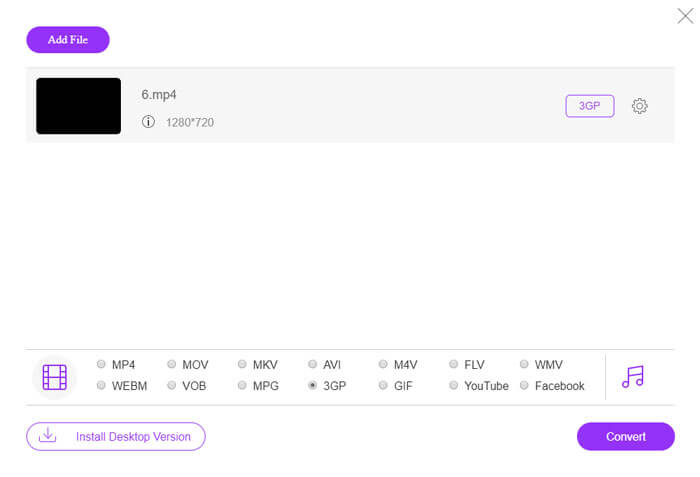
Passaggio 2. Seleziona i file MP4 dal computer locale. Puoi fare clic sull’icona a forma di ingranaggio per regolare bitrate video, frequenza di campionamento, frame rate, risoluzione e volume.

Passaggio 3. Imposta il formato di output su 3GP in basso. Poi fai clic sul pulsante Convert per iniziare a convertire MP4 in 3GP. Puoi convertire in batch diversi file MP4 in 3GP contemporaneamente.
2. Zamzar
Zamzar è un convertitore video online, convertitore audio, convertitore di immagini e convertitore di eBook. È conveniente convertire MP4 in una varietà di altri formati usando Zamzar. I seguenti sono semplici passaggi per convertire MP4 in 3GP.
Passaggio 1. Vai su zamzar.com/convert/mp4-to-3gp/ e fai clic sul pulsante Add Files per caricare i tuoi file MP4.
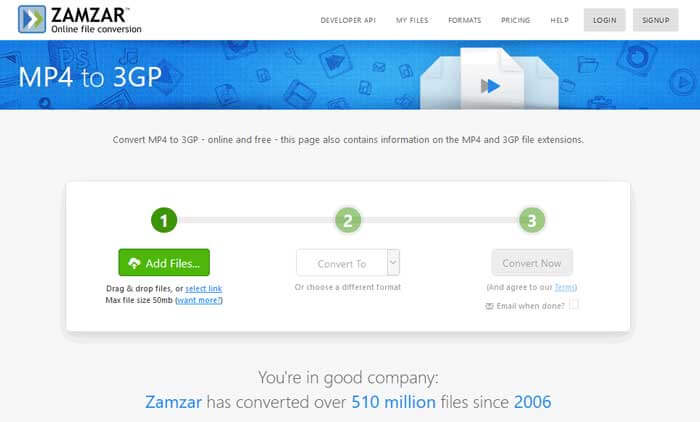
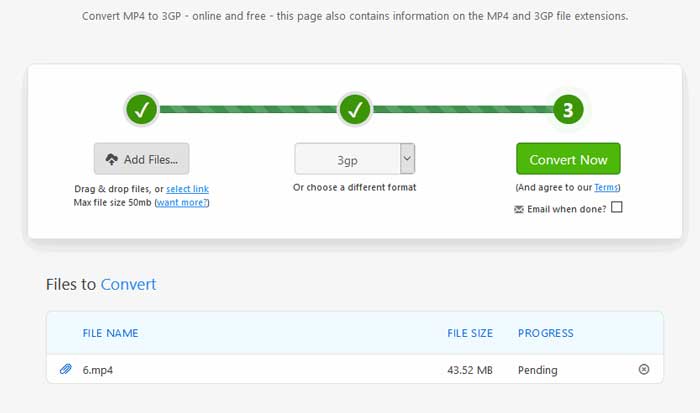
Passaggio 2. Puoi scegliere un formato di output diverso. Di solito, 3GP sarà impostato come formato di uscita predefinito. Fai clic sul pulsante Convert Now per iniziare a convertire MP4 in 3GP.
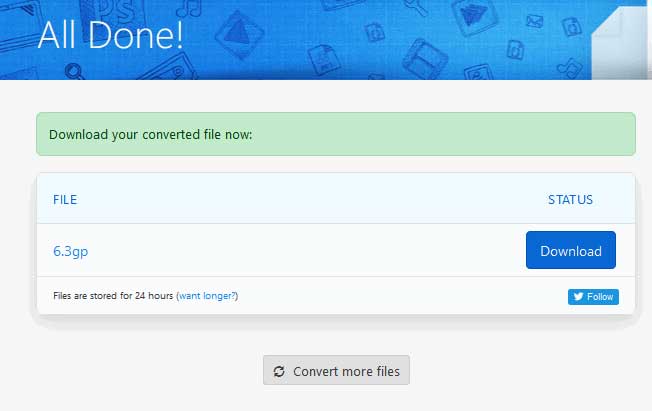
Passaggio 3. Verrai quindi reindirizzato a un’altra pagina. Puoi fare clic sul pulsante Download per salvare il file 3GP convertito sul tuo computer.
E se il tuo file MP4 ha dimensioni molto grandi? Guarda qui come comprimere i file MP4.
MP4 contro 3GP
Rilasciato dal Moving Picture Experts Group (MPEG) nel 2001, il formato MP4 può aiutarti a salvare video, audio, sottotitoli e dati di immagine in tracce separate. È l'abbreviazione di MPEG-4 Part 14. Inoltre, è uno dei formati più popolari utilizzati per lo streaming e la condivisione di video.
Il 3rd Generation Partnership Project (3GPP) ha prodotto il formato 3GP/3GPP come formato contenitore multimediale. In realtà è basato sul formato del file multimediale ISO. Lo usiamo spesso per salvare flussi video/audio che vengono trasmessi tra telefoni cellulari 3G e online.
Parte 3. Domande frequenti sulla conversione da MP4 a 3GP
1. 3GP è migliore di MP4?
3GP è stato progettato per i telefoni cellulari con rete 3G. Puoi riprodurre i file 3GP in lettori come QuickTime, VLC e RealPlayer. MP4 è molto più compatibile di 3GP. È universalmente supportato da molti lettori multimediali portatili e smartphone.
2. Cos'è 3GP?
3GP è un formato contenitore multimediale definito dalla terza generazione. Può memorizzare video e flussi audio riprodotti su telefoni cellulari 3G, ma può anche essere riprodotto su alcuni telefoni 2G o 4G.
3. Come posso convertire un MP4 in FLV?
Con l’aiuto di FVC Free Online Video Converter, puoi facilmente convertire MP4 in FLV online. Vai a questo sito online e fai clic sul pulsante Add Files to Convert per installare il launcher. Poi seleziona i file MP4 dal computer e imposta FLV come formato di output. Fai clic sul pulsante Convert per convertire MP4 in FLV.
Conclusione
Abbiamo parlato principalmente di 3 metodi per convertire MP4 in 3GP su Windows e Mac. Se preferisci una soluzione online, puoi provare FVC Free Online Video Converter o Zamzar online. Se desideri modificare il tuo file MP4 per un'ulteriore perfezione, puoi invece utilizzare il convertitore gratuito da FLV a 3GP. Se hai soluzioni migliori, non esitare a lasciare un commento.
-
 I 3 migliori modi gratuiti per convertire rapidamente MP4 in VOB
 Come convertire un MP4 in VOB su PC Windows e Mac? Per risolvere questo problema, questo post condividerà 3 modi migliori per aiutarti a convertire gratuitamente MP4 in VOB.
-
 Gratuito | 3 migliori metodi per convertire MP4 in WMV senza perdere la qualità
 Questo post condivide come convertire i video MP4 in formato WMV su Mac o Windows. Ti offriremo anche diverse opzioni, inclusi sia software desktop che convertitori online basati sul web. Pronto a conoscere i migliori strumenti di conversione da MP4 a WMV?
-
 3 metodi per convertire MP3 in MP4 con l'immagine
 Come convertire MP3 in MP4 in alta qualità? Questo post mostra 3 metodi efficienti e gratuiti per cambiare MP3 in MP4 con immagini su Windows e Mac.

