


 Video Converter Ultimate
 Screen Recorder
 Riparazione video
 Download sicuro
I 5 migliori lettori GIF per computer, Android e iPhone
Le GIF animati possono veicolare molte più informazioni rispetto alle immagini statiche. Stai cercando un buon lettore GIF per visualizzare tutti i tipi di file GIF sul tuo iPhone, iPad, telefono Android o computer?
Sui social puoi ricevere e inviare facilmente vari GIF divertenti. Tuttavia, dopo aver salvato i GIF sul tuo dispositivo, alcuni di essi non possono essere aperti direttamente dal lettore multimediale predefinito che stai usando. Potresti quindi chiederti se sia il caso di procurarti un lettore GIF per riprodurre i GIF.

Puoi visualizzare direttamente i file GIF sull’app social. Ma in alcuni casi non ti è consentito aprirli di nuovo con il lettore sul tuo computer o dispositivo portatile Android/iOS. Considerando questa esigenza, abbiamo stilato un elenco di 5 lettori di GIF animate tra cui puoi scegliere. Che tu stia cercando un lettore GIF per Android, iPhone o computer, potrai trovare il player adatto.
Parte 1. Il miglior lettore GIF per Mac e Windows - Lettore video gratuito FVC
FVC Free Video Player è un popolare strumento gratuito per la riproduzione di file multimediali che può aiutarti a riprodurre qualsiasi file GIF sia su PC Windows 10/8/7/XP sia su Mac. Questo lettore GIF gratuito è una sorta di software di riproduzione online che ti consente di aprire tutti i tipi di file video e audio. Per riprodurre i GIF la prima volta ti verrà richiesto di installare un piccolo file di avvio. È compatibile con molti browser molto diffusi, tra cui Chrome, Safari, IE, Firefox e altri.
Download gratuitoPer Windows 7 o versioni successiveDownload sicuro
Download gratuitoPer macOS 10.7 o versioni successiveDownload sicuro
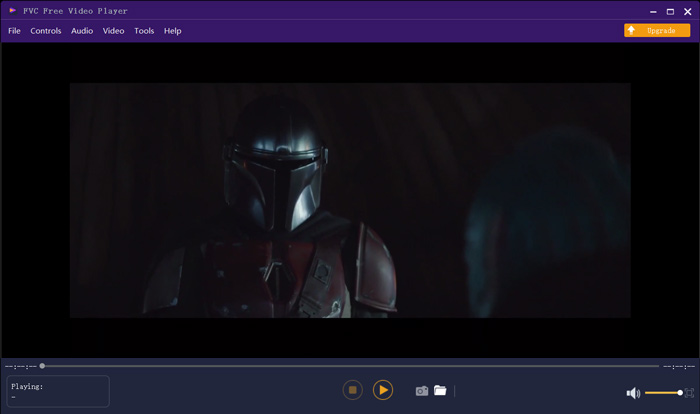
Più di un semplice lettore GIF gratuito, supporta tutti i formati video e audio più diffusi come MP4, MOV, FLV, AVI, WMV, VOB, MP3, AAC, ALAC, M4A, WAV, FLAC e altro. Non esiste un limite di dimensione del file per la riproduzione di GIF. Può darti una grande esperienza visiva. Inoltre, supporta l'avanzata tecnologia di codifica audio DTS-HD e Dolby TrueHD che può offrire un ottimo effetto sonoro.
Parte 2. App Player GIF per Android - OmniGIF
OmniGIF è uno strumento per la riproduzione di GIF progettato principalmente per gli utenti Android. Se vuoi aprire i GIF su un telefono Android, puoi fare affidamento su di esso. Più che un semplice lettore GIF, OmniGIF funziona anche come creatore ed editor di GIF. Ti consente di gestire facilmente i tuoi file GIF, clip video e foto. Per la riproduzione dei GIF sul tuo dispositivo Android puoi aumentare o ridurre la velocità, riprodurre avanti e indietro, riprodurre fotogramma per fotogramma e svolgere molte altre operazioni in base alle tue esigenze.
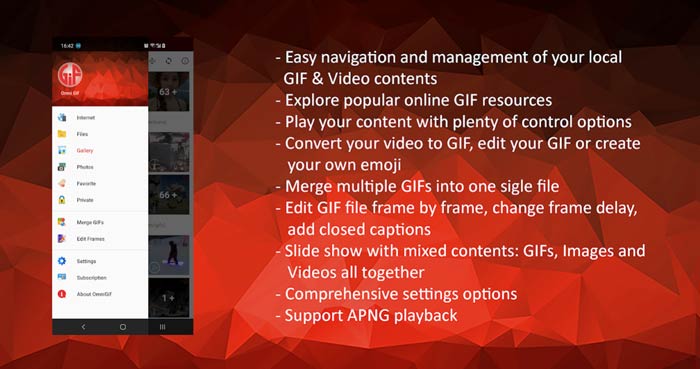
Questa app per Android GIF Player ti consente di nascondere segretamente alcuni file privati. Fornisce anche potenti funzioni di modifica e creazione di GIF. Inoltre, OmniGIF offre un'eccezionale funzionalità di condivisione per condividere rapidamente file GIF, clip video o foto su Facebook, Instagram, Twitter, Messenger, Line, WhatsApp, Gmail e altro ancora.
Parte 3. App GIF Player per iPhone e iPad - Visualizzatore GIF
GIF Viewer è un’app per la riproduzione di GIF destinata agli utenti iOS. Puoi installare gratuitamente questa app lettore GIF dall’App Store sul tuo iPhone o iPad. È in grado di riprodurre, organizzare e condividere con facilità i file GIF archiviati nell’app Foto. Questa app iOS per GIF ti consente anche di aggiungere e visualizzare animazioni GIF da altre fonti.
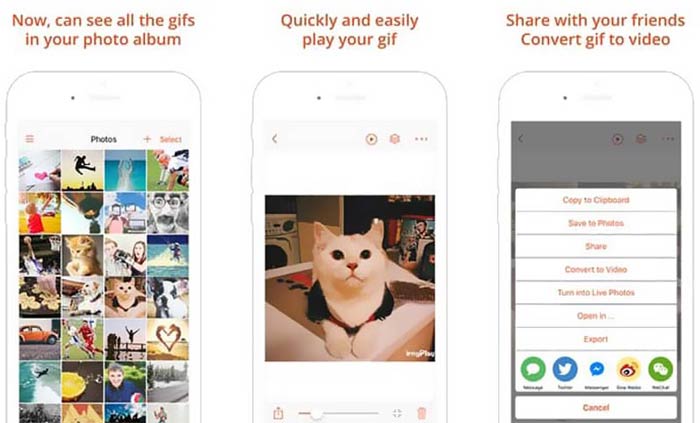
GIF Viewer è in grado di riprodurre tutti i tipi di file GIF dall’archivio locale, dagli appunti, da iCloud Drive, Dropbox e dai link copiati da Twitter. Inoltre, questo lettore GIF può aiutarti a convertire i GIF in video per una migliore riproduzione sui tuoi dispositivi.
Parte 4. Lettore GIF per Mac e PC Windows - QuickTime Player
QuickTime Player è il lettore multimediale predefinito per Mac. Può funzionare come lettore GIF per aprire e visualizzare i file GIF su Mac. Se utilizzi un Mac, puoi aprire direttamente un file GIF con questo lettore multimediale preinstallato. Esiste anche una versione per Windows che ti consente di riprodurre i GIF su un PC Windows.
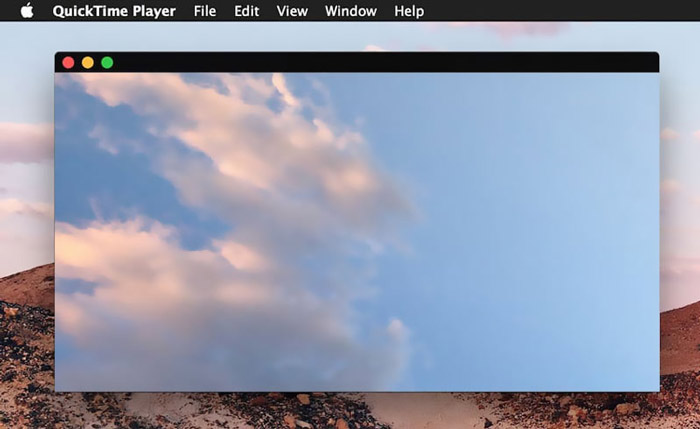
Come lettore, QuickTime può supportare solo alcuni formati video e audio usati di frequente, come MP4, MOV, M4V, AAC, M4A, MP3 e altro. È progettato con alcune funzioni di modifica e registrazione di base. Puoi fare affidamento su questo lettore GIF per catturare lo schermo e modificare il file.
Parte 5. Lettore GIF online gratuito - OnlineImageTools
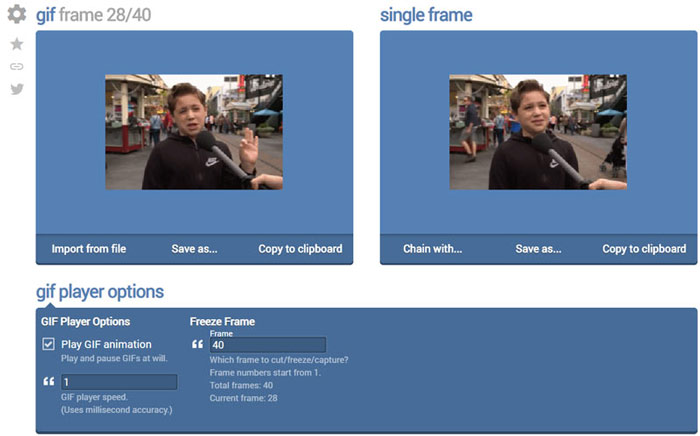
OnlineImageTools è uno strumento online per la riproduzione di file GIF che ti permette di visualizzare i GIF sia su Mac che su PC Windows. Non è necessario installare plug-in o altri file per riprodurre i GIF. Questo lettore gratuito di animazioni GIF basato sul browser ti consente di aprire direttamente online il tuo file GIF. Per la riproduzione dei GIF, ti permette di visualizzare un file GIF fotogramma per fotogramma.
Parte 6. Domande frequenti su GIF Player
Domanda 1. Come salvare le GIF su iPhone?
Quando vuoi salvare un file GIF sul tuo iPhone, puoi tenere premuta la GIF fino a quando non viene visualizzato il messaggio. Quindi puoi scegliere l'opzione Salva immagine per salvarla nell'app Foto.
Domanda 2. Come convertire gratuitamente i video in GIF?
Per creare un file GIF da un video, puoi affidarti al popolare Free Online Video Converter. Ti consente di convertire qualsiasi clip video in GIF con facilità.
Domanda 3. VLC può riprodurre GIF?
No. Il lettore multimediale VLC può aprire solo un file GIF come immagine statica.
Conclusione
Che tu stia cercando un lettore GIF per computer o telefono cellulare, puoi trovarne uno adatto tra i 5 strumenti consigliati per la riproduzione di GIF riportati sopra. Lasciaci un messaggio se hai ancora domande sul lettore GIF o sulla riproduzione di GIF.
-
 Tutorial per comprimere GIF e ridurre le dimensioni del file con alta qualità
 Ecco 2 semplici modi per comprimere GIF sul tuo computer o telefono cellulare. Puoi utilizzare FVC Free Online Video Compressor e Photoshop riduce le dimensioni del file GIF in diversi aspetti.
-
 I 10 migliori lettori FLV per Windows, Mac, iOS e Android nel 2021
 Il lettore FLV ti aiuta ad accedere facilmente ai tuoi file FLV sul tuo dispositivo Windows, Mac, Android, iOS. Dai un'occhiata ai migliori lettori di file FLV che puoi scaricare adesso.
-
 I migliori 8 lettori di file SWF per riprodurre file video Flash su Windows e Mac
 Quando vuoi goderti i film ei giochi SWF su PC e Mac, puoi saperne di più sulle eccellenti caratteristiche degli 8 migliori lettori di file SWF dall'articolo.
