


 Video Converter Ultimate
 Screen Recorder
 Riparazione video
 Download sicuro
Metodo migliore per convertire o riprodurre formati MOV su Android e tablet
È un fatto noto che il formato MOV è stato sviluppato da Apple Inc. Quindi, non ci sorprende che i dispositivi Android non riescano a riprodurre questo tipo di formato, perché non è supportato dal loro lettore multimediale integrato. I file MOV possono essere riprodotti su Android? Sì, possono essere riprodotti sul tuo dispositivo Android se utilizzi strumenti di terze parti come quelli nell’elenco seguente oppure se li converti in un formato riproducibile dal tuo dispositivo. Inoltre, questo articolo fornisce informazioni sufficienti perché tu possa determinare quale metodo usare per riprodurre i tuoi file MOV non riproducibili sui dispositivi Android. Questo è rivolto esclusivamente agli utenti Android e tablet. Per saperne di più su questi metodi, continua a leggere l’articolo, che illustra i diversi lettori multimediali e convertitori che puoi utilizzare.

Metodo 1. Le migliori app MOV Player gratuite per Android per guardare video MOV
Ecco alcuni dei migliori lettori MOV gratuiti che puoi utilizzare che supportano i file MOV sul tuo dispositivo Android.
1. VLC per Android
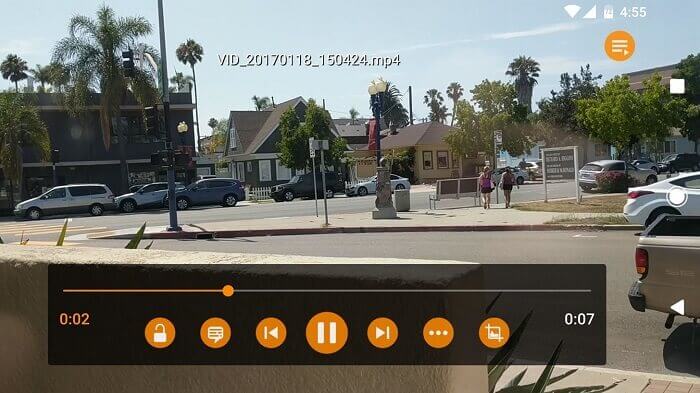
Un lettore multimediale che supporta quasi tutti i vari formati multimediali su tutte le piattaforme. È in grado di riprodurre il tuo formato MOV sul tuo dispositivo Android, semplicemente scaricando l’applicazione dal Play Store. VLC per Android è molto rinomato grazie al suo lettore multimediale disponibile su PC e Mac. Si è già costruito la reputazione di miglior lettore multimediale di sempre. Il merito va a tutti gli utenti che utilizzano questa applicazione per riprodurre i loro film, video, file audio e molto altro. Può anche decodificare file sulla maggior parte delle piattaforme. Sebbene dipenda dai codec, presenta alcuni problemi di bug relativi ad altri formati di file. Ma è un’ottima scelta per guardare e ascoltare i tuoi file multimediali.
Professionisti
- Interfaccia semplice per un lettore multimediale.
- Disponibile su tutte le piattaforme.
- Equalizzatore integrato.
Contro
- Alcuni bug non sono stati corretti.
- Non è costruito per essere un lettore musicale. Quindi, deve essere organizzato da te.
2. MPV Android
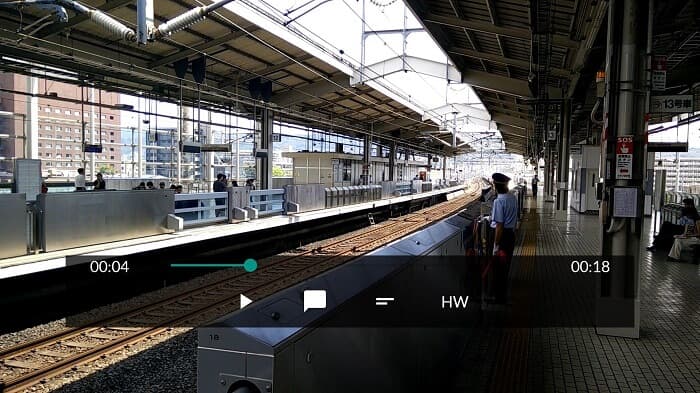
MPV android è un noto lettore multimediale per Android utilizzato da milioni di utenti sul Play Store. Offre anche opzioni CLI semplificate.
Professionisti
- Lettore multimediale Android aggiornato.
- Ottimo lettore HDR.
- Lettore multimediale basato su libmpv.
Contro
- Mancanza di funzionalità. Ad esempio, ingrandisci e rimpicciolisci e non puoi nemmeno riavvolgere e avanzare velocemente.
- L'interfaccia utente è noiosa.
3. Giocatore MX
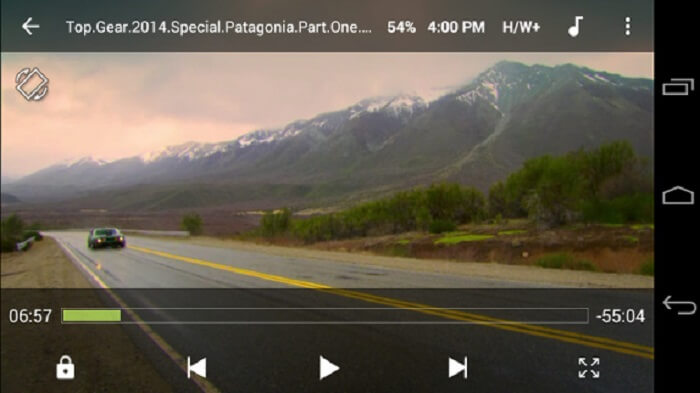
MX Player è la scelta migliore per la sua interfaccia semplice e la potente ottimizzazione video.
Professionisti
- Funzioni avanzate come zoom avanti, zoom indietro e panoramica.
- Blocco bambini.
- Supporti per i sottotitoli.
Contro
- Gli annunci non sono gestibili e diventano più fastidiosi.
- Problemi con la riproduzione di alcuni video.
4. Giocatore KM
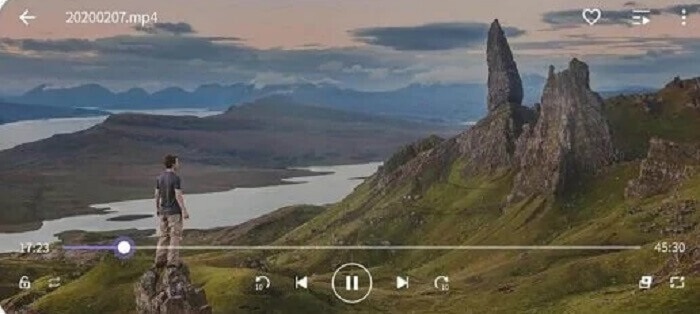
KM Player supporta 10 diversi formati di sottotitoli. Così puoi goderti la visione dei video leggendo i sottotitoli.
Professionisti
- Uno strumento di riproduzione perfetto.
- Fornisce segnalibro.
- Regolazione dei colori: luminosità, tonalità, saturazione, informazioni gamma e contrasto.
Contro
- Acquisto in app.
- Per qualche ragione alcuni di loro hanno bisogno di usare un codec esterno.
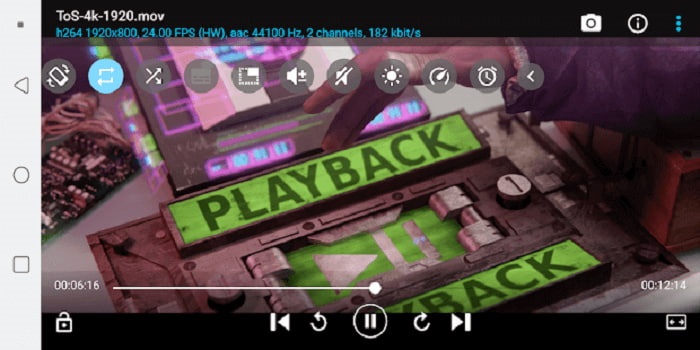
5. Giocatore BS gratuito
BS Player Free è conosciuto come il miglior lettore multimediale Android gratuito sul Play Store. Fornisce l’accelerazione hardware per prestazioni migliori.
Professionisti
- Aumenta la velocità di caricamento e consuma meno batteria.
- Funzione di blocco dello schermo. Per evitare regolazioni non necessarie, soprattutto se i bambini stanno guardando.
- Supporto multi-core.
Contro
- Le app interrompono la riproduzione se si verifica un'interruzione in background.
- Ad un certo punto i video e l'audio non sono sincronizzati.
Metodo 2. Converti MOV in formati supportati da Android per una facile riproduzione
Invece di scaricare un lettore multimediale sul tuo dispositivo Android e consumare un po' di spazio. Perché non lo converti in un nuovo formato riproducibile sul tuo dispositivo? Ecco il miglior convertitore MOV su cui puoi fare affidamento che produce il miglior output riproducibile su Android.
1. Usa il convertitore video online gratuito FVC

Converti il tuo file MOV in un formato riproducibile tramite internet con una velocità fulminea di download e upload. FVC Free Online Video Converter è uno strumento online che aiuta gli utenti a convertire i formati non riproducibili in un nuovo formato. In questo modo, il file può essere riprodotto dal tuo lettore multimediale locale. Come detto in precedenza, Android non supporta il formato di file MOV perché è un formato sviluppato da Apple. Quindi, invece di scaricare le applicazioni elencate sopra, puoi anche convertirlo in formati compatibili con Android.
Professionisti
- Strumento online gratuito fornito dalla FVC.
- Vi si accede con connessione internet.
- Può convertire il formato del file in un nuovo formato. Ma non come molte delle versioni premium.
Contro
- Se perdi la connessione, la conversione verrà interrotta.
- Internet lento significa conversione lenta.
2. Usa Video Converter Ultimate
Usare la versione gratuita può aiutarti a ottenere il formato che desideri. Ma se la tua connessione internet è scarsa? E hai bisogno di riprodurre subito il file multimediale. Cosa dovresti fare? Questo problema è molto comune tra gli utenti su internet. Quindi, invece di utilizzare la versione gratuita, perché non provi Video Converter Ultimate? Forse ti stai chiedendo perché hai bisogno di questo strumento. Ci sono molte ragioni per cui ti serve questo strumento, ma te ne fornirò tre.
Innanzitutto, può convertire anche se non si dispone di una connessione Internet, in pratica non dipende da Internet. In secondo luogo, puoi anche convertire quasi tutti i file video-audio in un nuovo formato senza alcuna perdita di dati. A differenza dello strumento online, se la connessione viene interrotta la conversione si interrompe o potresti anche riscontrare una perdita di dati perché non è ancora terminata. Infine, è alla portata di tutti e anche facile da usare. Questo strumento non ha bisogno di centinaia o migliaia di soldi, ma è solo $55.20. Un'altra caratteristica è che puoi anche apportare modifiche e altro al tuo file multimediale, se lo desideri.
Download gratuitoPer Windows 7 o versioni successiveDownload sicuro
Download gratuitoPer MacOS 10.7 o versioni successiveDownload sicuro
Professionisti
- A differenza dello strumento online gratuito. Può convertire qualsiasi file anche senza connessione a Internet.
- Scegli tra oltre 200 formati audio e video.
- Disponibile in tutte le diverse piattaforme e privo di malware.
Contro
- Strumento a pagamento.
- Richiede che sia scaricato sul tuo PC Windows o Mac.
Parte 3. Domande frequenti su MOV Android
MOV è il miglior formato multimediale?
Se sei un editor professionista che desidera produrre un formato video o audio di alta qualità, questo è per te.
C'è la possibilità di unire due file MOV?
Per unire due diversi file MOV puoi usare uno strumento di unione per combinare i file video MOV.
Posso utilizzare il formato di file MOV per caricare i miei video su YouTube?
YouTube è il più grande sito di condivisione video online che trovi sul web. In alcuni casi, le persone lo usano per guadagnare denaro creando video di se stessi, come vlog, ricette, lezioni e altro. Tuttavia, YouTube supporta solo formati di file conosciuti come MP4, AVI, WMV, MPEG, FLV, 3GP e WebM. Quindi, se la tua registrazione è in formato MOV, devi convertire MOV in MP4 o in altri formati supportati da YouTube per poterlo pubblicare e condividerlo con il mondo.
Conclusione
In conclusione, il file MOV è pensato principalmente per gli utenti Apple. Tuttavia, esistono altri modi per riprodurre o convertire i tuoi file multimediali MOV in un formato riproducibile. Ma ricorda, ciò non significa che tu debba per forza scaricare un lettore multimediale sul tuo Android per riprodurre il file. Puoi anche convertirlo con l’aiuto di Video Converter Ultimate. Invece di scaricare questi lettori multimediali, perché non provi a convertirlo, così non avrai più bisogno di tali lettori e potrai riprodurlo con il tuo lettore multimediale locale.
-
 Registra Blu-ray su OBS Studio e feed di commenti di strumenti alternativi
 Scopri come registrare Blu-ray su OBS Studio e altri sostituti con questi utili semplici passaggi e suggerimenti. Continua a leggere e tuffati nei dettagli.
-
 Processo per copiare e registrare DVD con VLC per digitalizzare feed di commenti in formato riproducibile
 VLC supporta numerosi formati di file compressi audio-video, inclusa la registrazione in DVD. Continua a girare la palla per ulteriori discussioni e dettagli fino alla fine.
-
 Head-start su come registrare video MPEG con i migliori feed di commenti dei registratori MPEG
 L'MPEG 4 è un tipo di formato che memorizza i dati dell'intermediazione digitale. E ci sono molti strumenti disponibili che supportano la registrazione di video MPEG. Quindi, cerchiamo di approfondire i dettagli.
