


 Video Converter Ultimate
 Screen Recorder
 Riparazione video
4 dei migliori registratori AIFF che supportano la qualità audio senza perdita di dati
La maggior parte delle persone pensa che i dispositivi iPhone siano praticamente perfetti per quanto riguarda la sicurezza, la qualità video e audio e le prestazioni costanti. Possiamo dire che questo è vero. Lo stesso vale per la qualità dello schermo. Per quanto possibile, Apple sviluppa funzionalità compatibili con i dispositivi iOS, così come con formati, codec e impostazioni video. Proprio come quando ha sviluppato il formato AIFF, per offrire un audio di alta qualità e non compresso. Quando si parla di non compresso, è più probabile ottenere un’ottima qualità perché non ci sono limitazioni. Detto questo, potresti avere la necessità di usare un registratore audio AIFF gratuito per produrre questo tipo di formato. Generare questo tipo di file non è un problema: esistono app e strumenti gratuiti online che puoi utilizzare sul web. Detto ciò, questo articolo fa proprio al caso tuo. Consulta il nostro elenco dei migliori registratori AIFF qui sotto per saperne di più.

Parte 1. I 2 migliori registratori AIFF online
Registratore audio gratuito FVC
Con FVC Free Audio Recorder, puoi ottenere una qualità audio impeccabile, paragonabile all’AIFF. Anche se questo strumento non può generare lo stesso formato di file, la qualità che produce è altrettanto buona. È accessibile tramite browser e può essere usato in qualsiasi momento della giornata, purché tu abbia una connessione internet a casa o ovunque ti trovi. Se sei in movimento e devi registrare per il tuo vlog, è un’ottima opzione. Anche quando sei fuori casa, puoi registrare senza preoccuparti troppo dei rumori di fondo dell’ambiente. Inoltre potrai ascoltare registrazioni fluide sul tuo iPhone. Detto questo, inizia subito a usarlo, prova lo strumento e segui la guida qui sotto.
Cosa ci guadagni?
● È un sito Web ad accesso gratuito.
● Puoi registrare file musicali anche da YouTube per creare playlist nella tua galleria musicale.
● Registra audio senza limiti di tempo e senza limiti di durata.
● Accedi sempre e ovunque.
Passaggio 1. Accedi e attiva lo strumento visitando FVC Free Audio Recorder e fai clic sul pulsante Start Recording.
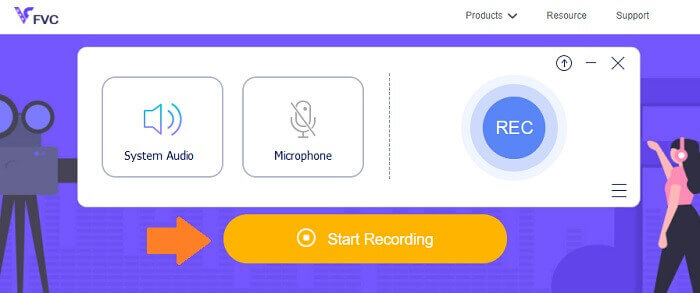
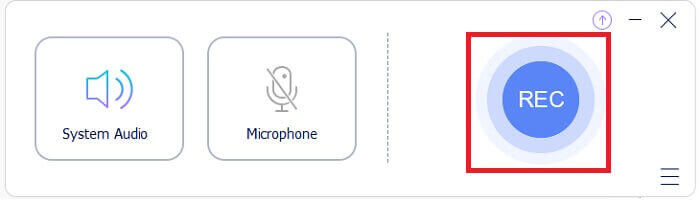
Passaggio 2. Quindi abilita l’audio nel caso non lo fosse; per impostazione predefinita dovrebbe essere attivato. Ora, per iniziare la registrazione, fai clic sul pulsante REC.
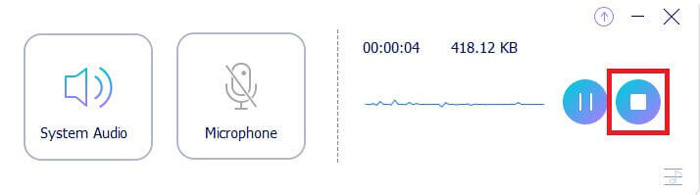
Passaggio 3. Quando hai finito, fai clic sul pulsante blu a forma di quadrato e il file verrà salvato automaticamente sul tuo PC.
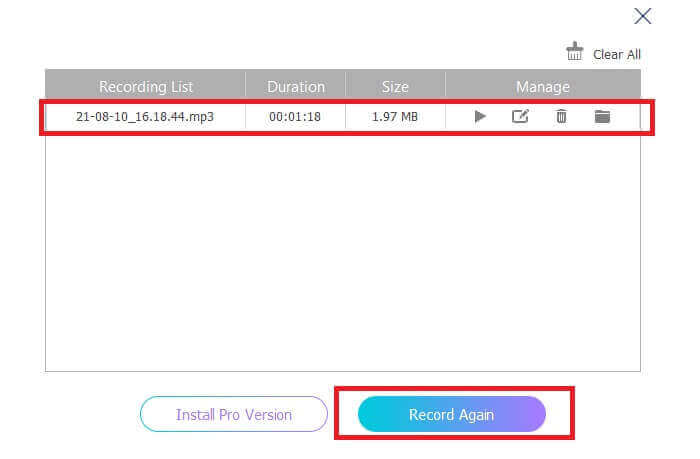
Passaggio 4. Per riprodurre il file, fai clic sull’elenco sotto la barra mobile.
Screencapture.com
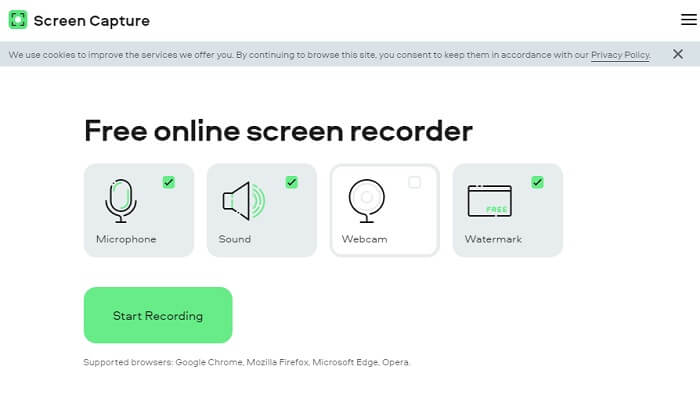
Un altro strumento che puoi considerare per registrare l’audio online è Screencapture.com. Anche questo è un sito gratuito che ti permette di registrare direttamente audio e schermo senza creare un account. Quando fai clic sul pulsante Start Recording, lo strumento registrerà automaticamente lo schermo e l’audio di sistema del computer. Non appena arrivi sulla pagina principale, vedrai quattro schede da selezionare in base alle tue esigenze. Poiché in questo caso stiamo registrando solo l’audio, deseleziona tutto e lascia abilitato soltanto l’audio. Da lì fai clic sul pulsante Start Recording e scarica il file al termine.
Cosa ci guadagni?
● Accesso gratuito.
● Sito accessibile e affidabile.
● Protetto.
● Può registrare, audio, video ed entrambi allo stesso tempo.
Parte 2. I 2 migliori software di registrazione AIFF per Windows e Mac
Registratore dello schermo FVC
Quando si parla di strumenti principali, FVC Screen Recorder è il software di riferimento per la registrazione dello schermo e la registrazione audio. È stato sviluppato appositamente per soddisfare questo tipo di esigenza. In soli tre semplici passaggi sarai in grado di produrre una qualità audio simile all'AIFF e al formato stesso. Con FVC Screen Recorder, puoi registrare senza essere limitato e avere la libertà di regolare il bitrate per ottenere la massima qualità che desideri. Inoltre, non c'è limite al numero di volte che lo usi al giorno. Uso illimitato fintanto che sei registrato.
Cosa ci guadagni?
● Buon servizio clienti.
● Con un buon supporto tecnico in grado di risolvere i tuoi problemi.
● Continua l'aggiornamento dello strumento.
● Con la funzione Blocco finestra che ti consente di registrare una finestra specifica senza disturbare ciò che stai facendo.
Passaggio 1. Scarica e installa l’app usando i pulsanti sottostanti.
Download gratuitoPer Windows 7 o versioni successiveDownload sicuro
Download gratuitoPer macOS 10.7 o versioni successiveDownload sicuro
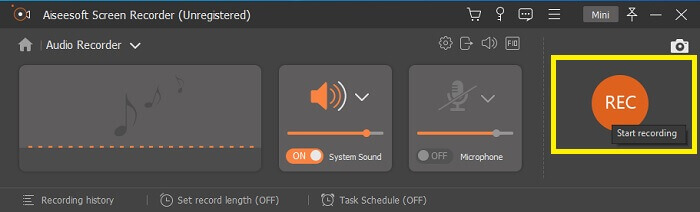
Passaggio 2. Avvia l’app e abilita l’audio di sistema. Ora fai clic sul pulsante REC per iniziare a registrare.
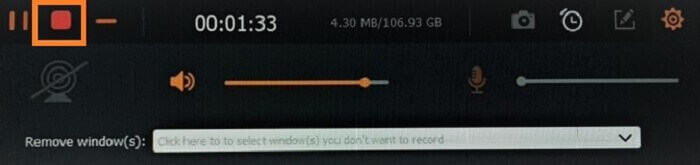
Passaggio 3. Una volta terminata la registrazione, fai clic sul pulsante stop per fermarla. L’icona è il pulsante rosso a forma di quadrato.
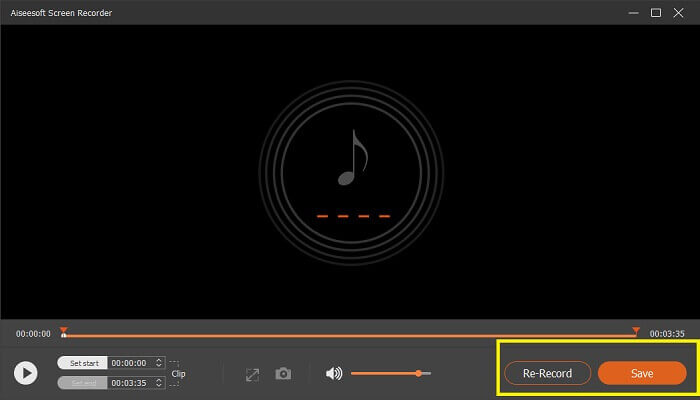
Passaggio 4. A questo punto lo strumento ti darà la possibilità di salvare o registrare di nuovo.
Audacia
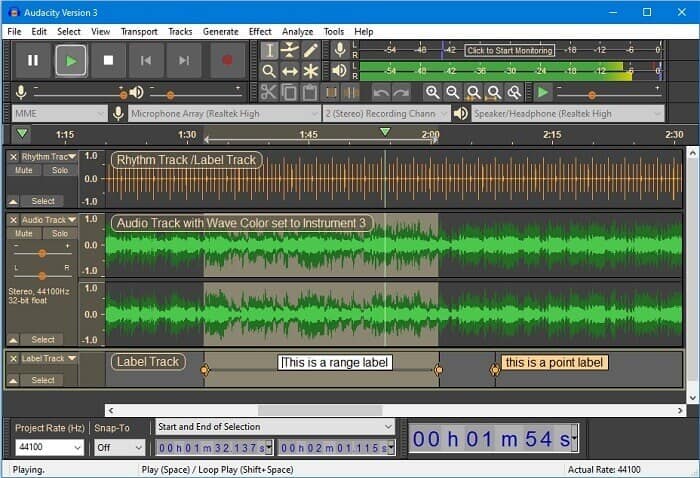
Infine abbiamo Audacity. È considerato da tempo uno dei registratori audio più richiesti. Ciò è dovuto alla flessibilità dello strumento. La maggior parte dei professionisti utilizza questa registrazione per la sua affidabilità nella registrazione dell'audio anche con connessioni di terze parti come suoni di mixer, computer, cassette e molto altro.
Cosa ci guadagni?
● È un software open source.
● È un registratore e un editor.
● Supportato dalla maggior parte dei sistemi operativi.
Parte 3. Grafico di confronto
| Caratteristiche | Registratore audio gratuito FVC | Registratore dello schermo FVC | Screen Capture.com | Audacia |
| piattaforma | Basato sul Web | Applicazione desktop | Basato sul Web | Applicazione desktop |
| Prezzo | Gratuito | Pagato | Gratuito | Pagato |
| Supporta alta qualità audio |  | | | |
| Bitrate regolabile | | |  | |
| Consigliato | | | | |
| Uso illimitato | | | | |
| Nessun limite di durata | | Sì al momento dell'abbonamento | | Sì al momento dell'abbonamento |
Parte 4. Domande frequenti sul registratore AIFF
Qual è la differenza tra AIFF e WAV?
Come accennato, AIFF è utilizzato principalmente dagli utenti Apple. Tuttavia, ciò non significa che sia un limite. Perché questo formato di file è supportato anche da altri lettori multimediali. Nel frattempo, WAV è sviluppato specificamente per PC. È limitato ai soli PC desktop. Quando si parla di tecnicità e tipo di codifica, entrambi hanno dimensioni di file relativamente grandi. Quindi sono l'esatto opposto di MP3 e MP4.
AIFF, è senza perdite?
La risposta è che è senza perdita di dati ma non compresso. Questo formato di file non è compresso. Non perde la qualità e semplicemente il modo in cui è sviluppato per portare buoni risultati audio invece di compromettere la qualità.
Windows Media Player può riprodurre file AIFF?
Per rispondere alla tua domanda, sì! Puoi anche riprodurlo utilizzando il lettore VLC e altri lettori musicali.
AIF e AIFF, c'è differenza?
Qualunque cosa venga utilizzata, non importa e sono esattamente la stessa cosa. Sia che tu aggiunga un suffisso o un affisso.
Conclusione
Per concludere, AIFF è un buon formato per i computer Mac poiché è specificamente realizzato per Mac. Sebbene questo file sia buono, non possiamo negare il fatto che consuma molta memoria sul tuo computer. Le app sopra recensite potrebbero supportarlo e non supportarlo, ma alcune hanno ottime alternative per questo tipo di file. Nel frattempo, se vuoi davvero avere questo tipo di file, puoi anche considerare l'utilizzo di un convertitore gratuito.
FVC offre anche questo Convertitore Audio Online Gratuito. Ti basta aggiungere i file e attendere il completamento del processo di conversione e, voilà, il tuo audio sarà convertito. Puoi saperne di più visitando la pagina ufficiale. Per darti un’anteprima, ecco alcuni dei formati supportati: MP3, WMA, AAC, WAV, AC3, AIFF e FLAC.
-
 Il miglior registratore 3GP per acquisire un 3GP in un nuovo formato su Windows e Mac
 Il formato di file 3GP memorizza i contenuti multimediali di terza generazione ed è sviluppato dal progetto di partenariato di terza generazione. Per informazioni più dettagliate procedere di seguito.
-
 7 dei migliori registratori AAC per Windows e Mac [2021]
 Scopri cos'è AAC e i registratori AAC più votati che puoi utilizzare gratuitamente e scaricabili su computer Mac e Windows.
-
 Guida Spot-On: quali sono i migliori registratori M4A per Windows e Mac
 M4A sono file contenitori ACA e ALAC codificati per la compressione con perdita. L'elenco che segue sono gli strumenti di registrazione M4A che puoi utilizzare. Leggi attentamente quanto segue.
