


 Video Converter Ultimate
 Screen Recorder
 Riparazione video
 Download sicuro
8 migliori registratori di webcam per Windows e Mac
Le registratori con webcam sono un ottimo strumento per catturare i tuoi video mostrando allo stesso tempo le espressioni del viso. Sebbene molti laptop oggi abbiano una webcam integrata, questi dispositivi non offrono molte funzioni per migliorare la registrazione video. Per questo motivo molte persone cercano il miglior registratore webcam dotato di ottime funzioni di montaggio. Se vuoi sapere quali sono i migliori registratori con webcam, leggi questo articolo.

Parte 1. I 5 migliori registratori di webcam per Windows
Puoi trovare molti strumenti che ti aiuteranno a fare una registrazione con la webcam. Tuttavia, non tutti gli strumenti hanno ottime funzionalità e possono produrre un video di alta qualità. Dopo aver letto questa parte, conoscerai i cinque migliori registratori per webcam che puoi scaricare sul tuo dispositivo Windows.
Registratore dello schermo Aiseesoft
Prezzo: $47,20 (licenza a vita)
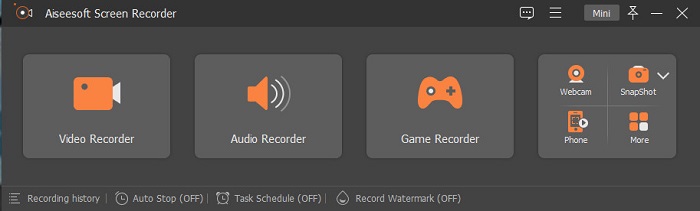
Aiseesoft Recorder è uno strumento per registrare video dalla webcam che puoi scaricare su Windows. Questo registratore dello schermo ti aiuta a effettuare registrazioni dalla webcam in pochi e semplici passaggi. Inoltre, ha un’interfaccia utente intuitiva ed è gratuito. E se stai cercando un registratore dello schermo che ti permetta di catturare solo determinate parti dello schermo, questo strumento offre anche questa funzione. In più dispone di funzioni avanzate con cui puoi registrare i momenti salienti delle tue partite utilizzando il game recorder integrato. Questo registratore dello schermo ha anche un pianificatore di attività che ti consente di programmare le registrazioni mentre sei lontano dal computer. Molti utenti scelgono questo programma perché include anche un registratore video e audio.
Professionisti
- Ha un'interfaccia software facile da usare.
- Ti consente di registrare lo schermo, l'audio e il tuo gioco.
- Ti consente di registrare filigrane e creare un programma per la tua registrazione.
- Disponibile per il download su tutte le piattaforme multimediali, inclusi Windows e Mac.
Contro
- È necessario acquistare l'app prima di utilizzare le sue funzionalità uniche.
Bandicam
Prezzo: $39,95
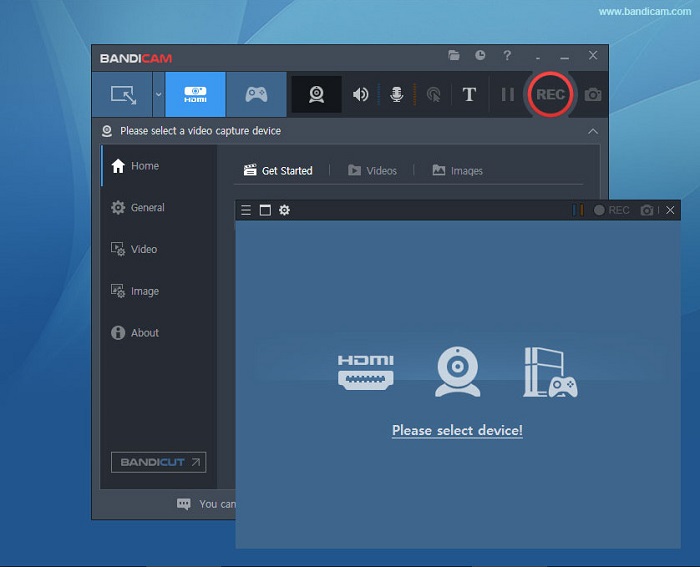
Bandicam è un software di registrazione con webcam utilizzato da molti professionisti. Bandicam ti permette di registrare la webcam e l’audio del dispositivo. Inoltre, puoi unire due file video e selezionare soltanto alcune parti dello schermo da registrare. Produce video di alta qualità salvati con estensione file .avi e .mp4. E se cerchi un registratore dello schermo con mixer audio, Bandicam è lo strumento ideale. Tuttavia, questo programma non è adatto ai principianti perché ha un’interfaccia piuttosto complessa. Nonostante ciò, vale la pena imparare a usarlo perché consente di ottenere video con una qualità professionale.
Professionisti
- I file del registratore hanno una dimensione del file molto più piccola rispetto ad altri software.
- Ti consente di registrare video 2D e 3D con alta qualità.
- Ha un registratore webcam integrato e un registratore audio.
Contro
- Ha un'interfaccia software difficile da usare.
- Non può funzionare su video in live streaming.
Scuola
Prezzo: $7,5-$10
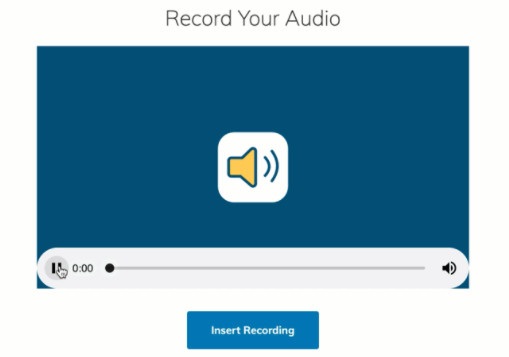
Schoology è un registratore webcam HTML5, il che significa che puoi registrare i tuoi video HTML5. Questo registratore con webcam è uno strumento utilizzato soprattutto per lezioni, presentazioni e contenuti scolastici. Inoltre, ti permette di registrare sia l’audio sia il video del tuo dispositivo. Un aspetto particolarmente interessante è che funge anche da hub di comunicazione, una piattaforma online dove gli studenti possono interagire. Ha inoltre un’interfaccia semplice, che lo rende molto facile da usare.
Professionisti
- Puoi scaricare il tuo output di registrazione anche senza accesso a Internet.
- Ha una semplice GUI.
- È un hub di comunicazione per studenti e insegnanti.
Contro
- Ha funzionalità di modifica limitate da utilizzare.
ManyCam
Prezzo: $99 (versione Premium)
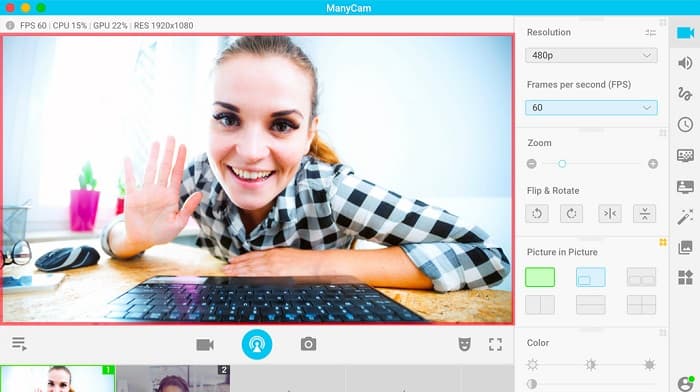
ManyCam è un registratore dello schermo e della webcam per Windows 10. Registra video fluidi e di buona qualità che puoi realizzare con facilità. È uno strumento intuitivo grazie alla sua interfaccia semplice. Gli utenti usano questo registratore con webcam per dirette streaming, lezioni e conferenze. Inoltre può trasmettere video in 4K ed è dotato di funzione di screencasting. Se stai cercando uno strumento con impostazioni di controllo della videocamera in tempo reale, questo programma offre anche questa possibilità. Tuttavia, molte funzioni devono essere regolate manualmente.
Professionisti
- Ti consente di riprodurre in streaming video 4K e registrarne l'alta qualità.
- Non contiene una filigrana anche quando si utilizza la versione di prova gratuita.
- È uno strumento facile da usare.
Contro
- È necessario acquistare l'app prima di accedere alle sue funzioni speciali.
YAWCAM
Prezzo: Gratis
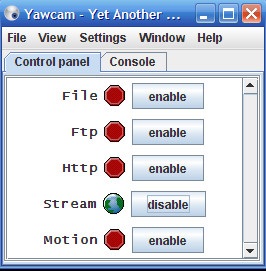
L’ultimo registratore con webcam che devi conoscere è YAWCAM. Questo registratore con webcam può trasmettere in streaming e registrare video per uso personale e supporta i formati di file più comuni, tra cui PNG, JPG, GIF e MJPEG. È noto per avere una delle interfacce più semplici tra i registratori con webcam. Quindi, se sei un principiante e vuoi un software facilissimo da usare, dovresti provare questo strumento.
Professionisti
- Supporta i formati di file più comuni, come PNG, JPG, GIF e MJPEG.
- Ha una semplice GUI.
- Non produce output di filigrana.
Contro
- Ha poche funzioni di modifica ed effetti di transizione.
Parte 2. 3 migliori registratori di webcam per Mac
Negli ultimi anni, il software di editing video per Mac non è cambiato molto. Tuttavia, il Mac non ha un registratore webcam integrato. Ma in questa parte conoscerai i migliori registratori di webcam per utenti Mac.
iMovie
Prezzo: Gratis (Mac)
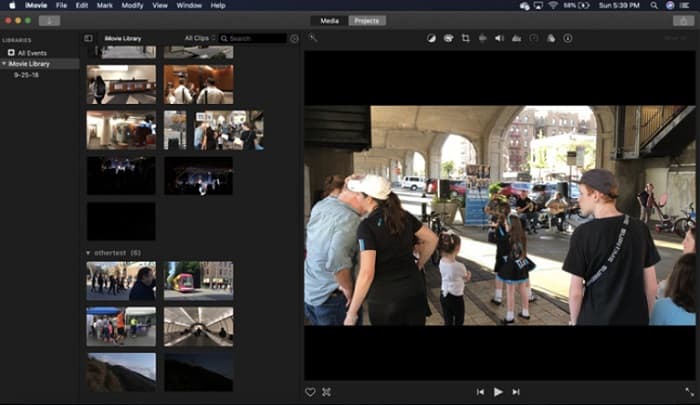
iMovie è un software di montaggio video preinstallato su Mac. È l’applicazione di editing video più popolare tra gli utenti Mac perché offre molte funzioni interessanti. E se stai cercando un modo per registrare la webcam su Mac, iMovie è proprio l’applicazione giusta. Ha anche un’interfaccia ordinata che ne facilita l’utilizzo. Inoltre, include numerose funzioni come l’aggiunta di colonne sonore, il taglio o il ritaglio di video/audio, sovrapposizioni di testo, ecc.
Professionisti
- Ha un'interfaccia utente intuitiva.
- Ha molte funzioni di modifica, tra cui dividere, tagliare, ritagliare, ecc.
- Supporta video HD e 4K.
Contro
- Supporta un minor numero di uscite video e ha un problema con la compatibilità MP4.
- Compatibile solo su Mac.
Registratore webcam CamWiz
Prezzo: $9,99 (versione Pro)
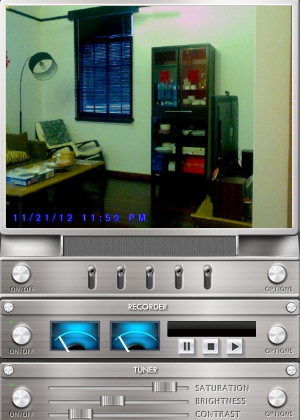
CamWiz Webcam Recorder è un registratore video per webcam che puoi scaricare su Mac. Questo registratore con webcam ti consente anche di registrare l’audio del sistema. Inoltre puoi usare questo strumento per visualizzare, registrare e riprodurre i video della webcam. E se desideri uno strumento che ti permetta di selezionare la qualità dell’output, questo programma è ciò che stai cercando. Inoltre, se registri in una stanza buia o di notte, questo software dispone di una modalità visione notturna che ti aiuta a vedere la tua registrazione anche in ambienti con poca luce.
Professionisti
- Ha un modulo sintonizzatore integrato per regolare il contrasto e la luminosità del video.
- Ha una modalità di visione notturna.
- Ha un'interfaccia software facile da usare.
Contro
- Ha funzionalità di modifica limitate da utilizzare.
- Ha problemi di bug.
Studio OBS
Prezzo: Gratis
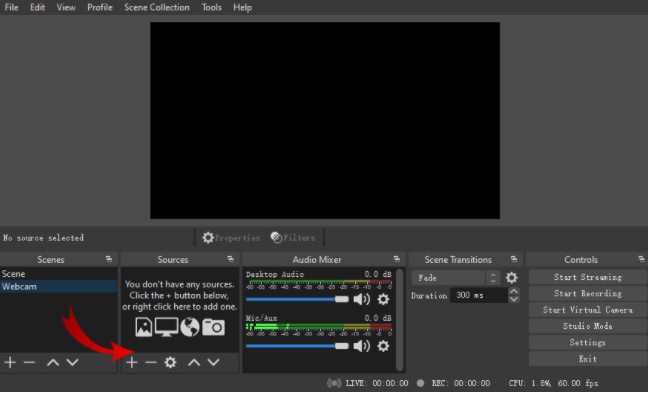
Un altro registratore dello schermo e della webcam che puoi usare è OBS Studio. Questo registratore open source per webcam è un software molto diffuso tra gli utenti Mac. Molte persone lo utilizzano perché è gratuito da scaricare. Inoltre consente di registrare una specifica area dello schermo. Molti professionisti usano questo registratore per produrre video di livello professionale.
Professionisti
- Ha funzionalità di modifica avanzate da utilizzare.
- Ha un'interfaccia utente intuitiva.
Contro
- Poiché è un'app open source, è soggetta a arresti anomali.
Correlato:
Correggi il ritardo audio in OBS
Parte 3. Grafico di confronto sui registratori webcam
Ancora indecisi su quale registratore webcam utilizzerai? Ti aiuteremo a decidere quale applicazione utilizzare. In questa parte conoscerai caratteristiche e caratteristiche più dettagliate di ogni strumento. Leggi in modo completo e speriamo che tu possa decidere quale strumento è il migliore da utilizzare alla fine.
| Caratteristiche | Registratore dello schermo Aiseesoft | Bandicam | Scuola | ManyCam | YAWCAM | iMovie | Registratore webcam CamWiz | Studio OBS |
| Ti permette di registrare il tuo sistema audio |  | | | | | | | |
| Interfaccia software facile da usare | |  | | | | | | |
| Sistema supportato | Disponibile su tutte le piattaforme multimediali, inclusi Windows, Mac e Linux | Disponibile su Windows | Disponibile su Windows e Mac | Disponibile su sistema Windows | Disponibile su Windows e Mac | Disponibile su Mac | Disponibile in Windows e Mac | Disponibile su Windows, Mac e Linux |
| Ha funzionalità di modifica | | | | | Limitato | | Limitato | |
| Produci output di alta qualità | | | | | | | | |
Parte 4. Domande frequenti sui migliori registratori per webcam
Se stai registrando con la webcam, registra il sistema audio?
Sì. Se stai eseguendo una registrazione con la webcam, viene fornita con l'audio della tua webcam. Tuttavia, se stai eseguendo una registrazione dello schermo, alcuni strumenti non registrano l'audio contemporaneamente.
Quale formato viene comunemente utilizzato per la registrazione con la webcam?
La maggior parte dei registratori webcam produce una registrazione webcam con un formato di output MP4.
Quanto lontano può raggiungere una webcam per laptop?
Con l'impostazione più alta di una webcam per laptop che è di 10 megapixel, può vedere una gamma di 10-15 piedi.
Conclusione
Come puoi vedere, ci sono molti registratori per webcam che puoi utilizzare per eseguire una registrazione con la webcam. Tuttavia, non tutti i registratori con webcam hanno le stesse caratteristiche e prezzo. Quindi, se stai cercando un registratore per webcam che valga il prezzo e abbia le migliori funzionalità da utilizzare, scarica Aiseesoft Screen Recorder e prova la grande qualità offerta da questo strumento.
-
 7 del magnifico registratore vocale accessibile in tutte le piattaforme
 Vuoi imparare a fare la registrazione audio? Quindi vai a questo articolo mentre parliamo del miglior registratore audio che può adattarsi alle tue esigenze.
-
 4 Software di registrazione audio più recente disponibile su Windows e Mac
 Hai bisogno di un software di registrazione audio sul tuo desktop? In tal caso, questo articolo è pieno di idee sul meglio e altro ancora. Quindi, se ne hai bisogno, leggi questo articolo.
-
 5 app di registrazione audio più scelte su Android e iOS [Aggiornato 2022]
 Non sai quale app di registrazione audio dovresti usare? In tal caso, questo articolo ti aiuterà a scegliere quale app ti aiuterà con la tua attività di registrazione audio.
