


 Video Converter Ultimate
 Screen Recorder
 Riparazione video
Padroneggia l'arte della conversione di file OGV in formato AVI tramite online e offline
I file OGV sono un formato open source sviluppato da Xiph.org che ha la stessa struttura di OGG Vorbis. Inoltre, questo formato può contenere uno o più codec per gestire i flussi video. Tuttavia, la riproduzione dei file .ogv su Windows Media Player o QuickTime non supporta codec come Theora, Daala o Dirac. In questo caso, non è possibile riprodurre il video per motivi di compatibilità. La soluzione per risolvere il problema è convertire il file in un formato molto più supportato, come AVI. Questo articolo presenta i converter che puoi utilizzare e come convertire i file OGV in AVI.
Parte 1. OGV e AVI - Una panoramica
Come le informazioni affermano in precedenza, OGV sono file open source che memorizzano flussi video di alta qualità. Ma se vuoi sincronizzare la riproduzione di file multimediali, allora AVI deve essere la scelta. Sebbene questi due contenitori siano ancora ottimi da usare, hanno il loro scopo. Determiniamo il loro scopo scavando per ulteriori informazioni sui due formati.
OGV
Un altro scopo di OGV è riprodurre video su HTML 5 perché è uno dei formati non brevettati migliori che puoi inserire sul web. Con l'aggiornamento di HTML 5, non avrai bisogno di un plug-in per riprodurre i video sul web. Inoltre, questo formato offre al web designer che supporta anche la multimedialità e la comodità. Sebbene i file OGV supportino lo streaming video su HTML 5, il formato non supporta ancora altri lettori multimediali per riprodurre questo formato.
AVI
Nel frattempo, il formato AVI ottiene già un ampio supporto da tutti i lettori multimediali e gli editori rispetto a OGV. E a causa del suo formato non compresso, la dimensione del file salvato in questo formato è molto più grande dell'altro formato multimediale. Sebbene i file siano più estesi, puoi comunque utilizzare diversi tipi di codec per comprimere questo formato e salvarli più piccoli. Tuttavia, se comprimi il file in questo formato, aspettati che la qualità del video cambi.
E ora che abbiamo un background sui due formati, ora è il momento giusto per convertire OGV in AVI su Linux, PC e Mac. Per riprodurlo sul tuo lettore multimediale locale o modificare il video sotto, è necessario convertire il file in AVI.
Parte 2. La scelta migliore Convertitore offline per convertire OGV in AVI
FVC Video Converter Ultimate
Vuoi sapere qual è il miglior convertitore da OGV a AVI che offra il processo di conversione più rapido e sicuro? Se è così, FVC Video Converter Ultimate è un'ottima scelta. Tra tutti i converter che abbiamo cercato e provato su internet, questo strumento è impareggiabile e fornisce risultati eccellenti. Questo software offre molte funzioni avanzate nella toolbox, come l’editor, l’unione di file, la compressione e altro ancora. Inoltre, il processo di conversione è 30 volte più veloce, perché questo software utilizza l'accelerazione hardware e una velocità di conversione superiore rispetto agli altri converter disponibili online o offline.
Inoltre, se vuoi eseguire la conversione batch, puoi farlo facilmente qui senza sudare. Inoltre, l'interfaccia e le funzionalità avanzate sono disponibili sia per utenti Windows che Mac. Quindi ora, procediamo con i passaggi per convertire il tuo file OGV in un nuovo formato AVI in pochi secondi seguendo i passaggi seguenti.
Passaggio 1. Prima di poter convertire OGV in AVI su Windows o Mac, devi prima scaricare il software. Installa il programma sull’unità del tuo computer e fai clic su Start Now per avviare il software sul sistema.
Download gratuitoPer Windows 7 o versioni successiveDownload sicuro
Download gratuitoPer MacOS 10.7 o versioni successiveDownload sicuro
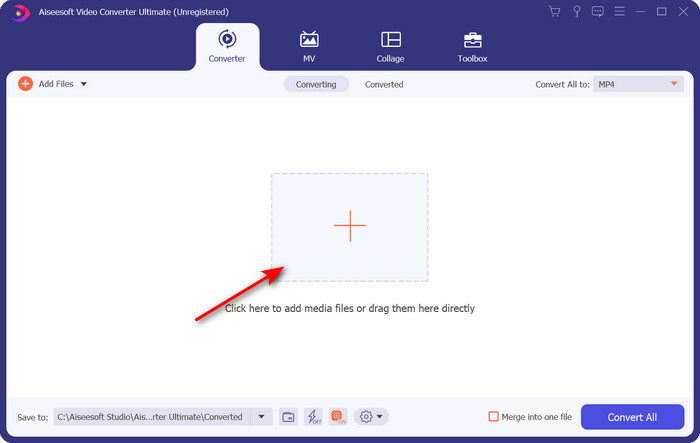
Passaggio 2. Carica il file .ogv facendo clic sul pulsante +; si aprirà una cartella in cui potrai individuare il file, quindi fai clic su Open.
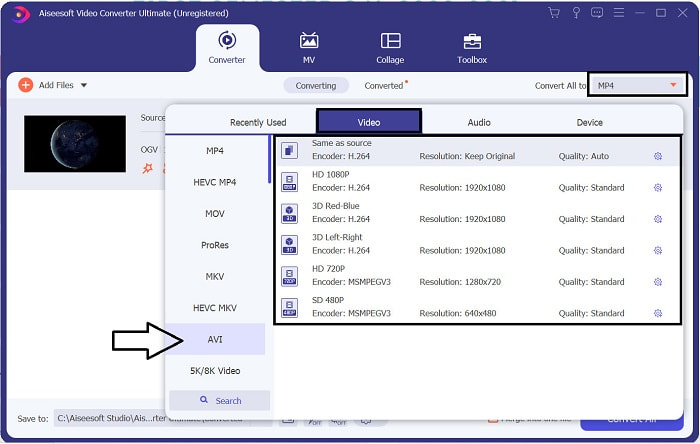
Passaggio 3. Una volta caricato il file, fai clic su Convert All to, scegli il formato AVI o un altro formato in cui desideri che venga esportato il file finale.
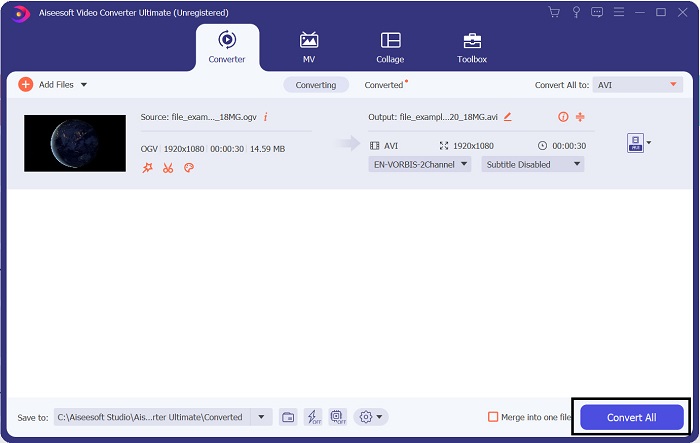
Passaggio 4. Fai clic su Convert All per avviare il processo di conversione; questa procedura richiederà solo pochi secondi grazie all’elevata velocità di conversione supportata da questo strumento.
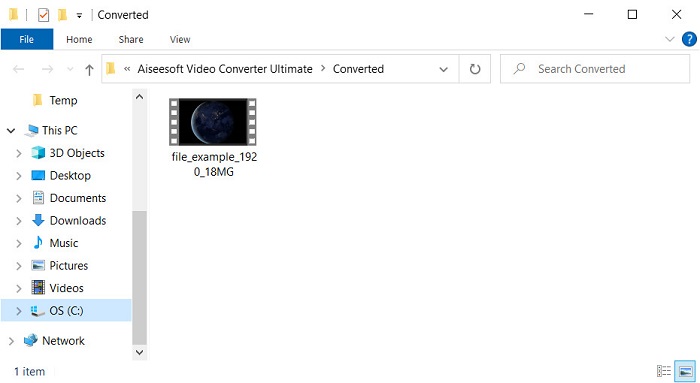
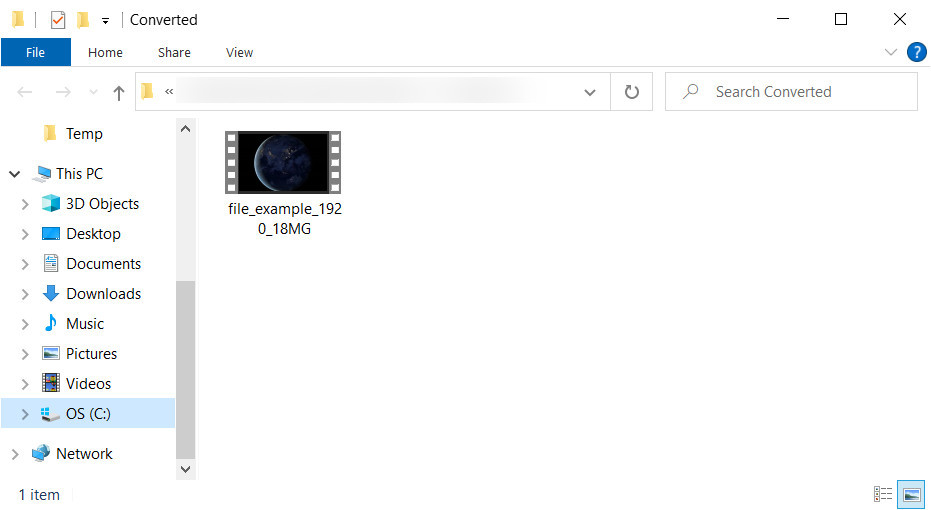
Passaggio 5. Al termine della conversione, sullo schermo si aprirà una cartella contenente il file .avi; fai clic sul file per guardarlo sul tuo lettore multimediale.
Parte 3. Il miglior convertitore gratuito da OGV a AVI disponibile online
Convertitore video gratuito FVC online
Non vuoi scaricare un convertitore sul tuo disco e preferisci invece convertire OGV in AVI online gratuitamente? Allora FVC Free Video Converter Online è la scelta migliore. Oggi la conversione può essere eseguita online, semplicemente cercando uno strumento web che ti aiuti. Tuttavia, non tutti gli strumenti online supportano formati come il file .ogv. Sebbene esistano alcuni converter affidabili, questo convertitore online è il più sicuro, senza pubblicità ed è il preferito da molti. Per procedere, se vuoi convertire i tuoi file OGV senza scaricare alcun convertitore e senza limitazioni, segui questi passaggi.
Passaggio 1. Vai al sito ufficiale di FVC Free Video Converter Online facendo clic su questo link.
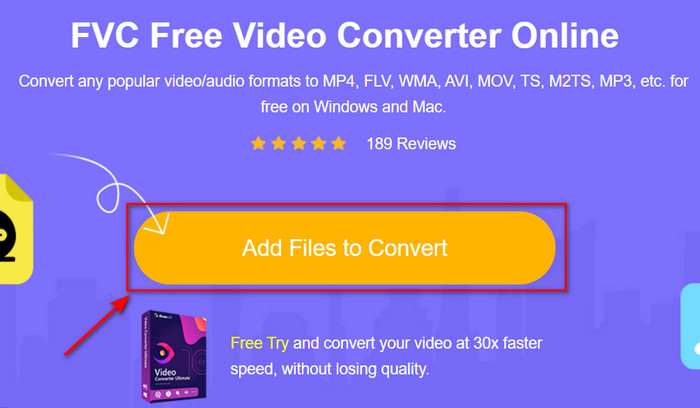
Passaggio 2. Una volta aperto il sito, fai clic su Add Files to Convert per scaricare il launcher. Premi di nuovo per aprire una cartella in cui visualizzare i file .ogv, quindi fai clic su Open per caricarli. Informazione aggiuntiva: sebbene qui tu possa convertire senza limiti, non puoi comunque effettuare conversioni in batch.
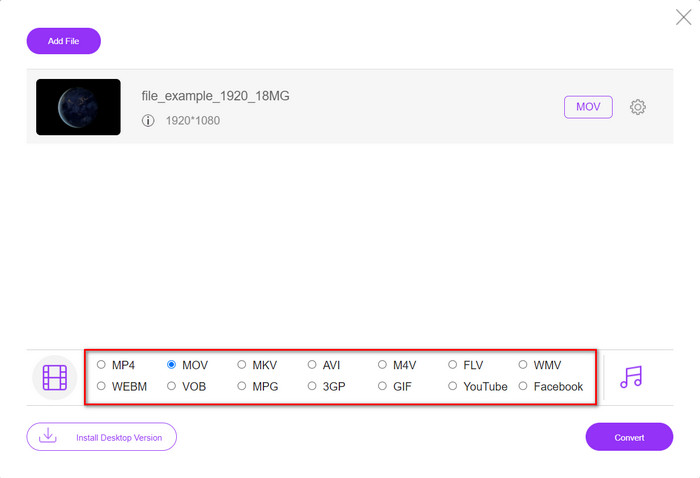
Passaggio 3. Scegli il formato AVI nel sottomenu e cliccaci sopra.
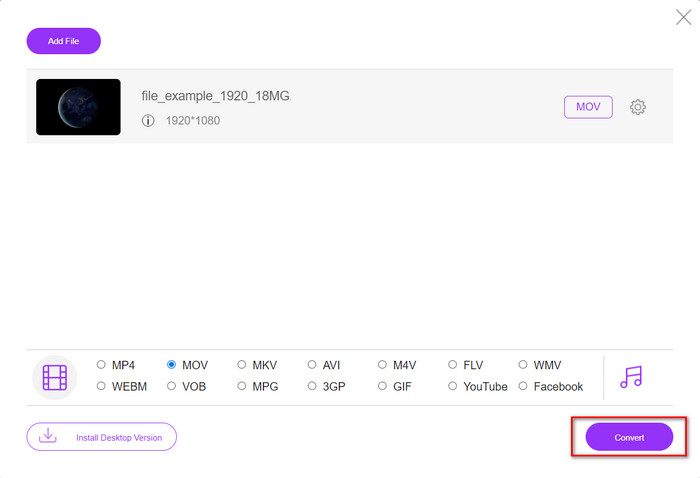
Passaggio 4. Iniziamo ora a convertire il formato OGV in AVI facendo clic sul pulsante Convert.
Passaggio 5. La conversione del file terminerà in breve; si aprirà una cartella con il file .avi.
Parte 4. Domande frequenti sulla conversione da OGV a AVI
Posso giocare a .ogv su VLC?
Sì, puoi riprodurre il file video .ogv sul tuo VLC Player in modo davvero semplice, ed è uno dei lettori multimediali più conosciuti che puoi scaricare gratuitamente. Ma se vuoi conoscere le 5 migliori alternative a VLC, fai clic su questo link per scoprire altri lettori multimediali che puoi usare su PC e Mac.
OGG e OGV sono gli stessi?
Xiph.org ha fondato OGG e OGV per essere uno dei migliori formati che puoi usare che utilizza codec come Vorbis e Theora. Sebbene .ogg possa contenere video e audio, si adatta comunque meglio all'audio rispetto a un video. Al contrario, .ogv è il formato migliore per avere sia file video che audio.
Dopo aver convertito .ogv, la qualità diminuisce?
Dipende da quali converter utilizzi, perché alcuni convertitori OGV non forniscono un output di alta qualità. Diversamente da FVC Video Converter Ultimate, questo strumento ti permette di regolare la qualità su bassa, media o alta, così da ottenere un risultato migliore e di dimensioni ridotte.
Conclusione
Tutti i converter menzionati in questo articolo convertono OGV in formato AVI senza perdita di qualità. È importante scegliere il convertitore ideale che offra il modo più efficiente di cambiare formato. Se desideri convertire un singolo file senza spendere nulla, utilizza FVC Free Video Converter Online. Ma se vuoi effettuare conversioni in batch con facilità e senza dover cercare continuamente una connessione internet, devi scaricare FVC Video Converter Ultimate.
-
 2 della migliore scelta di convertitore da file RMVB a AVI [online e offline]
 Non sai come convertire RMVB in AVI? Questo articolo si concentra sui convertitori che puoi utilizzare per convertire RMVB in AVI, sia online che offline.
-
 Come convertire XviD in AVI senza perdere la qualità del video [2025]
 Vuoi convertire il tuo file XviD in AVI? Se è così, leggi questo articolo mentre parliamo di più su XviD e su come convertire il tuo file XviD in un formato AVI.
-
 La migliore strategia su come convertire file DV in formato AVI con passaggi dettagliati
 Vuoi convertire il tuo file DV in AVI? Quindi leggi questo articolo per conoscere lo strumento unico che puoi utilizzare per convertire e un lettore multimediale per riprodurre i tuoi DV sul tuo PC o Mac.
