


 Video Converter Ultimate
 Screen Recorder
 Riparazione video
In una recensione dettagliata sui 5 migliori convertitori per convertire OGV in WMV
Non hai idea di come convertire OGV in WMV e riprodurlo su Windows Media Player? Allora sei fortunato, perché oggi vogliamo presentarti i diversi strumenti che puoi usare per convertire il tuo file OGV. Vuoi sapere quali sono questi cinque strumenti? Nella parte finale imparerai anche come convertire il tuo file OGV in WMV. Quindi è meglio mettersi comodi, perché non vogliamo farti aspettare oltre: iniziamo subito la nostra esplorazione.

Parte 1. I 5 migliori convertitori da OGV a WMV online e offline
Top 1. Convertitore video FVC Ultimate
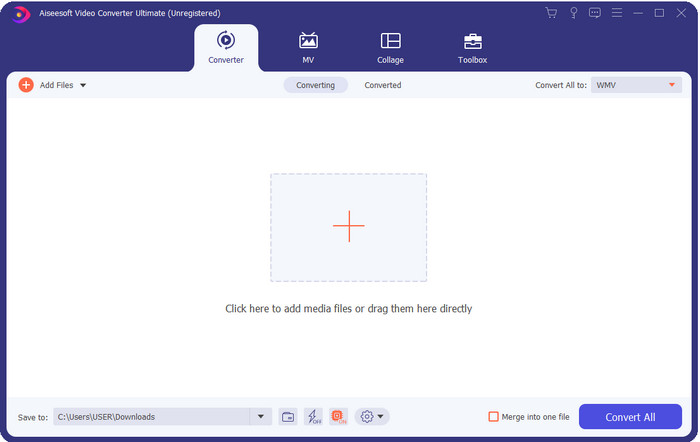
FVC Video Converter Ultimate è uno dei migliori convertitori da OGV a WMV che puoi scaricare sul tuo computer. Questo strumento offre una velocità di conversione eccezionale che ha già impressionato molti utenti. Inoltre, la conversione non è l’unico punto di forza di questo programma. Puoi usare le funzioni di montaggio avanzate per rendere il tuo video straordinario, ridurne le dimensioni o unirne diversi. In definitiva, se sei alle prime armi con la conversione di formati, questa è la scelta migliore: puoi effettuare le conversioni senza alcuno sforzo e con estrema semplicità, ottenendo comunque un risultato professionale al termine del processo.
Download gratuitoPer Windows 7 o versioni successiveDownload sicuro
Download gratuitoPer MacOS 10.7 o versioni successiveDownload sicuro
Professionisti
- Converti il tuo OGV in WMV, AVI, MOV, MP4 e oltre 200 formati disponibili in meno di un minuto.
- Il suo forte è la conversione e le funzionalità di editing avanzate di cui avrai bisogno.
- Un convertitore incredibile che chiunque può utilizzare anche senza esperienza è infallibile e leggero.
- Disponibile in tutti i sistemi operativi da scaricare su Windows e Mac.
Contro
- Per acquisire questo software, dovrai prima acquistarlo.
- Scaricalo sul disco del tuo computer.
Top 2. Lettore multimediale VLC
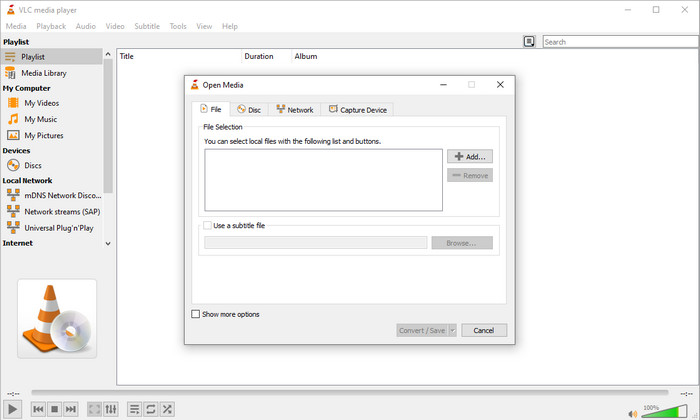
VLC Media Player è il lettore multimediale più scaricato e accessibile su tutti i dispositivi. Questo player può anche convertire il tuo OGV in WMV o in un altro formato più recente che desideri. Sebbene il lettore possa convertire, manca però il supporto per alcuni formati, soprattutto quando vuoi convertire il file in un formato specifico. Tuttavia, se hai già VLC installato sul tuo computer, perché non provare a usare questo lettore‑convertitore video per cambiare formato ai tuoi file?.
Professionisti
- Scaricabile gratuitamente e supporta diversi formati per la riproduzione e la conversione.
- Disponibile in tutti i dispositivi da utilizzare.
- Rapido processo di conversione.
Contro
- Supporta un formato limitato tra cui puoi scegliere.
- Non il tipico convertitore.
- Sono necessari molti passaggi prima di poter convertire.
Top 3. Un convertito
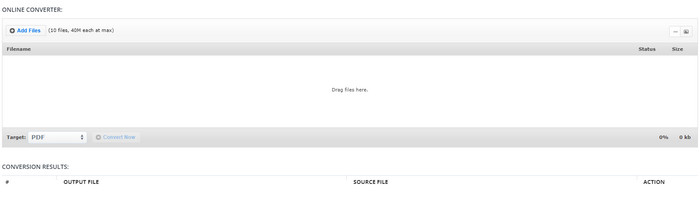
Aconvert ti aiuterà nel tuo compito di conversione dei file OGV. Questo convertitore online da OGV a WMV offre un processo di conversione efficiente per ridurre al minimo gli inconvenienti. Tuttavia, questo convertitore presenta molti annunci sull’interfaccia web, che possono risultare piuttosto fastidiosi. Inoltre, limita l’esperienza di conversione a sole dieci conversioni e a una dimensione massima di 40 MB per ogni file. Ma non c’è bisogno di preoccuparsi, perché questo strumento è gratuito per tutti gli utenti internet che desiderano convertire file online.
Professionisti
- Disponibile sul web per l'uso.
- Supporta un formato noto che puoi inserire.
- Facile da usare.
Contro
- Il formato delle opzioni per l'output finale presentava molte carenze.
- Ci sono molti annunci fastidiosi sul sito web.
Top 4. Video2Edit.com
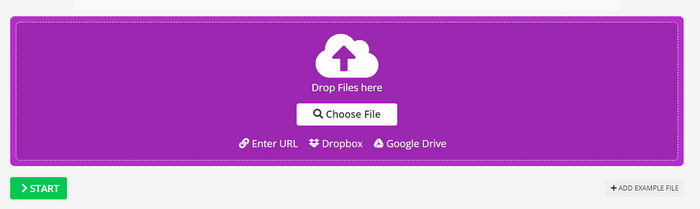
Video2Edit.com è simile ad Aconvert, ma è persino migliore perché ti permette di modificare il video prima di convertire OGV in WMV. Puoi anche cambiare il codec dell’audio scegliendo tra tre opzioni. Inoltre, ci sono molte altre funzioni disponibili con questo convertitore. Lo svantaggio di questo strumento web è che i formati disponibili sono limitati. Contiene anch’esso annunci pubblicitari e il processo di conversione è piuttosto lento.
Professionisti
- Convertitore multifunzionale.
- Disponibile su tutto il web per essere accessibile da chiunque.
- Può modificare codec video e audio.
Contro
- Annunci sull'interfaccia.
- Il processo di conversione richiede molto tempo.
Top 5. Convertitore video gratuito FVC online
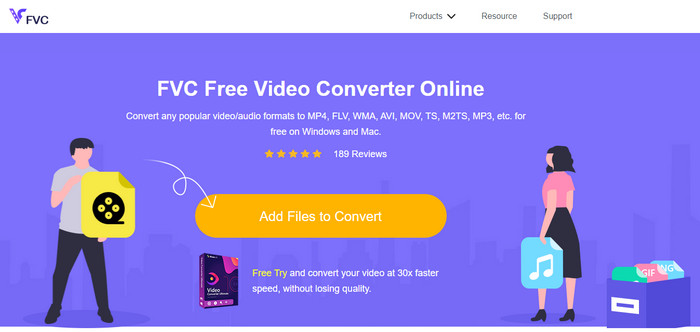
FVC Free Video Converter Online offre un processo di conversione da OGV a WMV migliore rispetto a VLC, Aconvert e Video2Edit.com. Questo strumento online fornisce infatti un output professionale come FVC Video Converter Ultimate, anche se non supporta tutti i formati gestiti dalla versione Ultimate. Inoltre, puoi regolare la qualità e impostarla in alta definizione per ottenere un risultato migliore. Un altro vantaggio è l’assenza di fastidiosi annunci pubblicitari durante la conversione. Puoi quindi goderti la conversione senza popup e senza alcun limite, neppure per quanto riguarda la dimensione dei file.
Professionisti
- Supporta più formati di VLC, Adconvert e Video2Edit.
- Può modificare le specifiche video e audio.
- Convertitore web di facile accesso sempre e ovunque con connessione Internet.
- Nessuna pubblicità sull'interfaccia e sembra più professionale.
Contro
- Se non hai Internet, non puoi utilizzare questo convertitore come gli altri due convertitori online.
- Nessuna funzionalità di modifica.
Parte 2. Come convertire OGV in WMV con FVC Video Converter Ultimate
Ora, se ti hanno colpito le altre funzioni di FVC Video Converter Ultimate, devi assolutamente leggere quanto segue. Per farti un’idea di come convertire OGV in WMV con questo strumento avanzato, devi seguire i passaggi riportati di seguito.
Passaggi su come convertire OGV in WMV con FVC Video Converter Ultimate:
Passaggio 1. Scarica il software di conversione su Windows o Mac, segui le istruzioni di installazione e avvia il programma.
Download gratuitoPer Windows 7 o versioni successiveDownload sicuro
Download gratuitoPer MacOS 10.7 o versioni successiveDownload sicuro
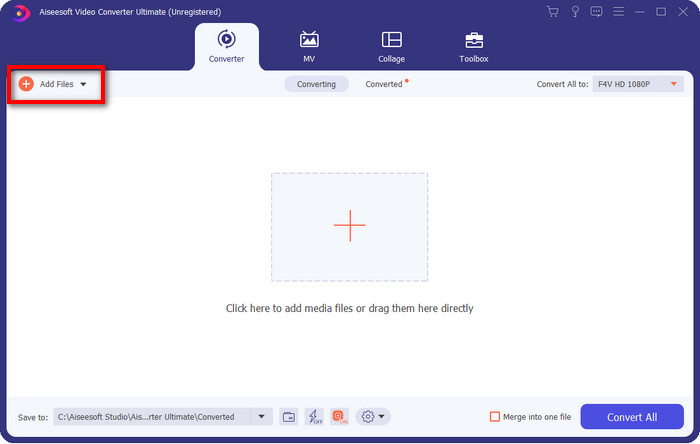
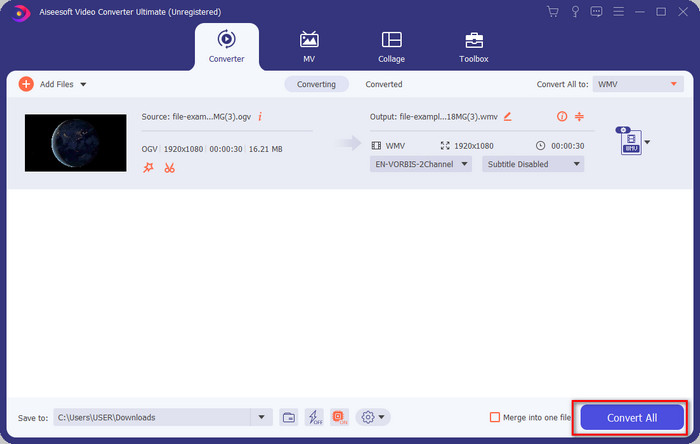
Passaggio 2. Dopo aver aperto il convertitore, carica il file OGV facendo clic sul pulsante Add Files in alto a sinistra dell’interfaccia e poi su Open.
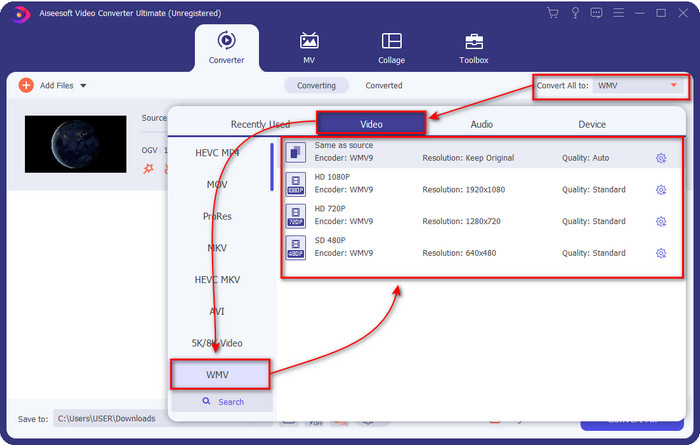
Passaggio 3. Una volta caricato il file OGV, scegli il formato WMV che desideri dall’opzione Convert All to.
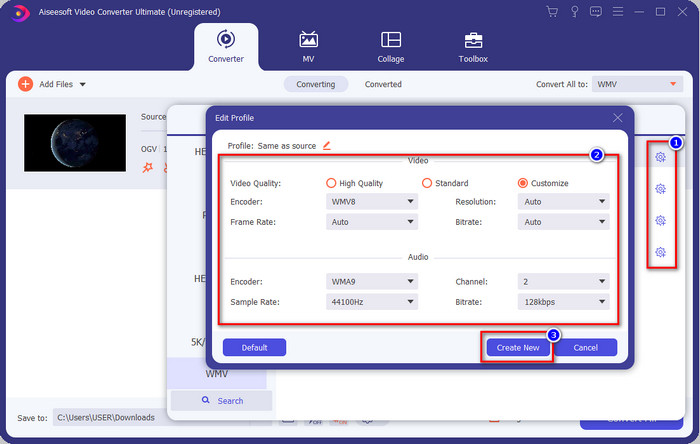
Opzionale: Vuoi modificare il profilo video vero e proprio? Allora fai clic sull’icona a forma di ingranaggio, regola encoder, frame rate o sample rate per video e audio. Per salvare le modifiche, fai clic su Create New. Dopo averlo fatto, noterai un’icona a forma di ingranaggio sopra il formato che hai scelto.
Passaggio 4. Fai clic su Convert All per avviare il processo. Al termine della conversione, si aprirà una cartella del computer contenente il file WMV.
Parte 3. Grafico di confronto
| Caratteristiche dei convertitori | FVC Video Converter Ultimate | VLC Media Player | Aconvert | Video2Edit.com | Convertitore video gratuito FVC online |
| Conversione dei formati |  | | | | |
| Funzionalità di modifica | |  | | | |
| Modifica le impostazioni video e audio | | | | | |
| Dipendente da Internet | | | | | |
| Annunci gratuiti | | | | | |
Parte 4. Domande frequenti sulla conversione da OGV a WMV
Posso usare il convertitore FFmpeg da OGV a WMV?
Sì, puoi usare FFmpeg per convertire OGV in WMV, ma questo convertitore non è uno strumento intuitivo e facile da usare come molti altri. Se vuoi comunque utilizzarlo, segui questi passaggi. Avvia il programma ed esegui il percorso di FFmpeg.exe sul tuo sistema. Apri il Prompt dei comandi e raggiungi tramite riga di comando il file OGV che desideri convertire. Poi inserisci questo comando: ffmpeg -i input.ogv -vn -ar 44100 -ac 2 -b:a 192k output.wmv, quindi premi Invio per avviare il processo.
OGV è riproducibile su Mac?
Non puoi farlo se vuoi riprodurre file OGV su QuickTime, perché il codec del formato non è supportato. Tuttavia, esiste un modo per renderlo compatibile su Mac: convertirlo in MOV. Vuoi sapere come trasformare i tuoi file OGV in MOV? Allora fai clic su questo link.
OGV e OGG hanno lo stesso formato?
OGV e OGG sono i contenitori esatti, ma hanno differenze in ciò che contengono. Ad esempio, i file OGG possono memorizzare audio di alta qualità ma non con video. Al contrario, OGV può mantenere contenuti audio e video di alta qualità.
Conclusione
Ora che conosci i convertitori da OGV a WMV che puoi utilizzare, è arrivato il momento di scegliere lo strumento da usare. Sebbene tutti quelli presentati qui possano aiutarti, abbiamo scoperto che FVC Video Converter Ultimate garantisce un livello di qualità eccellente agli utenti che lo utilizzeranno. È quasi incredibile ciò di cui questo strumento è capace. La scelta ora è nelle tue mani, ma se non hai ancora deciso, ti consigliamo di optare per FVC Video Converter Ultimate. Vuoi saperne di più sul programma? Allora devi prima scaricarlo e usarlo senza alcuna limitazione.
-
 2 convertitori più scelti accessibili per convertire file OGV in AVI [2021]
 Vuoi convertire i file OGV in AVI? Questo articolo fornisce due delle migliori soluzioni che puoi utilizzare per rendere la tua conversione sicura e veloce senza perdere la credibilità del video's.
-
 Fantastico convertitore da OGV a FLV da non perdere [Dimostrato]
 Se ti stai chiedendo come convertire rapidamente file OGV in FLV, questo articolo ti mostrerà l'unico convertitore di cui avrai bisogno.
-
 3 modi per convertire i file M2TS in WMV gratuitamente su Windows / Mac / Online
 Ecco 3 semplici modi per convertire M2TS in video WMV. Puoi cambiare il formato video da M2TS a WMV gratuitamente su Windows, Mac e online rapidamente. La conversione batch è supportata.
