


 Video Converter Ultimate
 Screen Recorder
 Riparazione video
Recensione completa su come convertire file SWF in AVI con i 5 convertitori
Un formato creato dalla forza congiunta di ShockWave Flash e Adobe è l’SWF. Questo formato è progettato per contenere e riprodurre animazioni video su Flash Player o sul web tramite i plug-in Flash. Tuttavia, è molto difficile guardare video animati nel formato SWF, perché tutti i lettori multimediali, tranne Flash Player, non supportano questo formato. In tal caso, è necessario trovare un convertitore per guardare il file .swf sul desktop. Qui di seguito ti presentiamo quindi i convertitori che puoi usare per convertire SWF in AVI online e offline.
Parte 1. SWF vs AVI: qual è il migliore?
In precedenza, abbiamo spiegato alcuni dei dati che abbiamo raccolto durante la nostra ricerca sui file SWF. Ma sapevi che questo file utilizza un vettore anziché un pixel? Per capirlo meglio, approfondiamolo. I pixel sono minuscole scatole che vengono mostrate sullo schermo. Fondamentalmente, tutto questo minuscolo quadrato ha colori diversi e tutti sono uniti insieme per creare un'immagine. Tuttavia, i vettori utilizzano equazioni matematiche per calcolare la forma che assumerà parte sullo schermo. Quindi, se proviamo a guardare i video SWF, ci aspettiamo una qualità visiva molto migliore rispetto a qualsiasi formato.
AVI è uno dei formati di file rinomati che ha dimensioni di file enormi rispetto agli altri formati. E il motivo principale per cui la dimensione del file AVI è grande è solo perché non è compresso. E poiché non è compresso, aspettati che il file mantenga la qualità ma in dimensioni molto maggiori.
L'unico motivo per cui dovrai imparare a convertire un file SWF in AVI è guardare il video che ha ancora l'estensione file .swf. Inoltre, rendiamo già la tua ricerca molto più semplice che mai poiché compiliamo diversi strumenti che puoi scegliere. Inoltre, tutti gli strumenti menzionati di seguito forniscono un'ottima conversione che ti aiuterà letteralmente a risolvere questo problema.
Parte 2. 5 dei migliori convertitori SWF in AVI disponibili su desktop e Web
1. Convertitore video FVC Ultimate
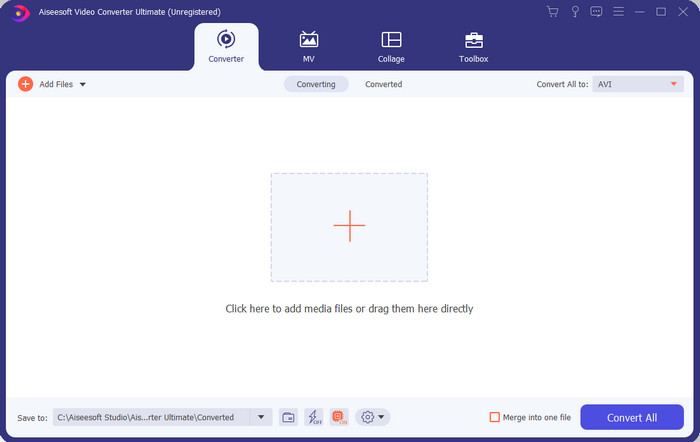
Se stai cercando il software davvero eccezionale da usare per convertire i file .swf, allora FVC Video Converter Ultimate è quello giusto. Non sarebbe al primo posto se il software non offrisse una conversione straordinaria. Inoltre, supporta più di 200 formati, sia quelli che già conosci sia quelli a te meno noti. A differenza dei convertitori elencati qui sotto, questo è decisamente superiore per interfaccia, funzionalità, funzioni avanzate, accessibilità e altro ancora. Se stai cercando un convertitore eccellente, puoi dirti che la ricerca è finita, perché lo hai trovato. Inoltre, se non sei ancora convinto dello strumento, mettilo alla prova scaricando prima questo miglior convertitore SWF in AVI gratuito.
Professionisti
- Supporta l'accelerazione hardware e la conversione rapida per convertire in un batter d'occhio.
- Ampia gamma di formati di file multimediali supportati.
- Le funzionalità di modifica sono disponibili dopo che il pagamento è stato saldato.
- La conversione batch può essere eseguita facilmente.
Contro
- Deve essere pagato prima di poterlo utilizzare, ma è molto economico.
- Deve prima essere scaricato sull'unità.
2. VLC Media Player
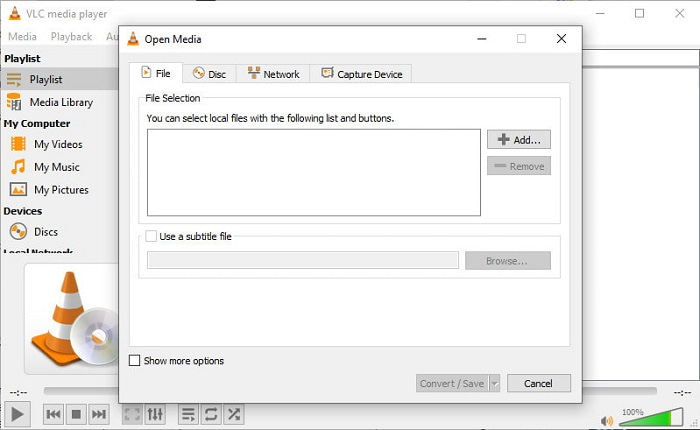
Questo lettore multimediale ha una funzione nascosta che ti piacerà usare. VLC Media Player non è soltanto un lettore multimediale, ma mette a disposizione anche un convertitore. Tuttavia, i formati supportati dal convertitore integrato sono molto limitati e non puoi impostare la risoluzione. Inoltre, il processo di conversione del formato qui è decisamente più complicato rispetto ad altri convertitori. Ma se vuoi comunque provare e usare questo convertitore SWF in AVI gratuito, scarica il lettore multimediale.
Professionisti
- Ha un convertitore integrato accanto al lettore multimediale.
- Gratuito da scaricare su qualsiasi piattaforma.
- È sicuro da scaricare e anche il processo di conversione è protetto.
Contro
- Formato inferiore supportato rispetto agli altri convertitori disponibili in questo elenco.
- Il processo di conversione richiede molto tempo prima di poter eseguire la conversione.
3. Convertio
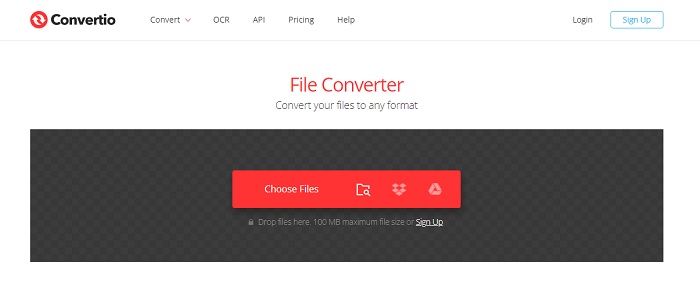
Se vuoi convertire SWF in AVI online, prova Convertio, che offre una conversione semplice ed efficace. Inoltre, questo strumento web è sicuro da usare e tutti i file convertiti con questo strumento vengono eliminati dal sito. Un’altra funzione interessante di questo strumento è la possibilità di effettuare conversioni in batch se effettui la registrazione. Tuttavia, il processo di caricamento e download richiede parecchio tempo ed è un po’ scomodo per gli utenti. Se non vuoi spendere un centesimo per la conversione, prova a usare questo servizio.
Professionisti
- Non è necessario scaricare il software sull'unità prima di poterlo utilizzare.
- Supporta un livello medio di formati tra cui scegliere.
- 2 formati di file alla volta possono essere convertiti contemporaneamente.
Contro
- Caricare e scaricare il file dopo la conversione richiederebbe molto tempo.
- Dipende da Internet, il che significa che se la tua connessione Internet è lenta, si aspetta molto tempo.
4. OnlineConvertFree.com
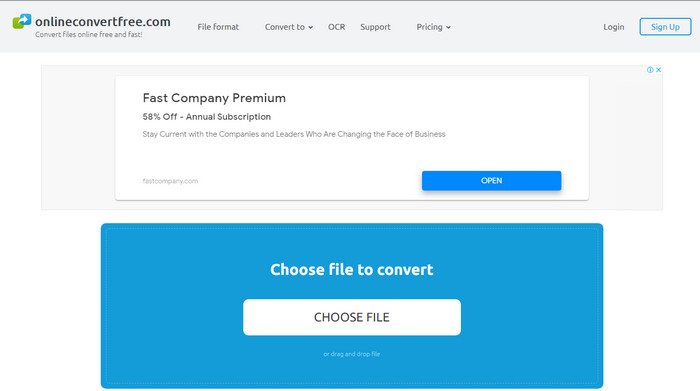
Un altro convertitore video online da SWF a AVI che puoi usare è OnlineConvertFree.com. Se la semplicità è bellezza, allora questa dovrebbe essere la tua scelta per il lavoro di conversione. A differenza del primo strumento online menzionato, questo è molto più semplice, ma supporta un numero minore di formati tra cui scegliere. Inoltre, la dimensione del file è limitata in questo software online. Quindi, se hai un file più grande di 20 MB, sappi che non potrai usarlo con questo strumento. Tuttavia, se vuoi usarlo per convertire file e allo stesso tempo non spendere molto, allora sceglilo.
Professionisti
- L'accesso è gratuito.
- Questo convertitore può essere utilizzato se si dispone di una connessione Internet.
- L'interfaccia generale sembra ordinata.
Contro
- Non è possibile accedervi se Internet non è disponibile.
- Gli annunci stanno uccidendo il sito web.
Parte 3. 5 passaggi su come convertire SWF in AVI su FVC Video Converter Ultimate
Ecco i passaggi dettagliati su come utilizzare FVC Video Converter Ultimate. Tutti i passaggi forniti qui ti garantiranno un'esperienza facile ma fenomenale.
Passaggio 1. Per prima cosa è indispensabile scaricare lo strumento sull’unità del computer, scegliendo se si tratta di PC o Mac. Poi installa il software sull’unità, esegui facilmente la procedura di configurazione e fai clic su Start Now.
Download gratuitoPer Windows 7 o versioni successiveDownload sicuro
Download gratuitoPer MacOS 10.7 o versioni successiveDownload sicuro
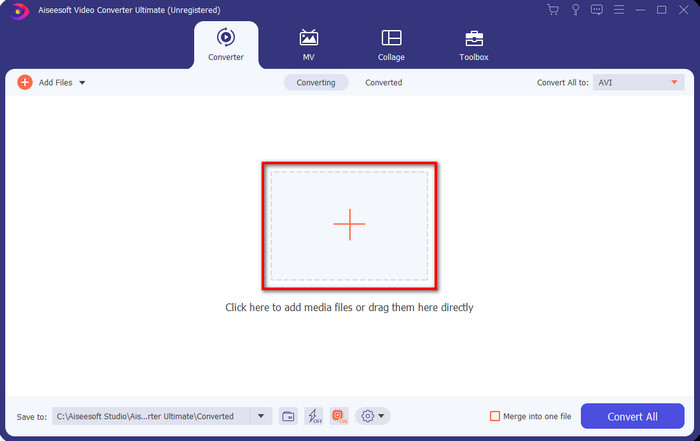
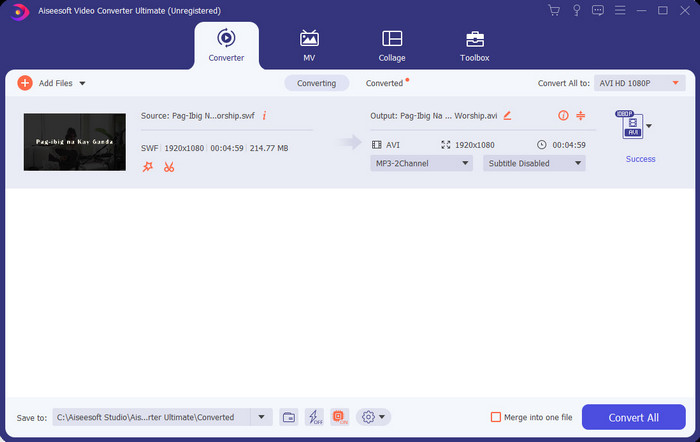
Passaggio 2. Apri il software che hai installato sull’unità, quindi fai clic sul pulsante + e individua il file nella cartella che si aprirà successivamente. Premi Open per procedere.
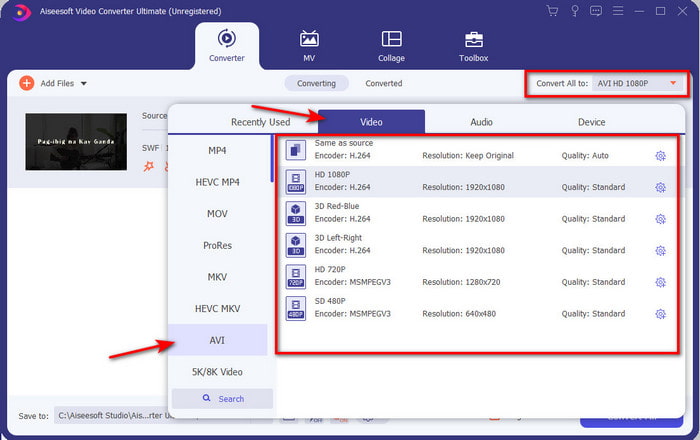
Passaggio 3. Per cambiare il file SWF in formato AVI fai clic sul pulsante a discesa e seleziona il formato AVI, quindi scegli la risoluzione.
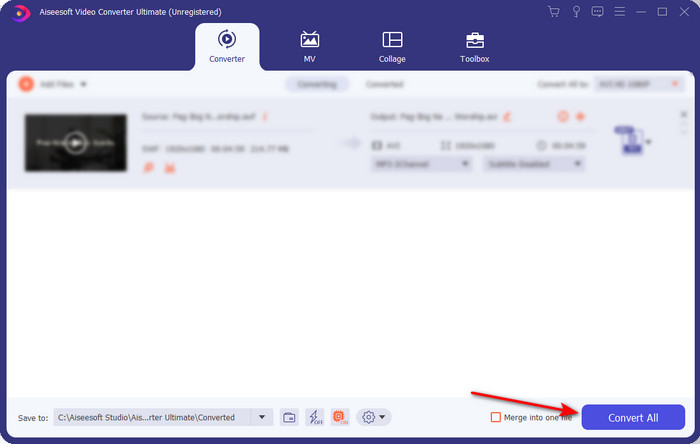
Passaggio 4. Quando hai finito di selezionare il formato, fai clic su Convert All per avviare il processo di conversione.
Passaggio 5. Al termine della conversione verrà visualizzata una cartella con il file convertito. Fai clic sul nuovo file AVI per guardarlo e trasferirlo in seguito se lo desideri.
Parte 4. Domande frequenti su SWF e AVI
Posso riprodurre SWF su altri lettori multimediali?
Assolutamente no, perché il formato .swf non è supportato dal tuo lettore multimediale nemmeno usando un’app di terze parti. La scelta migliore per riprodurre un file .swf è quindi convertirlo in un nuovo formato, così da poterlo riprodurre. Ma se non vuoi convertirlo, devi usare comunque Flash Player per riprodurre il formato di file SWF.
Il file .swf è più piccolo?
Assolutamente sì; oltre a essere leggero in termini di dimensioni, viene anche caricato molto più velocemente rispetto ad altri formati, grazie anche all’intera struttura del formato stesso. Puoi provare a comprimere i file SWF con un compressore video se sono troppo grandi.
Il mio file SWF può regolare la trasparenza?
Bene, puoi impostarlo in modo che sia trasparente se lo desideri o meno se non lo desideri. Inoltre, puoi aggiungere un canale alfa con il colore sul display o la scala di grigi per impostarlo come trasparente.
Conclusione
Alla fine di questo articolo, abbiamo già scoperto cos'è SWF e l'altro scopo di esso. Inoltre, abbiamo appreso che non è possibile utilizzare il file .swf se non si utilizza un Flash Player e, a parte questo, non è possibile riprodurlo. Quindi ora, la soluzione migliore per riprodurre il file SWF è convertirlo in un nuovo formato come l'AVI. Inoltre, tutti gli strumenti sopra menzionati svolgono il loro lavoro di convertitore. Ma non esiste uno strumento che fornisca una soluzione molto più rapida e semplice di FVC Video Converter Ultimate.
-
 Da SWF a MP4: Converti gratuitamente SWF in MP4 online e su PC
 Come aprire il file SWF senza Adobe Flash Player? Prendi il miglior convertitore gratuito 3 da SWF a MP4 per cambiare gratuitamente SWF in MP4 online e su PC / Mac entro 3 passaggi.
-
 [2 Soluzioni] Come convertire facilmente e gratuitamente file SWF in GIF
 Quando non riesci a esportare il formato GIF tramite il software Flash, puoi provare a salvare i file in formato SWF all'inizio. Quindi puoi imparare 2 semplici modi per convertire file SWF in GIF da questo articolo.
-
 Ottima scelta per convertire MKV in un formato AVI
 Impara come convertire video MKV con semplici passaggi forniti esclusivamente per te. Vuoi sapere come? Quindi fare clic su questo collegamento per saperne di più.
