


 Video Converter Ultimate
 Screen Recorder
 Riparazione video
 Download sicuro
Come comprimere video online utilizzando 3 strumenti notevoli
Una delle difficoltà nel registrare un video lungo ad alta risoluzione su un dispositivo mobile si presenta quando lo si deve trasferire online ad altre persone. Questo perché i social media impongono un limite alla dimensione dei file che possono ricevere. Per questo molti pensano a una sola soluzione: tagliare o accorciare il video. D’ora in poi, gli utenti non devono più preoccuparsi di registrare video lunghi grazie ai compressori video online elencati di seguito.

Parte 1. 3 modi per comprimere video online
1. Compressore video FVC online
FVC Video Compressor Online è la scelta ideale per gli utenti che cercano un’esperienza di compressione video senza sforzo. Scopri l’incomparabile facilità e semplicità di questo strumento online, che lo rendono unico rispetto agli altri compressori video online. Spostando il cursore da sinistra a destra, puoi determinare con facilità il livello di compressione desiderato per i tuoi file. Inoltre, questo straordinario compressore video online ti offre la libertà di scegliere il formato più adatto al risultato video che desideri ottenere. Puoi sperimentare la versatilità e la comodità di vari formati, tra cui i popolari MP4, MOV, MKV, AVI, WMV e molti altri. Con così tante opzioni, sarai libero di goderti i tuoi contenuti multimediali nel formato che preferisci. In aggiunta, hai l’incredibile opportunità di migliorare la risoluzione e il bitrate del tuo file.
Professionisti
- Gli utenti possono sperimentare la facilità e la semplicità della sua interfaccia utente.
- Consente la compressione video senza soluzione di continuità senza filigrane.
- Consente agli utenti di selezionare il bitrate e la risoluzione ottimali per i propri file video.
- Trasforma facilmente i loro video in un'ampia gamma di formati.
Contro
- Il processo di compressione dipende dalla velocità di Internet.
Passaggio 1: Una volta raggiunta l’interfaccia principale di FVC Free Video Compressor, fai clic sul pulsante Add Files to Compress e procedi a scaricare il launcher. Dopo aver completato l’installazione, fai nuovamente clic sul pulsante e aggiungi il video che desideri comprimere.
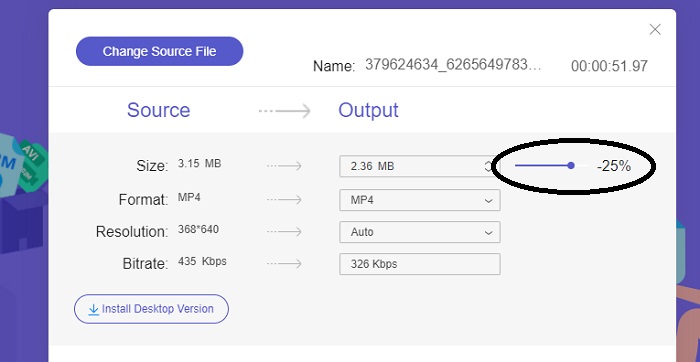
Passaggio 2: Per iniziare a comprimere il video, sposta la barra del cursore da destra a sinistra dopo averlo aggiunto. Puoi modificare il formato del tuo video selezionando uno dei formati disponibili.
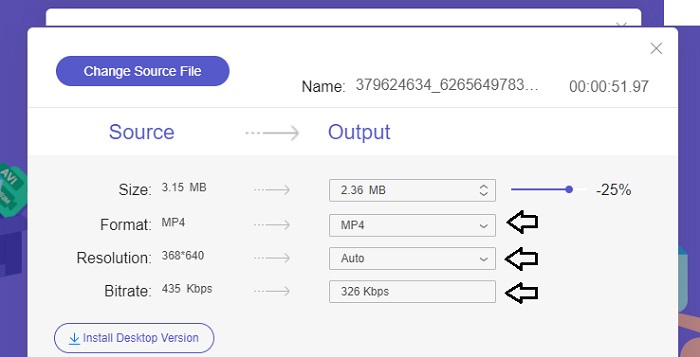
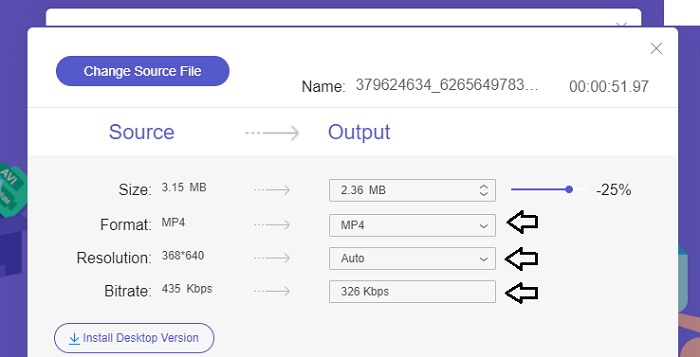
Inoltre, puoi personalizzare il Bitrate e la Resolution del tuo video scegliendo tra le opzioni disponibili.
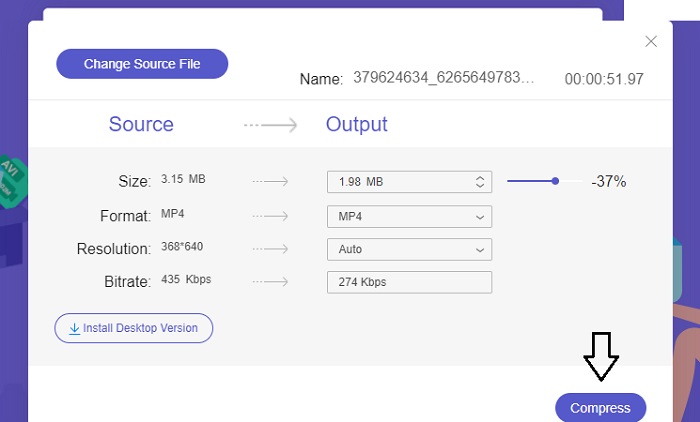
Passaggio 3: Una volta apportate tutte le modifiche necessarie, puoi salvare il video facendo clic sul pulsante Compress. Quindi seleziona la cartella in cui desideri salvare il video di output. E questo è tutto!
2. Conversione gratuita
FreeConvert è uno strumento online facile da usare per comprimere video. Gli utenti possono scegliere come target aspetti specifici come la dimensione del file, la qualità del video, la risoluzione o il bitrate per la compressione. Il processo di compressione è rapido e semplice e consiste in pochi semplici passaggi facili da seguire. Tuttavia, poiché questo strumento è disponibile esclusivamente online, gli utenti avranno bisogno di una larghezza di banda notevole sia per il caricamento che per il download. La versione gratuita di FreeConvert presenta alcune limitazioni sulle dimensioni dei file e sul numero di file che possono essere convertiti mensilmente.
Professionisti
- L'interfaccia è adatta ai principianti.
- Ha una velocità di download elevata.
Contro
- Per comprimere file di grandi dimensioni, gli utenti devono pagare un account premium.
- La versione gratuita ha un limite giornaliero per le conversioni.
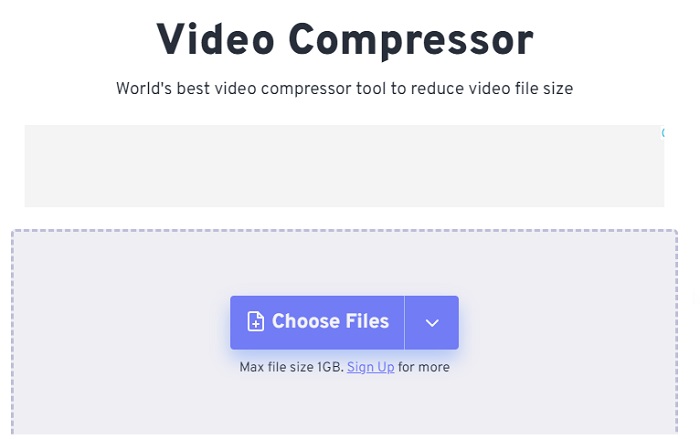
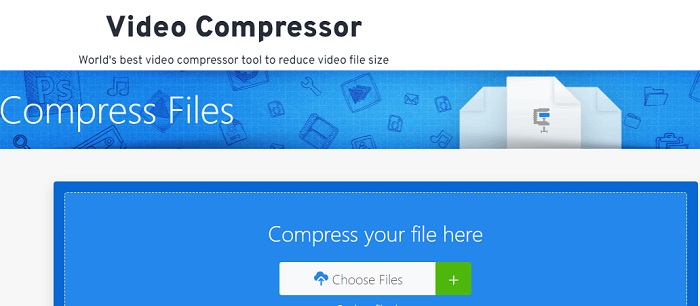
Passaggio 1: Cerca nel tuo motore di ricerca FreeConvert Video Compressor. Dopo aver raggiunto l’interfaccia principale, tocca il pulsante Choose Files per caricare il video che desideri comprimere.
Passaggio 2: Dopo aver caricato il video, fai clic sul pulsante Compress e attendi con pazienza che il processo sia completato.
Passaggio 3: Per salvare il video compresso, tocca il pulsante Download e scegli la cartella in cui desideri archiviare il video.
3. Zamzar
Zamzar è un comodo strumento online che ti consente di convertire e comprimere file gratuitamente. È possibile accedervi da qualsiasi PC dotato di connessione Internet. Questo riduttore di dimensioni video online consente agli utenti, siano essi principianti o professionisti, di comprimere i propri video clip in modo rapido e senza sforzo. Il software ha la capacità di supportare una vasta gamma di tipi di file. Tuttavia, è importante notare che la versione gratuita limita solo due compressioni o conversioni nell'arco di 24 ore.
Professionisti
- In caso di problemi tecnici, è disponibile il supporto via email.
- I file vengono archiviati per un massimo di 24 ore.
- La navigazione è molto intuitiva.
Contro
- Nella versione gratuita, gli utenti sono limitati a un massimo di due file entro 24 ore.
- Per accedere a file più grandi di 400 MB è necessario l'aggiornamento alla versione premium.
Passaggio 1: Per iniziare, vai alla pagina principale di Zamzar, dove troverai l’intera interfaccia. Per aggiungere il video dal desktop, fai clic sul pulsante Choose Files.
Passaggio 2: Una volta caricato il video, dovrai attendere qualche secondo affinché il processo di compressione si completi e lo stato venga aggiornato.
Passaggio 3: Infine, puoi scaricare il file compresso sul tuo desktop.
Parte 2. Miglior compressore video offline
Se desideri un software che unisca funzioni di compressione, conversione e modifica video, prendi in considerazione il passaggio a Video Converter Ultimate. Il software offre una soluzione completa che include funzioni di base di montaggio, conversione e compressione video. Inoltre, fornisce funzioni avanzate che consentono agli utenti di creare video professionali di alta qualità con la massima semplicità. Mette a disposizione un’ampia gamma di potenti funzionalità. La soluzione include anche uno strumento che permette di creare video d’impatto in modo efficiente e in tempi più brevi. Convertire un video con questo strumento è un semplice processo in tre passaggi.
Passaggio 1: Per utilizzare questo potente software di compressione video, scaricalo e installalo sul tuo computer. Successivamente, avvia il software per iniziare a usare le sue funzioni.
Download gratuitoPer Windows 7 o versioni successiveDownload sicuro
Download gratuitoPer MacOS 10.7 o versioni successiveDownload sicuro
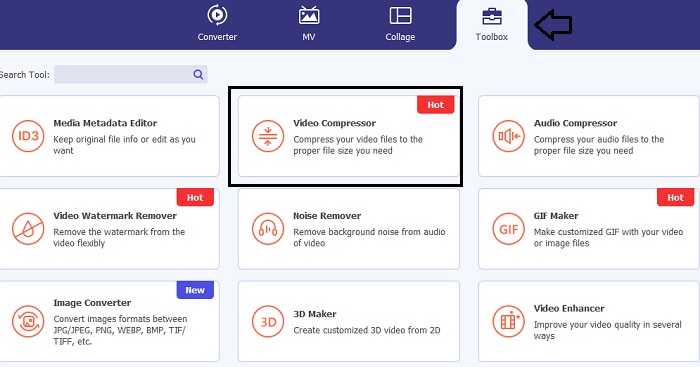
Passaggio 2: Per cominciare, vai alla sezione Toolbox e fai clic sull’opzione Video Compressor. Dopodiché, puoi caricare il tuo video.
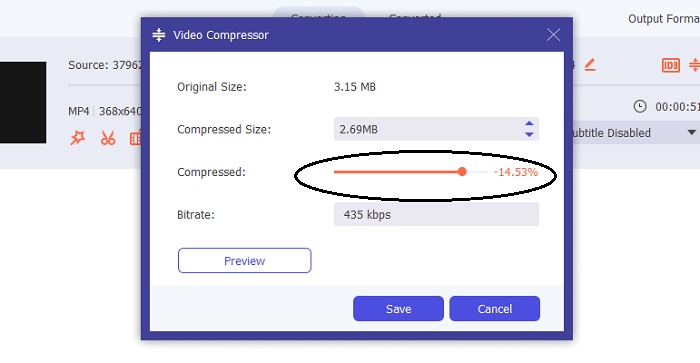
Una volta entrato nelle impostazioni di Video Compressor, sposta la Slider bar finché non raggiungi la dimensione desiderata. Quindi fai clic sul pulsante Save per applicare le modifiche.
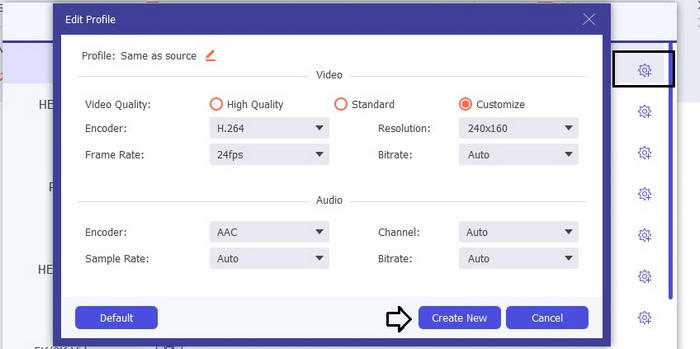
Per selezionare il formato video appropriato, fai clic sull’opzione Profile e scegli uno dei formati disponibili nell’elenco a discesa. Puoi anche regolare impostazioni come Encoder, Resolution, Bitrate e varie impostazioni audio. Ricorda di fare clic sul pulsante Create New per confermare queste impostazioni.
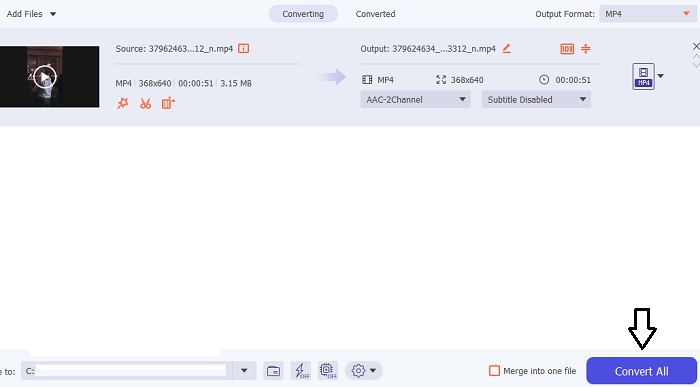
Passaggio 3: Per iniziare a comprimere il video, fai clic sul pulsante Compress.
Ulteriori letture:
Come comprimere un video per il web in modo efficiente senza perdere qualità
Google Drive comprime i video? Scoprilo e chiarisci qui
Parte 3. Domande frequenti sul compressore video online
Come posso ridurre la dimensione in MB di un video?
Mantieni la risoluzione dell'immagine e il frame rate bassi quando possibile. Per ridurre la dimensione in MB del tuo file, valuta la possibilità di ridurre il bitrate e la risoluzione del tuo video. Ma tieni presente che riducendo i MB, anche la qualità viene compromessa.
Come posso ridurre le dimensioni di un video senza perdere la qualità?
Sono disponibili numerosi metodi per ridurre le dimensioni di un file video senza sacrificarne la qualità. Puoi migliorare il tuo video utilizzando un compressore video, tagliandone la lunghezza, regolando il bitrate o convertendolo in un formato adatto al web.
Ridurre le dimensioni del video riduce la qualità?
Ricorda che la compressione del tuo video avrà un impatto sulla sua qualità. Pertanto, è fondamentale possedere lo strumento appropriato a propria disposizione. Puoi utilizzare Video Converter Ultimate o FVC Video Compressor Online.
Conclusione
Esistono moltissimi metodi per comprimere i video, incluso l’uso di compressori di dimensione video online. Se vuoi assicurarti che la qualità dei tuoi file video resti intatta anche dopo la compressione, vale davvero la pena provare Video Converter Ultimate.
-
 Come comprimere un video MP4 in dimensioni inferiori
 Il video MP4 è troppo grande per il caricamento? Vuoi ridurre le dimensioni del video? Ecco 3 modi efficaci per comprimere un file MP4 in dimensioni inferiori senza limiti.
-
 Tutorial per comprimere un video per e-mail su iPhone / Android / Online
 Non riesci a inviare un video tramite e-mail che è troppo grande? Se hai questo problema, puoi trovare modi praticabili per comprimere un video per e-mail qui. Questo articolo ti mostrerà come ridurre gratuitamente i file video di grandi dimensioni nei dettagli.
-
 2 modi per comprimere video per YouTube
 I video di YouTube sono grandi e lenti da caricare? Basta comprimere le dimensioni del file video in più piccole per YouTube in 2 modi online e sul computer.
