


 Video Converter Ultimate
 Screen Recorder
 Riparazione video
Qual è la migliore alternativa a iMovie per Windows che puoi trovare sul Web
iMovie è un noto editor video gratuito su Mac perché è l’editor predefinito del sistema e, anche se ti trovi a metà strada tra principiante e professionista, riesci a usarlo facilmente. Sebbene questo strumento sia eccellente per il montaggio, non è ancora disponibile per Windows. Qui sotto trovi quindi l’elenco dei migliori editor video simili a iMovie per Windows con la relativa descrizione, così da aiutarti a capire più facilmente quale programma offra le funzioni di editing migliori e la resa più soddisfacente.

Parte 1. Le migliori alternative a iMovie per PC con tabella di confronto
| Funzione/i dell'editor | Video Converter Ultimate | Editor video gratuito VSDC | Davinci Risolvi | Hit Film Express | Windows Movie Maker |
| Funzione/i di modifica |  | | | | |
| Facile da usare | |  | | | |
| Esperienza complessiva | Fornisce un risultato avanzato e professionale e tuttavia è facile da usare. | Il miglior strumento da utilizzare nell'editing per video più dettagliati con esperienza professionale. | Lo strumento è progettato per essere utilizzato su modifiche pesanti | Fornisce molte funzionalità di editing rispetto a VSDC Free Video Editor. | È dotato di editing di base e nient'altro. |
| Dimensione del file | 2,4 MB | 99,2 MB | 1,5 GB | 1,2 GB o più | 15,1 MB |
| Fascia di prezzo | Per 1 mese: $25.00 Per un anno: $31.20 Per licenza a vita: $55.20 | $19.99 per l'edizione Pro | $357.01 per funzionalità | $299 (senza canone di abbonamento) | Scarica gratis |
| Requisiti di sistema: piattaforme, processori e RAM supportati | Sistema operativo supportato: Windows 10, Windows 8, Windows 7, Windows Vista, Windows XP (SP2 o successivo) macOS 10.7 o successivo Processore: CPU Intel / AMD da 1 GHz o superiore RAM: 1G RAM o più | Microsoft Windows 2000/XP/2003/Vista/Win7/Win8 Processore: Intel o AMD o processori compatibili a 800 MHz minimo Risoluzione grafica minima di 800x600x16 bit a colori RAM: 128 megabyte (MB) Microsoft DirectX 8.1b | Windows 10 Creators Update o Blackmagic Design Desktop Video 10.4.1 o versioni successive Processore: versione del driver GPU NVIDIA/AMD/Intel RAM: almeno 2 GB di VRAM | Windows: Microsoft Windows 10 (64 bit) Processore: processori Intel® Core™ di quarta generazione o equivalente AMD. RAM: 4 GB (8 GB consigliati) | Microsoft Windows XP (SP2 o successivo), Windows Vista, Windows 7, Windows 8, Windows 8.1, Windows 10 Processore: Processore Intel/AMD da 1GHz o superiore RAM: 256 MB di RAM (consigliati 512 MB o superiore) |
1. Convertitore video definitivo
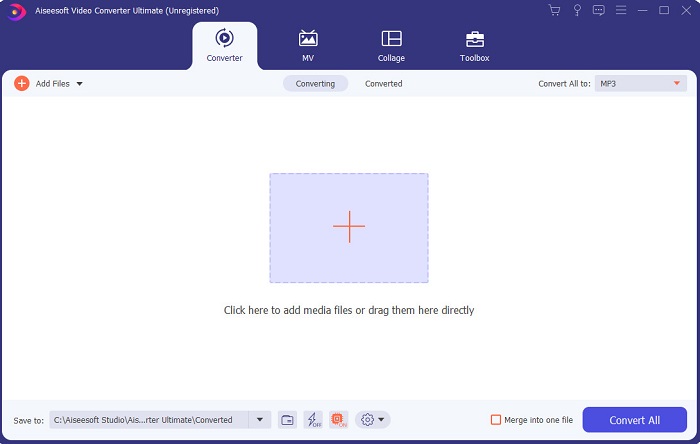
Se il montaggio è il tuo problema, allora Video Converter Ultimate lo compensa ampiamente. Offre infatti molte più funzioni di editing rispetto a iMovie e agli altri strumenti di questo elenco. Inoltre è il miglior alternativa a iMovie per Windows e per Mac. Permette agli utenti di godere di un’esperienza di montaggio di alta qualità richiedendo pochissimo tempo di apprendimento. Ciò significa che, anche se sei un principiante o alle prime armi con l’editing video, potrai comunque ottenere ottimi risultati usando questo software, che rende il lavoro più semplice ma con un tocco da professionista. Presenta inoltre istruzioni semplici e intuitive per aiutare l’utente a realizzare il tipo di montaggio desiderato. Anche se l’interfaccia dello strumento è buona, avrebbe ancora bisogno di essere aggiornata per diventare ancora migliore. Come si suol dire, c’è sempre margine di miglioramento.
Download gratuitoPer Windows 7 o versioni successiveDownload sicuro
Download gratuitoPer MacOS 10.7 o versioni successiveDownload sicuro
2. Editor video gratuito VSDC
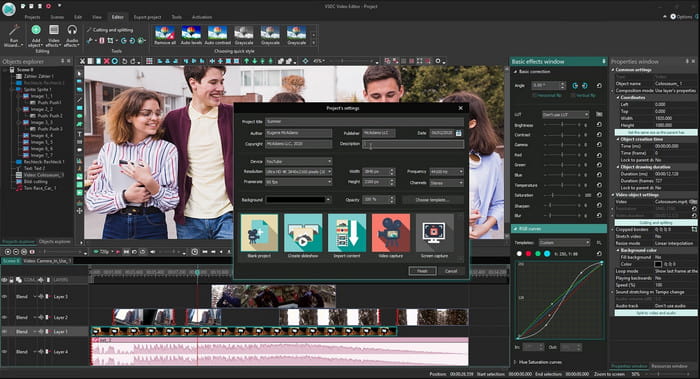
VSDC Free Video Editor è uno degli editor più validi che puoi usare gratuitamente su Windows. L’interfaccia del software è migliorata ad ogni aggiornamento da parte degli sviluppatori. Tuttavia, deve essere ancora perfezionata per diventare davvero eccellente. Inoltre, alcune funzioni di montaggio di questo iMovie per Windows 10 sono nascoste nei sottomenu dello strumento. Per questo motivo potresti fare fatica a trovare rapidamente le opzioni di editing che ti servono. D’altro canto, il prezzo della versione Pro è molto economico rispetto agli altri strumenti presentati. Tuttavia, il set di funzioni di editing risulta proporzionato al prezzo. Durante le nostre prove abbiamo anche riscontrato alcuni bug e crash.
3. Davinci Risolutezza
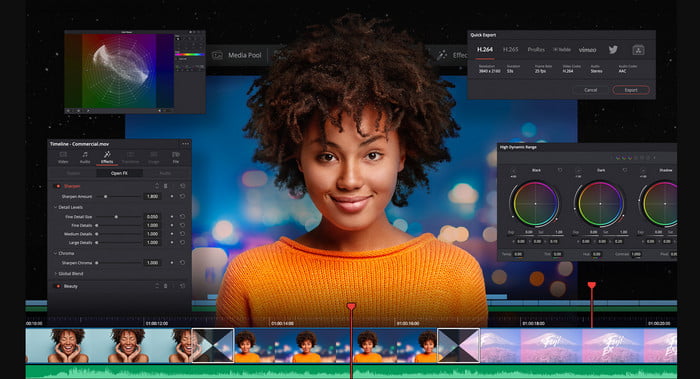
Davinci Resolve offre numerose funzioni di editing che ti serviranno per migliorare i tuoi video. Si dice che combini le caratteristiche di montaggio di Adobe Premiere e Apple Final Cut, riunendole in un unico strumento. Grazie a questa combinazione, puoi aspettarti una quantità di funzioni avanzate per rendere i tuoi video migliori che mai. Tuttavia, imparare a usare questo programma è gravoso per tutti i principianti e anche per alcuni professionisti che non hanno molta esperienza nel montaggio. Inoltre, questo iMovie per PC è la migliore alternativa in termini di funzioni avanzate, ma non è affatto economico: può costare più di 300 $, risultando l’editor più caro in questo elenco.
4. Hit Film Express
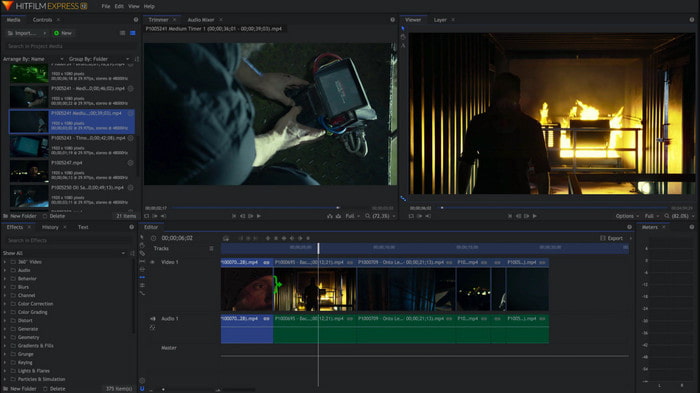
HitFilm Express è molto apprezzato da molti utenti per le sue prestazioni. Sebbene siano disponibili alcuni tutorial, non sono ancora sufficienti a spiegare in modo davvero chiaro come usare l’editor. Mancano inoltre alcune transizioni animate che possono servire per rendere il video davvero straordinario. Tuttavia, se vuoi solo fare un montaggio semplice, prova a usarlo, perché è simile a iMovie ed è disponibile su PC. Tieni comunque presente che potresti incontrare bug minori e maggiori durante l’uso e che non sono da escludere crash improvvisi.
5. Windows Movie Maker
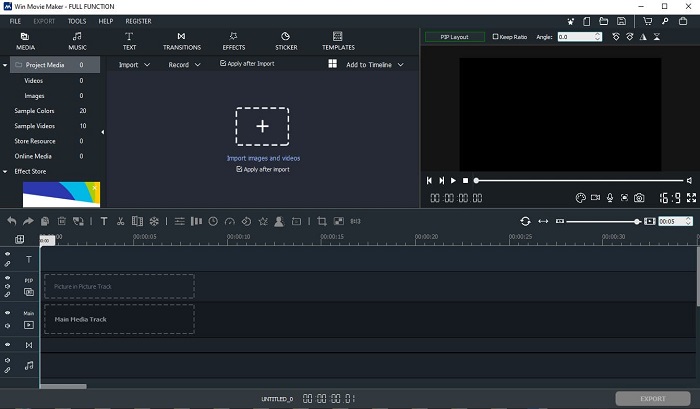
Windows Movie Maker è diventato molto popolare alla fine del 2016 perché offriva alcune funzioni avanzate. Anche se oggi non è più incluso nativamente come lettore multimediale in Windows, rimane comunque una delle alternative a iMovie da scaricare per PC. Inoltre, fai molta attenzione alla fonte da cui scarichi questo strumento: molti utenti hanno provato a scaricarlo dal web e hanno preso virus sul computer da siti sconosciuti. Propone anche funzioni di editing di base utili per un uso essenziale. Quindi, se vuoi ottenere un risultato davvero fenomenale, non è lo strumento ideale da scaricare. Ma se desideri un montaggio semplice, puoi comunque scaricarlo e usarlo.
Parte 2. Domande frequenti su iMovie per Windows
Qual è lo strumento migliore per modificare le GIF?
Dal momento che le GIF sono diventate una tendenza, molti utenti amano creare le proprie GIF. Inoltre, le GIF sono molto più leggere in termini di dimensioni rispetto ad altri formati video. Ora, se clicchi su questo link, si aprirà un nuovo sito che spiega qual è il miglior editor di GIF per PC, Mac, iOS e Android.
Come aggiungere musica di sottofondo a un video?
Montare un video è importante, ma sapevi che aggiungere la musica di sottofondo fa anch’esso parte della fase di editing? Per saperne di più su come aggiungere musica a un video, clicca su questo link per procedere.
Perché modifichiamo i video?
Poiché fa parte della post-produzione, questo migliorerà il tuo video unendo, tagliando video non necessari, aggiungendo musica di sottofondo e altro ancora. Grazie a questo software di editing siamo in grado di esprimerci così tanto semplicemente facendo il montaggio.
Conclusione
In conclusione, il montaggio video è una fase molto importante e va presa sul serio. Anche se non disponi di un set completo di strumenti di editing, puoi comunque riuscire a montare i tuoi video. Con l’aiuto dei 5 programmi elencati, che condividono quasi tutti i concetti e le funzioni principali di iMovie, il lavoro diventa più semplice. Inoltre, Video Converter Ultimate è l’editor fenomenale di cui hai bisogno per creare un video impressionante che nessuno si aspetterebbe da te. Allora, che aspetti? Se vuoi provare funzioni di editing avanzate a un prezzo molto basso e facili da usare, scarica l’ultimate converter sul tuo PC.
-
 Come comprimere file MPEG-4 online - Nessun download, nessuna filigrana
 Non hai abbastanza spazio di archiviazione per conservare tutti i tuoi file MPEG-4? Ecco alcune soluzioni che potrebbero aiutarti a ridurre le dimensioni dei tuoi file video.
-
 Come comprimere file VOB online e gratuitamente [Nessun download]
 Stai cercando metodi per comprimere i file VOB? Scopri il modo migliore per ridurre le dimensioni dei file VOB in questo articolo.
-
 Come comprimere un file OGV senza perdere la qualità
 Non riesci a inviare file OGV di grandi dimensioni ad altri? Bene, questo articolo ti introdurrà 2 semplici modi per aiutarti a comprimere facilmente i file OGV.
