


 Video Converter Ultimate
 Perakam Skrin
 Pembaikan Video
Alat Berguna yang Anda Perlu Tahu yang Menukar SWF kepada MOV [Diselesaikan]
Animasi berasaskan video dan vektor boleh didapati dalam fail SWF, yang dicipta dengan perisian Adobe Flash. ShockWave Format adalah nama lain bagi Small Web Format, iaitu singkatan penuhnya. Fail SWF lazimnya digunakan untuk mengedarkan bahan multimedia melalui internet dengan cara yang berkesan. Aplikasi web berskala kecil mendapat manfaat daripada ActionScript, yang boleh disimpan dalam format ini. Jika anda tertanya-tanya sama ada terdapat penukar SWF ke MOV percuma kerana anda tidak dapat memainkan fail dengan format tersebut, inilah artikel yang sesuai untuk anda, kerana ia membentangkan alat terbaik dan paling cekap yang boleh anda gunakan untuk menukar fail video. Mari kita mulakan!
Bahagian 1. Prakata: SWF & MOV
SWF ialah sejenis fail yang digunakan untuk memindahkan teks, video, grafik vektor dan ActionScript melalui internet. Adobe Flash Player diperlukan untuk menggunakan fail SWF. Format fail SWF direka sebagai format pemindahan yang menjimatkan sumber yang boleh digunakan bukan sahaja untuk menghantar grafik tetapi juga untuk antialiasing dan paparan pada skrin, antara lain. Antialiasing adalah penting untuk pemaparan pantas bitmap dan sifat yang berkaitan dengannya, seperti butang interaktif, bayang-bayang dan animasi.
Walau bagaimanapun, fail MOV dikodkan menggunakan garis panduan pengekodan Apple QuickTime Movie dan piawaian pemampatan data, dan fail video yang dihasilkan dalam format ini mempunyai sambungan .mov. Piawaian dan kriteria pemampatan untuk filem digital dan klip video lain telah dibangunkan secara eksklusif oleh Apple. Oleh kerana fail MOV ini dikodkan dengan sokongan keserasian merentas platform, ia boleh dimainkan pada pemain video digital berasaskan Mac dan Windows juga. Windows Media Player turut disertakan dengan fungsi main balik untuk fail MOV ini, yang boleh dibuka dan ditonton menggunakan Apple QuickTime Player atau VLC Media Player pada kedua‑dua platform Mac dan Windows.
| Sambungan fail | SWF | MOV |
| Jenis fail | Filem ShockWave Flash | Filem Apple QuickTime |
| Dibangunkan Oleh | Sistem Adobe | epal |
| Kelebihan | Animasi web dimungkinkan dengan penggunaan format visual boleh skrip secara bebas. Kerana grafik adalah berasaskan vektor, ia mungkin diubah saiznya tanpa kesukaran. dimuatkan dalam masa yang singkat; | Setiap fail mempunyai komponen audio dan video berkualiti tinggi yang disimpan pada trek bebas dan boleh diedit untuk masa dan kandungan. Fail boleh dilihat oleh banyak pemain video percuma yang berbeza. |
| Keburukan | Penggunaan CPU yang intensif; video SWF tidak boleh dimainkan sehingga pemalam Flash dipasang pada komputer; memerlukan perisian yang mahal untuk dibuat, antara lain; | Persekitaran QuickTime menyediakan prestasi yang lebih mantap; namun begitu, codec tertentu mungkin diperlukan untuk membuka fail a.mov. |
Bahagian 2. 3 Alat Berkesan untuk Digunakan dalam Menukar SWF kepada MOV
Pilihan 1. Penukar Video Percuma Dalam Talian
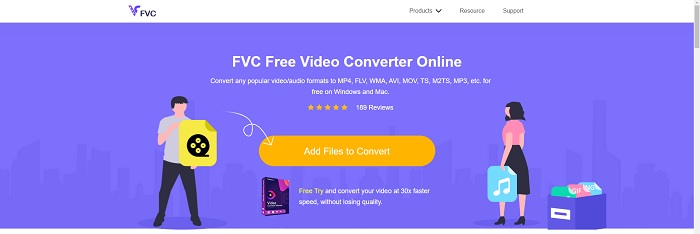
Anda boleh menukar pelbagai format video dan audio dengan FVC Free Video Converter Online. Video definisi tinggi boleh ditukar dengan mudah kepada codec seperti MP4, FLV dan WMV tanpa menjejaskan kualiti. Anda tidak perlu risau tentang kehilangan kualiti apabila menukar banyak fail video atau audio. Alat penukar video percuma ini terkenal dengan keupayaan penukaran dan penyuntingannya, yang membolehkan pengguna menyesuaikan video mereka sepuas hati.
Kelebihan
- Ia menyokong banyak format fail video.
- Output yang ditukar adalah berkualiti tinggi.
Keburukan
- Memandangkan ia adalah alat web dalam talian, ia memerlukan sambungan yang lebih pantas untuk menukar video saiz fail besar.
Pilihan 2. Tukar Percuma Dalam Talian
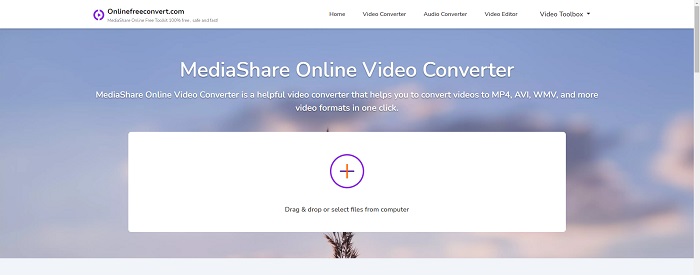
Apabila menukar pengekodan video anda, aplikasi dalam talian percuma ini adalah pilihan terbaik. Aplikasi ini menawarkan dua pilihan untuk memastikan perkara mudah dan mudah digunakan: jenis fail dan resolusi. Ikut arahan pada skrin untuk menggunakan penukar dalam talian ini.
Kelebihan
- Ia mempunyai antara muka yang boleh diakses dan mesra pengguna.
- Ia menawarkan alat lain yang boleh meningkatkan kualiti video.
Keburukan
- Ia tidak mempunyai banyak format video yang disokongnya.
Pilihan 3. Sebarang Penukaran
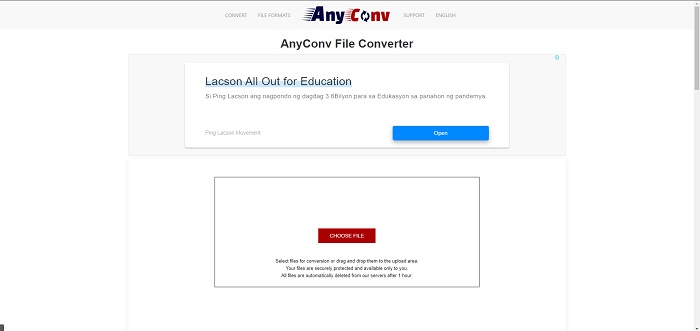
AnyConv ialah penukar dalam talian dengan antara muka pengguna Belanda. Malah edisi komersial aplikasi ini adalah percuma. AnyConv juga termasuk sekatan penukaran 60 fail setiap jam. Menggunakan penukar dalam talian, anda boleh menukar fail sehingga saiz 50 MB dan memilih daripada lebih 300 format output yang berbeza.
Kelebihan
- Ia mempunyai pelbagai format; ia menyokong walaupun bukan video dan format audio seperti dokumen.
- Ia menyediakan arahan untuk menggunakan penukar ini.
Keburukan
- Ia menunjukkan iklan yang tidak membantu atau tidak sesuai dengan proses penukaran atau kandungan itu sendiri.
Bahagian 3. Bagaimana untuk Menukar SWF kepada MOV pada Mac
Artikel ini mencadangkan Video Converter Ultimate untuk pengguna Mac yang ingin menukar SWF kepada MOV. Versi Windows dan Mac bagi perisian ini tersedia untuk dimuat turun secara percuma. Pelbagai golongan pengguna boleh memanfaatkannya kerana ia menampilkan alat yang mudah digunakan dan antara muka yang ringkas. Dengan program ini, anda boleh menukar fail daripada satu format video ke format yang lain dalam kira‑kira satu minit, yang membezakannya daripada aplikasi penukaran dan sumber internet yang lain. Selain itu, perisian ini mempunyai beberapa ciri tambahan yang dapat membantu anda menambah baik video anda dengan lebih lanjut. Dengan andaian anda telah membaca penerangan tentang perisian ini, mari kita mulakan:
Langkah 1. Untuk memulakan proses muat turun, hanya klik kanan pada ikon Muat Turun Percuma yang disediakan di bawah. Perisian ini serasi dengan mesin yang menjalankan sistem pengoperasian Windows dan Mac. Selepas anda selesai memuat turun perisian, anda boleh memasangnya dan mula menggunakannya dengan memilih butang Mula Sekarang pada skrin utama perisian.
Muat Turun PercumaUntuk Windows 7 atau lebih baharuMuat Turun Selamat
Muat Turun PercumaUntuk MacOS 10.7 atau lebih baharuMuat Turun Selamat
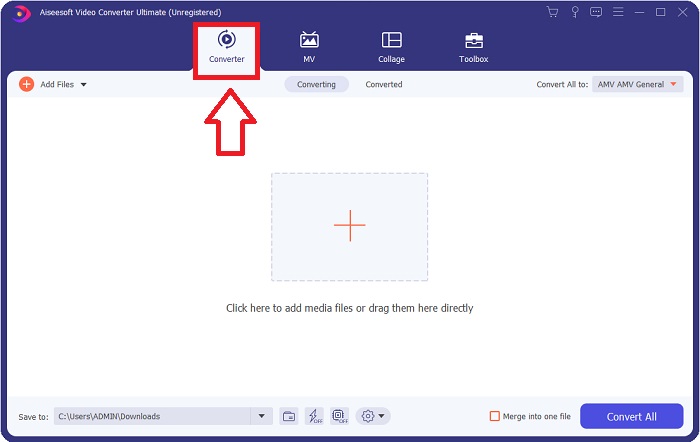
Langkah 2. Selepas anda memuat turun perisian, anda perlu melancarkannya. Maklumat ini akan dipaparkan dalam satu tetingkap apabila perisian dibuka buat kali pertama.
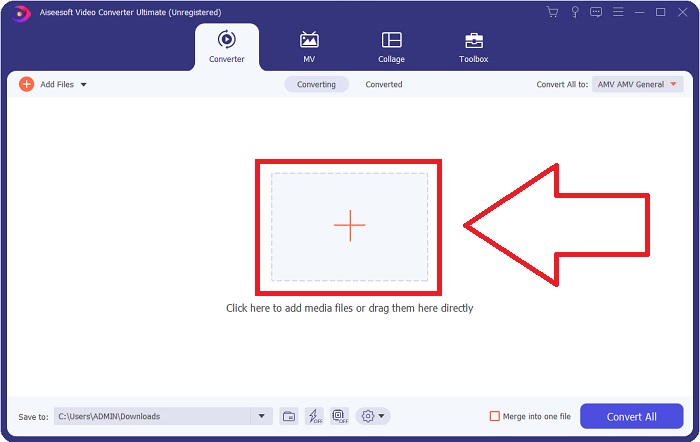
Langkah 3. Proses penukaran bermula dengan memuatkan fail yang anda ingin tukar ke dalam penukar. Seret dan lepaskan video yang anda mahu tukar ke atas tanda + untuk memulakan proses penukaran.
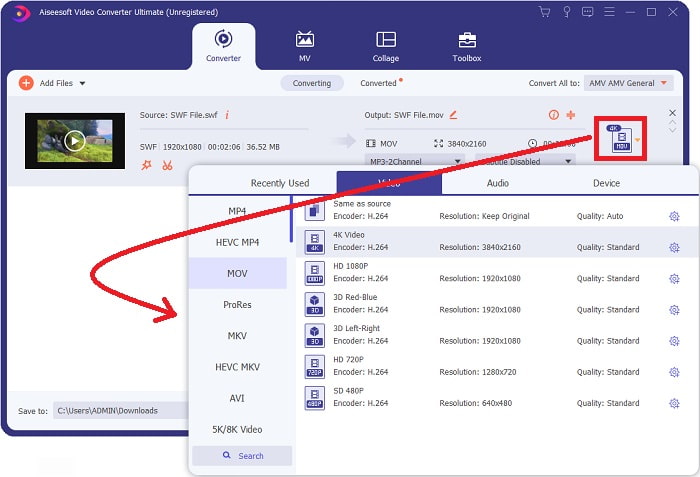
Langkah 4. Menu pilihan akan muncul di bahagian kanan atas skrin, di mana anda boleh memilih format video. Pilih MOV sebagai format video daripada senarai juntai bawah yang dipaparkan. Bergantung pada fail MOV yang anda pilih, anda boleh memilih daripada pelbagai pilihan kualiti video. Jika keluaran video yang anda inginkan tidak tersedia, anda boleh melaraskan tetapan kualiti dalam Windows. Anda boleh melaraskan kadar bingkai paparan dan kualiti audio dengan memilih ikon gear di bahagian kanan atas. Gunakan butang Cipta Baharu untuk menyimpan perubahan anda selepas anda membuat pelarasan.
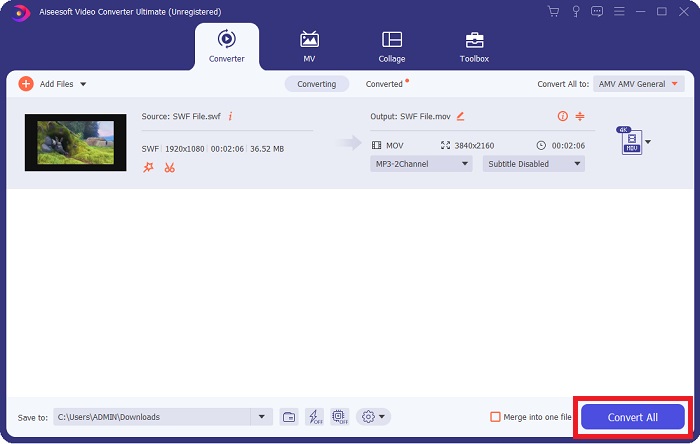
Langkah 5. Apabila anda selesai menyunting video dan ia sedia untuk ditukar, klik Tukar Semua untuk memulakan proses penukaran.
Berkaitan:
Bahagian 4. Soalan Lazim tentang Penukaran SWF ke MOV
Adakah SWF format video?
Video dan animasi berasaskan vektor boleh didapati dalam fail SWF, yang dicipta dengan perisian Adobe Flash. Walau bagaimanapun, ia juga dikenali sebagai Shockwave Format, iaitu singkatan penuh SWF. Pada asalnya dibangunkan oleh Macromedia, format fail ini kini dimiliki oleh Adobe.
Adakah fail SWF selamat?
Khususnya, Flash terdedah kepada pelbagai jenis kelemahan yang berbeza. Disebabkan fakta bahawa fail SWF dimuat turun kepada pelanggan dan dijalankan pada komputer mereka, pelayan anda bukanlah bahaya. Walau bagaimanapun, walaupun anda cuba menyemak fail SWF untuk perisian hasad, anda hanya akan menerima perlindungan minimum.
Penyemak imbas manakah yang masih menyokong Flash 2021?
Adobe Flash akan ditamatkan dalam Firefox 84, keluaran utama penyemak imbas seterusnya. Untuk meningkatkan kelajuan dan keselamatan, Firefox 85 (dijadualkan untuk dikeluarkan pada 26 Januari 2021) akan mengalih keluar sokongan untuk Adobe Flash.
Kesimpulannya
Sebagai kesimpulan, semua perkara yang telah dibincangkan dalam artikel ini mesti dimuktamadkan dengan menggunakan perisian yang telah disebutkan di atas. Video Converter Ultimate memudahkan anda menukar fail video dan mampu memberikan hasil kerja yang berkualiti secara keseluruhan. Berbeza dengan alat atau perisian lain yang tersedia di internet, perisian ini boleh memberikan anda pengalaman penggunaan yang mudah dengan hasil yang mengagumkan.
-
 SWF ke MP4: Tukar Percuma SWF ke MP4 Dalam Talian dan PC
 Bagaimana cara membuka fail SWF tanpa Adobe Flash Player? Ambil penukar 3 SWF ke MP4 percuma untuk menukar SWF ke MP4 secara percuma dalam talian dan di PC / Mac dalam 3 langkah.
-
 [2 Penyelesaian] Cara Menukar Fail SWF ke GIF dengan Mudah secara Percuma
 Apabila anda gagal mengeksport format GIF melalui perisian Flash, anda boleh mencuba menyimpan fail dalam format SWF pada mulanya. Kemudian anda dapat mempelajari 2 cara mudah untuk menukar fail SWF ke GIF dari artikel ini.
-
 Penukar GIF Terbaik untuk Menukar GIF Animasi kepada Format MOV [2021]
 Tukar GIF anda kepada format MOV dengan cara yang mudah tanpa menjejaskan kualiti fail video. Dengan langkah dan alat yang berbeza juga.
