


 Video Converter Ultimate
 Perakam Skrin
 Pembaikan Video
Panduan Terperinci tentang Cara Menukar GIF Animasi kepada FLV dengan Langkah
Menambah GIF ke dalam mesej anda untuk menyatakan kenyataan yang jelas telah menjadi trend pada masa kini. Buat masa ini, ia digunakan sebagai taktik pemasaran kerana cara ia mendekati khalayak. Walau apa pun, ada sesetengah platform yang tidak menyokong GIF untuk disiarkan di laman mereka. Masalah ini memang menyusahkan, tetapi sangat mudah untuk menukar GIF kepada format video seperti FLV dan berkongsi fail tersebut. Tiada idea bagaimana untuk menukar GIF animasi kepada FLV di PC, Mac, dalam talian, Android, dan iOS anda? Mari lihat panduan tentang alat yang boleh anda gunakan untuk membantu anda.

Bahagian 1. Bagaimana untuk Menukar GIF Animasi kepada FLV dengan FVC Video Converter Ultimate
Tak boleh kongsikan GIF kerana format itu tidak disokong? Maka cubalah tukar GIF animasi kepada FLV dengan FVC Video Converter Ultimate. Alat ini menyokong penukaran GIF anda dan pilihan kepada lebih 200 format yang tersedia dengan resolusi berbeza. Selain itu, alat ini mempunyai pecutan perkakasan dan penukaran pantas supaya anda tidak perlu menghabiskan banyak masa menukar fail. Tambahan pula, alat versi Ultimate ini tersedia pada semua sistem operasi, sama ada Windows atau Mac. Tidak syak lagi, ini ialah pilihan terbaik dalam bidang penukaran fail media anda. Jadi mari teruskan dan pelajari cara menukar GIF anda dan kongsikannya kemudian.
Langkah 1. Klik butang muat turun dan pasang alat tersebut, kemudian klik Start Now untuk meneruskan ke langkah seterusnya selepas siap.
Muat Turun PercumaUntuk Windows 7 atau lebih baharuMuat Turun Selamat
Muat Turun PercumaUntuk MacOS 10.7 atau lebih baharuMuat Turun Selamat
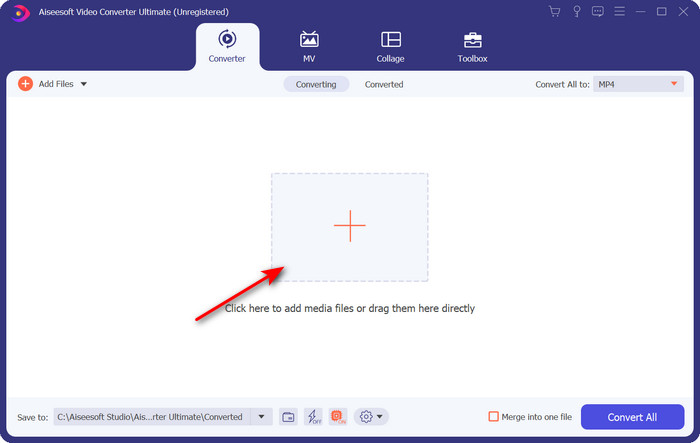
Langkah 2. Kemudian klik Add Files atau butang + untuk memuat naik fail GIF ke dalam perisian, dan klik Open.
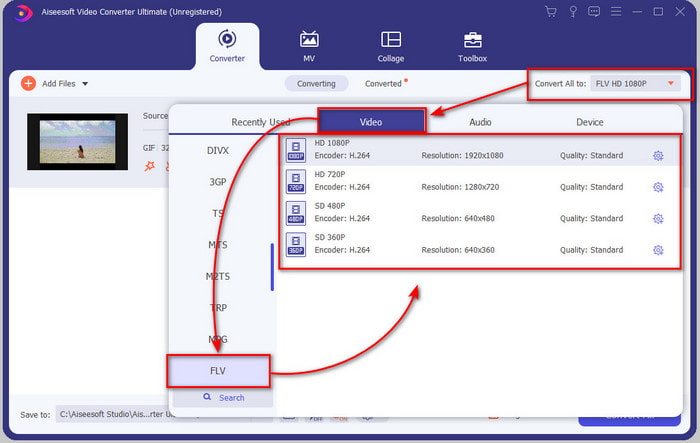
Langkah 3. Di bahagian kiri antara muka penukar, klik Convert All to dan kemudian pilih FLV sebagai output akhir.
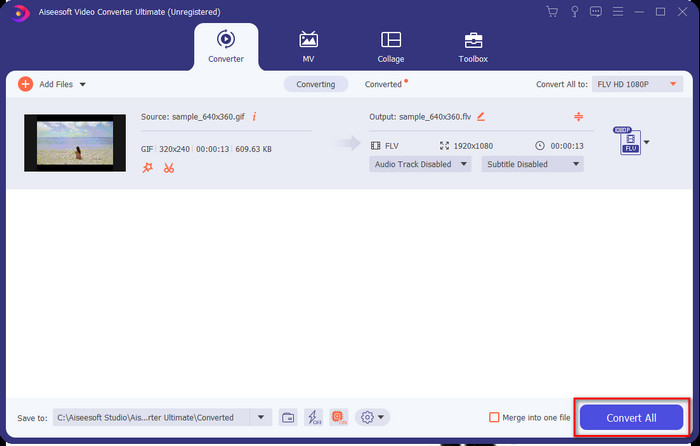
Langkah 4. Jika anda sudah bersedia untuk menukar GIF kepada FLV, maka klik Convert All.
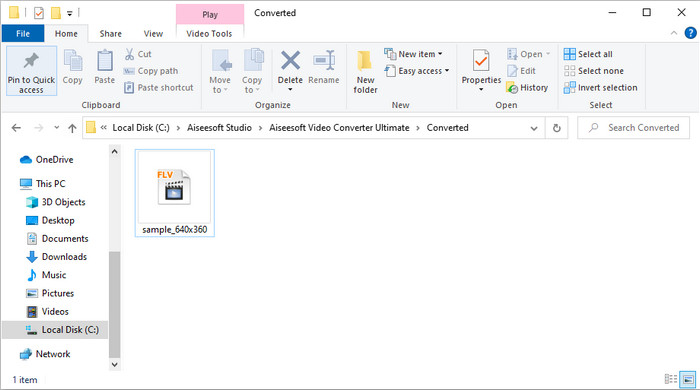
Langkah 5. Satu direktori akan dipaparkan pada skrin bersama fail yang telah ditukar, dan kini ia sedia untuk dihantar kepada semua.
Bahagian 2. Tukar GIF kepada FLV Dalam Talian
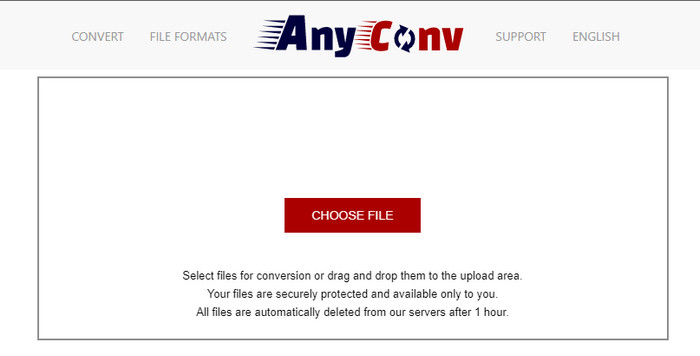
Anda boleh menggunakan AnyConv untuk menukar GIF kepada FLV dalam talian secara percuma; ia juga menyokong pelbagai jenis format fail untuk imej, e-buku, dokumen, dan banyak lagi. Selain itu, anda boleh menggunakan penukar ini bila-bila masa dan di mana-mana sahaja dengan sambungan internet. Namun, anda tidak boleh melakukan penukaran kelompok di sini untuk menjimatkan masa kerana perlu menukar fail satu per satu. Juga, anda tidak boleh memuat naik fail media yang lebih besar daripada 50 MB kerana ia tidak disokong. Jika anda ingin tahu cara menggunakan alat web ini, ikut prosedur di bawah.
Langkah 1. Cari alat web ini pada pelayar anda dengan mengaksesnya.
Langkah 2. Tekan Choose File untuk memuat naik GIF, kemudian tukar format kepada FLV. Setelah selesai, klik Convert untuk memulakan proses penukaran.
Langkah 3. Klik Download .FLV untuk menyimpannya ke dalam storan anda.
Bahagian 3. Tukar GIF kepada FLV pada iPhone
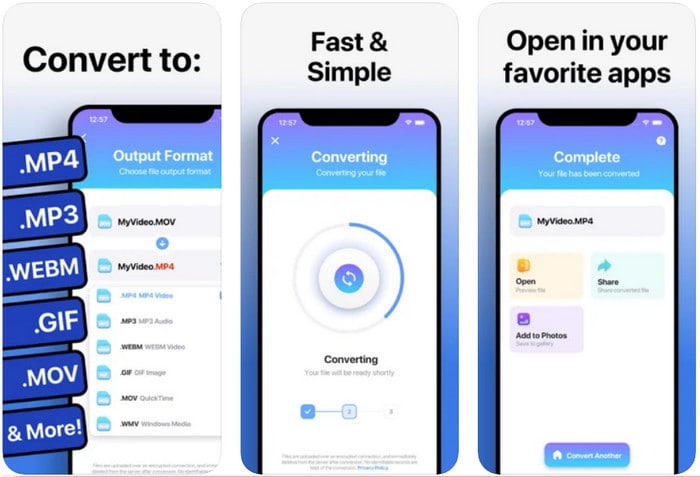
The Video Converter ialah penukar bertaraf tinggi yang boleh anda muat turun pada peranti iOS anda untuk menukar GIF kepada FLV. Penukar iOS ini menerima penarafan 4.2 daripada semua penggunanya kerana prestasinya yang mengagumkan. Namun, sesetengah pengguna menyesal membeli pas seumur hidup yang ditawarkan alat ini kerana mereka mengalami banyak gangguan dan pepijat selepas membelinya. Tetapi jika anda mahu mencubanya, anda boleh menggunakan versi percuma dengan memuat turunnya dan ikut langkah di bawah.
Langkah 1. Selepas memuat turun alat tersebut, buka ia, klik Photos, dan cari GIF.
Langkah 2. Senarai juntai bawah akan dipaparkan secara automatik, kemudian cari format FLV dan klik padanya.
Langkah 3. Klik Convert Files untuk memulakan penukaran.
Bahagian 4. Tukar GIF kepada FLV pada Android
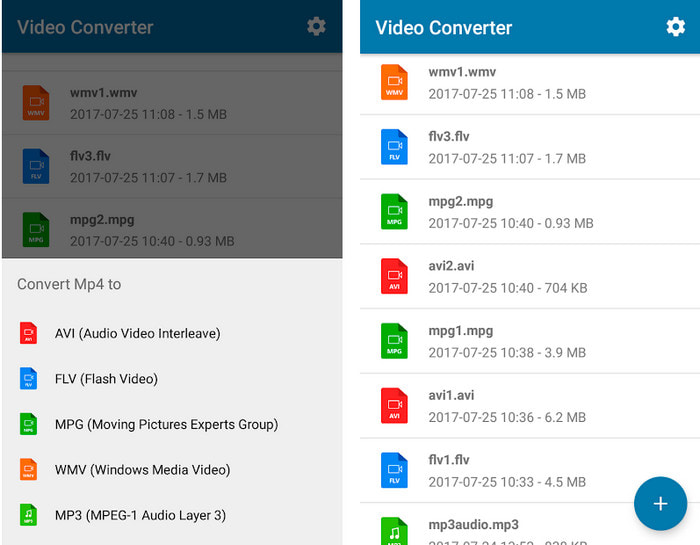
Jika anda pengguna Android, anda boleh menggunakan Video Converter: MP3, AVI, MPEG, GIF, FLV, WMV, MP4 untuk menukar GIF kepada FLV dengan cepat. Alat ini boleh diakses di setiap Play Store pada telefon anda jika anda gemar menukar format kepada versi baharu. Berbeza dengan penarafan alat yang disebut pertama tadi, penukar ini hanya menerima 2.3 bintang berdasarkan 1K ulasan. Walaupun penarafan ini sangat rendah, ia masih boleh menukar fail anda kepada versi baharu. Jadi jika anda ingin tahu caranya, mari teruskan ke langkah-langkah berikut.
Langkah 1. Muat turun aplikasi pada Android anda dengan mencarinya di Play Store.
Langkah 2. Buka aplikasi, klik butang plus di bawah GIF untuk mencari fail yang ingin anda tukar. Satu pilihan baharu akan dipaparkan, klik FLV (Flash Video).
Langkah 3. Selepas menukar fail, cari video tersebut dalam folder pada telefon anda.
Bahagian 5. Perbincangan Ringkas tentang GIF dan FLV
Format GIF tidak rumit untuk difahami kerana kita melihat dan menggunakannya hampir setiap hari. Format ini mengandungi imej bergerak; walaupun fail media dianimasikan, ia masih tidak dianggap sebagai format video. Mari kita mendalami sedikit tentang GIF; format ini menyokong 8-bit setiap piksel untuk imej dengan palet warna sehingga 256 warna dalam kombinasi warna RGB 24-bit. Walaupun warnanya banyak, ini masih tidak mencukupi, memandangkan JPG dan PNG mengandungi lebih banyak kombinasi warna. Tetapi jika anda tidak mahu mempunyai imej pegun yang membosankan, anda mesti menggunakan GIF kerana ia kecil dan animasi.
Sebaliknya, FLV ialah format terbaik untuk menghantar fail video dan audio melalui internet. Memandangkan fail ini sebagai format video standard pada HTML 5, malah anda tidak menggunakan pemalam kilat untuk memainkan video. Setakat ini, format ini telah mendapat banyak sokongan dalam perkongsian dalam talian berbanding GIF.
Untuk meneruskan lebih jauh, jika anda ingin menambah atau berkongsi GIF ke semua tapak media sosial, adalah satu kemestian untuk menukar fail terlebih dahulu kepada FLV tanpa kehilangan kualiti.
Bahagian 6. Soalan Lazim tentang Penukaran GIF ke FLV
Bagaimana untuk membuat GIF?
Walaupun anda boleh memuat turun atau menjana GIF dalam talian, adalah lebih baik untuk menciptanya sendiri. Jika anda ingin mengetahui rahsia menghasilkan GIF peribadi, klik pautan ini dan baca butiran di dalamnya.
Berapa lama GIF boleh dimainkan?
Panjang maksimum GIF tidak boleh melebihi 15 saat, tetapi jika GIF anda berada dalam gelung, tiada had masa. Ia adalah standard bagi setiap GIF untuk menghantar fail dengan lebih cepat dan kurang memuatkan.
Bolehkah saya memainkan GIF pada VLC?
Seperti yang dikatakan sebelum ini, GIF ialah format imej dan bukannya format video. Jadi, jika anda memuat naik fail GIF pada VLC, ia akan dipaparkan sebagai imej pegun dan bukannya imej bergerak. Berikut ialah pemain GIF terbaik yang boleh anda gunakan.
Kesimpulannya
Hasil daripada bukti di atas, kini lebih mudah bagi kita untuk menukar GIF kepada FLV, AVI, MP4, MOV, dan format lain tanpa sebarang kesulitan. Namun, jika anda ingin melakukan penukaran dengan lebih berkesan, anda mesti memuat turun FVC Video Converter Ultimate. Kerana alat ini bukan sahaja yang terbaik dalam menukar format tetapi juga hebat dalam perkara-perkara lain. Mahu tahu apakah fungsi alat ini? Maka klik butang muat turun ini dan terokai semua ciri perisian ini.
-
 Apakah Cara Terbaik untuk Menukar GIF kepada AVI [Sumber Terbuka & Premium]
 Adakah anda ingin menukar GIF anda kepada format AVI tanpa kehilangan kualiti video? Teruskan membaca untuk mengetahui cara menukar fail GIF anda kepada AVI.
-
 Penukar GIF Terbaik untuk Menukar GIF Animasi kepada Format MOV [2021]
 Tukar GIF anda kepada format MOV dengan cara yang mudah tanpa menjejaskan kualiti fail video. Dengan langkah dan alat yang berbeza juga.
-
 10 Penukar GIF kepada MP4 Teratas untuk Menukar GIF Animasi kepada MP4 [2021]
 Ketahui penukar mana yang terbaik dalam menukar GIF kepada MP4. Dengan bantuan artikel ini, kami akan bercakap tentang alat yang berbeza yang boleh anda gunakan dan teruskan.
