


 Video Converter Ultimate
 Perakam Skrin
 Pembaikan Video
Penukar MPEG ke MKV Percuma Terbaik Yang Anda Jangan Sekali-kali Terlepas
MPEG is one of the most common encoders of media content that provides a high-quality video output. Although it is a standardized video compression, you will still need to convert your MPEG into a new format like the MKV to make it widely supported. In that case, we make searching for the perfect tool for you easier as we handpick the converters that only provide success for you. So now, if you want to know what are these five free MPEG to MKV converters available on all platforms, you must buckle up and read the details next.

Bahagian 1. Top 5 MPEG to MKV Converter pada Windows/Mac/Online/Telefon Mudah Alih
Teratas 1. FVC Video Converter Ultimate (Windows & Mac)
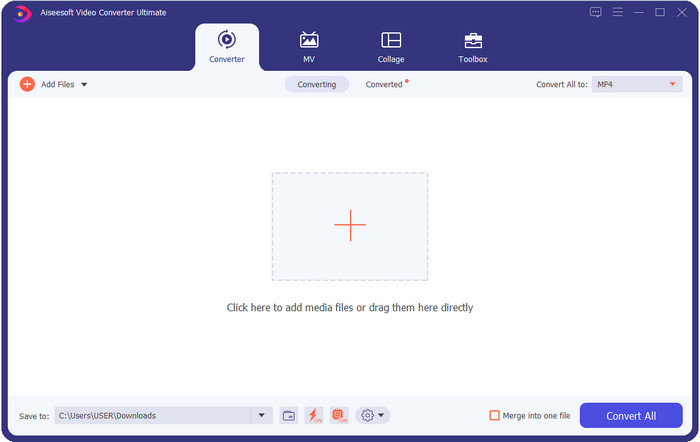
FVC Video Converter Ultimate offers a complete converting process on any lossless or lossy media conversion you will need. This converter provides a professional output but is within reach of beginners or those who aren't technology-oriented, so if you choose this converter, anticipate that it is hassle-free. Furthermore, it is notorious for converting 200+ format into a new version, but it can also be your user-friendly editor —even the complicated editing such as video enhancer, audio boost, color correctness, and more; name it, this tool can perform it. Moreover, if you want to use this converter to convert MPEG to MKV, read the tutorial in the next part.
Kelebihan
- Tukar berbilang MPEG hingga MP4, MKV, AVI, MOV, WMV atau format lain secara santai.
- Ciri penyuntingan tersedia untuk menjadikan video anda mengagumkan.
- Penukaran ultra pantas disokong di sini untuk penukaran sepantas kilat.
- Tersedia dalam semua platform seperti Windows dan macOS.
Keburukan
- Beli alat sebelum anda boleh menggunakannya.
2 Teratas. TalkHelper Video Converter (Windows)
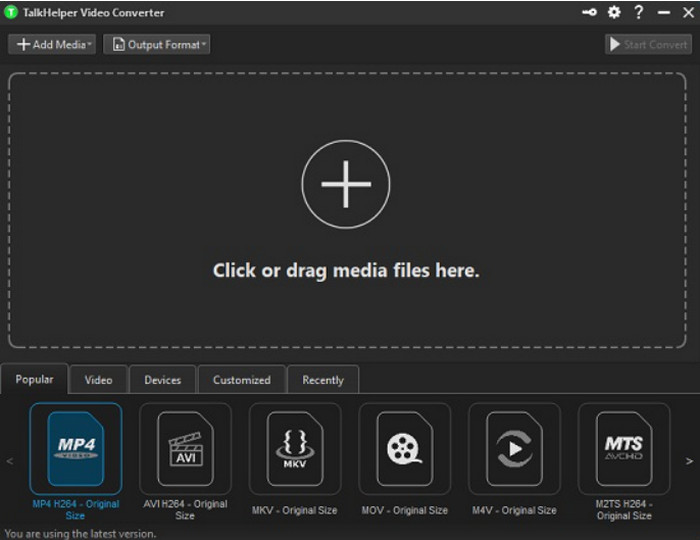
Another free MPEG to MKV converter you can use is the TalkHelper Video Converter. This converter enables the users to convert MPEG into the supported format in the list, such as MP4, MKV, AVI, MOV, and WMV. Moreover, if you are using Windows Vista/8/8.1/10 versions, you can easily download this tool; however, if your Windows is not on the said version, you can't use it, also; if you are a Mac user, you can't download it either. Although the tool is far different from the ultimate tool at the top, it is worth mentioning because of how good it is as a converter.
Kelebihan
- Ia menyokong berbilang penukaran pada MPEG ke MKV.
- Membolehkan untuk mengubah suai video dan menetapkan kualiti video tertentu.
- Tersedia pada Windows Vista/8/8.1/10.
Keburukan
- Terhad kepada Windows sahaja.
- Pembelian diperlukan.
3 Teratas. iConv - Penukar Video & PDF (iOS)
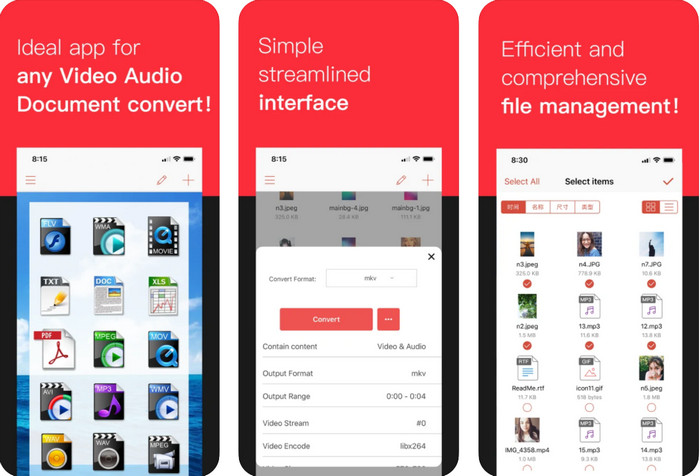
If you're looking for a MPEG to MKV converter free download on iOS, we present to you the iConv. This tool is mainly for converting the video format into a new format within reach of iOS users. Moreover, this iOS converter can convert images, PDF, audio, etc. Also, it works on both iPhones and iPad well, with the same features included. However, the users who have already used this converter say that this tool crashes most of the time. So, if you download and use this, expect to encounter some crashes or bugs that are very common on every mobile app.
Kelebihan
- Tukar MPEG anda kepada MKV dengan mudah dengan penukar berasaskan iOS ini.
- Mudah untuk digunakan.
- Edit video dengan mudah.
Keburukan
- Pepijat dan ranap sistem masih berlaku selepas kemas kini.
- Iklan ada di mana-mana jika anda tidak membeli alat tersebut.
4 Teratas. Penukar Video, Pemampat MP4, 3GP, MKV, MOV, AVI (Android)
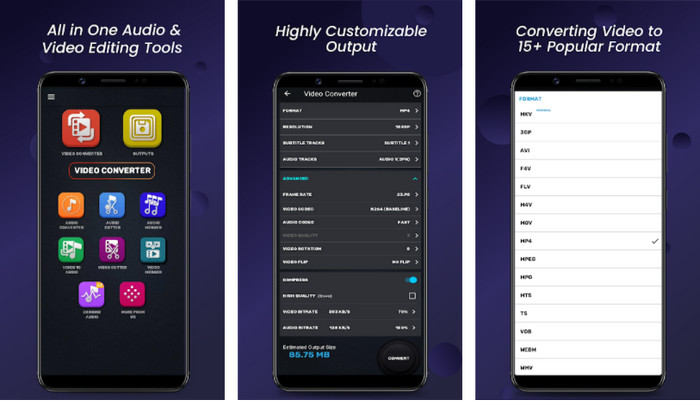
You shouldn't be worried if you are an Android user because we also present a MPEG to MKV converter that is free to download on Playstore. Video Converter, Compressor MP4, 3GP, MKV, MOV, and AVI can convert your MPEG files on your Android phones anytime you need them. Unlike any converters app we use on Android, we found out that this app is far different in how it handles the converting process. Also, it supports much wide range of formats you can choose and upload on. Moreover, you can also do basic compressing, manipulating FPS, and changing resolution if you need it. Although it has these features, you will need to wait for a long time because the converting process will take time.
Kelebihan
- Berkesan untuk menukar MPEG anda kepada MKV pada Android anda.
- Boleh dipercayai dan intuitif.
- Percuma untuk dimuat turun.
Keburukan
- Proses menukar fail mengambil banyak masa.
- Iklan membunuh apl jika anda tidak membelinya.
5 Teratas. Penukar Video Percuma FVC Dalam Talian
FVC Free Video Converter Online can convert MPEG to MKV online without downloading a converter on your drive. With this converter, you can convert your format without limitation and free based on your requirements. This converter online can easily encode most of the format on any given day. However, this converter can't do a batch conversion to convert more formats at one go. Also, it is internet-dependent, which means the converting process will depend on how fast your internet is. Nevertheless, this tool already helps millions of internet users with their converting problems, and maybe the next will be you.
Kelebihan
- Tukar video dengan mudah di web dengan penukar ini.
- Memuat turunnya tidak perlu.
- Tersedia dalam semua platform untuk membantu anda dalam masalah penukaran anda.
Keburukan
- Memerlukan sambungan internet untuk bekerja.
- Ia menyokong format terhad yang boleh anda pilih.
Bahagian 2. Bagaimana untuk Menukar MPEG kepada MKV dengan Video Converter Ultimate
Butiran berikut akan menjadi langkah untuk berjaya menggunakan alat muktamad sebagai penukar MPEG ke MKV percuma.
Step 1. Click the download button below to download the converter on your desktop. Follow the installation process next and launch it.
Muat Turun PercumaUntuk Windows 7 atau lebih baharuMuat Turun Selamat
Muat Turun PercumaUntuk MacOS 10.7 atau lebih baharuMuat Turun Selamat
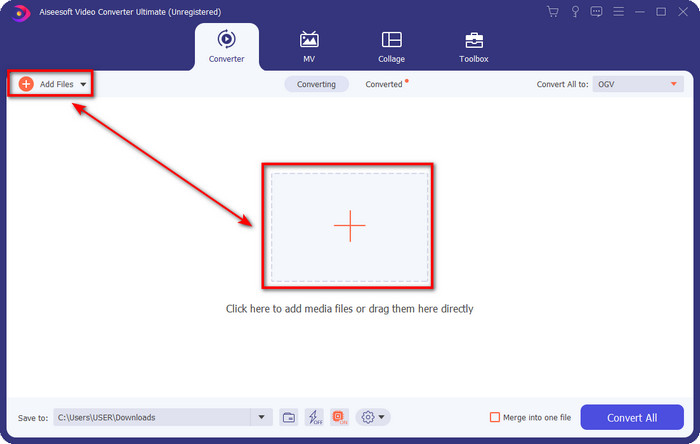
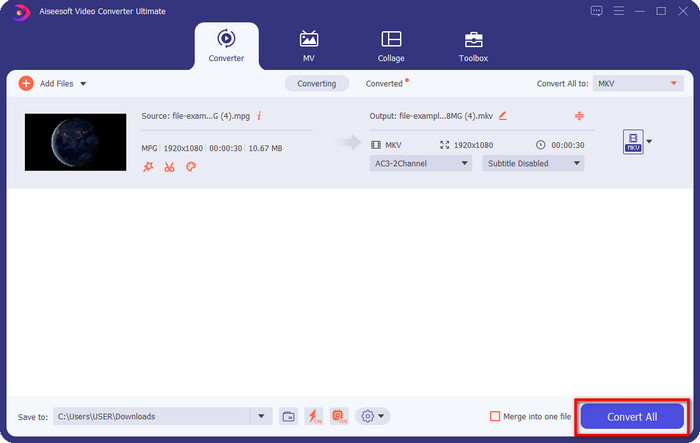
Step 2. After launching the converter, you can now upload the .mpeg or .mpg file here by clicking the Add File or the + button. Locate the file on the folder that will show on your screen and press Open to proceed to the next steps.
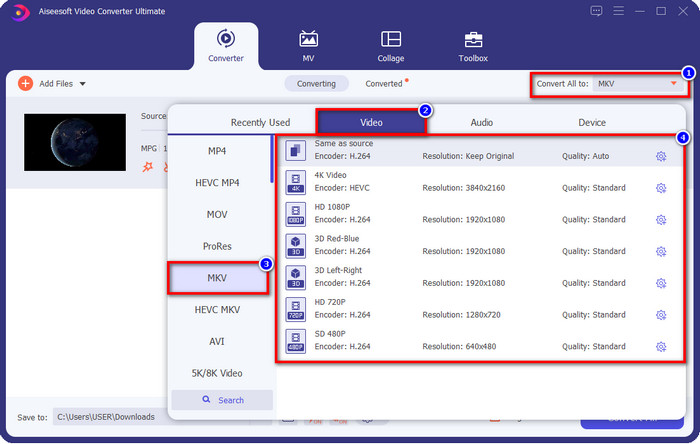
Step 3. To change the format, click Convert All to at the upper right side of the interface. Under the options, choose the MKV format based on your wants. There are several options and different video quality, encoder, and more.
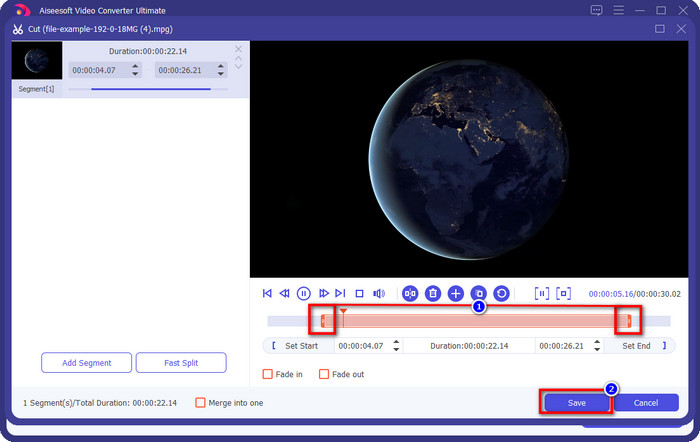
Optional. If you need to cut unnecessary clips on your video, click the scissor-like button. Adjust the length of your video by dragging the play head. Once you've already wanted to save the changes, click Save.
Step 4. Now, this is the last step where you are about to convert the file by clicking Convert All. The file is ready instantly; you now have transformed your .mpeg into .mkv format with that steps.
Bahagian 3. Carta Perbandingan
| Ciri-ciri | FVC Video Converter Ultimate | TalkHelper Video Converter | iConv – Penukar Video & PDF | Penukar Video, Pemampat MP4, 3GP, MKV, MOV, AVI | FVC Penukar Video Percuma Dalam Talian |
| Tukar MPEG kepada MKV dengan Cekap |  | | | | |
| Penukaran Kumpulan | | | |  | |
| Ciri Penyuntingan | | | | | |
| Penukaran Sangat Pantas | | | | | |
| Berasaskan Platform | Berasaskan Desktop | Berasaskan Windows Sahaja | Berasaskan iOS | Berasaskan Android | Berasaskan Web |
Bahagian 4. Soalan Lazim tentang Penukaran MPEG ke MKV
Apakah kelebihan MPEG?
MPEG menjadikan pemindahan, muat turun, penstriman dalam talian kami lebih pantas daripada yang boleh disediakan oleh format video lain. Tambahan pula, format video ini menggunakan MPEG-1 dan MPEG-2 untuk memampatkan format video, tetapi kualitinya akan kekal sama, bermakna ia tidak akan terjejas. Jadi, jika anda memerlukan format video yang hebat untuk mengedarkan filem, maka MPEG adalah pilihan.
Mana yang lebih baik, MPEG atau MKV?
Berkenaan dengan prestasi format, kedua-duanya sangat baik. Tetapi jika anda ingin mengandungi berbilang kandungan dan elemen dalam satu fail, maka MKV mempunyai saman yang kuat dalam bidang ini. Walau bagaimanapun, saiz fail sangat besar kerana kandungan dan komponennya. Katakan anda mahukan format saiz fail yang lebih kecil untuk memindahkan video, maka MPEG akan membantu anda. Walaupun ia boleh mengandungi metadata, ia tidak begitu terperinci seperti MKV.
Mengapa fail MPEG saya sangat besar?
There are many reasons why your MPEG file size is big; one of the reasons is that the length of the video is approximately long. It explains why your MPEG files are large; although MPEG has an encoder, you will still need to compress it if you want to save space on your storage or deliver it faster. Want to know how to compress MPEG? Click and read this article.
Kesimpulannya
This article got your back covered if you want or need to convert MPEG to MKV. We tried all converters to ensure that they all do work perfectly. But if we compare these five-tool, we can see that the FVC Video Converter Ultimate performs better. So now, if you want to add a professional touch to your conversion, the ultimate tool is the choice according to the details we provided above. Need to know more about the ultimate tool? Or do you want to test it out yourself? In that case, downloading it is the only way to see if it works, according to our review.
-
 [2021] Alat Terbaik dan Cara Mudah tentang Cara Menukar MPEG kepada MP3
 Artikel ini terutamanya bercakap tentang cara anda boleh menukar video MPEG anda pada MP3 dengan menggunakan alat yang paling boleh dipercayai dalam senarai.
-
 5 Pilihan Terbaik untuk Menukar MPEG kepada Format AVI [Dalam Talian & Luar Talian]
 Adakah anda mempunyai masa yang sukar untuk mencari penukar untuk MPEG? Kemudian cuba baca artikel ini sambil kami belajar cara menukar MPEG kepada format AVI dengan langkah terperinci.
-
 Top 3 Teknik Terbaik tentang Cara Menukar MPEG kepada FLV pada PC & Mac
 Perlu menukar fail MPEG ke format FLV? Jika itu yang berlaku, baca artikel ini untuk memahami cara menukar fail dan penukar yang boleh anda gunakan.
