


 Video Converter Ultimate
 Perakam Skrin
 Pembaikan Video
Ketahui 4 Penukar SWF ke FLV Luar Talian & Dalam Talian Terbaik pada Windows & Mac
Saya sedang mencari penyelesaian untuk memuat naik fail SWF saya di tapak perkongsian video seperti Youtube, Facebook, MySpace dan banyak lagi. Bolehkah anda membantu saya mencari cara terpantas untuk menyelesaikan masalah ini?
Masalah ini biasa berlaku, terutamanya jika video anda berada di bawah sambungan fail .swf. Namun begitu, format ini memang lazim di web, tetapi ia tidak berfungsi apabila anda berkongsi fail tersebut pada platform perkongsian video. Selain itu, jika anda ingin berkongsi fail SWF anda, anda mesti menukarkan format tersebut kepada format yang lebih banyak disokong seperti FLV. Dengan itu, mari lihat empat "permata tersembunyi" penukar SWF ke FLV luar talian dan dalam talian yang boleh anda gunakan dengan membaca artikel ini.

Bahagian 1. Tukar SWF kepada FLV Online secara Percuma dengan FVC Free Video Converter Online
FVC Free Video Converter Online ialah penukar video tiada tandingan yang boleh anda gunakan untuk menukar SWF ke FLV dalam talian secara percuma. Alat web ini khusus untuk menukar fail kepada format baharu tanpa memuat turun alat tersebut ke desktop anda. Selain keupayaan penukarannya, anda juga boleh mengubah spesifikasi video dan audio mengikut keperluan anda. Ingin tahu cara menggunakan penukar web yang ringan ini? Salin langkah yang ditulis di bawah.
Langkah 1. Klik pautan ini untuk membuka tab baharu yang akan membawa anda ke laman rasmi FVC Free Video Converter Online.
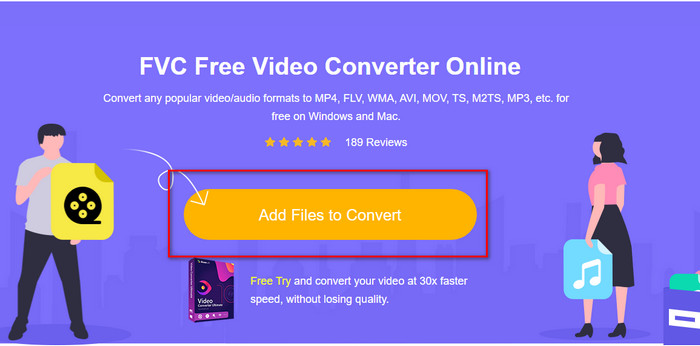
Langkah 2. Pada laman web, klik Add Files to Convert, kemudian satu folder komputer akan muncul; pilih fail .swf dan tekan Open.
Langkah 3. Selepas memasukkan fail, di bawah senarai tetapan, pilih format FLV.
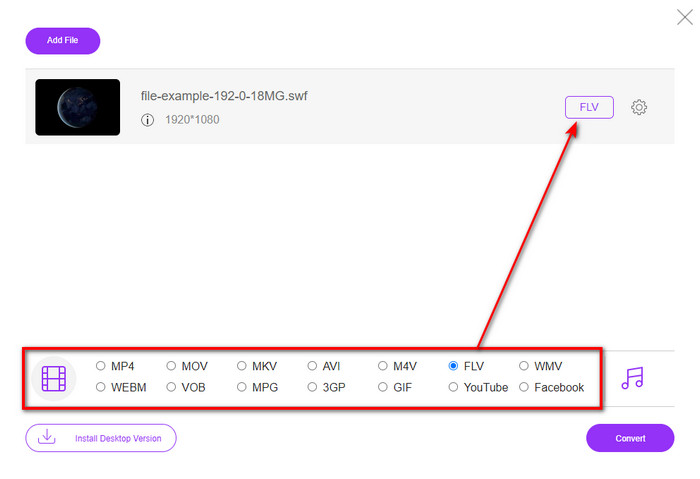
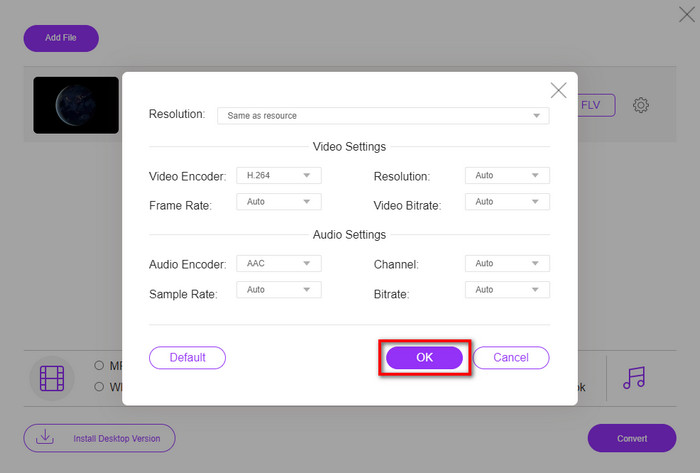
Untuk menukar spesifikasi video dan audio, klik butang gear.
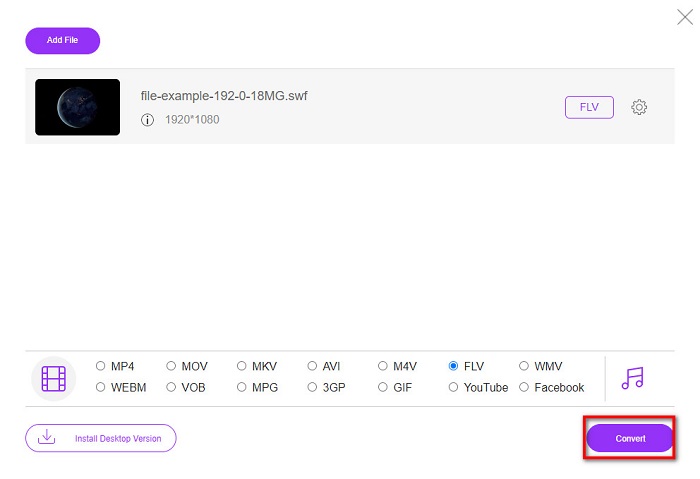
Langkah 4. Untuk memulakan proses penukaran, klik butang Convert.
Bahagian 2. Tukar SWF kepada FLV dengan FFmpeg
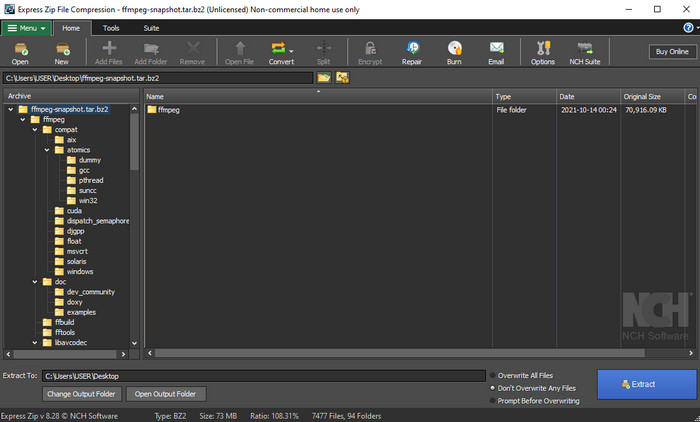
FFmpeg mempunyai antara muka dan arahan yang unik untuk menukar SWF ke FLV secara percuma. Jika anda sudah mengenali penukar ini, anda tentu sudah tahu cara menggunakannya; namun, tidak semua orang mengetahuinya. Secara ringkas, penukar ini bukanlah penukar video tipikal yang biasa digunakan di web atau dimuat turun. Sebaliknya daripada menggunakan butang untuk mengarahkan, anda perlu menggunakan arahan pada prompt untuk mengawal penukar ini.
Langkah 1. Muat turun penukar FFmpeg ke pemacu anda, kemudian buka ia.
Langkah 2. Pada komputer anda, buka command prompt anda.
Langkah 3. Arahkan (navigate) folder yang mengandungi fail SWF anda dalam CMD, kemudian masukkan. Salin arahan ini dan masukkan ke dalam command prompt: ffmpeg -i input.swf -vn -ar 44100 -ac 2 -b:a 192k output.flv dan tekan Enter untuk memulakan proses.
Bahagian 3. Tukar SWF kepada FLV dalam Flash
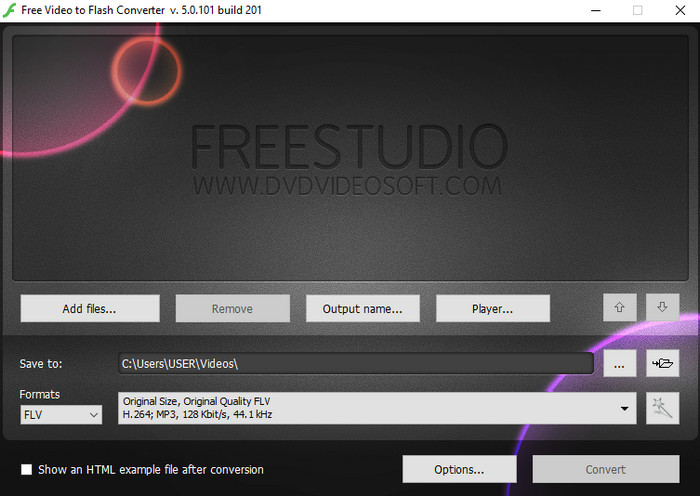
Free Video to Flash Converter ialah penukar percuma untuk dimuat turun pada Windows anda. Penukar ini menyediakan dua format yang boleh anda pilih. Ia dikhaskan untuk menukar fail kepada format FLV atau SWF sahaja. Jadi, jika anda berhasrat menukar fail SWF anda kepada AVI, MP4, MOV, MKV dan sebagainya, anda tidak boleh melakukannya di sini. Mari pelajari cara menukar SWF ke FLV dalam Flash tanpa berlengah lagi.
Langkah 1. Muat turun perisian rasmi Flash Converter pada Windows anda dan jalankan aplikasi tersebut.
Langkah 2. Tekan Add Files untuk memuat naik fail ke dalam penukar. Kemudian tekan Formats, cari FLV, dan anda juga boleh memilih kualitinya sekali.
Langkah 3. Mulakan penukaran dengan mengklik butang Convert di bahagian bawah sebelah kanan antara muka.
Bahagian 4. Bagaimana untuk Menukar SWF kepada FLV dengan Bantuan Penukar SWF Terbaik pada Windows & Mac
Masih belum berpuas hati dengan tiga penukar SWF ke FLV dalam talian dan luar talian yang dibentangkan di atas? Jika begitu, cubalah gunakan FVC Video Converter Ultimate. Penukar ini mengatasi jangkaan setiap pengguna, terutamanya dari segi kelajuan proses penukaran yang disediakannya. Selain penukaran yang luar biasa, ia juga mempunyai ciri penyuntingan lanjutan untuk memperbaik video anda serta Toolbox untuk kegunaan lain. Di samping itu, langkah panduan yang disenaraikan di bawah akan menjanjikan kejayaan 101% dalam menukar fail anda.
Langkah 1. Sebelum menggunakan alat ini, anda mesti memuat turunnya ke pemacu Windows dan Mac anda, ikut proses pemasangan alat tersebut, dan jalankannya.
Muat Turun PercumaUntuk Windows 7 atau lebih baharuMuat Turun Selamat
Muat Turun PercumaUntuk MacOS 10.7 atau lebih baharuMuat Turun Selamat
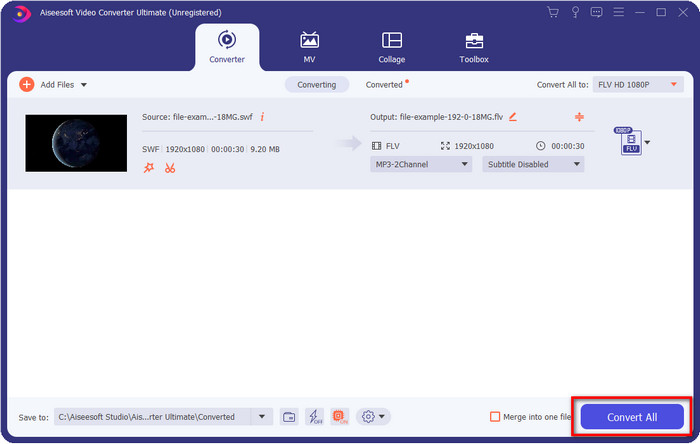
Langkah 2. Setelah ia berjalan pada sistem anda, klik Add Files untuk memuat naik fail SWF yang ingin anda tukar.
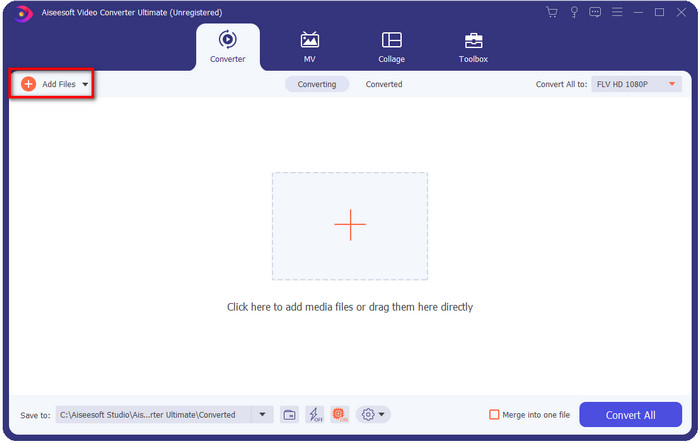
Langkah 3. Klik pilihan Convert All to dan pilih format FLV. Anda juga boleh memilih kualiti sama ada definisi tinggi atau mengekalkan versi asal.

Jika anda ingin menjadikan output video anda lebih baik, klik butang wand. Ia akan membawa anda kepada pelbagai fungsi penyuntingan yang boleh dilakukan, seperti Crop, Rotate, Add Effects, Subtitle, Audio, dan Watermark. Untuk menyimpan perubahan yang telah anda buat, klik OK.
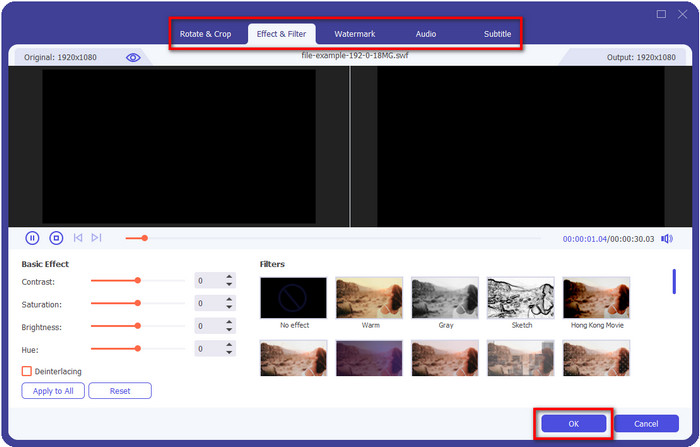
Langkah 4. Klik Convert All dan proses akan bermula. Ia hanya mengambil sedikit masa untuk menukar SWF ke FLV; selepas penukaran selesai, satu folder akan muncul pada skrin anda dengan fail FLV di dalamnya.
Bahagian 5. Pengetahuan Lanjutan SWF dan FLV
Fail ShockWave atau SWF ialah format Adobe, tetapi Macromedia menciptanya. Ia terkenal kerana menyimpan animasi dan bunyi berasaskan vektor yang digunakan di web. Selain itu, kerana ia adalah asas vektor, anda boleh melaraskan penskalaan grafik dengan mudah untuk dimuatkan atau mengezum masuk. Selain daripada animasi vektor, saiz fail sangat kecil untuk memuatkan video dengan lebih pantas walaupun anda mempunyai sambungan internet yang perlahan. Tetapi format itu tidak disokong jika anda ingin berkongsinya pada platform perkongsian video.
Walaupun FLV juga di bawah Adobe, format ini lebih baik daripada SWF. Format FLV atau FlashVideo ialah format video standard pada kebanyakan tapak web. Format ini boleh mengandungi dua codec berbeza untuk video dan audio. Dan sama seperti fail SWF, format ini kecil untuk memuatkan fail dengan lebih pantas di web; sebaik sahaja anda memuat turun fail FLV pada pemacu anda, anda boleh memainkannya pada pemain media anda walaupun ia belum lengkap.
Ia akan membantu jika anda menukar SWF kepada FLV kerana SWF mempunyai banyak ketidaksempurnaan yang boleh anda temui pada format FLV. Terutamanya jika fail video panjang, kerana .swf hanya boleh mengandungi bingkai terhad sesaat, ada kemungkinan anda tidak boleh menggunakannya. Tetapi FLV boleh menyimpan video yang panjang dengan mudah. Lebih-lebih lagi, jika anda ingin memberi tumpuan kepada kualiti, FLV mempunyai kualiti yang lebih baik daripada SWF.
Bahagian 6. Soalan Lazim tentang Penukaran SWF ke FLV
Adakah fail SWF menyokong ketelusan?
Seperti PNG dan GIF, format ini juga menyokong skala kelabu dengan warna sebenar atau tetapkan satu warna untuk menjadikannya telus.
Di manakah saya boleh menonton video SWF?
Buat masa ini, anda tidak boleh menonton fail SWF pada pemain media lalai anda kerana ia tidak disokong. Namun, anda boleh klik pautan ini dan ketahui lebih lanjut tentang 4 Terbaik SWF Media Player pada Windows atau Mac.
Bolehkah saya menyimpan .swf telefon saya?
Menyimpan fail SWF pada telefon anda adalah mungkin, tetapi memainkannya pada pemain media tempatan anda tidak. Kerana format ini bukan untuk keserasian telefon tetapi web. Jadi, jika anda memuat turun fail di bawah sambungan ini, maka jangkakan anda tidak boleh menggunakannya; walau bagaimanapun, anda boleh menukarnya kepada format yang boleh dimainkan seperti MP4 pada telefon anda.
Kesimpulannya
Artikel ini membongkar penukar-penukar ibarat permata yang boleh anda gunakan untuk menukar SWF ke FLV tanpa menurunkan kualiti SWF. Semasa kami mengumpulkan semua penukar ini, kami mendapati bahawa FVC Video Converter Ultimate ialah permata tersembunyi yang anda cari untuk masalah ini. Ia memberikan output yang paling menakjubkan dan proses penukaran terpantas berbanding semua alat yang disebutkan. Kini, anda hanya perlu memilih "harta" yang ingin anda gunakan untuk menyelesaikan masalah penukaran anda dengan memuat turun atau mengakses alat tersebut di web.
-
 Penukar DV kepada FLV yang Berguna untuk Menukar DV kepada FLV [2022]
 Jika anda sedang mencari alat terbaik dan mudah untuk digunakan dalam menukar DV kepada FLV, berikut ialah artikel terbaik untuk anda baca. Mempunyai wawasan yang sangat baik, menggali semua maklumat artikel ini.
-
 Bagaimana untuk Menukar MPG kepada FLV Tanpa Kehilangan Kualiti [Terbukti]
 Anda mesti menonton filem kegemaran anda pada pemain media ini, tetapi ia tidak menyokong MPG. Cuba tukar fail MPG anda kepada FLV menggunakan penukar ini yang diperkenalkan oleh artikel ini.
-
 Tukar TRP kepada FLV dengan Kaedah Luar Talian dan Dalam Talian Paling Mudah
 Adakah anda ingin menukar fail video TRP anda kepada FLV dengan cepat dan tanpa sebarang kerumitan? Baca artikel ini untuk memberikan anda perisian terbaik dan perkhidmatan dalam talian yang paling sesuai dengan keadaan.
