


 Video Converter Ultimate
 Perakam Skrin
 Pembaikan Video
 Muat Turun Selamat
Apl Penambah Warna Foto Terbaik Anda Mesti Muat Turun pada Peranti Mudah Alih Anda [Percuma]
Semasa memproses imej, warna amat penting untuk menjadikannya menarik kepada khalayak dan sesiapa yang melihat subjek tersebut. Dalam setiap piksel, terdapat data warna yang sepadan. Tidak kira sebagus mana pun imej yang anda ambil, ada masanya anda perlu memprosesnya lagi untuk mempamerkan visual yang menakjubkan kepada penonton. Nasib baik, anda juga boleh membuat pelarasan pada Android dan iOS, dan artikel ini merangkumi aplikasi terbaik pada pelbagai gedung yang boleh anda muat turun. Untuk mendapatkan butiran yang lebih halus pada imej yang anda ambil, anda perlu membaca ini dan memuat turun aplikasi peningkat warna foto sekarang juga!

Bahagian 1. 4 Penambah Warna Foto Teratas Anda Boleh Muat Turun di Playstore & Appstore
EnhanceFox - AI Photo Enhancer 12+
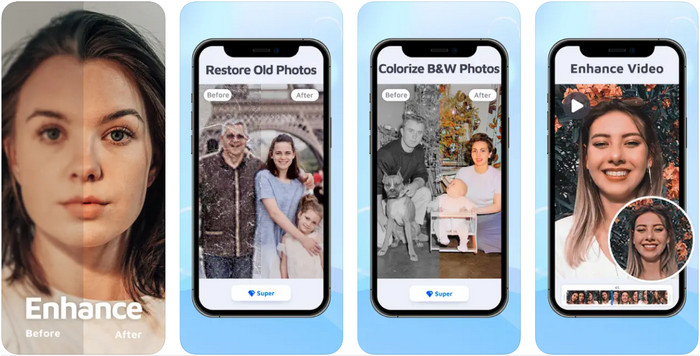
Anda boleh memuat turun peningkat warna foto ini pada iOS anda untuk mengubah suai reka bentuk grafik. EnhanceFox memberikan pelanggannya peluang untuk menjadikan imej yang mereka ambil lebih halus berbanding hasil asal. Walaupun anda seorang pemula dalam penyuntingan imej, anda masih boleh mahir menggunakan aplikasi ini untuk menjadikan imej anda lebih cantik daripada sebelumnya. Selain itu, ia boleh menukar gambar kabur anda kepada resolusi tinggi dengan bantuan AI alat ini. Walaupun anda boleh menggunakan versi percuma aplikasi ini, anda perlu membeli versi pro untuk mengakses keseluruhan fungsi aplikasi.
Kelebihan
- Anda boleh memuat turun aplikasi pada iOS anda secara percuma.
- Ia membaiki dan mengubah imej menjadi lebih kelihatan.
- Apl ini disokong AI.
Keburukan
- Sesetengah ciri tidak tersedia pada versi percumanya.
- Anda memerlukan sambungan internet untuk memproses imej anda.
Remini - Penambah Foto AI 4+
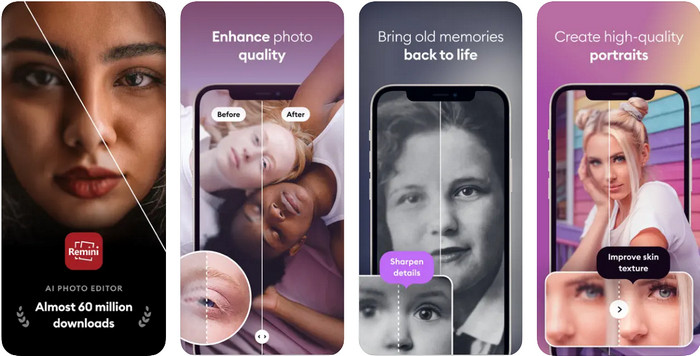
Remini ialah salah satu aplikasi peningkat warna foto yang paling popular yang boleh anda muat turun pada iOS dan Android. Keupayaannya meningkatkan imej anda telah menarik perhatian ramai pengguna pada kedua-dua platform. Dengan set ciri penyuntingannya, anda boleh menyegar semula foto lama dalam masa kurang daripada sesaat dengan bantuan teknologi AI. Selain itu, anda juga boleh mencantikkan swafoto anda sebelum menggunakannya. Walaupun anda perlu membeli aplikasi ini, anda boleh memilih jenis langganan yang anda mahukan, sama ada mingguan, bulanan, atau tahunan.
Kelebihan
- Tukar foto muka anda menjadi imej yang licin dan sutera.
- Baiki warna yang hilang pada imej yang anda miliki dengan teknologi AI.
- Cantikkan imej anda dengan menukar tetapan dalam apl ini.
Keburukan
- Harga setiap ciri apl ini mempunyai bayaran tambahan.
- Ia memperbaharui yuran langganan secara automatik selepas tamat langganan.
Berwarna - Warnakan kepada Foto Lama
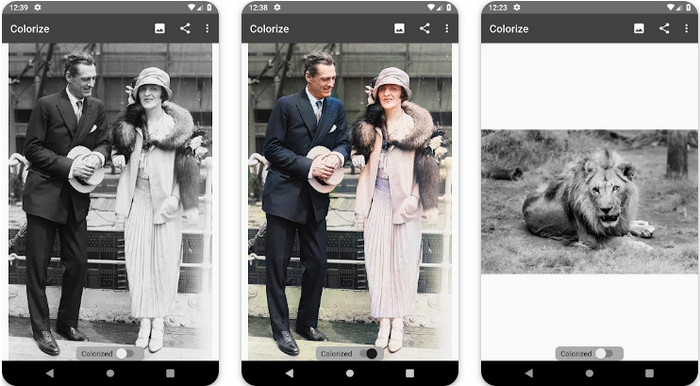
Colorize ialah aplikasi pengimbas pintar yang boleh anda muat turun pada peranti Android untuk membetulkan warna yang hilang pada imej anda dan melakukan pemulihan foto lama. Anda boleh belajar cara menyerlahkan warna mata dalam foto dengan ciri penyuntingan aplikasi ini yang tidak disokong oleh aplikasi lain. Aplikasi ini boleh menukar foto hitam putih anda kepada versi berwarna kerana fungsi Photomyne yang dimilikinya. Aplikasi ini terperinci dan sangat mudah digunakan, walaupun ini kali pertama anda menyunting imej. Sama seperti aplikasi lain yang kami sebutkan, ia menawarkan pembelian dalam aplikasi sebelum anda boleh menggunakan ciri-cirinya.
Kelebihan
- Ia secara automatik menambah warna pada imej hitam dan putih dengan Photomyne.
- Profesional atau tidak boleh menggunakan perisian ini dengan mudah kerana ia dibina.
- Tetapan pewarnaan apl ini jauh lebih baik daripada apl pewarnaan imej yang lain.
Keburukan
- Ia terlepas beberapa bintik apabila anda menambah warna pada imej.
- Ia secara automatik memangkas imej apabila ia diproses.
- Anda perlu membeli aplikasi untuk mengelakkan pengehadan.
Editor Foto Photoshop Express
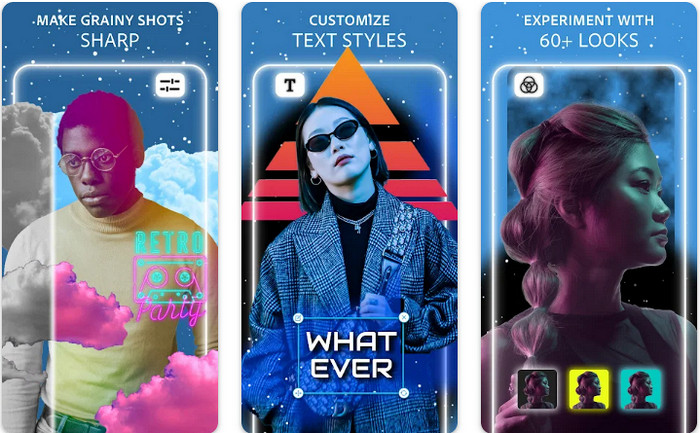
Photoshop Express Photo Editor ialah versi mini program profesional yang telah digunakan oleh berjuta-juta pakar dan penyunting untuk menjadikan imej mereka dalam HD. Anda boleh mendapatkan Photoshop peningkat warna foto ini pada Android dan iOS anda. Adakah ia menyelesaikan masalah? Ya, dan ia melakukannya dengan mudah. Seperti yang kami perkenalkan tadi, aplikasi ini serupa dengan Photoshop, bukan dari segi antara muka tetapi dari segi penyuntingan. Ia memberikan pengguna hasil yang sangat terperinci dengan menambah atau membetulkan PPI setiap imej yang anda rakam. Namun begitu, aplikasi ini sukar digunakan dan anda mungkin perlu meluangkan masa untuk membaca cara menggunakannya. Walau bagaimanapun, ini merupakan pakej perisian lengkap yang anda perlukan.
Kelebihan
- Anda boleh memuat turun perisian bukan sahaja pada desktop tetapi juga pada peranti mudah alih.
- Ia menyokong ciri penyuntingan profesional yang boleh anda gunakan pada foto anda.
- Ia mempunyai persamaan dengan Photoshop, kerana kedua-duanya memberikan output profesional.
- Anda boleh melakukan banyak jenis pengeditan di sini yang tidak dapat ditawarkan oleh apl lain kepada anda.
Keburukan
- Apl ini boleh menjadi mahal berbanding pembelian dalam apl lain.
- Ia perlu memperbaiki masalah kecil yang lain.
Bahagian 2. Penambah Kualiti Foto Paling Disyorkan yang Anda Tidak Perlu Muat Turun [Perkhidmatan Web]
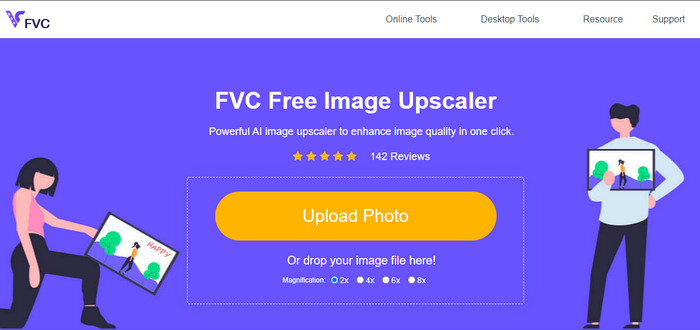
FVC Free Image Upscaler boleh membantu anda menyelesaikan masalah tanpa perlu membeli apa-apa. Peningkat kualiti foto ini tersedia di web, jadi anda tidak perlu memuat turunnya sebelum boleh menggunakannya. Selain itu, anda boleh memanfaatkan ciri penyuntingan kecerdasan buatan yang berkuasa yang boleh mengimbas masalah pada imej anda dan membetulkannya dengan segera. Berbanding aplikasi lain yang kami sebutkan, inilah peningkat satu-klik yang anda perlukan. Muat naik foto, ubah pembesaran, dan anda akan mendapat versi imej yang telah dipertingkatkan. Jika anda menggunakan ini, tiada keperluan untuk pelarasan atau ubah suai tertentu. Mahu mencubanya? Klik pautan yang akan terus membawa anda ke laman web peningkat ini.
Bahagian 3. Soalan Lazim tentang Penambah Warna Foto
Adakah saya perlu menjadi profesional untuk menggunakan penambah warna foto?
Jika anda menggunakan perisian yang dibangunkan dengan baik, anda perlu mempunyai idea, bukan profesional, tentang ciri-cirinya dan fungsinya kepada imej. Walau bagaimanapun, terdapat perisian yang dipermudahkan, yang bermaksud AI disokong; kadangkala, anda tidak perlu melakukan pengubahsuaian, atau kadangkala anda perlu melakukannya. Untuk pemula, anda mesti menggunakan perisian yang mudah digunakan sebelum anda meningkatkan permainan anda kepada peningkatan profesional.
Apakah yang berlaku kepada imej yang saya perbaiki warnanya?
Imej dengan warna yang dibangunkan dengan baik akan lebih terperinci dan tajam berbanding dengan gambar yang kurang menyokong warna. Piksel mereka tidak dapat dilihat berbanding foto yang mempunyai kualiti rendah yang disokong.
Apakah format imej yang menyokong kombinasi warna imej terbaik?
JPEG dan PNG menyokong 16 juta warna dan merupakan salah satu format imej terbaik yang boleh anda gunakan untuk tujuan yang berbeza. Tetapi HEIC menyokong bit lanjutan berbanding dengan dua format imej.
Kesimpulannya
Apakah penambah warna foto yang akan anda pilih antara apl yang kami semak? Nah, dengan semua maklumat yang kami tambahkan, anda boleh mengetahui dengan cepat aplikasi mana yang perlu anda muat turun pada peranti anda. Walaupun mereka mempunyai kebaikan dan keburukan yang berbeza, mereka masih boleh meningkatkan warna gambar anda dengan cepat.
-
 Penambah 7 Piksel Teratas untuk Semua Penyemak Imbas Web yang Mesti Anda Gunakan
 Jika anda ingin mengetahui penambah piksel terbaik untuk digunakan, lebih baik anda menyemak siaran ini. Artikel ini menyenaraikan tujuh penambah piksel foto terbaik untuk semua pelayar web.
-
 Apl Photo Resizer Terbaik Dalam Talian, Luar Talian, Android dan iPhone
 Apakah apl pengubahsuai foto terbaik? Klik halaman untuk mengetahui lima teratas apl pengubahsuai foto paling berkuasa yang boleh anda gunakan untuk meningkatkan atau mengubah saiz fail anda.
-
 Top 7 Pembesar Foto Dalam Talian dan Luar Talian Terbaik
 Ingin mempelajari pembesar foto berprestasi tinggi untuk peranti Windows atau Mac anda? Baca siaran ini untuk mengetahui pembesar foto terbaik yang patut dicuba.
