


 Video Converter Ultimate
 Perakam Skrin
 Pembaikan Video
 Muat Turun Selamat
5 Apl Pengubah Foto Menakjubkan Yang Anda Mesti Cuba
Orang lain mendapati sukar untuk menukar saiz foto kerana mereka tidak dapat mencari alat yang boleh memampatkan tanpa kehilangan kualiti. Dan ramai orang menukar saiz foto mereka untuk meningkatkan kualiti imej mereka. Walaupun menukar saiz imej akan menjejaskan kualiti, ia adalah pilihan terbaik jika anda tidak mempunyai storan yang mencukupi pada peranti anda. Selain itu, menukar saiz imej juga merupakan pilihan yang baik untuk memperjelas imej yang kabur. Berita baiknya, terdapat aplikasi dalam talian, luar talian, di Android dan di iPhone yang boleh menukar saiz imej anda tanpa kehilangan kualiti. Oleh itu, teruskan membaca artikel ini untuk mengetahui lima aplikasi penukar saiz foto terbaik.

Bahagian 1. Aplikasi Photo Resizer Percuma Dalam Talian
Ramai orang ingin menggunakan penresizer foto dalam talian kerana ia tidak memerlukan anda memuat turun apa-apa pada peranti anda. Alat dalam talian ialah pilihan terbaik jika anda ingin menyimpan storan untuk peranti anda. Selain itu, aplikasi dalam talian selalunya percuma untuk digunakan, sama seperti alat yang disyorkan oleh ramai pengguna, iaitu FVC Free Image Upscaler.
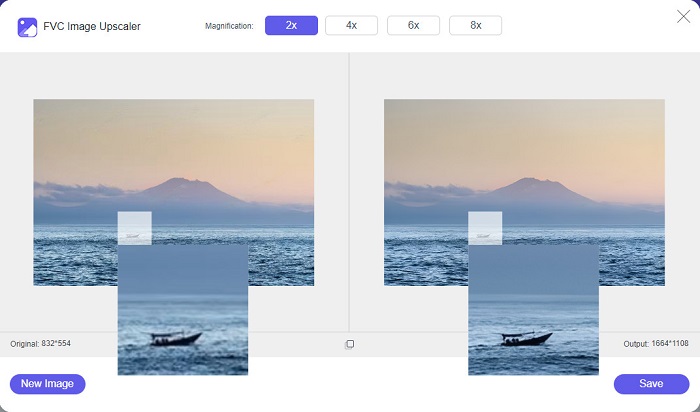
FVC Free Image Upscaler ialah aplikasi penukar saiz dalam talian yang boleh diakses pada semua pelayar web, termasuk Google, Firefox dan Safari. Aplikasi hebat ini juga boleh membesarkan imej anda pada pembesaran 2x, 4x, 6x dan 8x. Selain itu, ia menyokong hampir semua format imej, seperti PNG, JPG, JPEG dan BMP. Apa yang lebih menarik tentang alat ini ialah antara muka penggunanya yang intuitif, menjadikannya mesra pengguna baharu. Tambahan pula, FVC Free Image Upscaler menggunakan teknologi AI (Kecerdasan Buatan) yang secara automatik mengenal pasti bahagian kabur pada imej anda dan menambah baiknya serta‑merta. Selain membesarkan imej anda dengan memilih pembesaran yang anda inginkan, alat ini terkenal dengan keupayaan peningkatan berasaskan AI. Dan kerana ia merupakan aplikasi dalam talian, anda tidak perlu memuat turun apa‑apa pada peranti anda, yang membantu menjimatkan ruang storan. Jadi, apa yang anda tunggu lagi? Layari aplikasi percuma terbaik untuk menukar saiz foto ini sekarang.
Kelebihan
- Ia mempunyai proses peningkatan yang cepat.
- Ia tidak memerlukan anda melog masuk untuk akaun.
- Ia mempunyai antara muka perisian yang mudah digunakan.
- Anda boleh mengaksesnya pada peranti Windows atau Mac anda.
Keburukan
- Ia adalah alat yang bergantung kepada internet.
Bahagian 2. Aplikasi Pengubah Foto Terbaik untuk Komputer Anda
Anda boleh menggunakan banyak apl pada komputer anda jika anda mencari pengubahsuai imej atau penskala tinggi. Walau bagaimanapun, tidak semua aplikasi yang boleh dimuat turun adalah percuma untuk digunakan. Selalunya, aplikasi perisian untuk PC anda tidak percuma. Nasib baik, kami menemui apl untuk komputer anda yang boleh dimuat turun secara percuma. Baca bahagian ini untuk mengetahui lebih lanjut mengenai apl ubah saiz foto percuma terbaik ini untuk PC Windows anda.
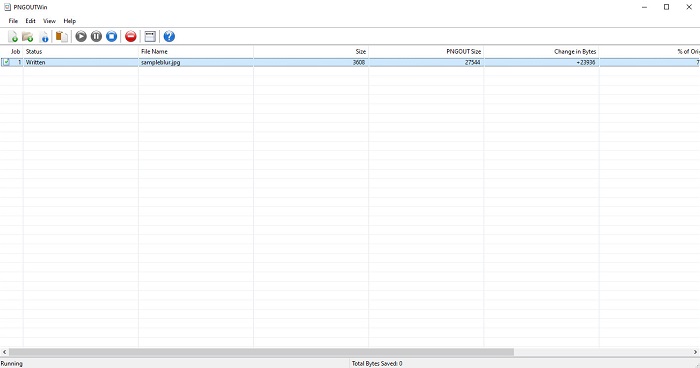
PNGOUTWin ialah penukar saiz foto luar talian yang boleh anda muat turun secara percuma pada komputer Windows anda. Aplikasi penukar saiz foto ini menyokong format imej standard seperti PNG dan JPG. Selain itu, ia akan menukar saiz foto anda secara automatik selepas anda memuat naik imej yang ingin anda mampatkan. Walaupun ia mudah digunakan, fungsinya agak sukar untuk dinavigasi. Namun selepas kerap digunakan, anda pasti akan mahir dengan alat ini. Ia mempunyai proses penukaran saiz secara kelompok, membolehkan anda menukar saiz imej secara serentak dan menyimpannya dalam satu folder.
Kelebihan
- Ia dimuat turun secara percuma.
- Ia selamat dan mudah digunakan.
- Menawarkan proses peningkatan kelompok.
Keburukan
- Hanya tersedia pada peranti Windows.
- Anda tidak boleh pratonton imej ditingkatkan anda.
Bahagian 3. Apl Terbaik untuk Mengubah Saiz Foto pada Android
Pada masa kini, ramai orang menggunakan telefon Android. Dan jika anda mempunyai imej berkualiti rendah dalam galeri anda, anda mungkin mahu mempertingkatkannya dengan apl pengubahsuai foto. Nasib baik, terdapat banyak apl pengubahsuai foto percuma yang boleh anda muat turun di PlayStore untuk membantu anda meningkatkan imej berkualiti rendah anda.
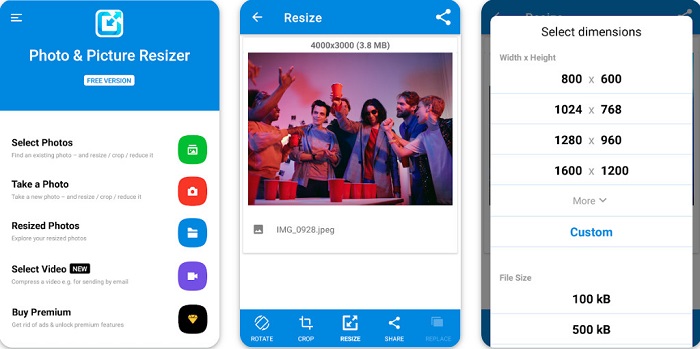
Photo & Picture Resizer ialah aplikasi pertama dalam senarai jika anda mencari aplikasi penukar saiz foto di PlayStore. Ia merupakan salah satu aplikasi penukar saiz gambar terbaik yang boleh anda muat turun pada peranti Android anda. Selain itu, ia menawarkan proses pembesaran secara kelompok, di mana anda boleh memampatkan dua atau lebih imej secara serentak. Selain itu, anda boleh memilih saiz yang anda inginkan untuk imej anda daripada pratetap dimensi yang tersedia. Di samping itu, anda juga boleh menukar saiz fail dan resolusi imej anda. Aplikasi Photo & Picture Resizer juga boleh memampatkan video anda. Kekurangan Photo & Picture Resizer ialah ia memerlukan anda membeli versi premium sebelum dapat mengakses ciri penyuntingan khasnya.
Kelebihan
- Ia adalah percuma dan selamat untuk dimuat turun.
- Ia mempunyai proses mengubah saiz yang cepat.
- Anda boleh mengeksport output anda ke platform media sosial yang lain.
Keburukan
- Beli versi premium untuk menggunakan ciri khas.
- Ia mengandungi iklan yang menjengkelkan.
Bahagian 4. Aplikasi Pengubah Foto Terbaik untuk iPhone
Ramai orang menggunakan iPhone hari ini, dan adakah anda tahu? Anda boleh memuat turun banyak aplikasi pengubah semula foto percuma pada iPhone anda untuk mengubah saiz atau mempertingkatkan imej anda. Dan jika anda ingin tahu apa yang terbaik untuk digunakan, baca bahagian ini secara menyeluruh.
Remini
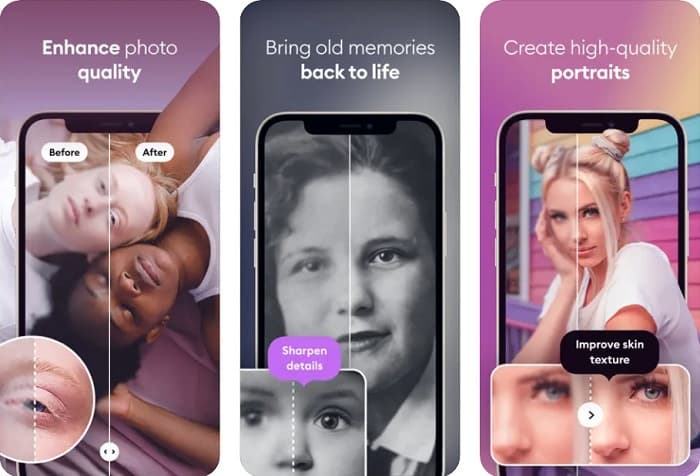
Remini ialah aplikasi penukar saiz foto terbaik untuk iPhone. Remini boleh dimuat turun secara percuma di AppStore dan selamat digunakan. Ia juga menggunakan teknologi AI (Kecerdasan Buatan) yang secara automatik menukar saiz dan menambah baik imej anda. Selain itu, aplikasi ini membolehkan anda melihat perubahan yang dibuat pada imej sebelum menyimpannya ke peranti anda. Ia juga membolehkan anda mengeksport hasil suntingan ke platform media sosial popular seperti Facebook, Instagram dan TikTok. Dalam versi Pro, terdapat lebih banyak ciri penyuntingan yang boleh anda gunakan untuk menambah baik imej anda. Jadi, jika anda mahu imej anda kelihatan lebih tajam dan jelas, aplikasi ini mungkin yang anda cari.
Kelebihan
- Ia menyokong format imej untuk iPhone.
- Ia mempunyai antara muka pengguna yang mudah.
- Boleh membetulkan imej resolusi rendah.
Keburukan
- Anda perlu membeli aplikasi untuk meningkatkan imej.
Ubah Saiz Imej
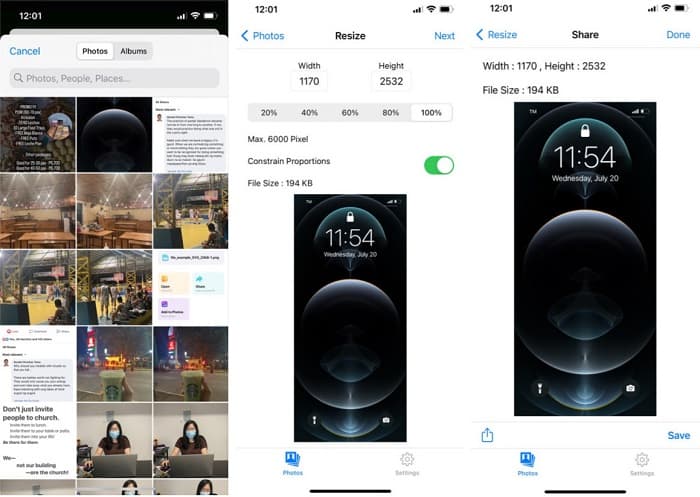
Satu lagi aplikasi terbaik untuk menukar saiz imej ialah Image Resize. Image Resize juga boleh dimuat turun secara percuma pada peranti iPhone anda. Aplikasi ini membolehkan anda menukar saiz imej dengan memilih peratusan yang anda inginkan untuk imej tersebut. Selain itu, anda boleh melaraskan lebar dan tinggi imej anda dengan aplikasi ini. Apa yang lebih hebat tentang aplikasi ini ialah proses penukaran saiznya yang pantas, yang dianggap sangat mudah oleh ramai pengguna.
Kelebihan
- Ia menyokong imej HEIC, Exif dan PNG.
- Ia adalah aplikasi yang mesra pengguna.
Keburukan
- Ia hanya boleh mengubah saiz bingkai imej anda tetapi tidak meningkatkannya.
Berkaitan dengan:
Cara Mudah Menambah Baik Kualiti Imej pada Windows dan Mac
Cara Meningkatkan Resolusi Imej [5 Cara untuk Menambah Baik]
Bahagian 5. Soalan Lazim tentang Aplikasi Pengubah Foto Terbaik
Bolehkah saya mengubah saiz foto tanpa kehilangan kualiti?
Mengubah saiz imej tidak semestinya ia akan merosakkan kualiti imej anda. Walaupun ia mempengaruhi saiz imej anda, kebanyakan masa, apl boleh mengubah saiz imej tanpa kehilangan kualiti.
Bolehkah saya mengubah saiz imej menggunakan Adobe Photoshop?
Ya. Adobe Photoshop ialah aplikasi penyuntingan foto yang sangat hebat dan mempunyai fungsi untuk menukar saiz imej anda. Untuk melakukannya, buka Adobe Photoshop, pilih imej yang ingin anda tukar saiz, kemudian pergi ke main menu bar > Select Image > Image Size untuk membuka kotak dialog Image Size bagi melaraskan saiz imej anda.
Apakah format imej yang disokong oleh Adobe Photoshop?
Adobe Photoshop menyokong hampir semua format imej yang diketahui, seperti JPG, JPEG, PNG, GIF, TIFF dan banyak lagi.
Kesimpulannya
Kini setelah anda mengetahui aplikasi penukar saiz foto terbaik, anda boleh memilih yang paling anda gemari. Terdapat pelbagai aplikasi untuk dalam talian, luar talian, Android dan iPhone, dan ia bergantung pada peranti yang anda gunakan. Tetapi jika anda tidak mahu memuat turun apa‑apa pada peranti anda, gunakan FVC Free Image Upscaler sekarang.
-
 Jadikan Resolusi Foto iPhone Lebih Baik dengan Penambah Teratas
 Adakah anda ingin menambah baik peleraian foto iPhone? Nah, dalam artikel ini kami membincangkan alat terbaik yang boleh anda gunakan dan helah lain yang mesti anda ketahui!
-
 Pemulihan Foto Lama Dalam Talian dan Luar Talian [Langkah Mudah]
 Ingin memulihkan foto lama? Dengan alat ini, anda akan mengetahui proses pemulihan foto lama. Baca siaran ini untuk mengetahui kaedah yang paling mudah.
-
 Penambah 7 Piksel Teratas untuk Semua Penyemak Imbas Web yang Mesti Anda Gunakan
 Jika anda ingin mengetahui penambah piksel terbaik untuk digunakan, lebih baik anda menyemak siaran ini. Artikel ini menyenaraikan tujuh penambah piksel foto terbaik untuk semua pelayar web.
