


 Video Converter Ultimate
 Perakam Skrin
 Pembaikan Video
 Muat Turun Selamat
5 Pemain GIF teratas untuk Komputer, Android dan iPhone
GIF animasi boleh menyampaikan lebih banyak maklumat berbanding imej statik. Adakah anda sedang mencari pemain GIF yang baik untuk melihat semua jenis fail GIF pada iPhone, iPad, telefon Android atau komputer anda?
Anda boleh dengan mudah menerima dan menghantar pelbagai GIF lucu di aplikasi sosial. Namun, selepas menyimpan GIF pada peranti anda, sebahagiannya tidak boleh dibuka terus dengan pemain media lalai yang anda gunakan. Jadi anda mungkin tertanya-tanya sama ada anda perlu mendapatkan pemain GIF untuk main balik GIF.

Anda boleh terus melihat fail GIF pada aplikasi sosial. Tetapi dalam sesetengah keadaan, anda tidak dibenarkan membukanya semula dengan pemain pada komputer atau peranti Android/iOS mudah alih anda. Memandangkan keperluan anda, kami menyenaraikan 5 pemain GIF animasi untuk anda pilih. Sama ada anda sedang mencari pemain GIF untuk Android, iPhone atau komputer, anda boleh mencari pemain yang sesuai.
Bahagian 1. Pemain GIF Terbaik untuk Mac dan Windows - Pemain Video Percuma FVC
FVC Free Video Player ialah alat main balik fail media percuma yang popular yang boleh membantu anda memainkan sebarang fail GIF pada PC Windows 10/8/7/XP dan juga Mac. Pemain GIF percuma ini ialah sejenis perisian main balik dalam talian untuk membantu anda membuka semua jenis fail video dan audio. Anda dikehendaki memasang satu fail pelancar kecil untuk memainkan GIF buat kali pertama. Ia serasi dengan banyak pelayar yang kerap digunakan termasuk Chrome, Safari, IE, Firefox dan lain-lain.
Muat Turun PercumaUntuk Windows 7 atau lebih baharuMuat Turun Selamat
Muat Turun PercumaUntuk MacOS 10.7 atau lebih baharuMuat Turun Selamat
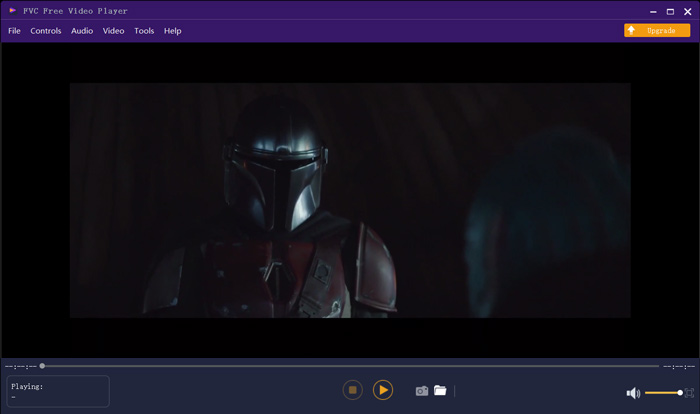
Lebih daripada sekadar pemain GIF percuma, ia sangat menyokong format video dan audio yang popular seperti MP4, MOV, FLV, AVI, WMV, VOB, MP3, AAC, ALAC, M4A, WAV, FLAC, dan banyak lagi. Tidak ada had saiz fail untuk dimainkan GIF. Ia dapat memberi anda pengalaman visual yang hebat. Lebih-lebih lagi, ia menyokong teknologi pengekodan audio DTS-HD dan Dolby TrueHD yang canggih yang dapat memberikan kesan bunyi yang hebat.
Bahagian 2. Aplikasi Pemain GIF untuk Android - OmniGIF
OmniGIF ialah alat memainkan GIF yang direka khas untuk pengguna Android. Jika anda ingin membuka GIF pada telefon Android, anda boleh bergantung padanya. Bukan sekadar pemain GIF, OmniGIF juga berfungsi sebagai pembuat GIF atau penyunting GIF. Ia membolehkan anda mengurus fail GIF, klip video dan foto anda dengan mudah. Untuk main balik GIF pada peranti Android anda, anda boleh memecut dan memperlahankan main balik, main ke hadapan dan ke belakang, main bingkai demi bingkai, dan melakukan lebih banyak operasi mengikut keperluan anda.
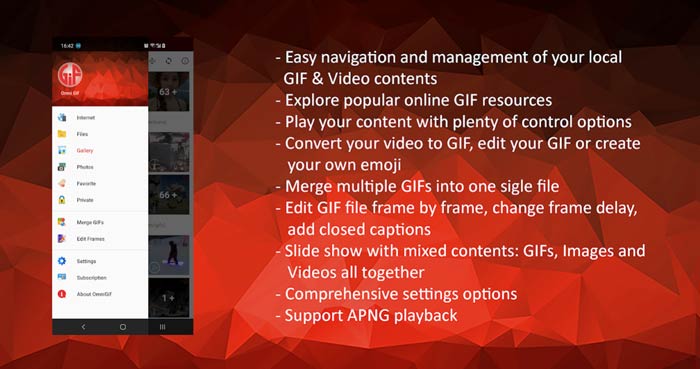
Aplikasi pemain GIF Android ini membolehkan anda menyembunyikan beberapa fail peribadi secara diam-diam. Ini juga memberi anda fungsi penyuntingan dan pembuatan GIF yang hebat. Sebagai tambahan, OmniGIF memberikan ciri perkongsian yang hebat untuk berkongsi fail, klip video atau foto GIF anda dengan cepat ke Facebook, Instagram, Twitter, Messenger, Line, WhatsApp, Gmail dan banyak lagi.
Bahagian 3. Aplikasi Pemain GIF untuk iPhone dan iPad - GIF Viewer
GIF Viewer ialah aplikasi memainkan GIF untuk pengguna iOS. Anda boleh memasang aplikasi pemain GIF ini secara percuma daripada App Store pada iPhone atau iPad anda. Ia boleh memainkan, mengurus dan berkongsi fail GIF yang disimpan dalam aplikasi Photos dengan mudah. Aplikasi pemain GIF iOS ini juga membolehkan anda menambah dan melihat animasi GIF daripada sumber lain.
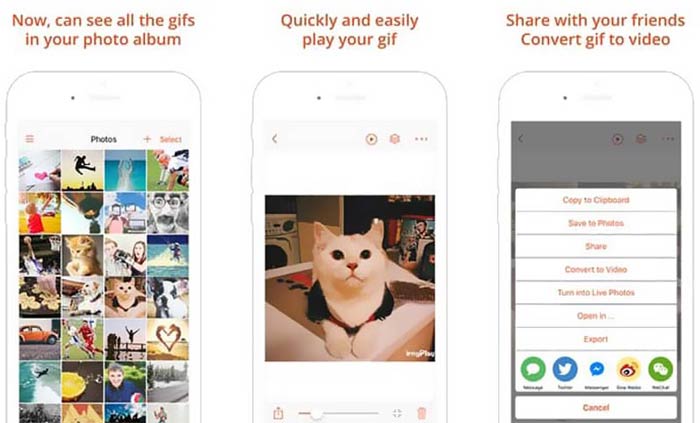
GIF Viewer mempunyai keupayaan untuk memainkan semua jenis fail GIF daripada storan tempatan, papan klip, iCloud Drive, Dropbox dan pautan Twitter yang disalin. Selain itu, pemain GIF ini boleh membantu anda menukar GIF kepada video untuk main balik yang lebih baik pada peranti anda.
Bahagian 4. Pemain GIF untuk PC Mac dan Windows - Pemain QuickTime
QuickTime Player ialah pemain media lalai untuk Mac. Ia boleh berfungsi sebagai pemain GIF untuk anda membuka dan melihat fail GIF pada Mac. Jika anda menggunakan Mac, anda boleh terus membuka fail GIF dengan pemain media pra-pasang ini. Ia juga mempunyai versi Windows untuk anda memainkan GIF pada PC Windows.
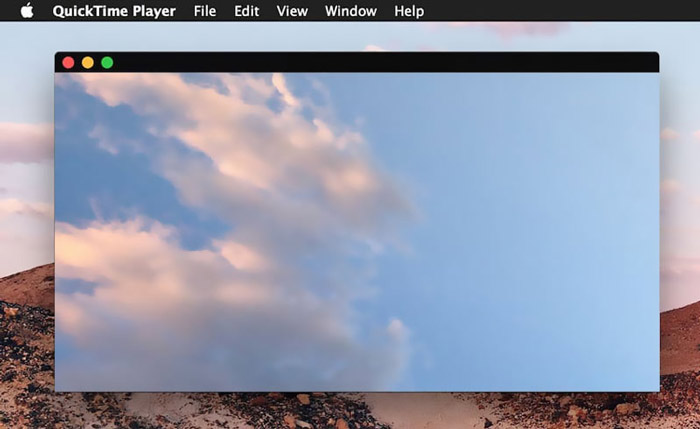
Sebagai pemain, QuickTime hanya dapat mendukung beberapa format video dan audio yang sering digunakan, seperti MP4, MOV, M4V, AAC, M4A, MP3, dan banyak lagi. Ia direka dengan beberapa ciri penyuntingan dan rakaman asas. Anda boleh bergantung pada pemain GIF ini untuk menangkap skrin dan mengedit fail anda.
Bahagian 5. Pemain GIF Dalam Talian Percuma - OnlineImageTools
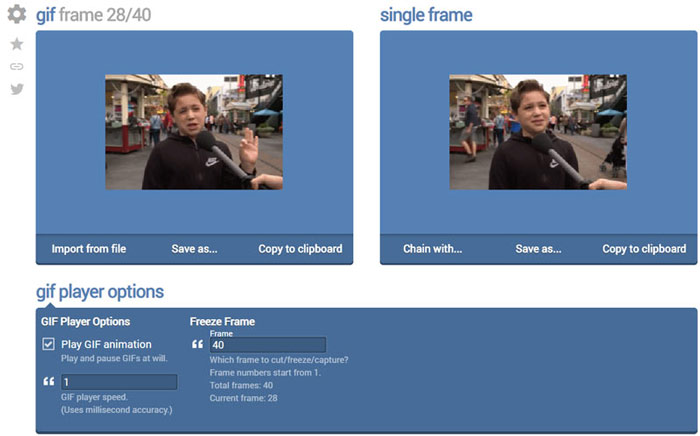
OnlineImageTools ialah alat main balik fail GIF dalam talian yang membolehkan anda melihat GIF pada kedua-dua Mac dan PC Windows. Anda tidak perlu memasang sebarang pemalam atau fail lain untuk memainkan GIF. Pemain animasi GIF berasaskan pelayar yang percuma ini membolehkan anda terus membuka fail GIF anda dalam talian. Untuk main balik GIF, ia membolehkan anda memainkan fail GIF bingkai demi bingkai.
Bahagian 6. Soalan Lazim Pemain GIF
Soalan 1. Bagaimana cara menyimpan GIF di iPhone?
Apabila anda ingin menyimpan fail GIF di iPhone anda, anda boleh menekan dan menahan GIF sehingga permintaan muncul. Kemudian anda boleh memilih pilihan Simpan Gambar untuk menyimpannya di aplikasi Foto.
Soalan 2. Bagaimana cara menukar video ke GIF secara percuma?
Untuk menghasilkan fail GIF daripada video, anda boleh bergantung pada Free Online Video Converter yang popular. Ia membolehkan anda menukar mana-mana klip video kepada GIF dengan mudah.
Soalan 3. Bolehkah VLC memainkan GIF?
Tidak. Pemain media VLC hanya dapat membuka fail GIF sebagai gambar statik.
Kesimpulannya
Sama ada anda sedang mencari pemain GIF untuk komputer atau telefon mudah alih, anda boleh mencari yang sesuai daripada 5 alat memainkan GIF yang disyorkan di atas. Tinggalkan mesej kepada kami jika anda masih mempunyai sebarang soalan tentang pemain GIF atau main balik GIF.
-
 Tutorial Memampatkan GIF dan Mengurangkan Saiz Failnya dengan Kualiti Tinggi
 Inilah 2 cara mudah untuk memampatkan GIF di komputer atau telefon bimbit anda. Anda boleh menggunakan FVC Free Online Video Compressor dan Photoshop mengurangkan saiz fail GIF dalam pelbagai aspek.
-
 10 Pemain FLV teratas untuk Windows, Mac, iOS dan Android pada tahun 2021
 Pemain FLV membantu anda mengakses fail FLV dengan mudah pada peranti Windows, Mac, Android, iOS anda. Lihat pemain fail FLV terbaik yang boleh anda muat turun sekarang.
-
 Pemain Fail SWF 8 Teratas untuk Memainkan Fail Video Flash pada Windows dan Mac
 Apabila anda ingin menikmati filem dan permainan SWF di PC dan Mac, anda boleh mengetahui lebih lanjut mengenai ciri-ciri terbaik dari 8 pemain fail SWF terbaik dari artikel tersebut.
