


 Video Converter Ultimate
 Perakam Skrin
 Pembaikan Video
4 Perakam FLV Teratas Sesuai untuk Komputer Chrome, Windows dan Mac
Pernahkah anda terfikir apa yang membuatkan video yang anda lihat disiarkan di web? Kebanyakan tapak web HTML 5 menggunakan format WebM untuk memainkan video. Selain daripada WebM, FLV juga digunakan. Terutamanya tapak percuma rancangan Filem dan TV percuma. Bagaimana anda tahu jika ia adalah fail FLV? Biasanya, jika video tidak dapat dimainkan, anda akan melihat mesej ralat yang mengatakan pasang Adobe Flash Player. Hari ini, banyak video dibenamkan dalam fail FLV. Tetapi apabila anda merakam video sama ada menggunakan perakam terbina dalam anda atau perakam lain, kemungkinan kualiti video diubah adalah tinggi.
Jadi, adalah lebih baik untuk menggunakan perakam yang boleh menghasilkan fail FLV juga atau yang boleh menghasilkan kualiti yang lebih baik tanpa mengira format fail. Jika anda bimbang kualiti video akan berubah, cari Perakam FLV yang tidak memerlukan pendaftaran untuk menggunakannya.

Bahagian 1. Pilihan Terbaik Pengguna - Perakam Skrin FVC
Dalam kalangan Perakam FLV yang terdapat dalam talian, FVC Screen Recorder ialah antara yang terbaik, atau dalam bahasa mudah, ia memang yang paling unggul. Permintaan pengguna kadangkala lebih tinggi daripada apa yang produk boleh berikan dan bukan semua boleh menjadi pilihan terbaik. Pelanggan lain sedang mencari produk terbaik yang patut mereka gunakan. FVC Screen Recorder mengatasi lebih daripada seribu perakam premium, terutamanya berbanding perakam anda sekarang. Dengan prestasi rakaman yang lancar, anda boleh memaksimumkan kualiti video yang ingin anda rakam. Selain itu, anda boleh menukar bit rate dan frame rate video yang akan menghasilkan kualiti video yang lebih baik. Jadi anda benar-benar perlu memberi perhatian kepada ulasan perakam FLV terbaik ini. Sementara itu, berikut ialah panduan mudah untuk menggunakan alat ini.
Langkah 1. Gunakan butang muat turun di bawah untuk mendapatkan aplikasi. Pasang dan ikut panduan sehingga aplikasi dibuka.
Muat Turun PercumaUntuk Windows 7 atau lebih baharuMuat Turun Selamat
Muat Turun PercumaUntuk MacOS 10.7 atau lebih baharuMuat Turun Selamat
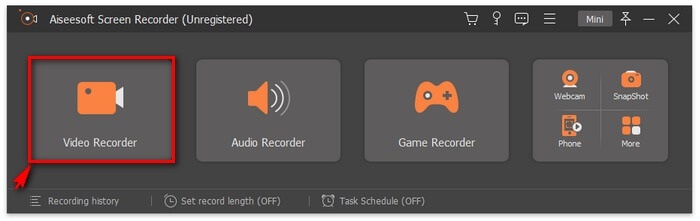
Langkah 2. Pilih antara tab yang ada. Oleh kerana kita cuba merakam video, klik pada Video Recorder. Selepas itu satu bingkai bertitik akan muncul bersama bar terapung.
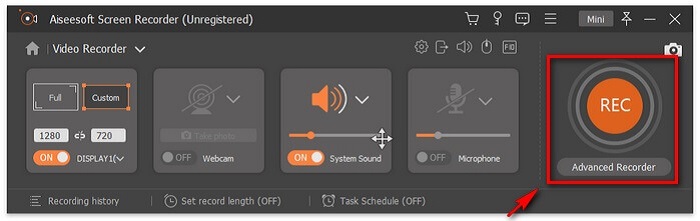
Langkah 3. Laraskan bingkai bertitik tersebut untuk menetapkan nisbah aspek skrin kemudian klik butang REC untuk mula merakam.
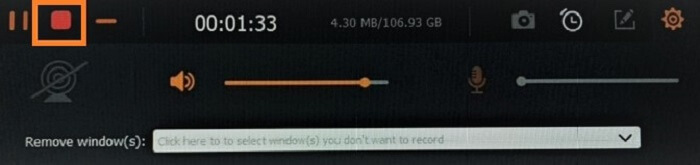
Langkah 4. Untuk menghentikan rakaman, klik butang Square berwarna merah pada bar terapung. Dari situ, satu lagi tetingkap akan muncul. Di sinilah anda boleh memilih untuk menyimpan atau merakam semula jika anda tidak berpuas hati dengan hasilnya.
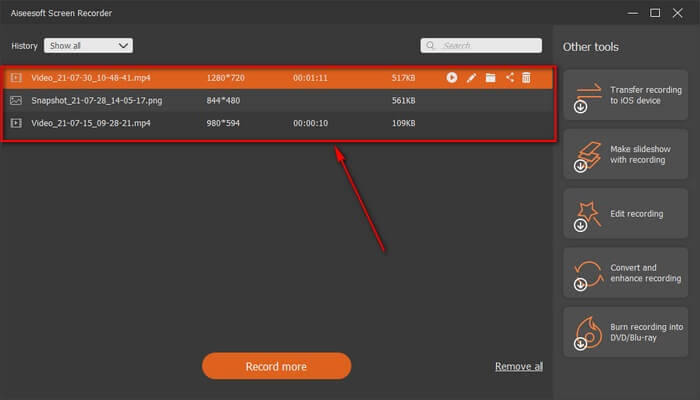
Langkah 5. Katakan anda menyimpan fail itu, tetingkap seterusnya akan membolehkan anda memilih lokasi fail yang akan disimpan. Pilih folder dan klik Next.
Bahagian 2. Perakam Video FLV Percuma Lain
Perakam FLV untuk Semua Pelayar - Perakam Skrin Percuma FVC
Sudah diketahui bahawa FVC Free Screen Recorder adalah perakam yang ringan tetapi mempunyai fungsi yang berkuasa. Jadi, jika anda seorang pemula yang mahu merakam sekadar untuk berseronok, anda boleh menggunakannya, atau jika anda seorang profesional yang mahu merakam mesyuarat perniagaan, ia juga sesuai. Kedua-duanya boleh dilakukan. Ciri terbaik yang disediakan perakam ini ialah anda boleh merakam mana-mana bahagian skrin tanpa diganggu oleh bar terapung alat tersebut. Ia akan merakam skrin sahaja secara automatik. Ambil seberapa banyak tangkapan skrin yang anda mahu tanpa gangguan dengan bantuan ciri Lock-in screen. Tanpa berlengah lagi mari kita teruskan cara menggunakan perakam FLV ini. Anda mesti ikut langkah-langkah di bawah.
Langkah 1. Lawati laman web rasmi FVC Free Screen Recorder dan lancarkan aplikasinya.
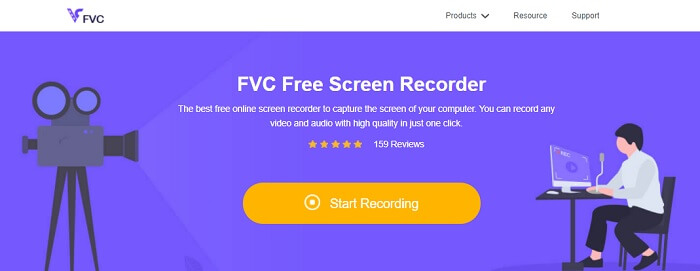
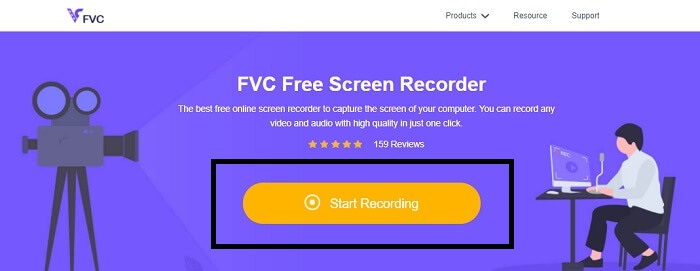
Langkah 2. Lancarkan alat dengan mengklik Start Recording dan teruskan ke langkah seterusnya.
Langkah 3. Pada bar alatnya, klik butang gear untuk menukar tetapan mengikut keperluan anda. Jika anda sudah berada dalam menu keutamaan, cari Output dan tukar format video mengikut kehendak anda. Klik OK jika semuanya sudah ditetapkan.
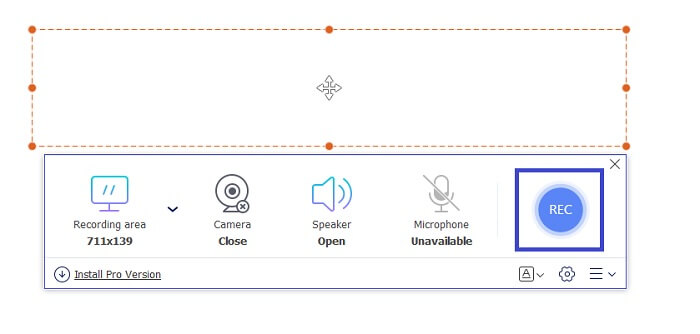
Langkah 4. Pada bar alat terapung, anda kini boleh melaraskan nisbah bingkai skrin. Tambahkan juga reaksi wajah anda dengan menghidupkan Webcam. System Sound digunakan untuk menambah bunyi semula jadi program. Akhir sekali, tambahkan suara anda dengan menghidupkan Mikrofon. Untuk mula merakam FLV klik butang REC untuk memulakan.
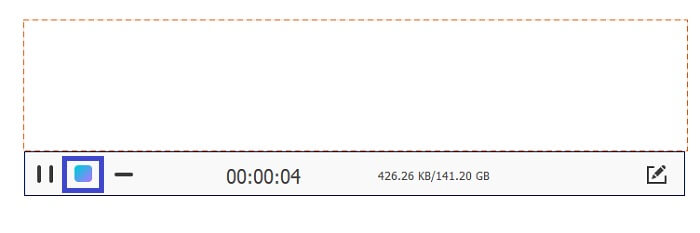
Langkah 5. Untuk menamatkan rakaman FLV, klik butang cube untuk berhenti. Selepas itu, klik Save dan Next. Semua rakaman yang anda buat berada dalam History list.
Perakam FLV untuk Chrome - SCREEN.IO
Jika anda tidak mahu memuat turun fail tambahan dalam pemacu anda, anda boleh menggunakan perakam Chrome terbina dalam ini. Perakam FLV untuk Chrome ini membantu ramai orang di seluruh web. Jadi, jika anda seorang peminat penjimatan ruang pada storan anda maka anda mesti mencuba SCREEN.IO ini. Walaupun alat itu tidak menyediakan ciri khas yang serupa dengan perakam lain. Tetapi keupayaan rakamannya sangat standard. Jika kita membandingkan perakam Chrome dan perakam desktop, desktop ialah cara yang cekap untuk melakukan rakaman kerana anda tidak akan keberatan jika sambungan internet telah terganggu.
Perakam FLV untuk Windows - Pemain Media VLC
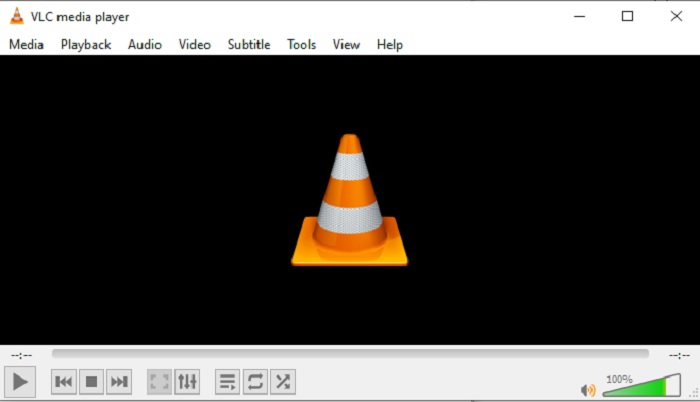
Pemain Media VLC bukan sahaja terkenal sebagai pemain media terbaik. Ia juga mempunyai beberapa fungsi seperti rakaman, penukaran format, dan banyak lagi. Walaupun ia pemain media yang hebat, semua fungsi yang disebutkan ini bukanlah yang paling baik. Dan dalam sesetengah kes, format video atau audio tidak boleh dimainkan di sini kerana codec-nya proprietari. Jadi, sebagai ganti, anda boleh menggunakan Alternatif VLC Media Player yang menyokong fail walaupun ia proprietari.
Perakam FLV untuk Mac - OBS Studio
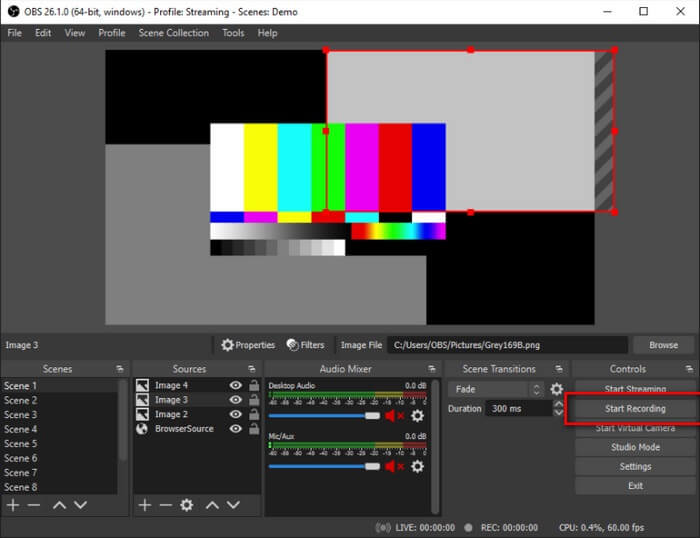
Mungkin anda fikir kami terlupa pengguna Mac. Perakam FLV untuk Mac ini ialah salah satu perakam yang paling berkuasa dalam senarai kerana anda juga boleh melakukan penstriman di sini. Walaupun mempunyai ciri yang menakjubkan, alat ini kelihatan agak menggerunkan terutamanya jika anda baru dalam bidang rakaman. Ini kerana terdapat banyak elemen pada antara muka apabila anda membuka alat tersebut.
Bahagian 3. Soalan Lazim tentang Perakam Video FLV
Fail FLV, Adakah selamat untuk memuat turunnya pada PC saya?
Pada hakikatnya, ia bukan fail yang kita bercakap tentang keselamatan. Fail FLV dibenamkan pada tapak perkongsian video, jadi soalan anda sepatutnya, bagaimana saya boleh mengenal pasti jika video yang saya muat turun dari tapak tidak mempunyai perisian hasad? Gunakan Safeguard untuk PC anda. Terdapat banyak pembela dan pengimbas Perisian yang boleh anda temui dalam talian. Tetapi fail itu sendiri selamat. Melainkan mereka meletakkan perisian hasad di dalamnya, ia selamat.
Apakah program yang boleh membuka fail FLV?
Terdapat banyak pemain media di luar sana, tetapi apa yang saya cadangkan ialah pemain VLC. Pemain ini serba boleh dan boleh memainkan hampir semua format fail, sama ada termampat atau tidak termampat. Klik di sini untuk mendapatkan lebih banyak pemain FLV yang popular.
Apakah kelebihan fail FLV?
Kelebihan utama pertama FLV ialah keupayaannya untuk menghasilkan video berkualiti tinggi dalam saiz kecil. Secara semula jadi, fail adalah fleksibel. kenapa? Anda boleh menukar fail ini dengan mudah kepada format lain walaupun dengan menggunakan penukar dalam talian.
Bahagian 4. Carta Perbandingan
| ciri-ciri | Perakam Skrin FVC | Perakam Skrin Percuma FVC | Pemain Media VLC | Studio OBS |
| Perakam Skrin |  | | | |
| Perakam audio | | | | |
| Menyokong FLV | | | | |
| Pemain Multimedia |  | | | |
| Kadar Bit Boleh Laras dan Kadar Bingkai | | | | |
Kesimpulannya
Semua alatan yang disenaraikan membantu dalam merakam video FLV dan menghasilkan kualiti video terbaik yang mungkin. Selain itu, jika anda tidak pasti alat mana yang hendak digunakan, anda boleh merujuk kepada carta perbandingan yang ditulis. Tetapi antara perakam FLV yang disenaraikan. Perakam Skrin FVC mempunyai kelebihan yang lebih besar kerana ciri kunci masuk Tetingkapnya.
-
 Perakam OGG Paling Berguna 2021 [Percuma & Dalam Talian]
 Tulisan ini membincangkan tentang alat Rakaman OGG terbaik yang membantu anda melakukan rakaman audio OGG. Untuk menambah maklumat yang lebih terperinci untuk pengguna teruskan membacanya.
-
 5 Perisian Perakam M4B Terbaik untuk PC dan Mac [Percuma & Berbayar]
 Rakaman M4B dikompresi lossy untuk fail buku audio MPEG-4. Dalam beberapa aspek M4A dan M4B hampir biasa tetapi mereka mempunyai perbezaan. Untuk mengetahui apa yang dibaca artikel itu.
-
 Alat Perakam AMR Terbaik 5 Terbaik Terdapat untuk semua Sistem Operasi
 Ingin tahu apa format AMR dan apakah perakam AMR terbaik yang harus anda pilih yang akan memberikan rakaman yang luar biasa.
