


 Video Converter Ultimate
 Perakam Skrin
 Pembaikan Video
Kenali Apakah 2 Penukar Terbaik untuk Menukar RMVB kepada AVI secara Percuma
Jika anda mencari pemampatan yang lebih cekap, gunakan format RMVB kerana format ini menggunakan kadar bit berubah-ubah untuk menyahkod bunyi dan video. Format ini ialah kontena terbaik untuk menyimpan media penstriman yang disahkod pada kadar bit malar. Walaupun format ini ialah pilihan terbaik untuk penstriman dalam talian, anda masih perlu menggunakan pemain media atau codec media untuk menonton video dengan sambungan fail .rmvb. Jadi jika begitu halnya, mari mudahkan hidup anda dengan mengetahui apakah penukar fail RMVB ke AVI yang boleh anda gunakan untuk menukar fail RMVB anda.
Bahagian 1. Penukar RMVB ke AVI Luar Talian Terbaik untuk Windows dan Mac [Cara Terpantas & Paling Berkesan]
Pertama dalam senarai ini ialah penukar hebat yang pasti anda sukai; FVC Video Converter Ultimate menyediakan cara terpantas dan paling selamat untuk menukar RMVB ke AVI secara percuma. Semua ciri yang ditawarkan alat ini adalah keperluan bagi semua orang yang kerap menukar format. Selain itu, jika anda mahu menyunting video, menguatkan audio anda, mencipta GIF unik dan melakukan lebih banyak lagi, alat ini ialah pilihan terbaik untuk semua orang. Walaupun anda boleh menukar format di sini secara percuma, alat ini sendiri bukanlah percuma. Namun, anda tidak perlu membelanjakan ratusan dolar untuk memuat turun, mengakses dan merasai keupayaan penuh penukar ini. Sekiranya anda membeli dan memuat turun alat ini, kini adalah masa yang tepat untuk menggunakan imaginasi anda bagi mencapai output terbaik dengan bantuan alat ini. Dan sekarang, butiran berikut ialah langkah-langkah tentang cara menukar fail RMVB anda kepada format baharu.
Langkah-langkah Menukar RMVB ke AVI dengan FVC Video Converter Ultimate:
Langkah 1. Muat turun penukar RMVB ke AVI ini pada PC atau Mac anda, pasang, buat tetapan, dan klik Start Now.
Muat Turun PercumaUntuk Windows 7 atau lebih baharuMuat Turun Selamat
Muat Turun PercumaUntuk MacOS 10.7 atau lebih baharuMuat Turun Selamat
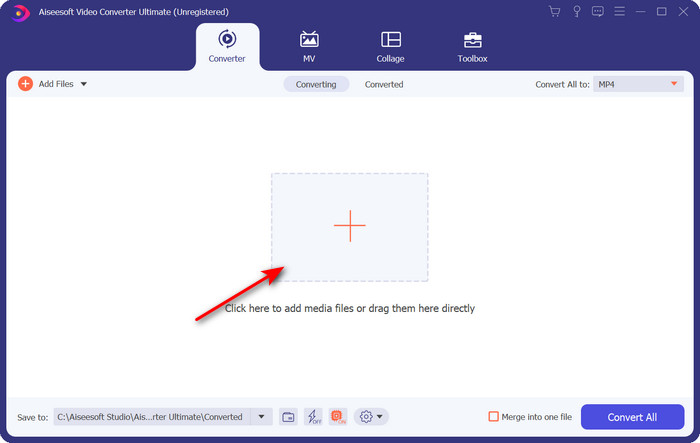
Langkah 2. Jalankan program dan muat naik fail .rmvb ke antara muka dengan mengklik butang + di bahagian tengah. Cari fail tersebut dalam folder dan klik Open.
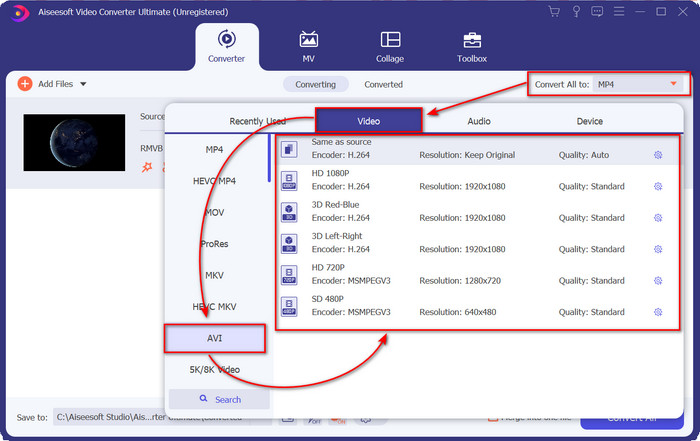
Langkah 3. Pergi ke Convert All to: dan cari format AVI, kemudian klik padanya.
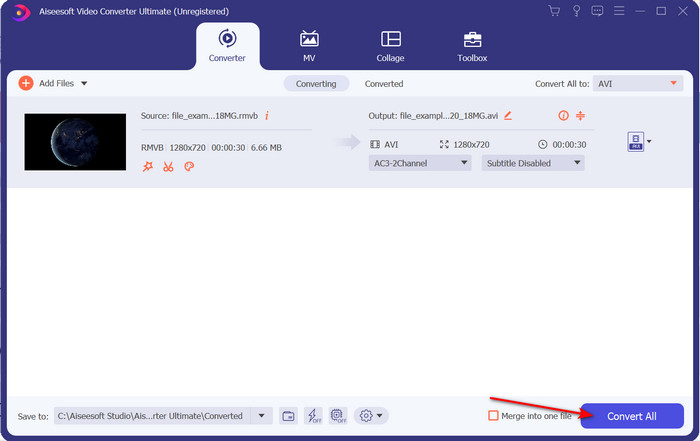
Langkah 4. Setelah pemilihan format selesai, mulakan penukaran fail dengan mengklik Convert All.
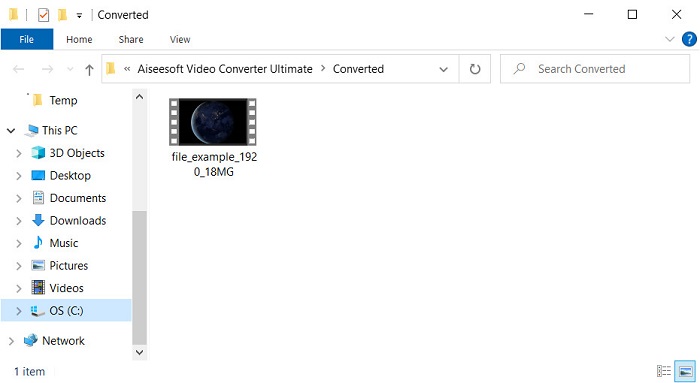
Langkah 5. Satu folder dengan fail .rmvb baharu akan terpampang pada skrin anda; klik fail tersebut untuk menonton video dan nikmatinya.
Kelebihan
- Kotak alat menawarkan pelbagai utiliti popular yang akan membantu anda dengan masalah berbeza yang akan anda hadapi.
- Ia menyediakan 30x lebih pantas dalam menukar fail berbanding penukar lain dalam talian dan luar talian.
- Sangat mudah untuk sesiapa sahaja yang mempunyai atau tanpa pengalaman dalam menukar boleh menukar dengan mudah.
- Penukaran kelompok dilakukan dengan cepat dengan format yang berbeza.
Keburukan
- Untuk mengakses alat itu, anda perlu membayarnya, tetapi ia tidak lebih daripada seratus dolar.
- Muat turun diperlukan pada PC atau Mac anda.
Bahagian 2. Penukar RMVB ke AVI Dalam Talian Terbaik untuk Pelayar Web [Percuma]
Adakah anda sedang mencari penukar RMVB ke AVI dalam talian? Kalau begitu, FVC Free Video Converter Online ialah salah satu pilihan. Alat web ini membolehkan anda menukar tanpa memuat turun perisian. Ia boleh diakses oleh sesiapa yang mempunyai sambungan internet. Selain itu, ia percuma, selamat dan tiada iklan di laman web semasa proses penukaran. Satu lagi kelebihan ialah anda boleh menukar fail di sini tanpa sebarang had. Anda boleh memilih daripada beberapa format yang tersedia. Walau bagaimanapun, alat web ini tidak mempunyai ciri lanjutan yang sama seperti yang disediakan oleh FVC Video Converter Ultimate. Tambahan pula, anda tidak boleh mengakses alat ini jika tiada sambungan internet, sama seperti alat web lain. Jadi sekarang, jika anda mahu mencuba dan menukar tanpa mengeluarkan wang, ikuti langkah-langkah yang dinyatakan di bawah.
Langkah-langkah Menukar RMVB ke AVI Dalam Talian dengan FVC Free Video Converter Online:
Langkah 1. Untuk mengakses penukar RMVB ke AVI dalam talian ini, anda mesti klik pautan ini.
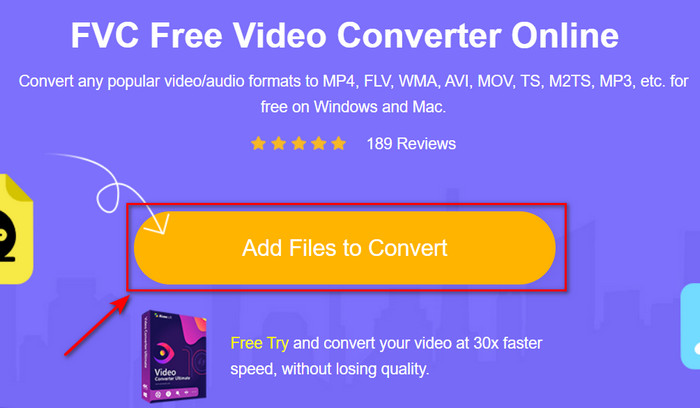
Langkah 2. Tekan Add Files to Convert, dan jika ini kali pertama anda menggunakan alat ini, pelancar akan dimuat turun secara automatik, klik semula Add Files to Convert, dan satu folder akan dipaparkan. Cari fail .rmvb dalam folder tersebut dan klik Open.
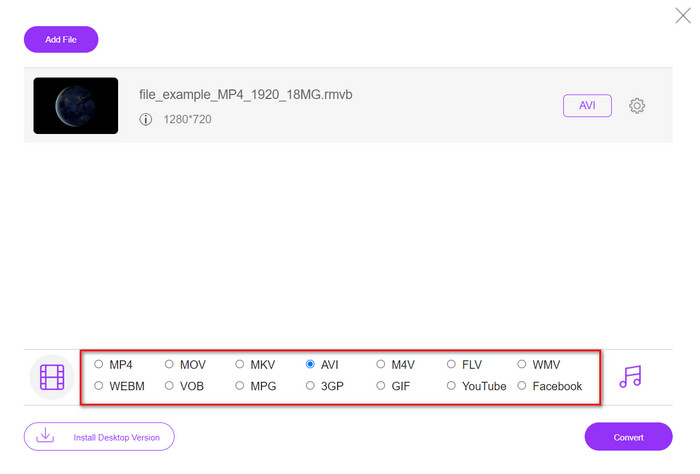
Langkah 3. Setelah fail berada pada antara muka web, klik AVI di bawah pilihan yang tersedia di bahagian bawah.
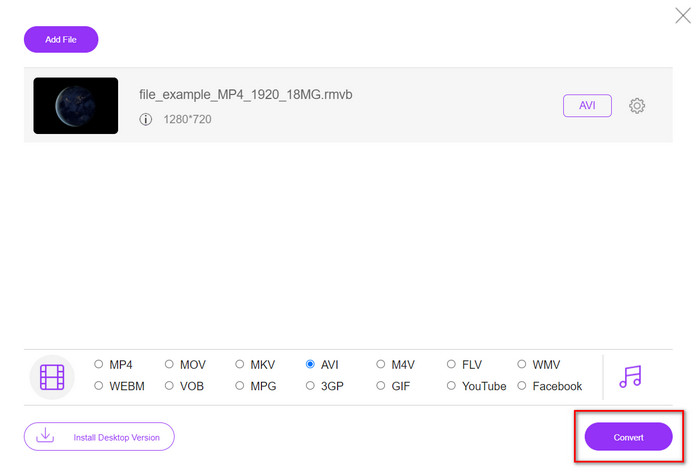
Langkah 4. Setelah anda memilih AVI, mulakan proses penukaran dengan menekan Convert.
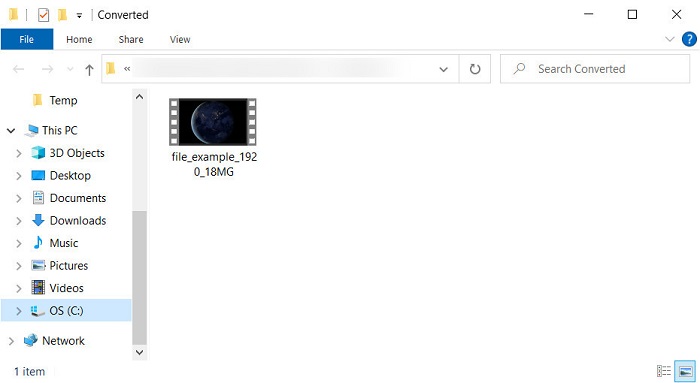
Langkah 5. Apabila penukaran fail selesai, satu folder dengan fail tersebut akan muncul pada skrin anda, dan jika anda mahu menontonnya, klik fail itu.
Kelebihan
- Tiada muat turun diperlukan untuk mengaksesnya selain daripada pemasang.
- Percuma, dan ia tidak mempunyai iklan pada antara muka web.
- Buka alat web ke dalam penyemak imbas yang berbeza kerana ia tersedia dalam semua.
Keburukan
- Bergantung kepada Internet, yang bermaksud jika anda tidak mempunyai internet, anda tidak boleh menggunakannya.
- Ia tidak mempunyai ciri penyuntingan seperti FVC Video Converter Ultimate.
Bahagian 3. Soalan Lazim tentang RMVB dan AVI
Bolehkah saya memainkan fail RMVB pada Quicktime?
Quicktime boleh memainkan pelbagai format, dan pemain media ini menyokong codec berbeza yang disertakan dalam trek video atau audio anda. Namun, .rmvb bukan salah satu format yang disokong, jadi untuk memainkan fail .rmvb pada Quicktime, anda perlu menukarnya kepada format yang disokong seperti MOV, MPEG-4, AVI dan format lain yang serasi. Tetapi anda boleh beralih kepada pemain RMVB untuk menikmati video RMVB anda dengan lancar.
Mengapa saya tidak boleh membuka fail .rmvb pada Windows Media Player?
Oleh kerana codec fail .rmvb anda tidak disokong dalam pemain media ini, katakan anda ingin menonton video di bawah sambungan fail .rmvb. Dalam kes itu, adalah satu kemestian untuk memasang codec video pada komputer anda sebelum memainkannya. Tetapi untuk mengelakkan masalah ini, cuba tukar format kepada format yang munasabah yang disokong oleh pemain media ini.
Bolehkah saya menyimpan video di bawah format RMVB pada telefon saya?
Ya, anda boleh menyimpannya, tetapi anda tidak boleh memainkannya pada pemain video lalai anda dan untuk memainkan fail, anda mesti memuat turun pemain video pihak ketiga yang menyokong format ini.
Kesimpulannya
Sebagai rumusan, kini kita memahami apa itu format RMVB dan jenis pengekodan yang disokong oleh format ini. Walaupun format ini sangat baik untuk penghantaran fail dalam talian, masih ada pemain media yang tidak menyokong format ini kerana strukturnya yang kompleks. Jadi sekarang, kami memperkenalkan dua penyelesaian yang boleh anda pilih dan pelajari cara menukar fail RMVB kepada AVI; satu alat boleh diakses secara dalam talian tanpa sebarang bayaran ketika menggunakannya. Dan satu lagi ialah penukar hebat yang menyelesaikan semua tugasan dalam sekelip mata. Sekiranya anda memilih FVC Free Video Converter Online, maka jangkakan penukaran dalam talian yang terbaik. Namun, jika anda memutuskan untuk memuat turun versi yang jauh lebih baik, maka jangkakan prestasi yang paling unggul.
-
 Panduan Mengubah RMVB ke MP4 pada Windows / Mac (3 Cara Percuma)
 Ingin menukar RMVB kepada MP4 untuk main semula mudah pada komputer atau telefon bimbit anda? Anda akan menemui cara mudah untuk menukar fail RMVB anda kepada MP4 dalam panduan ini.
-
 4 Aplikasi Penukar RMVB ke FLV Percuma di Desktop atau Dalam Talian
 Artikel ini akan memberitahu anda perisian dan aplikasi web penukar RMVB ke FLV terbaik yang boleh menukar fail RMVB (RealMedia Variable Bitrate) ke video FLV.
-
 Kaedah Terbaik untuk Digunakan dalam Menukar AMV kepada AVI [Diluluskan]
 Adakah anda mengalami kesukaran untuk menukar fail video format AMV anda kepada AVI? Berikut adalah beberapa petua yang disediakan yang anda hanya boleh temui dalam artikel ini.
