


 Video Converter Ultimate
 Perakam Skrin
 Pembaikan Video
Perisian Dalam Talian dan Luar Talian Terbaru yang Boleh Anda Gunakan untuk Membalikkan Video MP4 Dengan Mudah
Kebanyakan masa apabila kita cuba membalikkan (reverse) video, kita akan menghasilkan reaksi lucu yang membuat kita terfikir bahawa itulah diri kita sendiri. Oleh sebab ia dimainkan secara terbalik, kesannya mencipta sesuatu yang baharu pada pandangan mata kita. Jadi, jika anda ingin mengetahui cara berkesan untuk membalikkan video MP4, maka artikel ini wajib dibaca. Memandangkan ia memaparkan pelbagai perisian dalam talian dan luar talian, anda boleh menggunakannya untuk menghasilkan banyak video terbalik dengan cara yang mudah. Jadi, tanpa berlengah lagi, mari kami perkenalkan kesemuanya kepada anda satu per satu.

Bahagian 1. Cara Membalikkan Video MP4 (Luar Talian)
Alat yang hebat di seluruh web ialah Video Converter Ultimate. Alat ini telah membantu berjuta-juta pengguna yang menghadapi kesukaran untuk membalikkan MP4. Tidak seperti mana-mana alat lain dalam senarai ini, anda boleh mengakses perisian ini walaupun tanpa sambungan internet. Selain itu, alat ini boleh mengimport dan mengeksport serta-merta, seolah-olah sebelum anda sempat berkelip, anda tidak sedar ia sudah pun diterbalikkan. Juga, satu ciri menakjubkan yang alat ini miliki berbanding yang lain ialah ia mempunyai semua fungsi lanjutan yang mungkin anda ingin gunakan. Sekarang, mari terus kepada langkah-langkah bagaimana membalikkan video dengan berkesan.
Langkah-langkah Cara Membalikkan Video pada Video Converter Ultimate
Langkah 1. Mula-mula, anda perlu memuat turun alat ini ke pemacu anda. Kemudian pasang dan ikuti proses set up yang disediakan.
Muat Turun PercumaUntuk Windows 7 atau lebih baharuMuat Turun Selamat
Muat Turun PercumaUntuk MacOS 10.7 atau lebih baharuMuat Turun Selamat
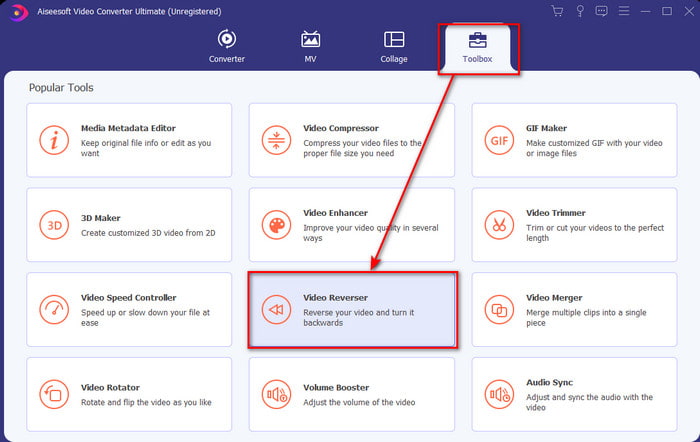
Langkah 2. Lancarkan perisian, klik Toolbox dan pilih Video Reverser.
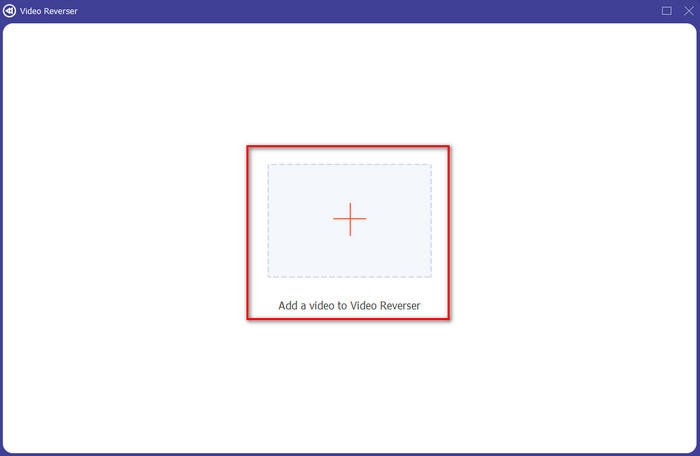
Langkah 3. Kemudian tambah fail MP4 dengan mengklik tanda + dan pilih daripada folder komputer. Seterusnya klik Open untuk memasukkan fail .mp4 ke dalam antara muka.
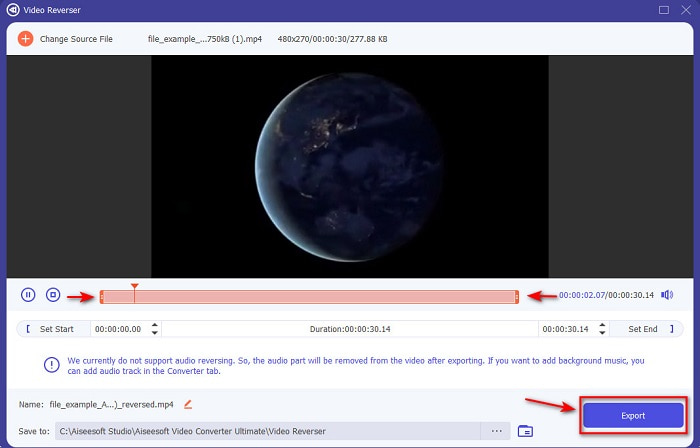
Langkah 4. Kini laraskan playback in and out untuk mengubah durasi video. Klik Export untuk meneruskan.
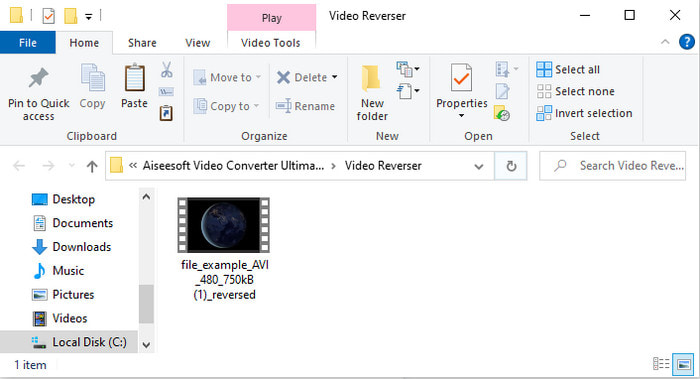
Langkah 5. Selepas proses eksport selesai, klik fail dalam folder untuk memainkan fail yang telah diterbalikkan dan untuk mengetahui lokasinya.
Bahagian 2. Cara Membalikkan Video MP4 (Dalam Talian)
1. FileConverto
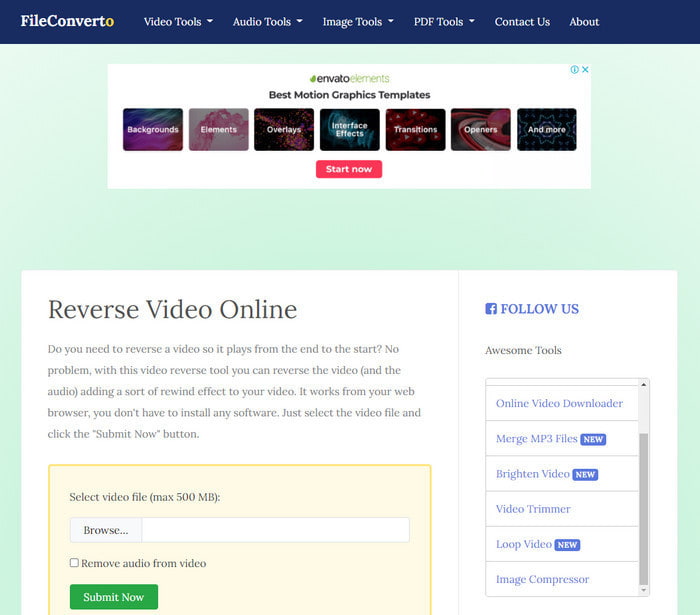
Alat reverse MP4 video dalam talian bernama FileConverto mempunyai banyak fungsi alatan web yang boleh anda gunakan untuk menjadikan video anda luar biasa. Prestasi alat web ini sangat baik untuk mereka yang tidak mahu memuat turun sebarang perisian. Namun begitu, antara muka laman webnya agak hambar untuk dipandang, proses memuat naik akan mengambil banyak masa anda, dan ia tidak menyokong semua format video. Selain itu, anda akan menghadapi beberapa pepijat dan tetingkap timbul apabila cuba membalikkan video. Walaupun ia mempunyai banyak masalah yang diketahui, ia masih bagus untuk digunakan dan dicuba.
Kelebihan
- Perisian ini mudah diakses dan ia mempunyai banyak ciri penyuntingan asas yang anda perlukan.
- Sangat Mesra Pengguna sehinggakan pengguna yang tidak mengalami pembalikan boleh melakukannya di sini.
- Ia mengehadkan penukaran anda kepada 500mb yang sangat bagus.
Keburukan
- Mengimport fail di sini dan mengeksport adalah sangat perlahan daripada yang dijangkakan.
- Ia mempunyai banyak iklan dalam alat web sahaja yang boleh mengganggu anda. Dan selepas anda mengklik ciri alat web, iklan akan menunjukkan bahawa anda perlu mengklik semula sekali lagi.
- Ia tidak menyokong semua format video.
2. Pilih Daripada
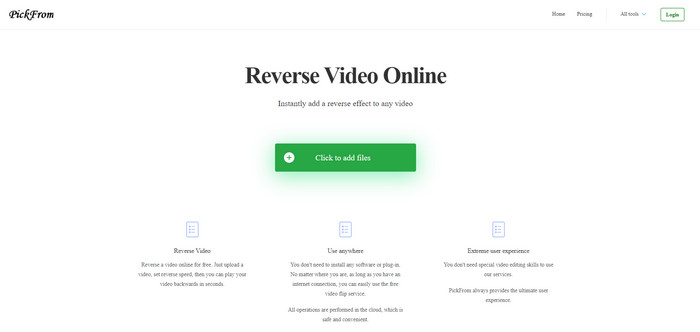
PickFrom mempunyai antara muka yang lebih baik berbanding FileConverto jika kita bandingkan. Ini kerana ia menampilkan rekaan minimalis dan gabungan warna putih serta sian yang sangat serasi. Tetapi teksnya agak nipis dan sukar dibaca. Secara asasnya, jika anda tidak mempunyai penglihatan 20-20, anda mungkin mendapati alat ini sukar untuk dibaca. Selain itu, apabila anda ingin melakukan reverse video MP4 di sini, pilihannya ditulis dalam bahasa Cina ringkas. Jadi, agak sukar untuk difahami, tetapi proses mengimport fail di sini lebih pantas berbanding FileConverto.
Kelebihan
- Ia mempunyai antara muka web yang jauh lebih baik berbanding dengan FileConverto.
- Tiada iklan di bahagian atas tapak web tetapi jika anda menatal ke bawah terdapat sekumpulan iklan yang menjengkelkan.
- Menyokong banyak ciri penyuntingan asas.
Keburukan
- Tetapan alat ditulis dalam bahasa Cina yang sukar difahami jika anda tidak tahu berbahasa Cina.
- Selepas anda mengklik butang mula, alat menjadi tidak responsif dan proses pengeksportan mengambil banyak masa.
- Ia mengurangkan kualiti video yang dieksport.
3. Media.io
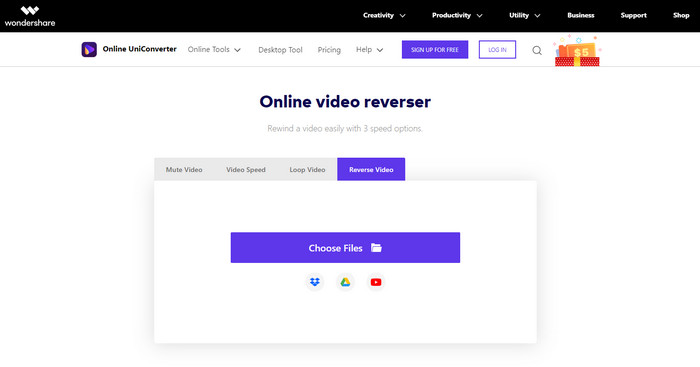
Media.io mempunyai 3 pilihan kelajuan reverse yang berbeza: x 0.5, x 1, x 2. Anda boleh membalikkan video dan mainkan MP4 secara terbalik dengan bantuan fungsi reverse yang disediakan. Walaupun alat ini kelihatan hebat, masih ada beberapa masalah yang akan anda hadapi semasa menggunakan Media.io. Contohnya, apabila anda hendak mengeksport fail, ia akan meminta anda log masuk terlebih dahulu sebelum boleh mengeksport. Selain itu, anda hanya boleh menghasilkan 10 video reverse di sini dengan saiz fail yang terhad.
Kelebihan
- Antara muka alat hebat dan menarik.
- Anda boleh menukar format output akhir video terbalik jika anda mahu atau mengekalkan format asal.
- Anda boleh meredam atau menyahredamkan video.
Keburukan
- Laman web akan meminta anda mendaftar sebelum anda boleh mengeksport yang bermakna anda akan membenarkan mereka menghantar pemberitahuan melalui e-mel.
- Pembalikan x 2 adalah kurang perlahan daripada x 2 alat lain.
- Alat ini mengehadkan ketersediaan alat web. Sebagai contoh, anda tidak boleh membalikkan lebih daripada 10 fail dalam sehari dan ia mempunyai had maksimum untuk saiz fail.
Bahagian 3. Soalan Lazim tentang Membalikkan MP4
Selepas membalikkan video adakah ia menurunkan kualiti?
Membalikkan video pada alat tidak seharusnya merendahkan kualiti video yang ingin diterbalikkan. Walau bagaimanapun, terdapat banyak perisian yang menjadikan kualiti video lebih rendah. Tetapi terdapat beberapa kes di mana anda menetapkan kualitinya rendah dan tidak tinggi.
Bagaimana untuk menambah audio pada fail terbalik saya?
Kebanyakan perisian yang disenaraikan di sini juga tidak menyokong fungsi membalikkan audio, tetapi anda boleh pergi ke pautan ini dan pelajari cara menambah audio.
Bagaimanakah saya boleh menggabungkan video terbalik saya pada iPhone?
Terdapat banyak cara berbeza untuk anda menggabungkan video pada iPhone dengan berkesan. Hanya dengan membaca artikel ini anda akan mempelajari 4 cara berbeza untuk menggabungkan video pada iPhone.
Kesimpulannya
Sebagai kesimpulan, kini setelah kita tahu cara untuk membalikkan fail MP4 dengan bantuan beberapa alat ini, anda boleh memilih salah satu daripadanya. Selain itu, tidak semua yang disebutkan dalam artikel ini mampu menghasilkan output video akhir yang menakjubkan seperti Video Converter Ultimate. Jadi, jika anda mahu merasai kehebatan alat ini, maka anda mesti memuat turunnya terlebih dahulu. Kerana anda tidak perlu membaca buku tebal untuk mengetahui bagaimana alat ini berfungsi secara keseluruhan.
Muat Turun PercumaUntuk Windows 7 atau lebih baharuMuat Turun Selamat
Muat Turun PercumaUntuk MacOS 10.7 atau lebih baharuMuat Turun Selamat
-
 [2021 Dikemas kini] 9 Editor GIF Terbaik untuk PC, Mac, iOS dan Android
 Perlu menambahkan sentuhan peribadi pada GIF anda supaya dapat menjadi lebih ekspresif? Teruskan membaca artikel ini untuk mengetahui cara mengedit dan alat terbaik untuk pekerjaan itu.
-
 Panduan Cara Membaiki Video Tidak Bermain di Telefon Android
 Ingin tahu apa sebab mengapa video pada peranti android anda tidak dapat dimainkan? Dan jika demikian, adakah cara untuk menyelesaikan masalah anda sendiri? Teruskan membaca untuk mengetahui lebih lanjut.
-
 Panduan Terperinci tentang Cara Memainkan Fail MKV pada PS4 [Dikemas kini 2021]
 Dengan membaca artikel ini, anda akan mempelajari beberapa cara tentang cara memainkan MKV pada PS4 dan cara menukar fail video sekiranya video tidak dapat' bermain.
